
This page is not an official page of the app or its developer, but an independent editorial publication created for informational and commentary purposes. Unless expressly stated otherwise, neither the app nor its developer is affiliated with, endorsed by, sponsored by, authorized by, or otherwise officially connected with MWM, Apple, Google Play, the app publisher, or the app's developer, and nothing on this page implies that the app was developed using MWM's services. Any trademarks, logos, screenshots, and other content remain the property of their respective owners.


CHARGE+
Experience a frictionless charging network designed for your modern lifestyle. Scan, charge, and track your energy in real-time for a smarter, more sustainable commute.
Downloads
85K+User Rating
Total Ratings
100Publisher
Category
NavigationLocales
1Latest Version
5.4.38Size
76.8 MBFirst Released
Oct 10, 2019Powering Your Journey with Seamless Tech
From instant QR activation to real-time expense tracking, Charge+ provides the professional tools you need for a frictionless EV lifestyle.
Instant Scan & Charge
Skip the complex kiosks. Simply scan the QR code on any Charge+ enabled station to start your session in seconds.
Real-Time Energy Insights
Monitor your charging time, energy consumption, and costs live, ensuring you stay in total control of your budget.
Frequently Asked Questions
Everything you need to know about CHARGE+
What is the CHARGE+ app used for?
The CHARGE+ app is professional software that enables electric vehicles to charge at Charge+ or Charge+ enabled charging stations.
How do I initiate a charging session with the CHARGE+ app?
Users initiate charging by opening the CHARGE+ app and scanning the QR code or keying in the charging station's ID number.
Can I check charging progress in real-time using the CHARGE+ app?
Yes, the CHARGE+ app provides real-time charging statistics, including charging time, cost incurred, energy consumed, and battery percentage.
How are payments processed for CHARGE+ charging sessions?
The CHARGE+ app enables quick and fuss-free payment of charging fees directly through credit card.
Does the CHARGE+ app alert users when charging is complete?
Yes, the CHARGE+ app automatically alerts users once the electric vehicle charging session is complete.
Can I locate available CHARGE+ charging stations nearby?
Yes, the CHARGE+ app helps users find nearest charging stations on a map, filtering by types like Public or DC Turbo, and showing distance.
Does the CHARGE+ app offer auto top-up for credits?
Yes, the CHARGE+ app features an "Auto Top Up" option to automatically reload Charge+ credits when the balance drops below S$10.
What languages does the CHARGE+ app support?
The CHARGE+ app supports multiple languages including Bahasa Indonesia, English, Tiếng Việt, ไทย, and 日本語.
Can I view my CHARGE+ charging history and download it?
Yes, the CHARGE+ app allows users to view detailed past charging sessions, including energy consumed and credits used, with an option to download the history.
Does CHARGE+ offer different charging plans?
Yes, the CHARGE+ app allows users to view their active plans and explore available plans, which can be linked to specific buildings or locations.
The following screenshots and description are sourced directly from the app's official store listing and are the property of the app developer.
App Store
Screenshots
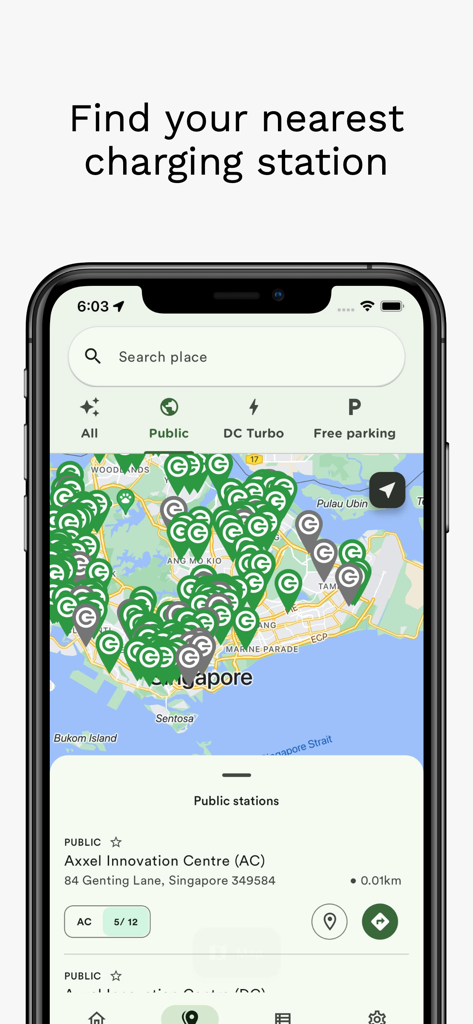
CHARGE+ app map interface showing nearby electric vehicle charging station locations
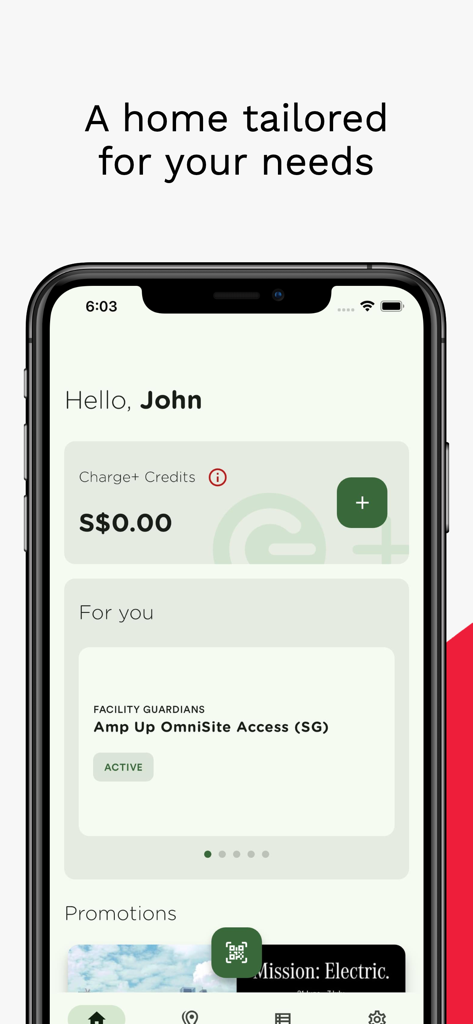
The home screen of the CHARGE plus app featuring credit balance and charging site access
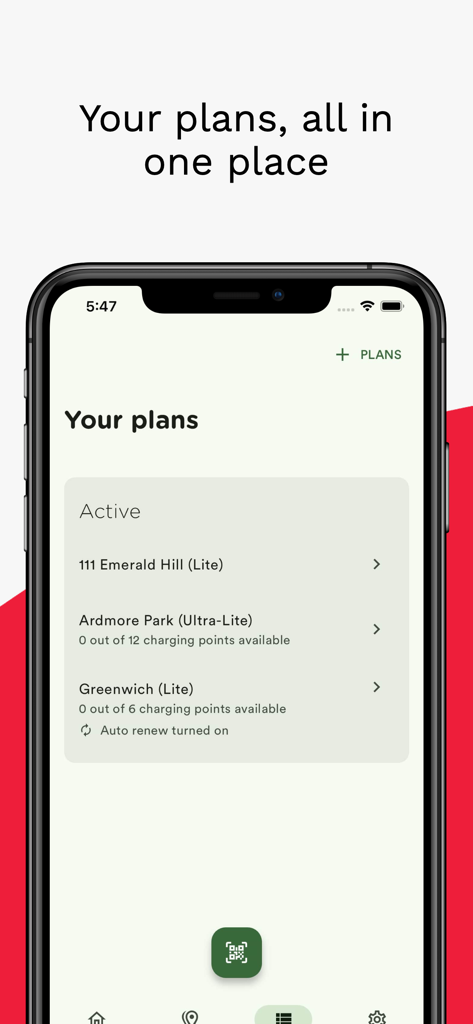
CHARGE plus mobile app showing a list of active electric vehicle charging plans at different locations
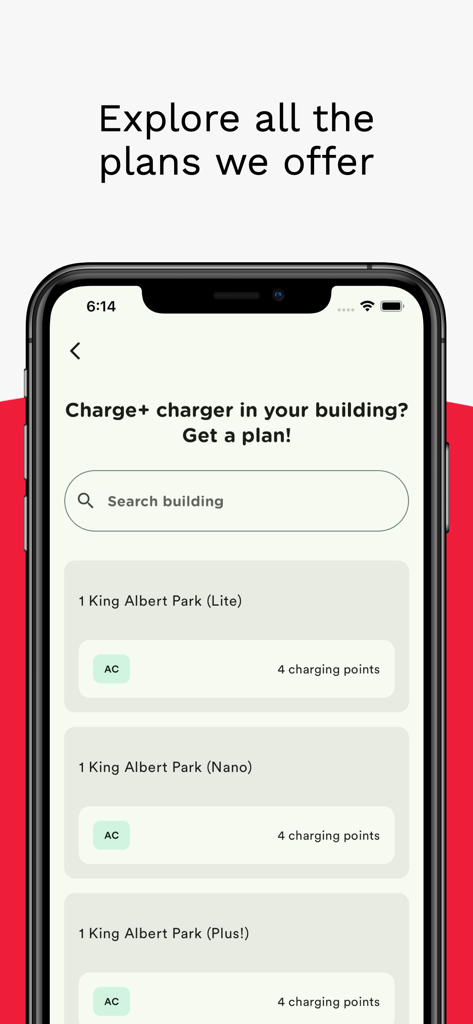
CHARGE+ app screen displaying residential EV charging subscription plans
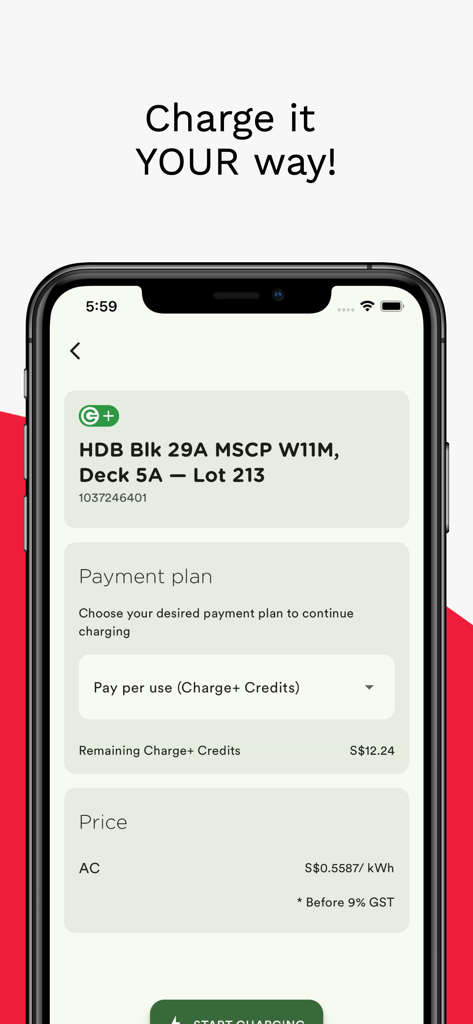
Charge Plus app screen for selecting a payment plan and viewing charging station details.
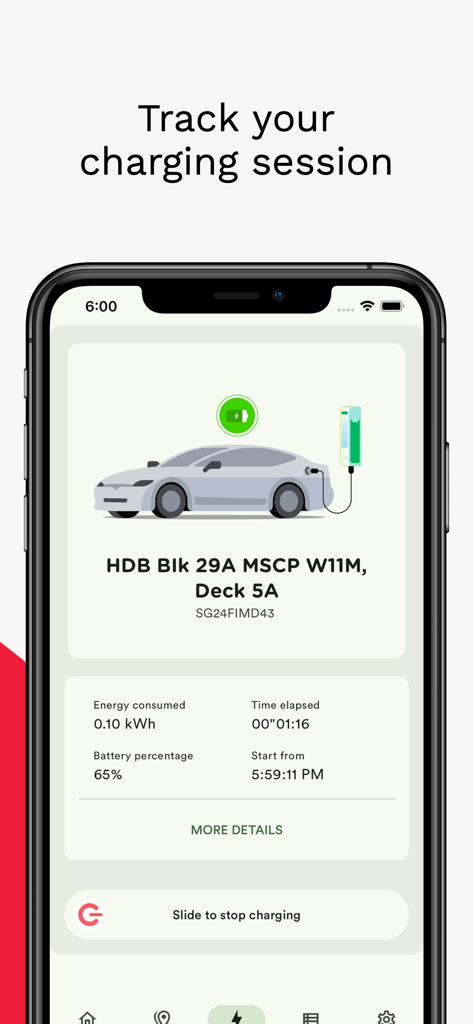
Smartphone screen displaying real-time electric vehicle charging statistics like battery percentage and energy consumed.
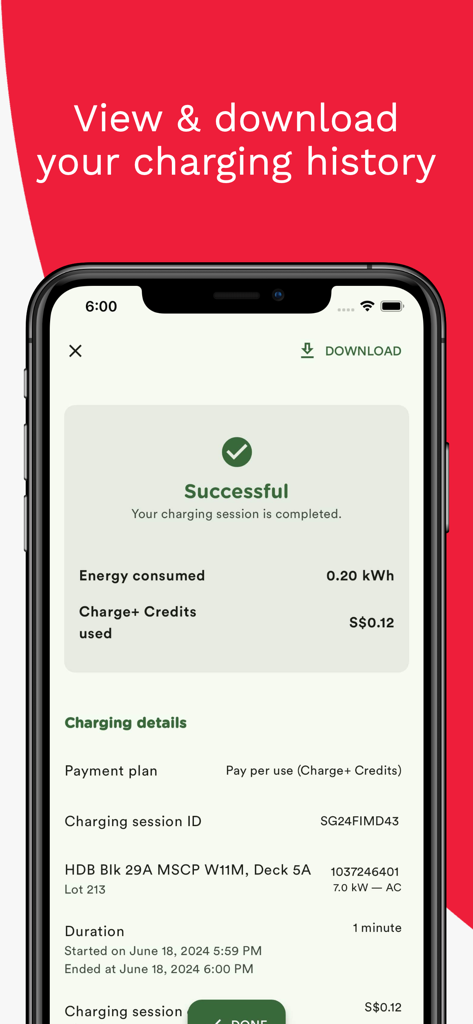
Smartphone screen showing a successful electric vehicle charging session summary on the Charge Plus app including energy consumed and cost
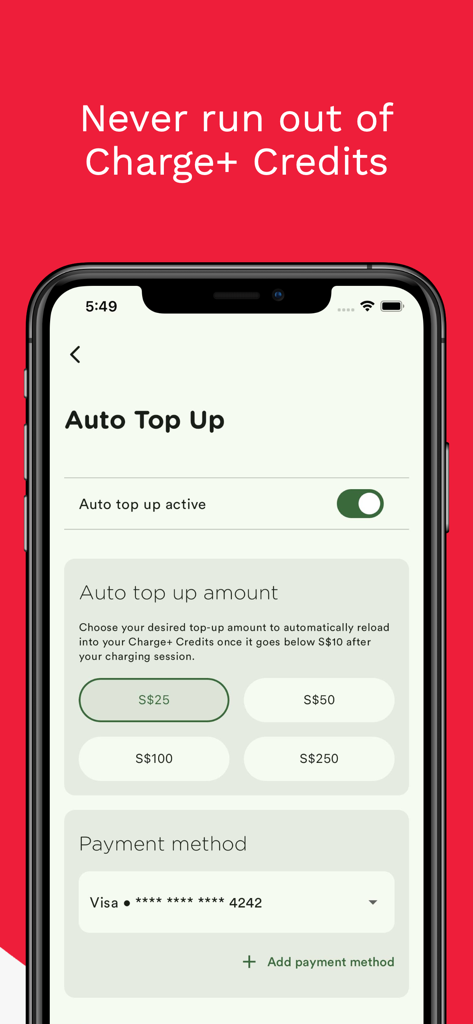
Auto top up settings in the Charge Plus app to automatically reload credits for EV charging.
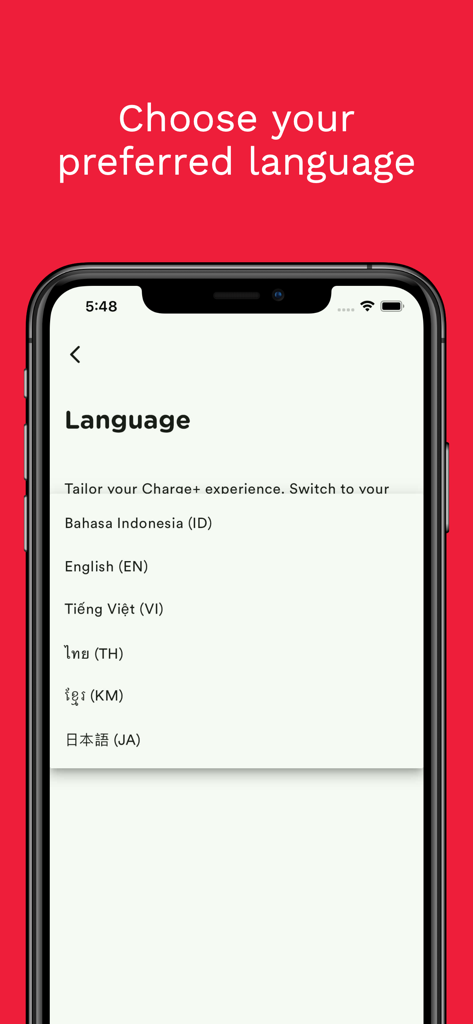
Language selection screen in the Charge Plus EV charging app with multiple regional language options.
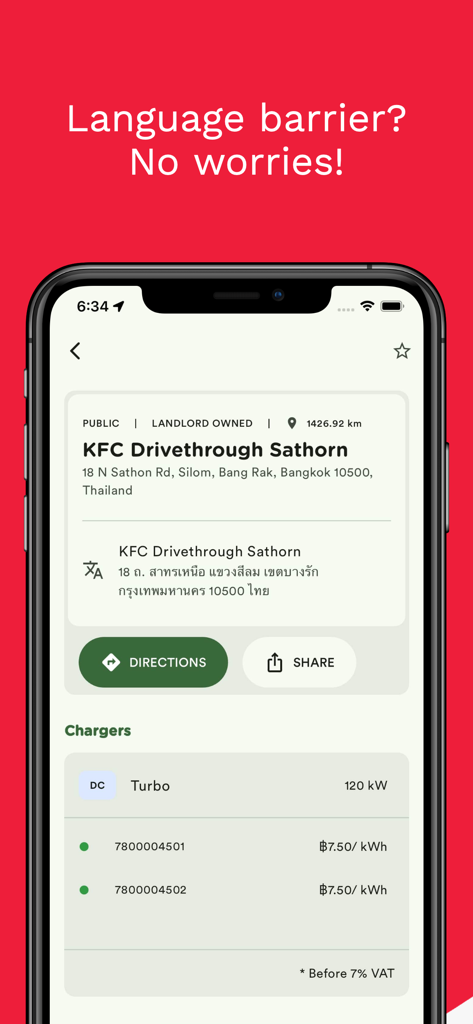
CHARGE plus app screen displaying EV charging station details with address translation feature
Description
Download
More Like This
Apps with similar features and user experience

EVolt
Evolt Technology Company Limited

Charge Zone: EV Charging India
Tecso Charge Zone Private Limited
SWTCH
SWTCH Energy Inc
JomCharge
EV Connection Sdn Bhd
e-charge
OPM E-CHARGE S.R.L.

Mer Connect Norway
Mer Norway AS

Tap Electric: EV charging
Tap Electric B.V.

Freshmile – Charge points
Freshmile

Mer Connect
Mer AS
This page is not an official page of the app or its developer, but an independent editorial publication created for informational and commentary purposes. Unless expressly stated otherwise, neither the app nor its developer is affiliated with, endorsed by, sponsored by, authorized by, or otherwise officially connected with MWM, Apple, Google Play, the app publisher, or the app's developer, and nothing on this page implies that the app was developed using MWM's services. Any trademarks, logos, screenshots, and other content remain the property of their respective owners.