
This page is not an official page of the app or its developer, but an independent editorial publication created for informational and commentary purposes. Unless expressly stated otherwise, neither the app nor its developer is affiliated with, endorsed by, sponsored by, authorized by, or otherwise officially connected with MWM, Apple, Google Play, the app publisher, or the app's developer, and nothing on this page implies that the app was developed using MWM's services. Any trademarks, logos, screenshots, and other content remain the property of their respective owners.


charging play
Your iPhone's charging screen? A blank canvas, until now. The app turns a mundane necessity into a statement, delivering precise data with a visual punch.
Downloads
10M+User Rating
Total Ratings
111.1KPublisher
Category
UtilitiesLocales
8Latest Version
6.2Size
122.6 MBFirst Released
Sep 23, 2020Evaluating key features for tech-savvy iPhone users prioritizing aesthetics, data precision, and Shortcut integration.
Charging Play: An Analytical Overview for Advanced iOS Personalization
Advanced iOS Shortcut Automation
This tool deeply integrates with iOS 14+ Shortcut command automation, empowering tech-savvy users to create bespoke charging experiences and tailor their device's interactive behavior.
Automated Charging Animation Display
The app provides automatic activation of personalized charging animations upon connection to power and seamless deactivation when disconnected, delivering a dynamic visual enhancement.
Intelligent Decimal Charging Calibration
It features an intelligent system that automatically calibrates and refines decimal charging percentage data based on usage patterns, offering highly precise battery insights.
Adaptive Learning for Personalized Accuracy
The app employs adaptive learning algorithms that continuously analyze charging data, allowing it to understand individual device usage and provide increasingly accurate information over time.
Universal Charging Method Compatibility
This tool ensures that animated charging displays are triggered automatically whether the device is connected via a data cable or placed on a wireless charging pad, supporting various charging scenarios.
Seamless Background Operation
It ensures that the application automatically exits when charging ceases, preventing unnecessary background processes and contributing to a smooth, unintrusive user experience.
Frequently Asked Questions
Everything you need to know about charging play
How does charging play activate its charging animations?
charging play automatically activates charging animations when an iPhone connects to a data cable or a wireless charging pad. It automatically exits when the device disconnects.
Does charging play require iOS 14 shortcut command automation?
Yes, charging play utilizes iOS 14 shortcut command automation for optimal performance. For older iOS systems, users manually initiate the charging animation via the shortcut center.
How does charging play display battery percentage accurately?
charging play automatically calibrates decimal charging percentage data based on the device's charging history. It learns to provide precise and accurate battery information.
Can users customize the charging animations in charging play?
Yes, charging play allows users to customize charging animations. The app provides sections like "Selected animation" and "Exquisite animation" to choose from various visual styles.
Does charging play offer custom charging wallpapers?
Yes, charging play provides custom charging wallpapers. Users can select different backgrounds from the "Charging wallpaper" section to personalize their charging screen display.
The following screenshots and description are sourced directly from the app's official store listing and are the property of the app developer.
App Store
Screenshots
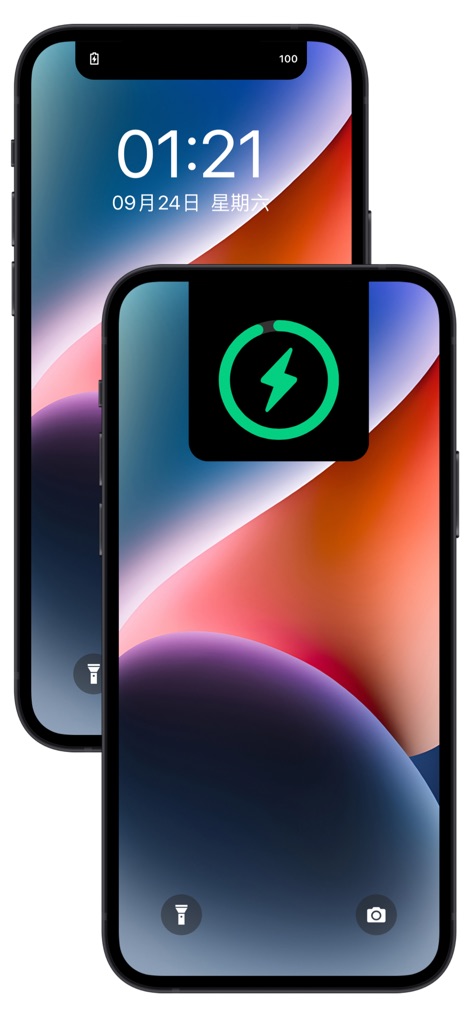
Witness the discreet yet clear charging pop-up seamlessly integrate with the lock screen display, providing instant battery status.
Seamless Charging Indicator
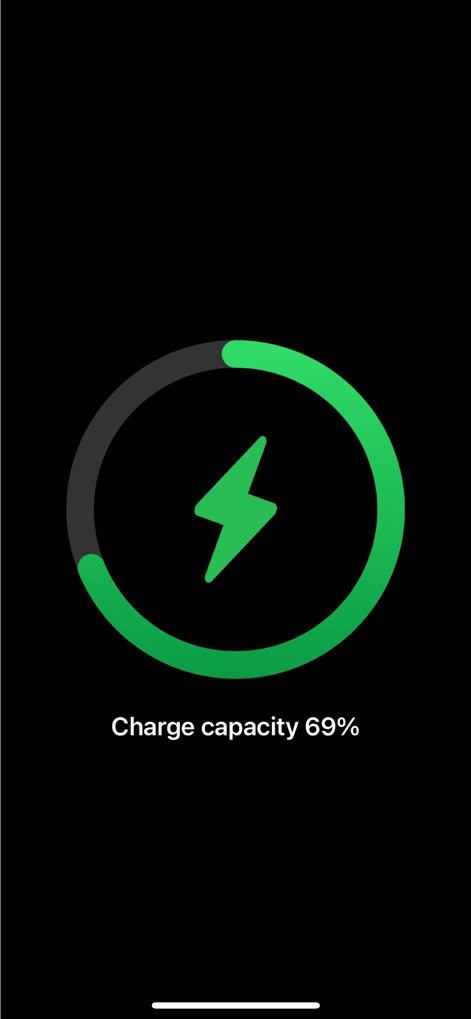
Experience the prominent circular progress bar and clear percentage display that visually communicates the current charge capacity.
Vivid Charge Monitor
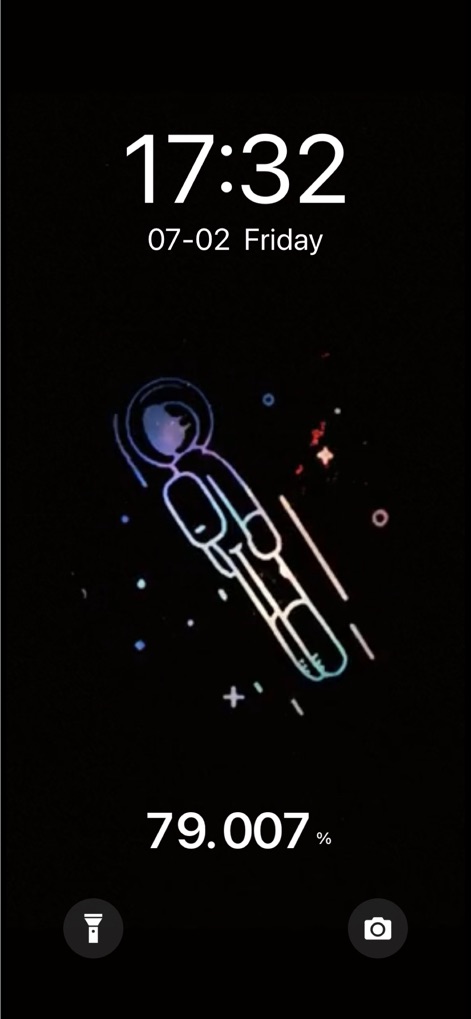
Observe how personalized animated graphics, like the astronaut, combine with precise decimal percentage readings for a unique charging experience.
Animated Lockscreen Details

Explore the captivating dynamic liquid animation and bold circular icon, illustrating charging status with both flair and precise percentage data.
Dynamic Power Visuals
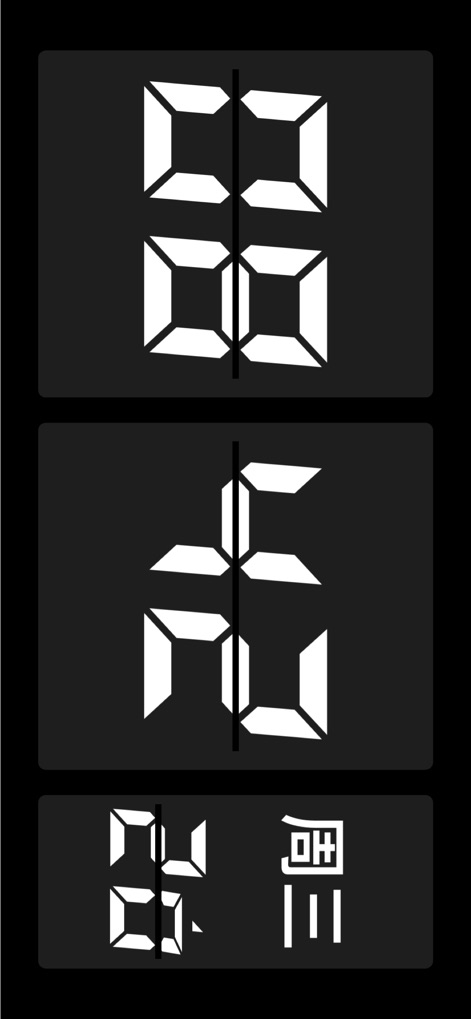
Discover unique abstract animations featuring segmented digital displays, offering a distinct visual style within a sleek dark mode aesthetic.
Abstract Charging Art

See how users can personalize their charging experience with custom illustrated wallpapers and view exact battery levels down to three decimal places.
Personalized Charging Scenes

This tool allows for immersive charging backgrounds, such as the rustic brick wall shown, seamlessly integrated with the essential time and date display.
Immersive Charging Backgrounds
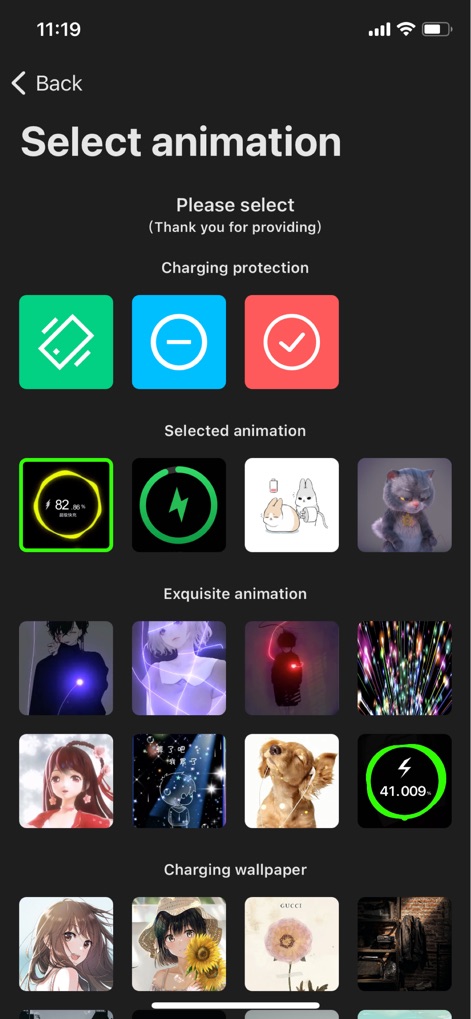
Navigate the intuitive interface displaying an extensive animation selection grid and diverse wallpaper categories, empowering users to tailor their charging aesthetics.
Animation Customization Hub
Description
Download
More Like This
Apps with similar features and user experience
Live Wallpapers 4K ChargeWall
超亮 刘
Battery Care+
HIGHONE GAMES LIMITED

iCharging - play screensaver
志翔 赵
EnergAI
慧 阳

Charger Master
东海 刘
Charging Show - Cool Play !
Xiamen iScreen Information Technology Co., Ltd.

Live Charging: Cool Wallpapers
SANTECO TECHNOLOGY CO., LIMITED

OPixels-Charging Wallpaper
MISSU LIMITED
充电福星宝
雨点 陈
This page is not an official page of the app or its developer, but an independent editorial publication created for informational and commentary purposes. Unless expressly stated otherwise, neither the app nor its developer is affiliated with, endorsed by, sponsored by, authorized by, or otherwise officially connected with MWM, Apple, Google Play, the app publisher, or the app's developer, and nothing on this page implies that the app was developed using MWM's services. Any trademarks, logos, screenshots, and other content remain the property of their respective owners.