
This page is not an official page of the app or its developer, but an independent editorial publication created for informational and commentary purposes. Unless expressly stated otherwise, neither the app nor its developer is affiliated with, endorsed by, sponsored by, authorized by, or otherwise officially connected with MWM, Apple, Google Play, the app publisher, or the app's developer, and nothing on this page implies that the app was developed using MWM's services. Any trademarks, logos, screenshots, and other content remain the property of their respective owners.


橙果错题本
Stop wasting hours re-typing problems. Scan your worksheets to instantly erase handwriting, generate clean PDFs, and receive personalized practice recommendations. The ultimate tool for high-achieving students and parents to conquer exams.
Downloads
1M+User Rating
Total Ratings
11K+Publisher
Category
EducationLocales
1Latest Version
8.9518Size
133.2 MBFirst Released
Jun 8, 2017Turn Every Mistake Into a Mastery Moment
Stop wasting hours manualy rewriting problems. Our AI-powered toolkit digitizes, cleans, and organizes your study materials so you can focus on what actually matters: learning.
Clean Slate in Seconds
Say goodbye to messy erasures. Our advanced AI automatically removes handwriting from your photos, giving you a perfectly clean, blank version of any problem for a fresh start.
Instant Custom Worksheets
Transform your digital error bank into professional-grade PDFs or Word docs. Compile selected questions into custom study guides that are perfectly formatted and ready to print.
Frequently Asked Questions
Everything you need to know about 橙果错题本
What is 橙果错题本 (Orange Fruit Error Notebook)?
橙果错题本 is an incorrect question organization tool that allows users to photograph incorrect questions, automatically recognize them, and quickly generate perfectly formatted Word or PDF documents for printing.
How does 橙果错题本 organize incorrect questions?
橙果错题本 organizes incorrect questions by allowing users to take photos, automatically recognizing the questions, and then generating them into formatted Word or PDF files for easy entry and printing.
Can 橙果错题本 automatically remove handwriting from scanned questions?
Yes, 橙果错题本 can automatically remove handwriting from scanned question images. This feature restores clean question pictures without requiring any manual erasure.
Does 橙果错题本 support entering multiple incorrect questions from a single page?
Yes, 橙果错题本 supports multi-question entry. Users can photograph an entire page, and the app automatically frames and beautifies multiple incorrect questions for quick selection and addition to the notebook.
Can 橙果错题本 generate similar practice questions for review?
Yes, 橙果错题本 offers a "similar questions" recommendation feature. This functionality is particularly useful for science and math subjects to facilitate comprehensive review.
What printing and sharing options are available in 橙果错题本?
橙果错题本 allows users to quickly compile selected incorrect questions into Word or PDF formats. These can be shared via QQ/WeChat, directly printed, or printed using Huawei's one-touch printing.
Does 橙果错题本 provide learning reports and progress analysis?
Yes, 橙果错题本 provides detailed learning reports. These reports analyze study performance, display an "effort value," and help identify knowledge blind spots for students.
Can teachers use 橙果错题本 to get summary reports for a class?
Yes, teachers can use 橙果错题本 for class summary reports. Accounts can be linked to a class, providing teachers with consolidated incorrect question analysis for lesson preparation.
Which academic and professional levels does 橙果错题本 support for incorrect question organization?
橙果错题本 supports incorrect question organization for elementary, junior high, and senior high students, as well as graduate students, civil servants, teacher qualification exams, legal, and medical professions.
Can I review and correct exam papers in 橙果错题本?
Yes, 橙果错题本 allows users to review and correct exam papers question by question. It provides real-time elimination of incorrect questions and displays correction results.
The following screenshots and description are sourced directly from the app's official store listing and are the property of the app developer.
App Store
Screenshots

Orange Fruit Error Notebook mobile app dashboard showing features for organizing student homework mistakes and scanning test papers
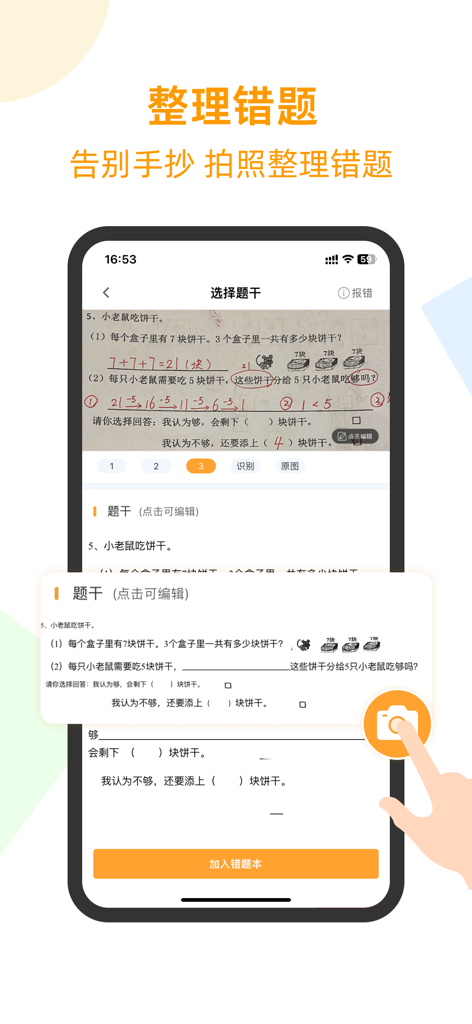
Mobile app interface scanning a handwritten math worksheet to digitize questions and remove pencil marks
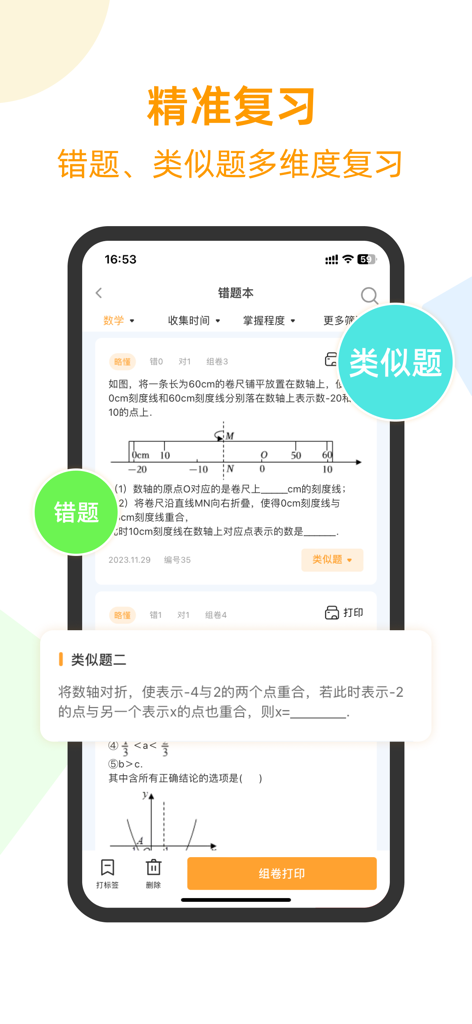
Orange Fruit Error Notebook interface showing math question review with similar problem suggestions for student practice
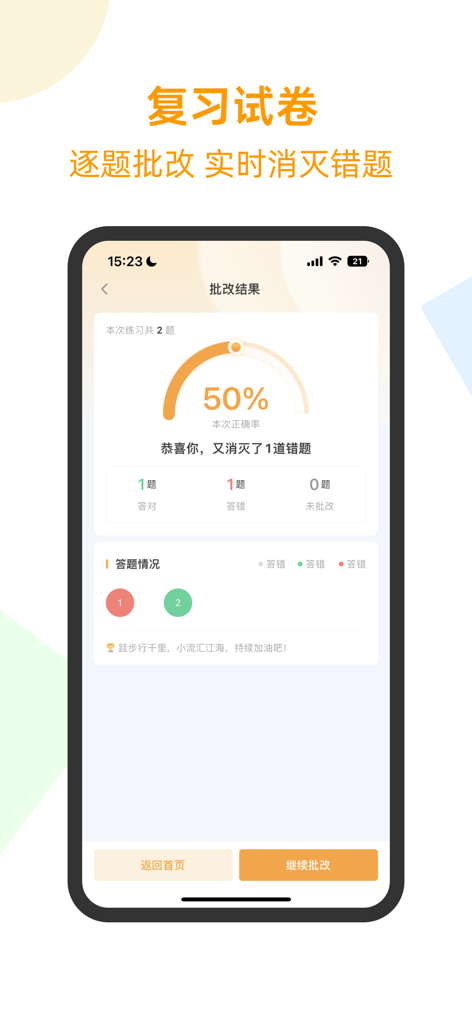
Orange Fruit Error Notebook app interface showing grading results and accuracy percentage
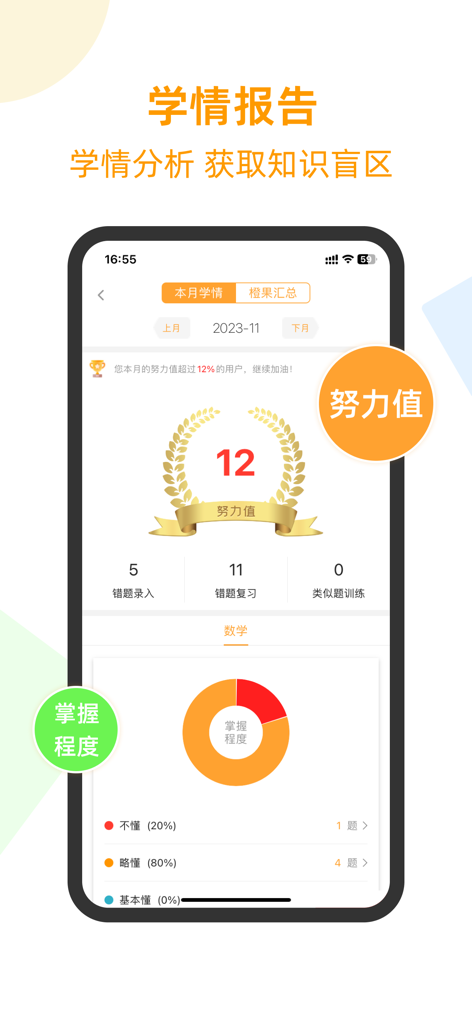
A study progress dashboard showing effort values and subject mastery analytics for a student.
Description
Download
More Like This
Apps with similar features and user experience



This page is not an official page of the app or its developer, but an independent editorial publication created for informational and commentary purposes. Unless expressly stated otherwise, neither the app nor its developer is affiliated with, endorsed by, sponsored by, authorized by, or otherwise officially connected with MWM, Apple, Google Play, the app publisher, or the app's developer, and nothing on this page implies that the app was developed using MWM's services. Any trademarks, logos, screenshots, and other content remain the property of their respective owners.