
This page is not an official page of the app or its developer, but an independent editorial publication created for informational and commentary purposes. Unless expressly stated otherwise, neither the app nor its developer is affiliated with, endorsed by, sponsored by, authorized by, or otherwise officially connected with MWM, Apple, Google Play, the app publisher, or the app's developer, and nothing on this page implies that the app was developed using MWM's services. Any trademarks, logos, screenshots, and other content remain the property of their respective owners.


Chess Studio Lite
Master your openings and analyze games with the power of Stockfish 18. A comprehensive PGN management suite designed for tournament players who demand professional-grade tools without ads or tracking.
Downloads
4K+User Rating
Total Ratings
0Publisher
Category
GamesLocales
4Latest Version
4.7.6Size
318.8 MBFirst Released
Sep 3, 2013Master the Board with Professional Tools
Designed for tournament players and serious students, Chess Studio Lite transforms your mobile device into a powerful analytical laboratory for game mastery.
Elite Stockfish 18 Analysis
Uncover the truth in any position using the world’s most powerful engine with Neural Network support and multi-line evaluation.
Complete PGN Workflow
Effortlessly manage, edit, and merge massive game databases with seamless cloud sync via Dropbox, Google Drive, or iCloud.
Frequently Asked Questions
Everything you need to know about Chess Studio Lite
What is Chess Studio Lite?
Chess Studio Lite is an iOS application for iPhone and iPad, designed for serious chess players. It allows complete management of chess databases and games in PGN format.
Does Chess Studio Lite support PGN files?
Yes, Chess Studio Lite fully supports reading, creating, and modifying chess databases and games in PGN format, including extended notation of moves.
Can Chess Studio Lite analyze games with an engine?
Yes, Chess Studio Lite analyzes games using the Stockfish 18 Engine with Neural Networks, offering up to 5 lines of analysis simultaneously and displaying an Engine Evaluation Bar.
How can I import games into Chess Studio Lite?
Yes, Chess Studio Lite allows users to import games, databases, and Opening Books from other applications. It also supports downloading chess databases from the internet and PGN Mentor.
Does Chess Studio Lite offer cloud storage integration?
Yes, Chess Studio Lite integrates with cloud services. Users can upload and download PGN databases to/from Dropbox, Google Drive, OneDrive, and share databases across devices via iCloud Drive.
Can I play against the engine in Chess Studio Lite?
Yes, Chess Studio Lite enables users to play against the engine in both standard chess mode and Chess 960 (Fischer Random Chess) mode to measure their skills.
What kind of opening books does Chess Studio Lite support?
Chess Studio Lite supports creating and managing Opening Books in Polyglot format. It also allows importing and managing ChessBase Opening Books in ctg, cto, and ctb formats.
Does Chess Studio Lite support Diagram Recognition?
Yes, Chess Studio Lite includes a Diagram Recognition feature. This allows users to take or upload photos of chess diagrams and convert them directly into PGN format positions.
Is Chess Studio Lite free from ads and registration?
Yes, Chess Studio Lite is free from advertising and does not require registration. The application also guarantees no sharing of personal data.
Can I view pawn structure in Chess Studio Lite?
Yes, Chess Studio Lite provides the capability to visualize the pawn structure of a game. This feature aids in deeper analysis and understanding of positions.
Does Chess Studio Lite offer a double chessboard display?
Yes, Chess Studio Lite features a double chessboard on the same screen. This functionality is provided for enhanced game analysis and comparison.
What languages does Chess Studio Lite support?
Chess Studio Lite supports multiple languages. The application is available in English, Italian, Spanish, and German for its users.
The following screenshots and description are sourced directly from the app's official store listing and are the property of the app developer.
App Store
Screenshots
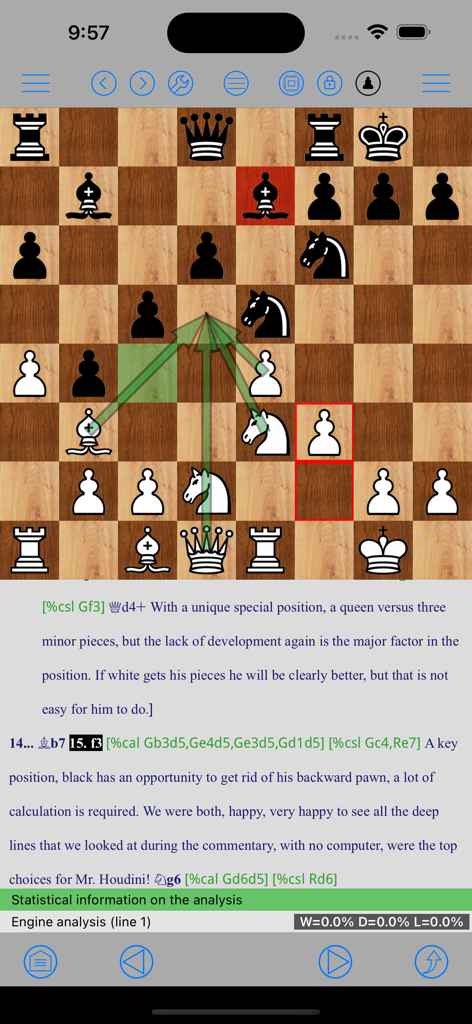
Interface of Chess Studio Lite displaying a chess board with tactical arrows and professional PGN annotations for game study.
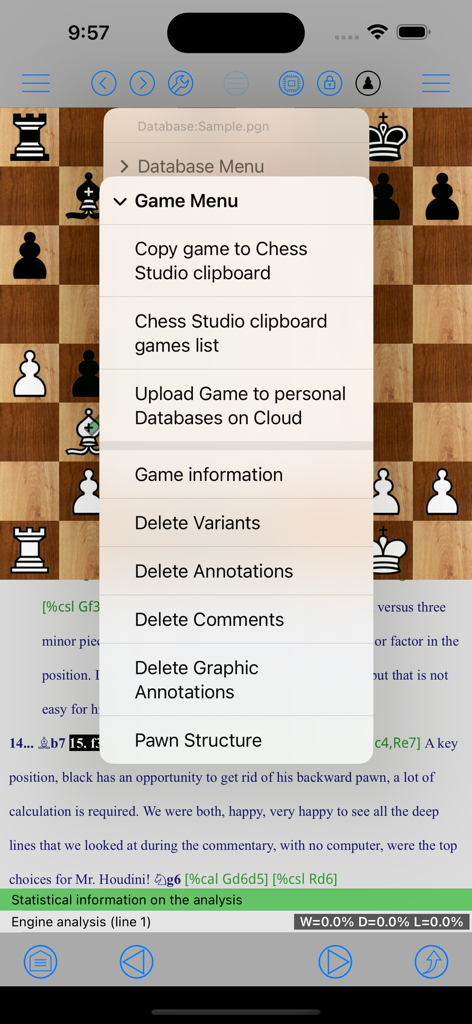
Screenshot of Chess Studio Lite app showing the game menu with options for clipboard management cloud upload and game analysis
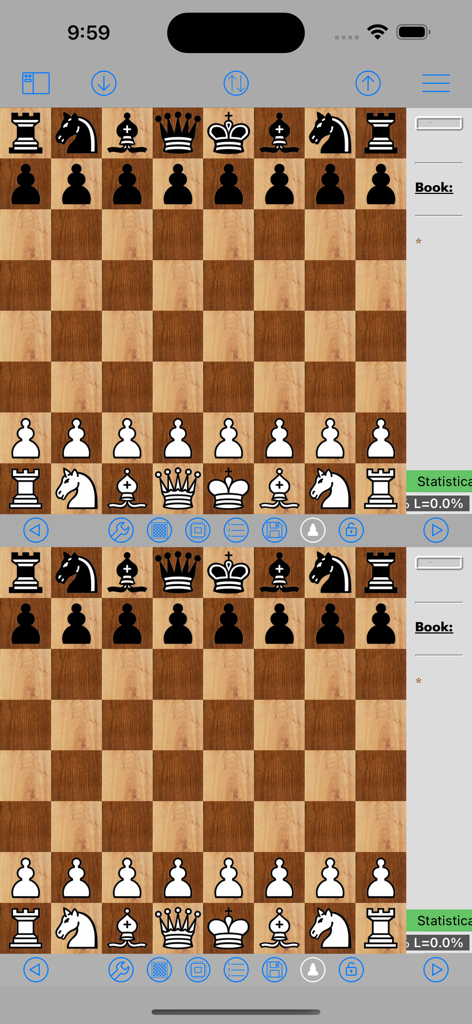
Chess Studio Lite double chessboard interface for game analysis
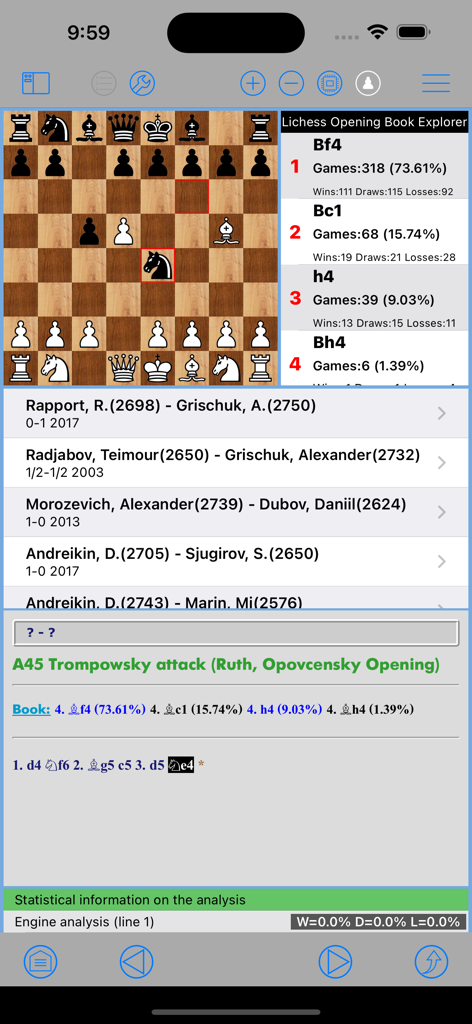
A chess position on a board with opening book statistics and a database of grandmaster games.
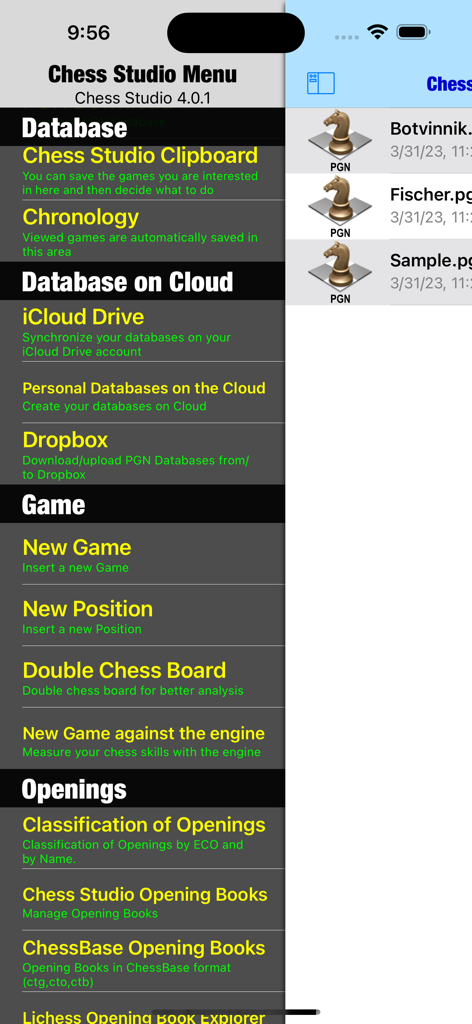
Main menu of Chess Studio Lite app featuring database management and cloud storage options
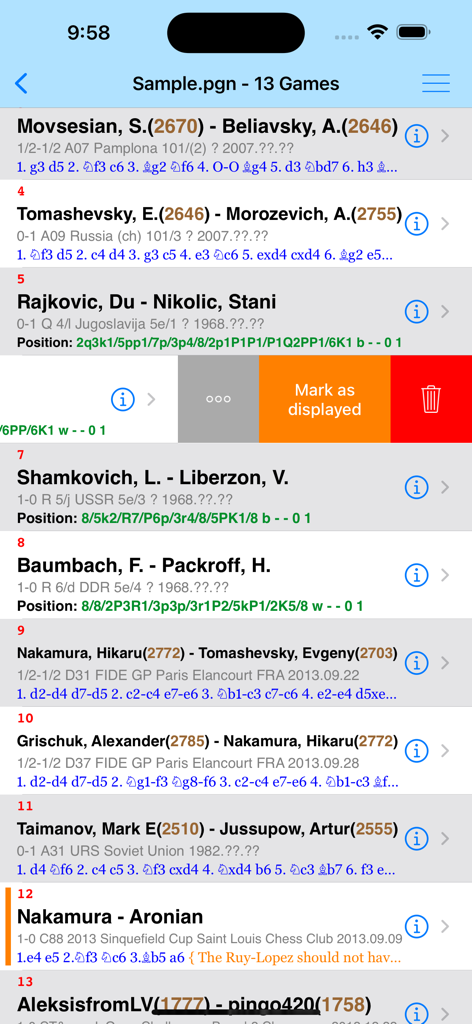
A list of chess games from a PGN file in the Chess Studio Lite app interface showing player names and ratings.
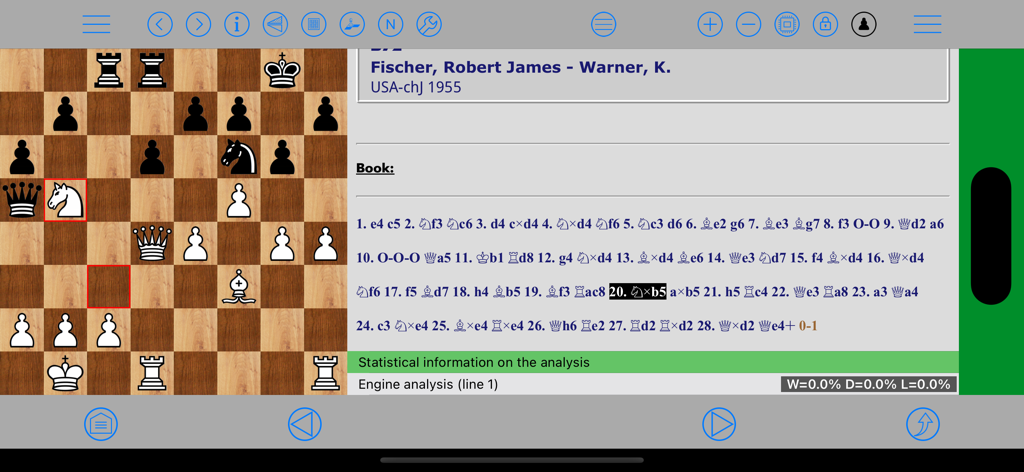
Chess Studio Lite application interface showing a professional game analysis with PGN move notation and engine evaluation on an iPad
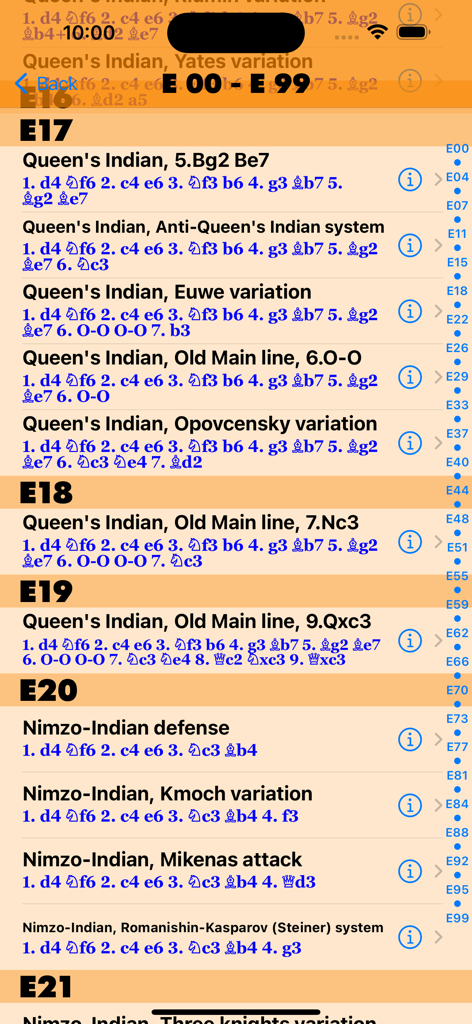
A list of chess openings and variations indexed by ECO codes in Chess Studio Lite
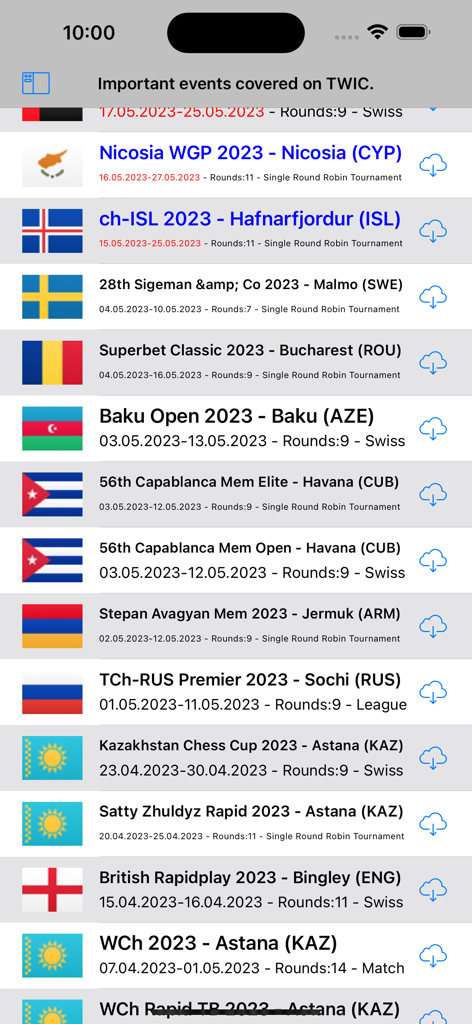
List of international chess tournament databases available for download from The Week In Chess within the Chess Studio Lite app
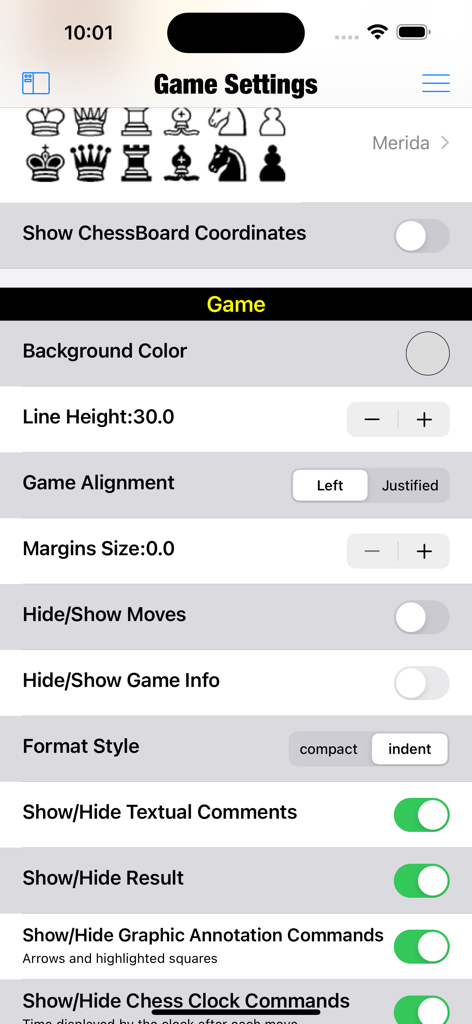
Game settings menu in the Chess Studio Lite app showing customization options for piece styles, board coordinates, and layout.
Description
Download
More Like This
Top-ranked apps in the same category

Block Blast!
ARETIS LIMITED

Solitaire Associations Journey
Hitapps Games LTD

Roblox
Roblox Corporation

Heartopia
XD Entertainment Co., Ltd.

Gossip Harbor®: Merge & Story
Microfun Limited

Arrows – Puzzle Escape
Lessmore UG haftungsbeschraenkt

Township
PLR Worldwide Sales Limited

Vita Mahjong
VITA STUDIO PTE. LTD.

Subway Surfers
Sybo Games ApS
This page is not an official page of the app or its developer, but an independent editorial publication created for informational and commentary purposes. Unless expressly stated otherwise, neither the app nor its developer is affiliated with, endorsed by, sponsored by, authorized by, or otherwise officially connected with MWM, Apple, Google Play, the app publisher, or the app's developer, and nothing on this page implies that the app was developed using MWM's services. Any trademarks, logos, screenshots, and other content remain the property of their respective owners.