Chordio: compose & learn music
Download on App Store

This page is not an official page of the app or its developer, but an independent editorial publication created for informational and commentary purposes. Unless expressly stated otherwise, neither the app nor its developer is affiliated with, endorsed by, sponsored by, authorized by, or otherwise officially connected with MWM, Apple, Google Play, the app publisher, or the app's developer, and nothing on this page implies that the app was developed using MWM's services. Any trademarks, logos, screenshots, and other content remain the property of their respective owners.


Logo of Chordio: compose & learn music
Download on App Store

Chordio: compose & learn music

Unlock professional-grade chord progressions, explore 40+ scales, and export MIDI directly to your DAW. From bedroom producers to music students, transform your creative workflow on iPad and Mac.

Key Figures

Downloads

2K+

User Rating

4.4/5

Total Ratings

0

Publisher

Anthony Briscoe

Category

Music

Locales

1

Latest Version

3.0.6

Size

172.2 MB

First Released

Aug 4, 2022
Features

Master Your Sound with Ease

From bedroom beats to professional scores, Chordio provides the AI-powered tools and music theory insights you need to bridge the gap between inspiration and a finished track.

AI-Driven Songwriting

Break through creative blocks with intelligent chord suggestions and automated generators that create professional-grade progressions in seconds.

Seamless DAW Integration

Turn your iPad or Mac into a production powerhouse by dragging and dropping MIDI sequences directly into Logic Pro, Ableton, or your favorite workstation.

The following screenshots and description are sourced directly from the app's official store listing and are the property of the app developer.

App Store

Screenshots
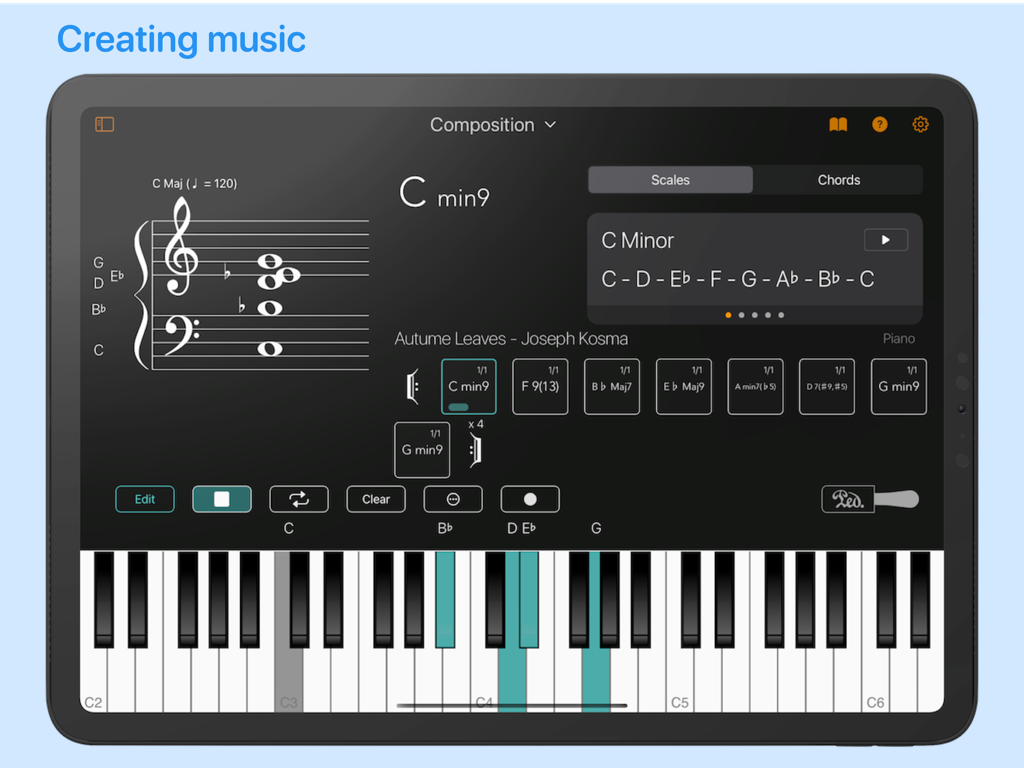
Chordio: compose & learn music - Chordio app composition interface featuring musical notation, chord progressions, and a virtual piano keyboard.
Chordio app composition interface featuring musical notation, chord progressions, and a virtual piano keyboard.

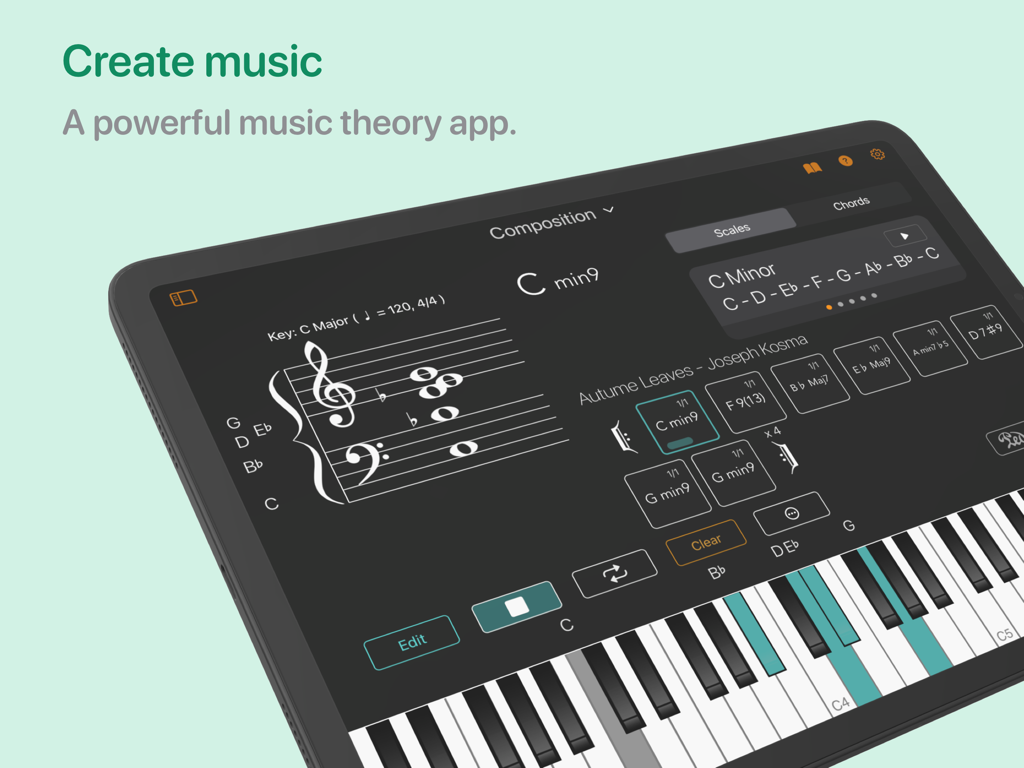
Chordio: compose & learn music - Chordio app music composition interface on iPad featuring a chord sequencer and virtual piano keyboard
Chordio app music composition interface on iPad featuring a chord sequencer and virtual piano keyboard

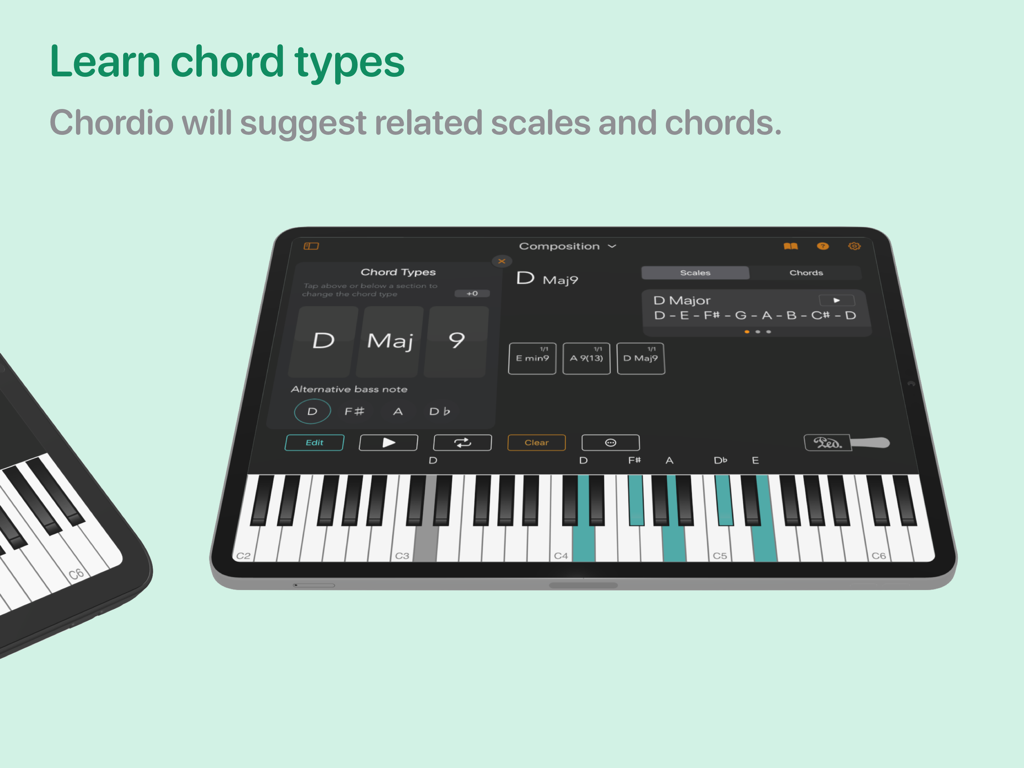
Chordio: compose & learn music - Chordio app interface on iPad showing chord type selection and suggested scales with a highlighted piano keyboard.
Chordio app interface on iPad showing chord type selection and suggested scales with a highlighted piano keyboard.

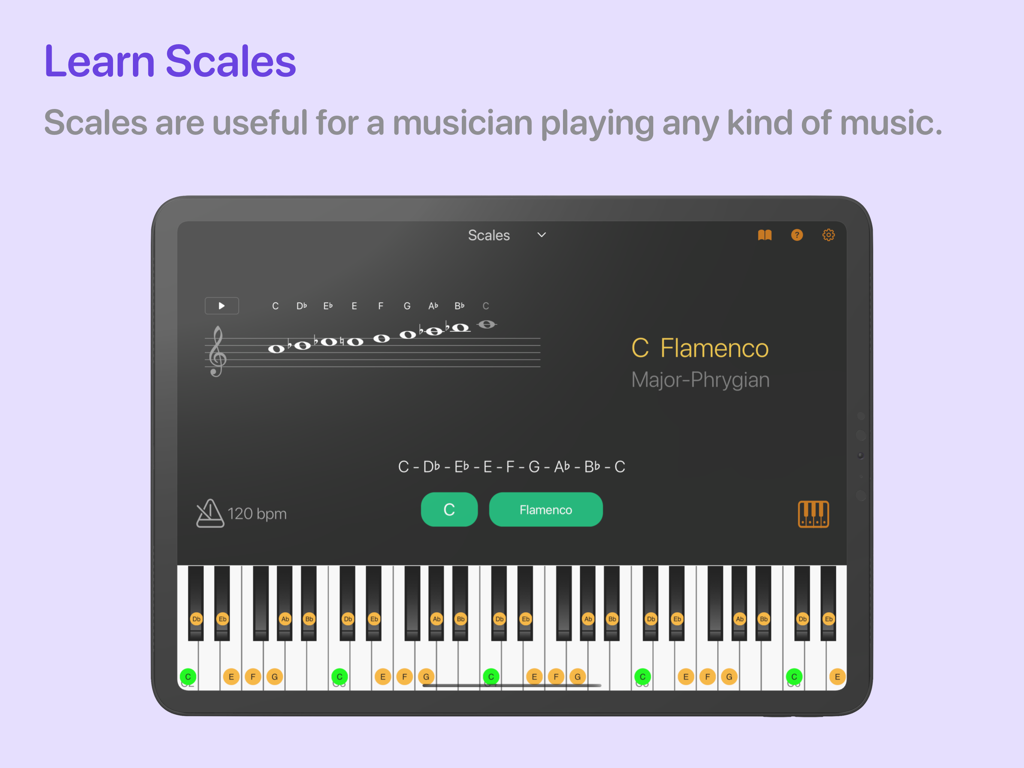
Chordio: compose & learn music - The Chordio app interface on an iPad displaying the C Flamenco scale on a grand staff and a highlighted piano keyboard
The Chordio app interface on an iPad displaying the C Flamenco scale on a grand staff and a highlighted piano keyboard

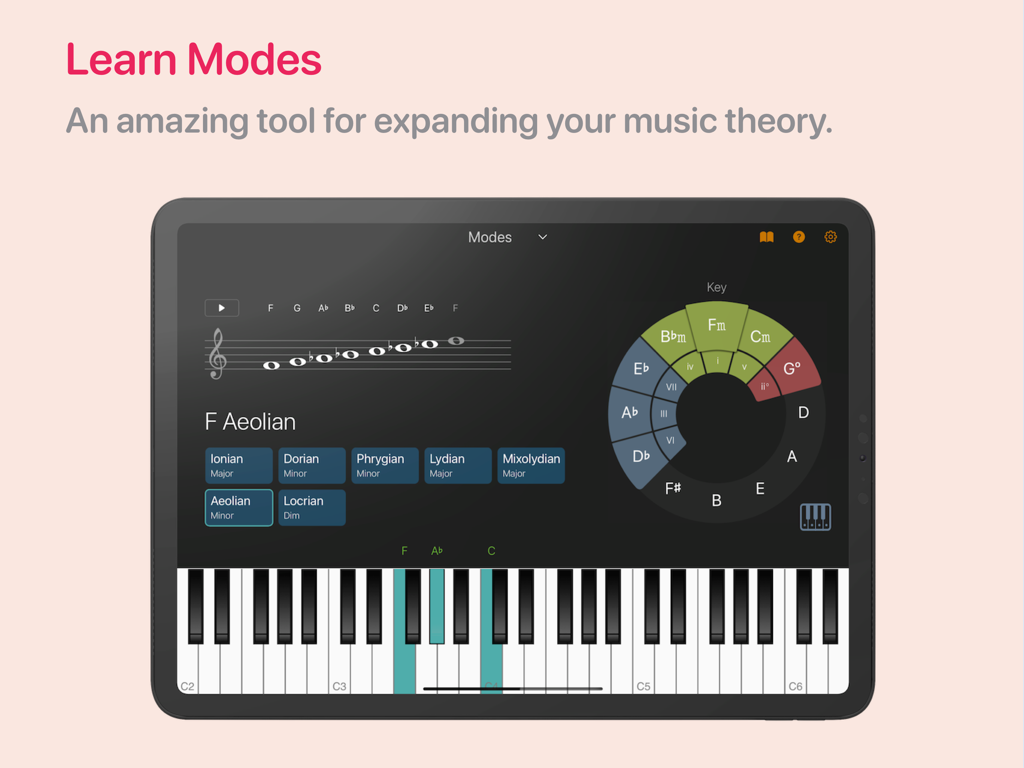
Chordio: compose & learn music - Chordio app interface on an iPad showing the music theory modes workspace with a staff and piano
Chordio app interface on an iPad showing the music theory modes workspace with a staff and piano

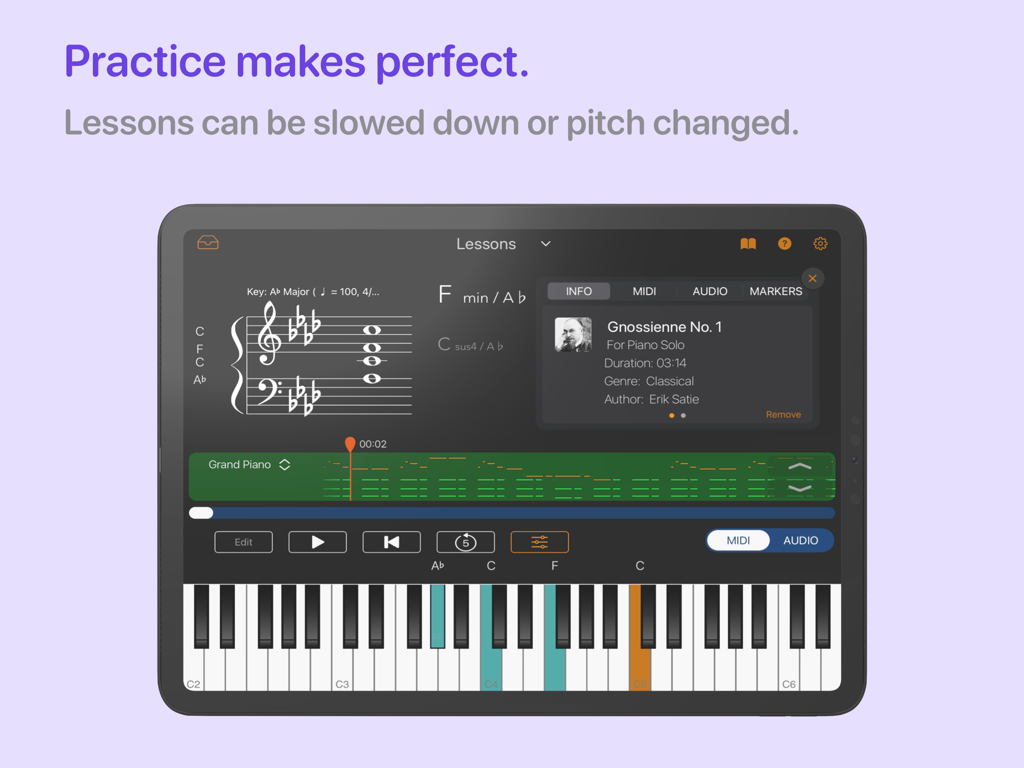
Chordio: compose & learn music - Chordio app piano lessons workspace showing sheet music and an interactive keyboard on an iPad
Chordio app piano lessons workspace showing sheet music and an interactive keyboard on an iPad

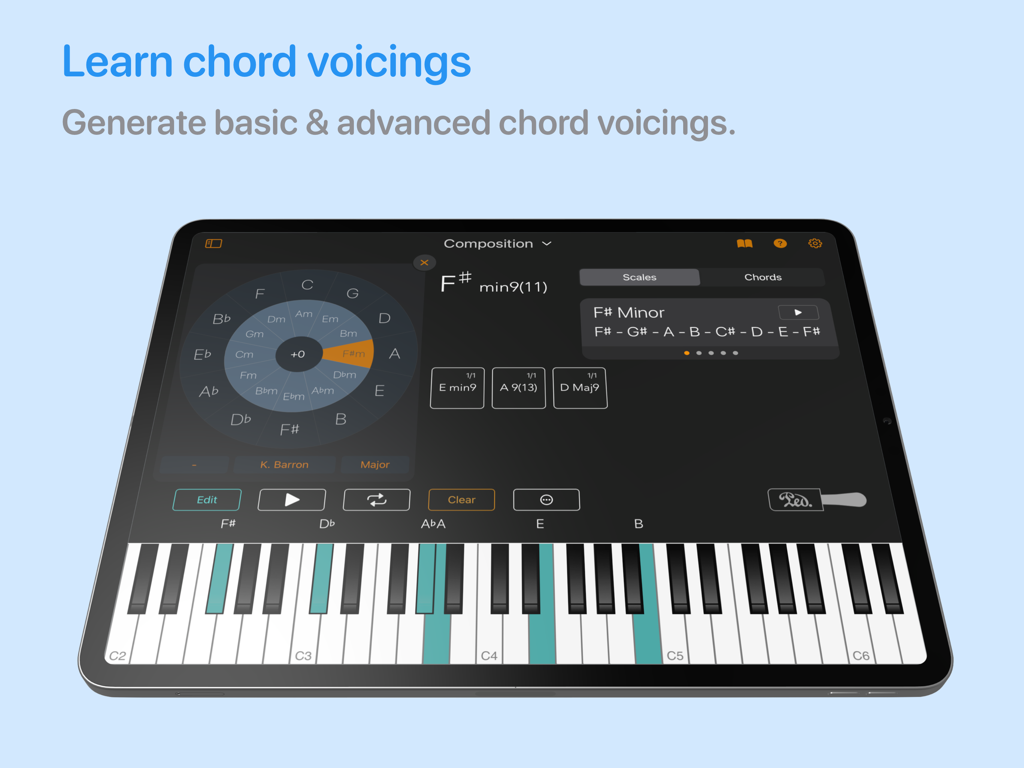
Chordio: compose & learn music - Chordio app interface on iPad showing chord voicings and a virtual piano keyboard
Chordio app interface on iPad showing chord voicings and a virtual piano keyboard

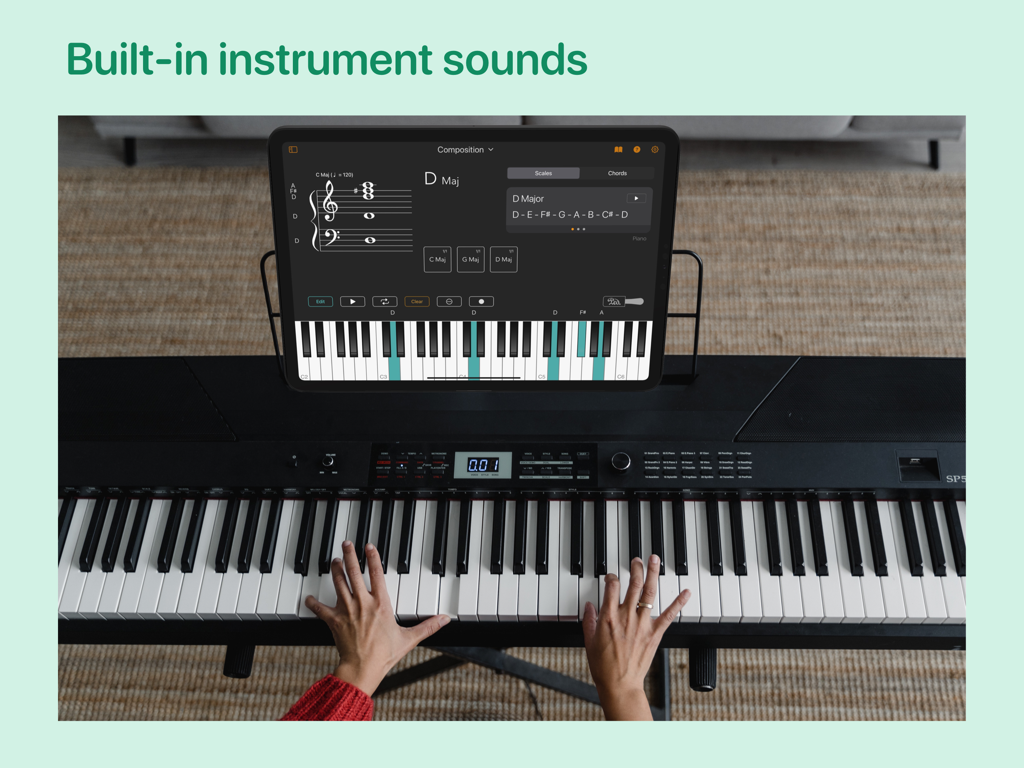
Chordio: compose & learn music - A person playing a digital piano with the Chordio app on an iPad displaying music composition tools.
A person playing a digital piano with the Chordio app on an iPad displaying music composition tools.

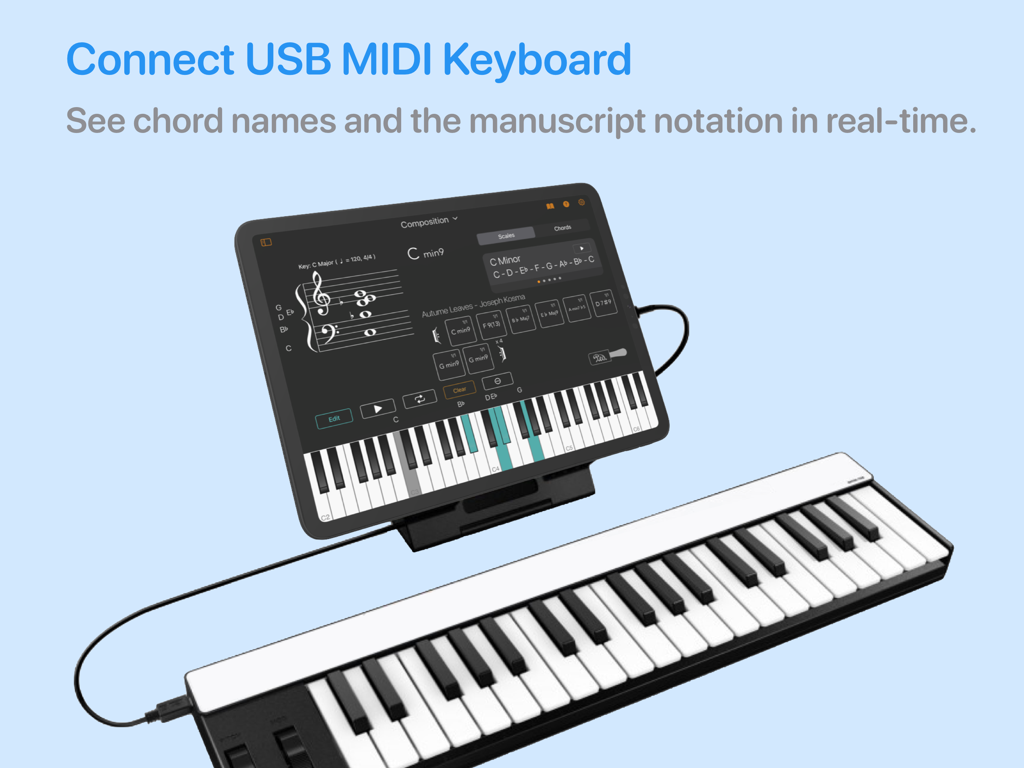
Chordio: compose & learn music - Chordio app on iPad connected to a MIDI keyboard for real-time music notation.

Chordio app on iPad connected to a MIDI keyboard for real-time music notation.

Description

Looking for a spark for your upcoming song? Introducing Chordio, a powerful tool for composition and music theory that offers an enjoyable and interactive experience. This app allows you to explore chords and scales in a fun and engaging way. It also provides a convenient platform for storing all your distinctive musical chord progressions in a single location. As a result, Chordio becomes an indispensable resource for contemporary music producers, composers, and educators. Take your music theory knowledge to the next level and create innovative chord progressions for your latest composition. With a range of internal sounds included, you can explore the tool's features without needing any other external equipment. Connect your MIDI controller to Chordio and see chord names appear on the Grand Staff in real-time as you play. Solo over chord progressions using the built-in sounds, and quickly rearrange or transpose chord progressions on the fly for added flexibility. Uncover fresh chord sequences for any genre - from hip hop to house and everything in between. Simply drag and drop them into your DAW! Chordio empowers you to unleash your creativity and take your music to new heights. The main features are divided into four workspaces: Composition • Build-in sequencer to create chord progressions. • Build-in Chord progression generator. • Create custom chords, edit existing chords, get chord inversions, and extended chords. • Drag & Drop to change the song structure. • Transpose the entire chord progression with a single tap. • Create a playlist of custom chord progressions. • Chord Suggestion AI – Get intelligent chord recommendations that fit your existing progression, and seamlessly integrate them into your composition. • A Chord Types & Vocings panel helps you generate new chords. • Play-along with a backing rhythm track. • Save/load songs, export it as MIDl. • Download chord progressions from a growing collection of Chord Packs. Scales • Practice scales with a metronome in all keys. • Contains more than 40 scales you can work with. • Staff view for chords and scales. Modes • Interactive way to learn what scales are associated with each mode. • Practice modes in Chordio. • Change tonic, mode, and layout to discover the relationship between musical notes, chords, and scales. Music Theory * In-app theory lessons. • 3 New Music Theory Quizzes: Note Identification, Interval Recognition & Chord Identification. Sheet Music • Adjust the Tempo: Practice at your own speed. • Loop Key Sections: Focus on tricky parts with ease. • Practice Hands Separately: Work on left or right hand independently. • Play in Any Key: Transpose sheet music to suit your preference. • Customize Tracks: Adjust instrument volumes. • Jazz Solo: Jam over chord progressions. • Print Your Scores: Print a PDF version of the score for flexible, hands-on practice. Lessons • Learn to play songs at your own pace. • Download music from a growing collection of Lesson Packs. • Lessons can be slowed down or pitch changed. KEY FEATURES: • MIDI keyboard support. • Build progressions using the chord generators. • Export MIDI to your DAW or sequencer. • Custom chords, edit existing chords, get extended chords. • Play internal sounds. • Arpeggio, strum and performance modes. • Mac version include a detachable resizable Grand Staff, Chord Display, and Keyboard Views. • Customise the Keyboard highlight color. • Select chord, to display a range of related scales and chords. • Tap a note on the Grand Staff to highlight it with a color. • Choose from selection of backing rhythms that fit specific genres. • Chord Pattern playback Always backup your chord progressions!

Download

Download on App Store

This page is not an official page of the app or its developer, but an independent editorial publication created for informational and commentary purposes. Unless expressly stated otherwise, neither the app nor its developer is affiliated with, endorsed by, sponsored by, authorized by, or otherwise officially connected with MWM, Apple, Google Play, the app publisher, or the app's developer, and nothing on this page implies that the app was developed using MWM's services. Any trademarks, logos, screenshots, and other content remain the property of their respective owners.







