ChordU - get chords & notes
Download on App Store

This page is not an official page of the app or its developer, but an independent editorial publication created for informational and commentary purposes. Unless expressly stated otherwise, neither the app nor its developer is affiliated with, endorsed by, sponsored by, authorized by, or otherwise officially connected with MWM, Apple, Google Play, the app publisher, or the app's developer, and nothing on this page implies that the app was developed using MWM's services. Any trademarks, logos, screenshots, and other content remain the property of their respective owners.


Logo of ChordU - get chords & notes
Download on App Store

ChordU - get chords & notes

From trending TikTok hits to your own music uploads, get accurate transcriptions for guitar, piano, and ukulele. Transpose keys, adjust tempo, and download MIDI or PDF files to practice and perform like a pro.

Key Figures

Downloads

38K+

User Rating

3.6/5

Total Ratings

0

Publisher

FLOWREC SOLUTIONS PRIVATE LIMITED

Category

Education

Locales

1

Latest Version

4.3.2

Size

25.6 MB

First Released

Nov 13, 2018
Features

Master Any Song in Seconds

From AI-driven chord recognition to professional practice tools, ChordU gives you everything you need to play, learn, and create music on your favorite instruments.

AI-Powered Recognition

Instantly get accurate chords and sheet music for any song, including your own uploads, using advanced deep learning technology.

Multi-Instrument Mastery

Switch seamlessly between Guitar, Piano, Ukulele, and Mandolin with dedicated Treble and Bass clef sheet music for any skill level.

The following screenshots and description are sourced directly from the app's official store listing and are the property of the app developer.

App Store

Screenshots
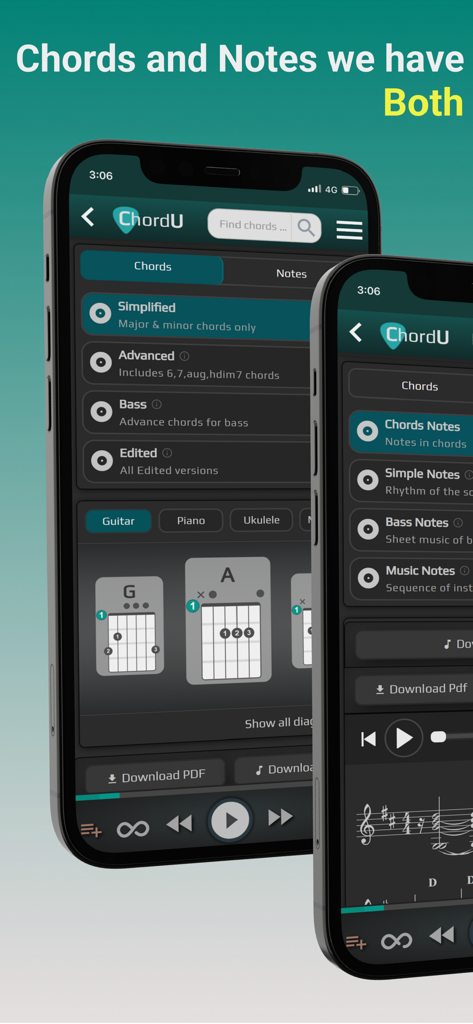
ChordU - get chords & notes - Interface of ChordU app showing music chords and sheet music on mobile devices
Interface of ChordU app showing music chords and sheet music on mobile devices

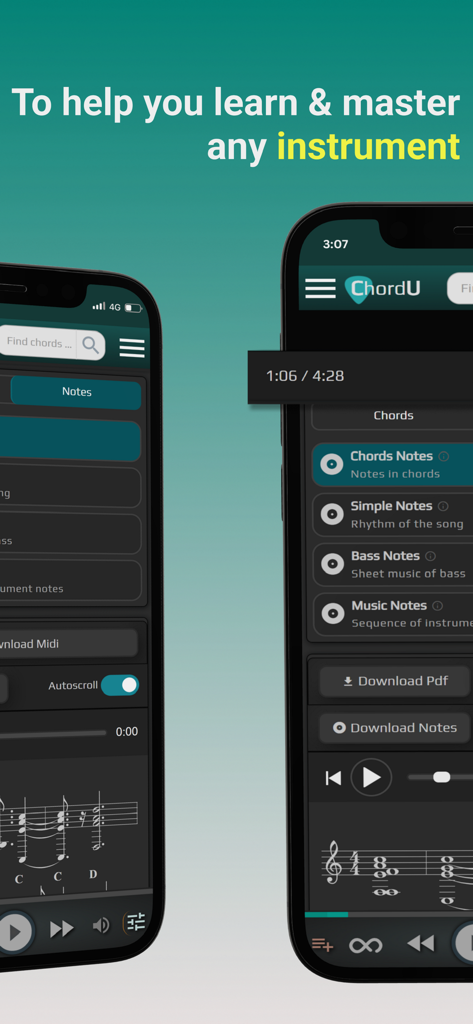
ChordU - get chords & notes - Smartphone screens showing ChordU app interface with sheet music and chord recognition features

Smartphone screens showing ChordU app interface with sheet music and chord recognition features
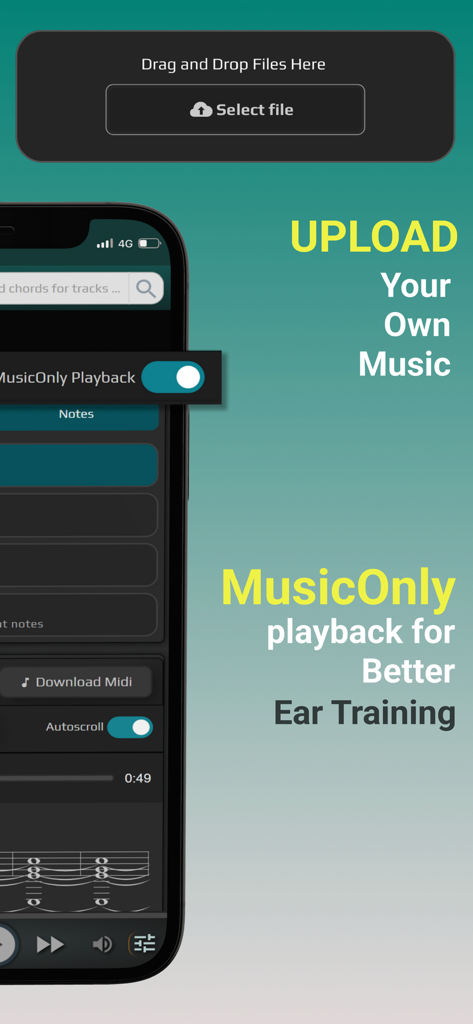
ChordU - get chords & notes - ChordU app screen showing the upload music feature and MusicOnly playback for ear training
ChordU app screen showing the upload music feature and MusicOnly playback for ear training

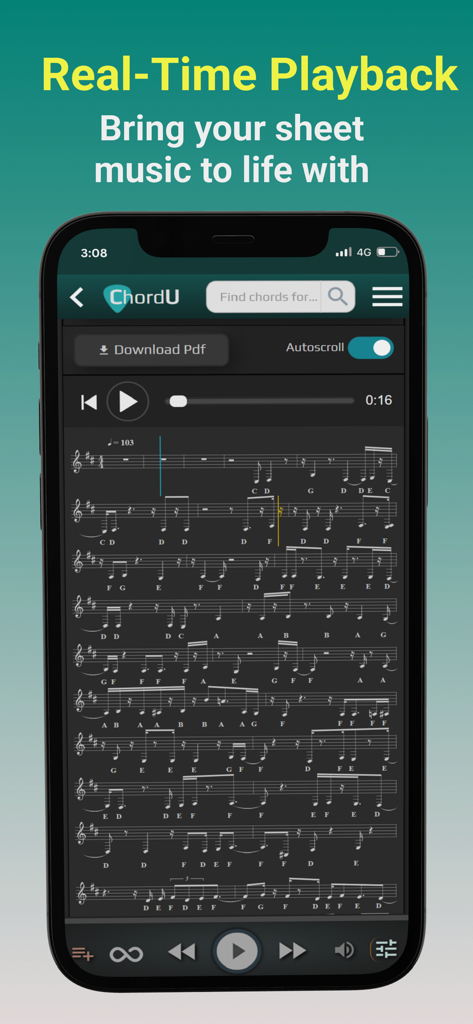
ChordU - get chords & notes - ChordU app interface showing real-time scrolling sheet music and chords for musical practice.
ChordU app interface showing real-time scrolling sheet music and chords for musical practice.

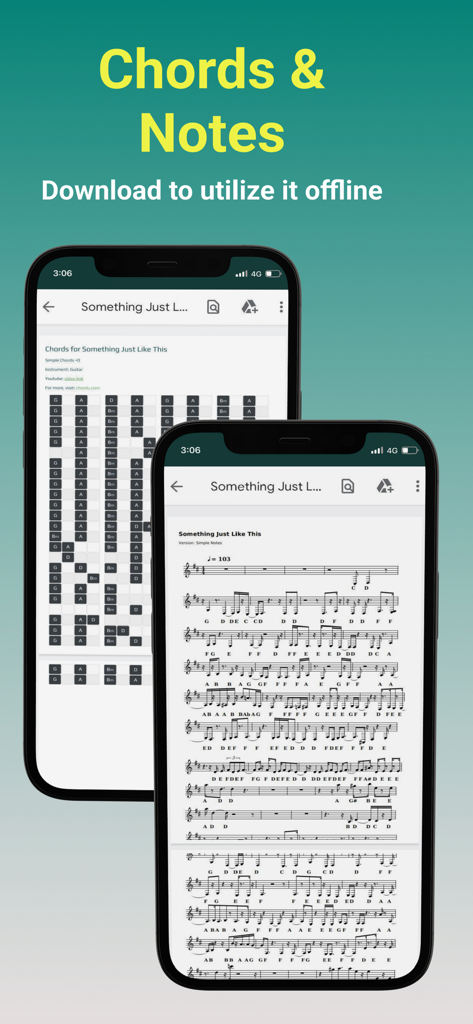
ChordU - get chords & notes - ChordU app interface showing song chords and sheet music with offline download option
ChordU app interface showing song chords and sheet music with offline download option

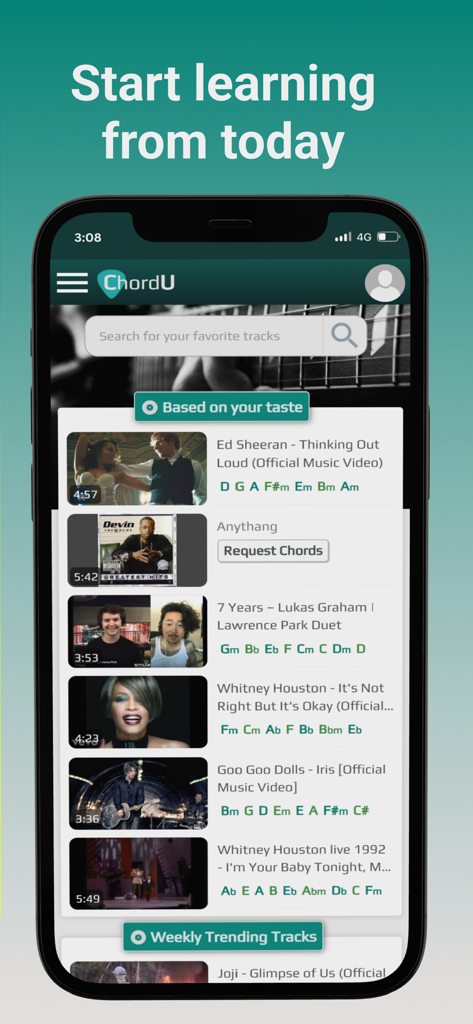
ChordU - get chords & notes - The ChordU app interface showing a search bar and a list of popular songs with their corresponding music chords.
The ChordU app interface showing a search bar and a list of popular songs with their corresponding music chords.

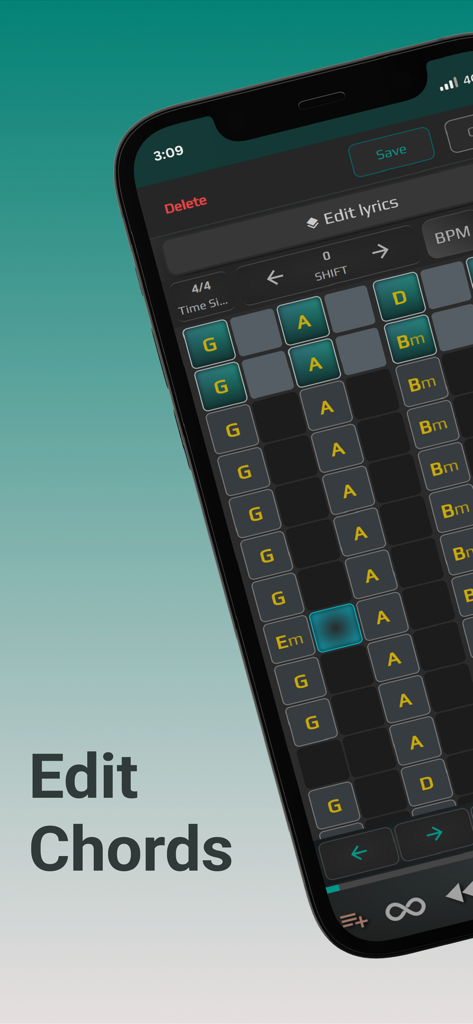
ChordU - get chords & notes - ChordU app mobile interface displaying the chord editing feature with a grid of musical chords
ChordU app mobile interface displaying the chord editing feature with a grid of musical chords

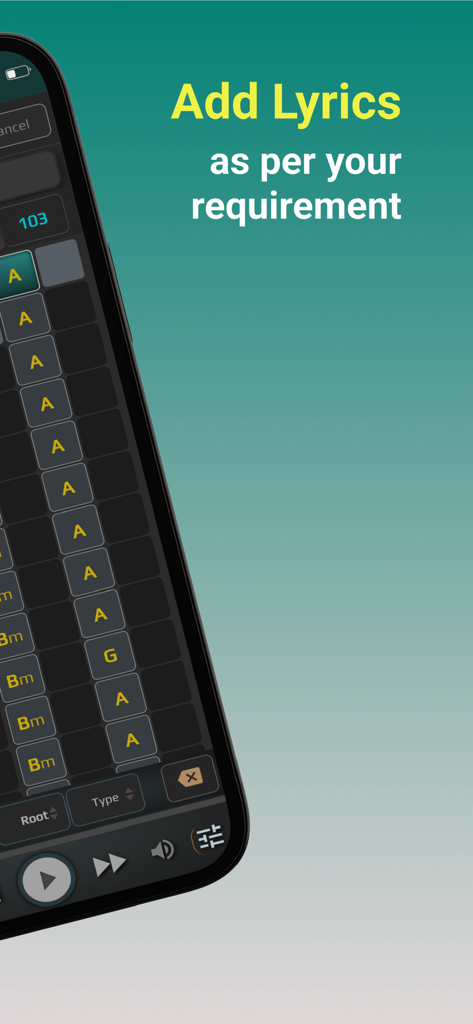
ChordU - get chords & notes - Smartphone screen showing the ChordU app interface with a grid of musical chords and a text overlay saying Add Lyrics as per your requirement
Smartphone screen showing the ChordU app interface with a grid of musical chords and a text overlay saying Add Lyrics as per your requirement

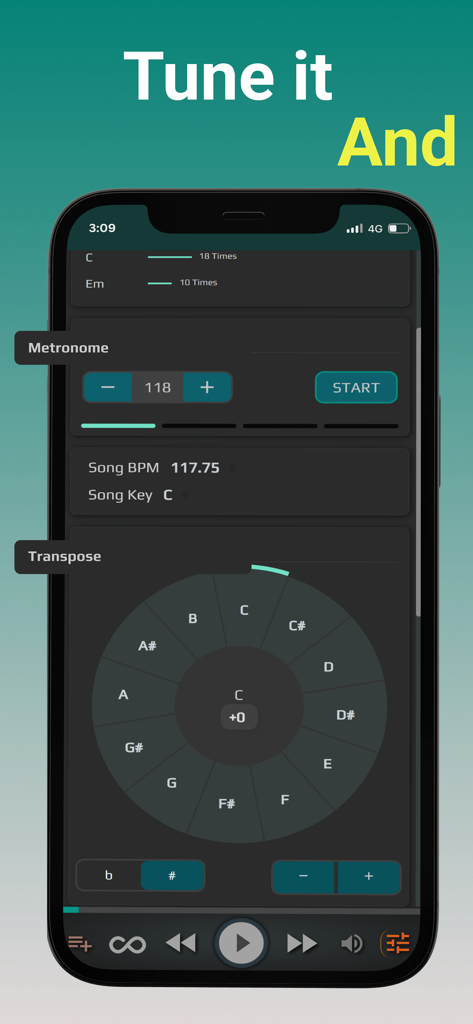
ChordU - get chords & notes - ChordU app interface featuring metronome controls and a musical transpose wheel
ChordU app interface featuring metronome controls and a musical transpose wheel

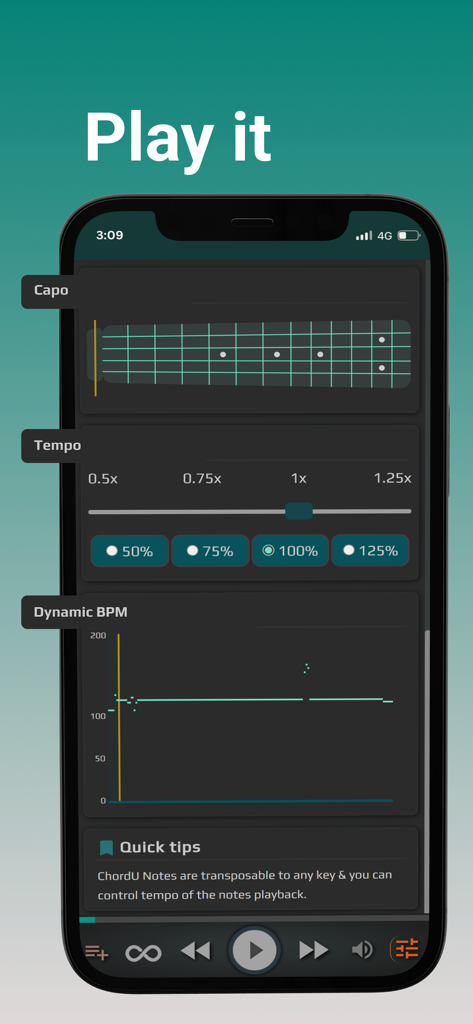
ChordU - get chords & notes - ChordU app interface featuring guitar capo visualization and tempo adjustment controls

ChordU app interface featuring guitar capo visualization and tempo adjustment controls

Description

ChordU: The Ultimate Musician's Tool. Enhance your playing skills with advanced chord and note recognition technology. Quickly find sheet music for any song and play along on guitar, piano, ukulele, or mandolin. Three chord versions (Simple, Advanced, Bass) and notes as sheet music for treble and bass clef provide a comprehensive learning experience. Organize your favorite songs with the Jamlist feature and play bass with ease. Adjust the song key with the digital capo and transpose function. Control tempo with the dynamic BPM and tempo feature. Upload your music and receive chords and notes, download PDFs, MIDI files, and more. Download rhythmic MIDI for endless chord progressions and note sequences. Download now and start making music like a pro. – Multiple versions of chords ChordU provides chords in Simple, Advanced & Bass versions for the same song and lets you play various musical instruments like guitar, piano, ukulele, and mandolin. With the help of deep learning, ChordU gets you chords for any song with extremely high accuracy. – Notes as sheet music Play any Instrument with the help of ChordU Notes. Notes are represented as sheet music with symbols & letters and support playing along with the song. Deeply analyze any song with the help of Simple & Music versions of notes. Notes displayed as sheet music are available for both treble clef and bass clef. Once you click on each of these versions, it instantly shows sheet music. # Treble clef There are three versions in treble clef; simple notes that help you get the rhythm of the song, while music notes let you find the sequence of instrument notes. # Bass clef You can select the bass notes button to find low-pitch sheet music for bass. – Jamlist to organize better Jamlist helps to organize a list of your favorite song by custom category, separated into several folders according to your mood. Once you add a track to a particular folder of the Jamlist, you can revisit it later from the main menu. – Bass made Easy Are you a bass player? We have your back. Now play your favorite music piece with rhythmic and harmonic functions simultaneously. With the help of Bass Chords and Bass Notes as sheet music, master any song quickly & easily. – Digital Capo & Transpose Just like a guitar capo, change the song key to any position and play chords in your preferred zone. The digital transposer lets you transpose to any key, both positively & negatively. Adjust the pitch according to your vocal range. – Dynamic BPM & Tempo Dynamic BPM graph shows rhythm/variations in the beat count of the song. Tempo helps you control the speed of the music; you want it slow or fast. If you are stuck somewhere with the chords or notes, decrease the tempo and get a smooth learning experience. – Upload & listen to Music Only. ChordU lets you upload songs from your collection and provides the chords and notes, download the MIDI files, download notes, transpose and use all ChordU Premium features of your music. In addition, the Music Only mode on your uploaded songs helps you with ear training. – Download PDF Get the most requested feature where you can easily download PDFs for any version in any transpose. We have shortened the number of clicks for you; switch to the version you want chords or notes for, click on the download PDF button, and instantly get it. – Download rhythmic MIDI Download the chords MIDI and rhythmic notes MIDI of any song. Then, you can experiment with endless chord progressions & note sequences in your music studio tools or midi instruments. "Music made accessible with ChordU. Join our global community of musicians, amateurs, and professionals. With our upgraded ChordU Premium and always-free basic features, unleash your musical potential. Start your journey now!"

Download

Download on App Store

This page is not an official page of the app or its developer, but an independent editorial publication created for informational and commentary purposes. Unless expressly stated otherwise, neither the app nor its developer is affiliated with, endorsed by, sponsored by, authorized by, or otherwise officially connected with MWM, Apple, Google Play, the app publisher, or the app's developer, and nothing on this page implies that the app was developed using MWM's services. Any trademarks, logos, screenshots, and other content remain the property of their respective owners.








