
This page is not an official page of the app or its developer, but an independent editorial publication created for informational and commentary purposes. Unless expressly stated otherwise, neither the app nor its developer is affiliated with, endorsed by, sponsored by, authorized by, or otherwise officially connected with MWM, Apple, Google Play, the app publisher, or the app's developer, and nothing on this page implies that the app was developed using MWM's services. Any trademarks, logos, screenshots, and other content remain the property of their respective owners.


CIBC Mobile Banking
This app eradicates banking friction. Users command their finances with ruthless efficiency, transforming a chore into a power move.
Downloads
5M+User Rating
Total Ratings
33.9KPublisher
Category
FinanceLocales
2Latest Version
10.73.4Size
174.8 MBFirst Released
Feb 2, 2010An analysis of key functionalities and user benefits for modern banking needs.
CIBC Mobile Banking App: Feature Evaluation
Interac e-Transfer
This tool features instant sending and receiving of money, which is a standard and highly utilized payment method in Canada, streamlining personal transactions.
Biometric Security & Access
The app provides secure account access through fingerprint, Face ID, or password, ensuring user data protection and convenient login for frequent use.
Comprehensive Account Overview
It allows users to view a consolidated snapshot of all their accounts in one place, facilitating easy financial tracking and management at a glance.
Mobile Cheque Deposit
This feature enables users to deposit cheques quickly by simply taking a picture with their phone, eliminating the need to visit a physical branch.
Flexible Payment Scheduling
The app allows for setting up instant, post-dated, or recurring payments, providing flexibility for managing financial obligations and bills efficiently.
Free Credit Score Access
It provides access to a free Transunion credit score directly within the app, which helps users monitor their credit health without affecting their score.
24/7 Virtual Assistant
This tool offers a virtual assistant available around the clock to answer banking questions and perform everyday transactions, enhancing customer support and convenience.
Secure Notifications & Verification
The app allows users to receive secure one-time verification codes and push notifications, bolstering security for transactions and keeping users informed of account activity.
Frequently Asked Questions
Everything you need to know about CIBC Mobile Banking
How does the CIBC Mobile Banking App ensure secure account access?
The CIBC Mobile Banking App secures your accounts using fingerprint, Face ID, or password authentication. It also provides one-time verification codes and push notifications for enhanced security.
Can I view all my CIBC accounts within the mobile app?
Yes, the CIBC Mobile Banking App allows you to get a comprehensive snapshot of all your accounts in one place, anytime. This includes chequing, savings, and credit card accounts.
Does the CIBC Mobile Banking App support mobile payment options like Apple Pay?
Yes, the CIBC Mobile Banking App supports the use of Apple Pay, Google Pay, and Samsung Pay at payment terminals. This allows for convenient and secure mobile transactions.
How do I deposit a cheque using the CIBC Mobile Banking App?
The CIBC Mobile Banking App enables you to deposit cheques quickly by taking a picture of the cheque with your phone. This feature streamlines the deposit process.
Is there a virtual assistant available in the CIBC Mobile Banking App?
Yes, the CIBC Mobile Banking App includes a Virtual Assistant. It is available 24/7 to answer your banking questions and perform everyday banking transactions on your behalf.
Can I check my Transunion credit score for free in the CIBC Mobile Banking App?
Yes, you can receive your free Transunion credit score directly in the CIBC Mobile Banking App. This service does not affect your credit score.
What languages does the CIBC Mobile Banking App support?
The CIBC Mobile Banking App supports both English and French languages. Users can choose their preferred language for app interface and services.
How can I manage a lost or stolen card using the CIBC Mobile Banking App?
The CIBC Mobile Banking App allows you to lock your card or request a replacement if it is damaged, lost, or stolen. Options like "Lock My Card" and "Report lost or stolen card" are available.
Does the CIBC Mobile Banking App provide account activity alerts?
Yes, the CIBC Mobile Banking App allows you to set up alerts. These alerts keep you informed about any activity on your accounts, such as transactions or important updates.
Can I apply for new bank accounts or credit cards through the CIBC Mobile Banking App?
Yes, you can apply for bank accounts or credit cards directly through the CIBC Mobile Banking App. The app also allows you to view your application status in real time.
The following screenshots and description are sourced directly from the app's official store listing and are the property of the app developer.
App Store
Screenshots
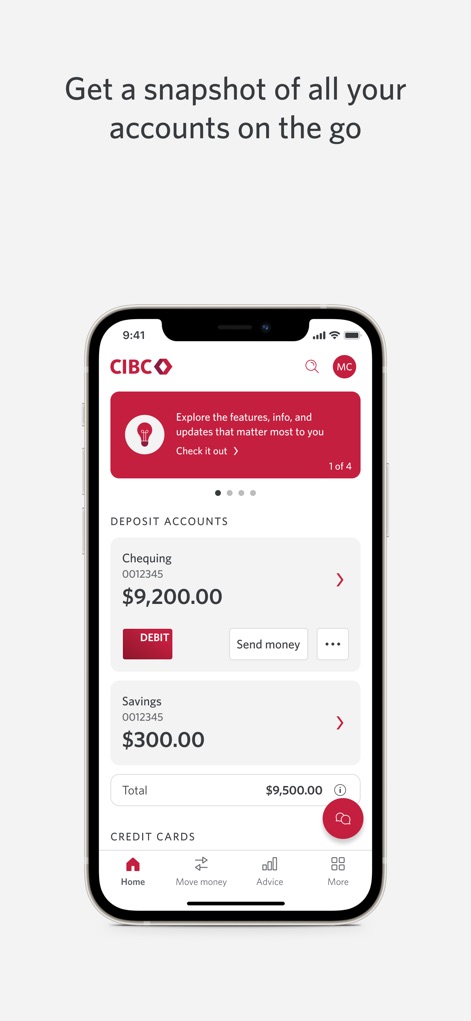
This initial view highlights both the detailed 'Deposit Accounts' breakdown and the quick access 'Debit' button for seamless daily banking.
Account Overview Simplified
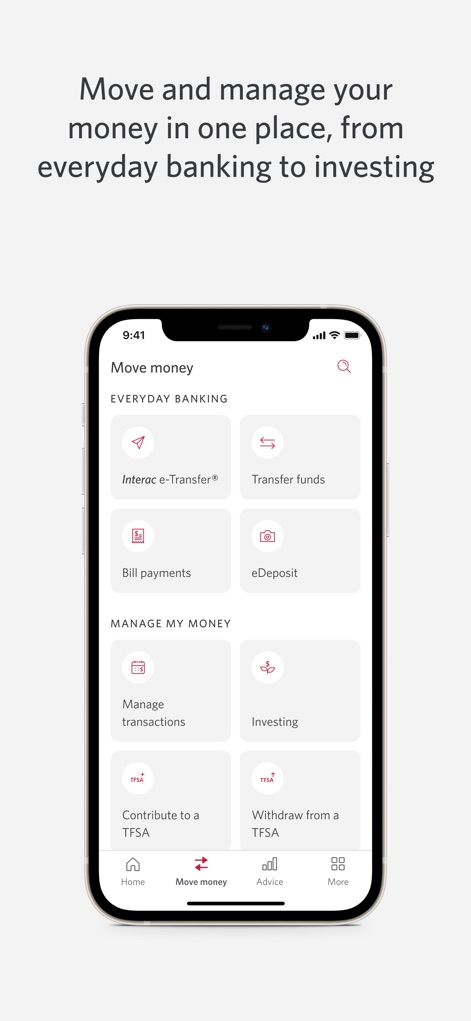
The app presents clear categories for 'Everyday Banking' and 'Manage My Money', offering direct access to features like 'Interac e-Transfer' and 'Investing'.
Effortless Money Movement
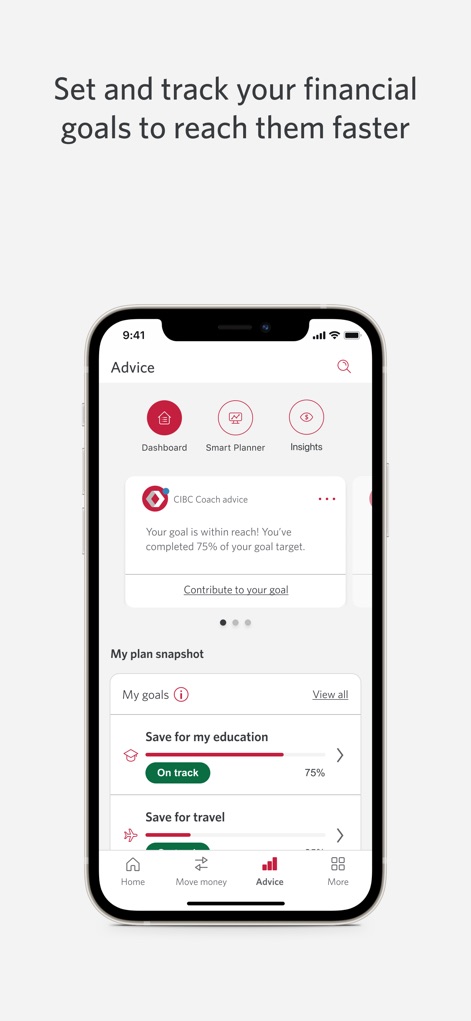
Users can visually monitor their financial progress through dedicated 'My goals' sections and receive personalized 'CIBC Coach advice' within the 'Advice' tab.
Goal Tracking & Advice
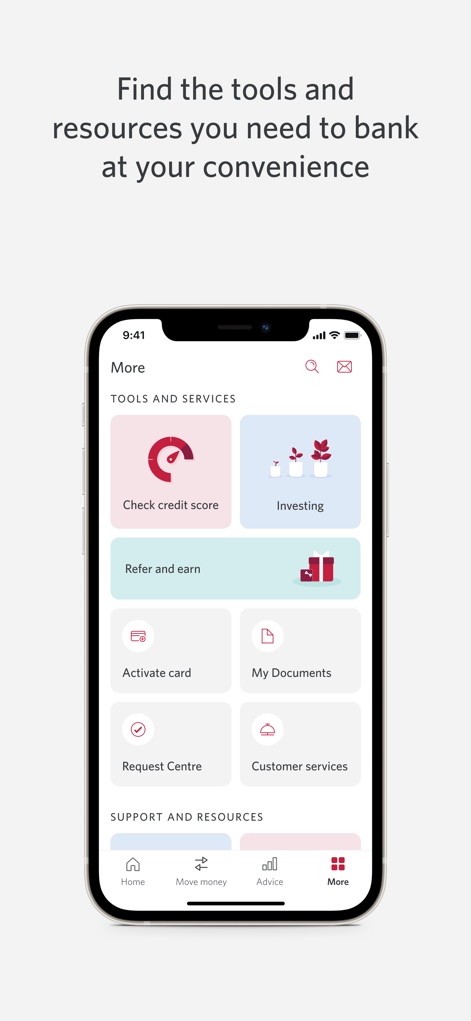
This section provides a consolidated hub for 'Tools and Services' such as 'Check credit score' and 'Investing', streamlining access to essential banking resources.
Comprehensive Tool Hub
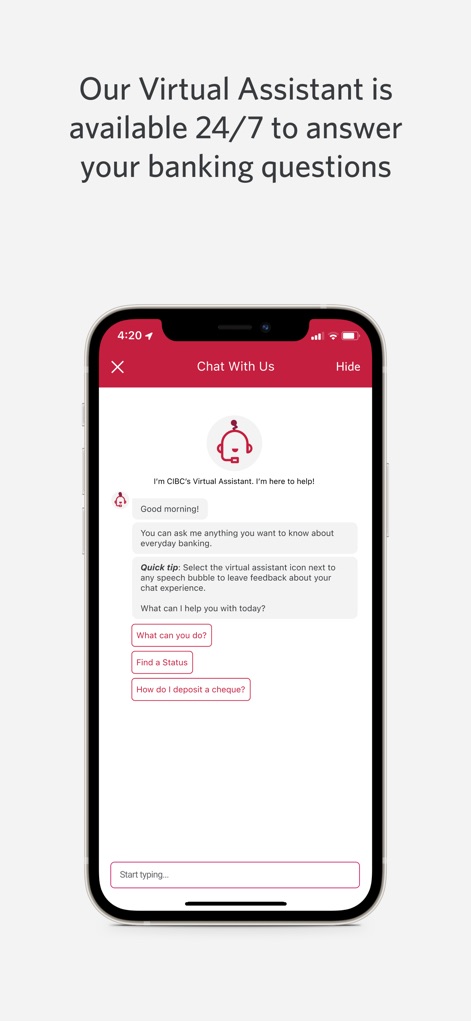
The integrated 'Virtual Assistant' offers 24/7 support, presenting conversational options like 'What can you do?' and a text input field for direct queries.
Instant Virtual Assistance
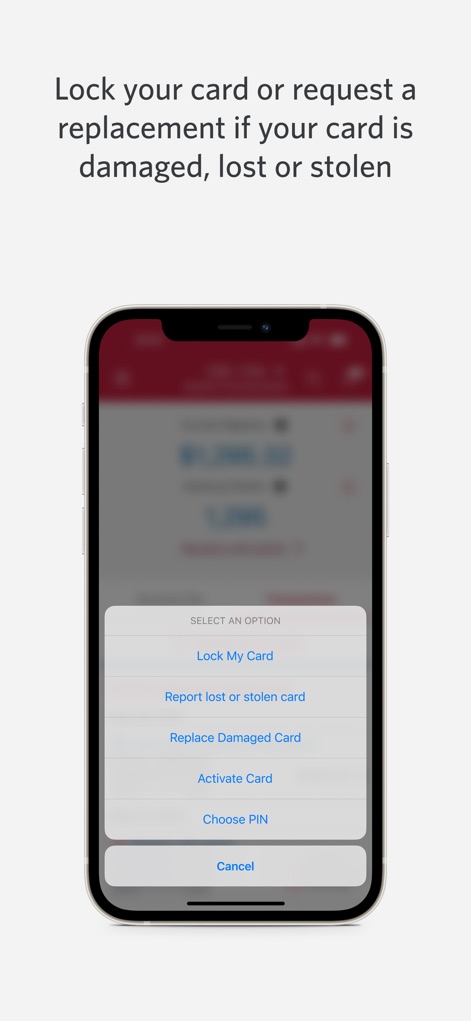
This interface provides critical 'Card Management Controls' through an overlay menu, allowing users to quickly 'Lock My Card' or 'Replace Damaged Card'.
Card Management Controls
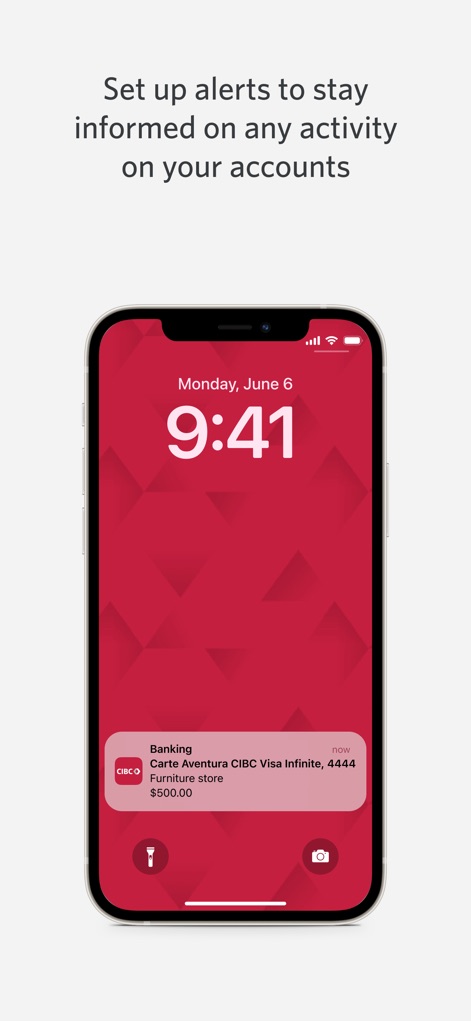
The app ensures users stay informed with 'push notifications' delivered directly to the lock screen, clearly showing details like the 'transaction amount' and originating card.
Real-Time Account Alerts
Description
Download
More Like This
Apps with similar features and user experience

PayPal - Pay, Send, Save
PayPal, Inc.

中国农业银行
AGRICULTURAL BANK OF CHINA LIMITED

Mercado Pago: cuenta digital
MercadoLibre S.A.

中国工商银行
Industrial and Commercial Bank of China

Revolut: Send, spend and save
Revolut Ltd

HDFC Bank App (Early Access)
HDFC Bank Ltd

Zalopay - Quét Mọi QR
ZION JOINT STOCK COMPANY

Cash App
Block, Inc.

招商银行
CHINA MERCHANTS BANK CO.,LTD.
This page is not an official page of the app or its developer, but an independent editorial publication created for informational and commentary purposes. Unless expressly stated otherwise, neither the app nor its developer is affiliated with, endorsed by, sponsored by, authorized by, or otherwise officially connected with MWM, Apple, Google Play, the app publisher, or the app's developer, and nothing on this page implies that the app was developed using MWM's services. Any trademarks, logos, screenshots, and other content remain the property of their respective owners.