
This page is not an official page of the app or its developer, but an independent editorial publication created for informational and commentary purposes. Unless expressly stated otherwise, neither the app nor its developer is affiliated with, endorsed by, sponsored by, authorized by, or otherwise officially connected with MWM, Apple, Google Play, the app publisher, or the app's developer, and nothing on this page implies that the app was developed using MWM's services. Any trademarks, logos, screenshots, and other content remain the property of their respective owners.


Classic Words (solo word game)
The app proves a stark reality: your vocabulary is your only weapon. It offers a brutal, yet brilliant, AI opponent, sharpening your wordplay without the online circus.
Downloads
2.5M+User Rating
Total Ratings
271.7KPublisher
Category
GamesLocales
3Latest Version
1.7.0Size
84.7 MBFirst Released
Jul 18, 2013An Analytical Overview for Solo Word Game Enthusiasts
Key Features of Classic Words
Offline Play Capability
The app allows users to enjoy word games anytime, anywhere, without requiring an internet connection, providing a reliable and uninterrupted gaming experience.
Robust AI Opponent
This tool features a sophisticated Artificial Intelligence, offering challenging gameplay for all skill levels and serving as an excellent training partner for competitive play.
Fair Play Assurance
The app guarantees a cheating-free environment with randomly picked letters and an AI that possesses no unfair advantages, ensuring integrity and strategic challenge.
Tournament-Inspired Word Lists
It provides English word lists (NWL and SOWPODS) inspired by official tournament standards, making it ideal for serious players and competitive training.
Instant Word Definitions
The app enriches vocabulary by automatically displaying definitions for words played by the AI, fostering continuous learning and linguistic improvement.
Multi-Language Support
This tool offers support for six languages, including English, Spanish, and German, expanding its appeal and allowing players to enhance their vocabulary in various tongues.
Adjustable Difficulty Levels
It features multiple difficulty settings, from beginner to expert, enabling players to customize their challenge and progressively improve their skills.
Classic Gameplay Mechanics
The app replicates traditional crossword board game mechanics, including bonus squares and Bingo for strategic point maximization.
Educational Value
The app serves as an educational tool, helping users of all ages improve their spelling and vocabulary through engaging gameplay.
Fast AI Responsiveness
This tool ensures a smooth and engaging user experience thanks to its quickly reactive artificial intelligence, minimizing wait times during turns.
Frequently Asked Questions
Everything you need to know about Classic Words (solo word game)
What is Classic Words?
Classic Words is a solo word game where players compete against an AI opponent on iPhone or iPad. It enhances vocabulary through Scrabble-like gameplay, supporting multiple languages and difficulty levels, and includes built-in word definitions.
Does Classic Words support multiple languages?
Yes, Classic Words supports six languages: English, Spanish, French, Italian, German, and Dutch. The game adapts letter distributions and points to the chosen language.
Can I play Classic Words offline?
Yes, Classic Words supports offline play. Users can enjoy the game against the AI opponent without requiring an internet connection.
How does Classic Words prevent cheating?
Classic Words prevents cheating by randomly picking letters and blanks. The AI opponent does not possess more information than the player, ensuring fair play in solitaire mode.
What word lists does Classic Words use for English?
For English, Classic Words uses word lists inspired by official Scrabble tournaments: NWL (2023) and SOWPODS (2025). These lists ensure competitive and accurate gameplay.
Can Classic Words help improve my vocabulary?
Yes, Classic Words helps improve vocabulary. The game includes built-in word definitions and is an educational tool for learning new words from the computer's moves.
How many difficulty levels does Classic Words offer?
Classic Words offers six levels of difficulty, ranging from beginner to expert. Players can choose a level to match their skill and strategy.
Does Classic Words provide word definitions?
Yes, Classic Words automatically displays word definitions for words played by the AI opponent. This feature enriches vocabulary and aids learning.
The following screenshots and description are sourced directly from the app's official store listing and are the property of the app developer.
App Store
Screenshots
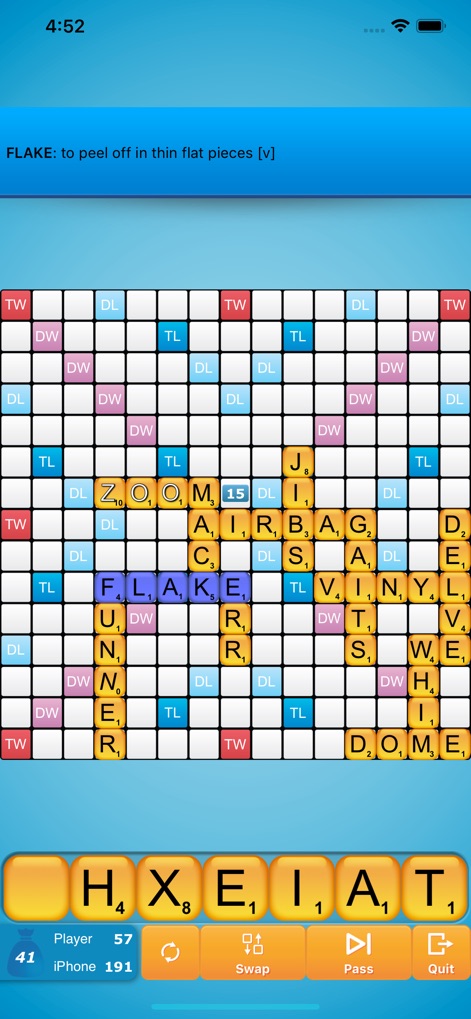
This initial view showcases the dynamic game board with placed letter tiles and the player's accessible tile rack for strategic word formation.
Engaging Wordplay
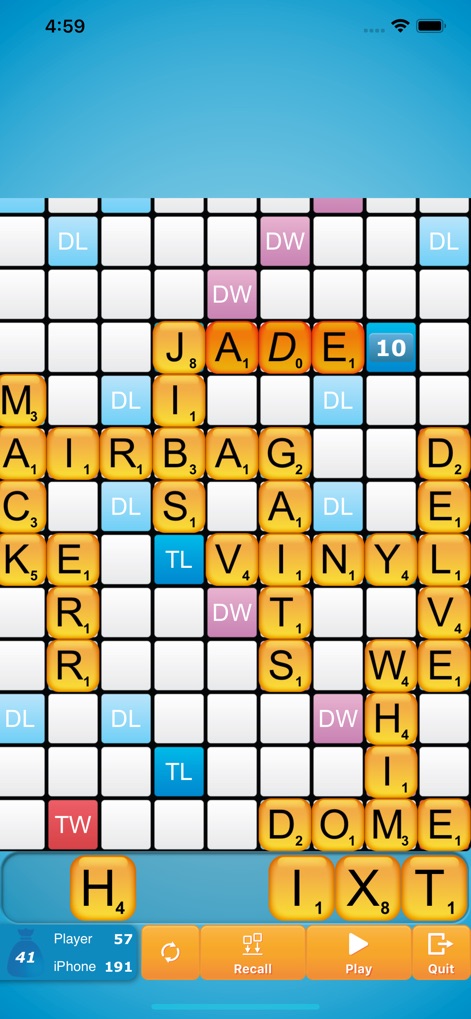
Observe the board after a word is played, highlighting the placement of new words like 'JADE' and the refreshed letter tiles available in the user's rack.
Strategic Board Moves

This screen captures the responsive 'iPhone is thinking...' prompt, alongside a clear notification confirming points scored for words like 'JADE'.
Intelligent AI Interaction
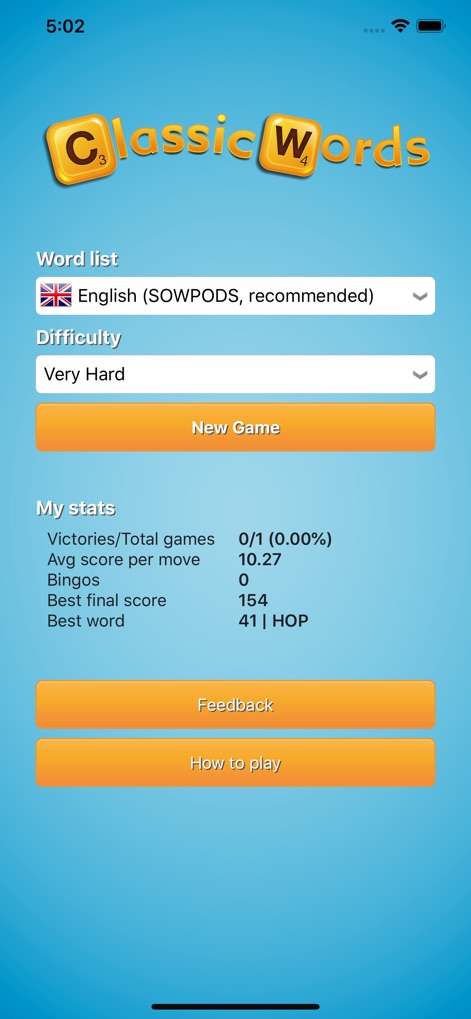
Explore the main menu where users can select their preferred word list and adjust the difficulty level, while also reviewing 'My stats' for comprehensive game performance.
Customizable Game Modes
Description
Download
More Like This
Top-ranked apps in the same category

Block Blast!
ARETIS LIMITED

Heartopia
XD Entertainment Co., Ltd.

Solitaire Associations Journey
Hitapps Games LTD

Roblox
Roblox Corporation

Gossip Harbor®: Merge & Story
Microfun Limited

Arrows – Puzzle Escape
Lessmore UG haftungsbeschraenkt

Township
PLR Worldwide Sales Limited

Last War:Survival
FUNFLY PTE. LTD.

Vita Mahjong
VITA STUDIO PTE. LTD.
This page is not an official page of the app or its developer, but an independent editorial publication created for informational and commentary purposes. Unless expressly stated otherwise, neither the app nor its developer is affiliated with, endorsed by, sponsored by, authorized by, or otherwise officially connected with MWM, Apple, Google Play, the app publisher, or the app's developer, and nothing on this page implies that the app was developed using MWM's services. Any trademarks, logos, screenshots, and other content remain the property of their respective owners.