
This page is not an official page of the app or its developer, but an independent editorial publication created for informational and commentary purposes. Unless expressly stated otherwise, neither the app nor its developer is affiliated with, endorsed by, sponsored by, authorized by, or otherwise officially connected with MWM, Apple, Google Play, the app publisher, or the app's developer, and nothing on this page implies that the app was developed using MWM's services. Any trademarks, logos, screenshots, and other content remain the property of their respective owners.


ClassLink LaunchPad
Eliminate password fatigue and get instant access to your learning resources. Connect to Google Drive, Office 365, and thousands of educational apps with a single sign-on designed for students and teachers.
Downloads
3M+User Rating
Total Ratings
7K+Publisher
Category
EducationLocales
1Latest Version
40.3.8Size
68.4 MBFirst Released
May 16, 2012Your Digital Schoolbag, Reimagined
ClassLink LaunchPad eliminates technical friction so you can focus on what matters most: learning and teaching.
Stop Resetting Passwords
Log in once to access thousands of educational tools and apps instantly. No more 'I forgot my password' interruptions.
Connect All Your Drives
Access Google Drive, OneDrive, and even school network folders from a single interface. Your work is always with you.
Frequently Asked Questions
Everything you need to know about ClassLink LaunchPad
What is ClassLink LaunchPad?
ClassLink LaunchPad provides personalized single sign-on access to thousands of educational, productivity, and learning applications. It allows users to access school resources with one click, streamlining the login process.
What are the prerequisites for using ClassLink LaunchPad?
Yes, your school or organization must have CLASSLINK LAUNCHPAD WEB EDITION for this app to function. The mobile app requires the existing web edition infrastructure.
Does ClassLink LaunchPad offer single sign-on (SSO) capabilities?
Yes, ClassLink LaunchPad provides personalized single sign-on access to all school resources, enabling automatic logins to applications. This feature saves time by eliminating repeated login entries.
Which cloud storage and network folders does ClassLink LaunchPad access?
ClassLink LaunchPad provides real-time access to Google Drive, O365 and OneDrive, Dropbox, and Box. It also integrates with your school network folders and any mapped Active Directory folders.
How many educational applications are available through ClassLink LaunchPad?
ClassLink LaunchPad provides access to thousands of learning, productivity, and educational applications. The platform explicitly states it offers over 5000 educational applications for users.
Is ClassLink LaunchPad compatible with multiple devices and initiatives?
Yes, ClassLink LaunchPad is accessible from any device. It is built specifically for education and is ideal for 1to1 and Bring Your Own Device (BYOD) initiatives in schools.
Can users manage files and notes within the ClassLink LaunchPad app?
Yes, users can manage their apps, files, and notes in one place within ClassLink LaunchPad. The app's sidebar menu includes dedicated sections for 'My Files' and 'Notes'.
Does ClassLink LaunchPad allow quick switching between active apps?
Yes, ClassLink LaunchPad enables users to jump between their active applications efficiently. The interface features an 'Opened Apps' section for swift navigation and multitasking.
The following screenshots and description are sourced directly from the app's official store listing and are the property of the app developer.
App Store
Screenshots
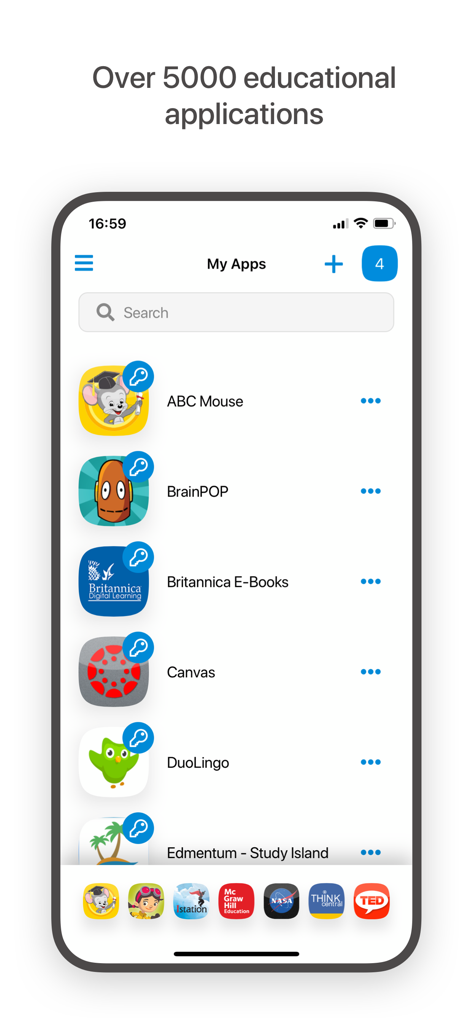
Mobile screen of ClassLink LaunchPad showing a list of integrated educational apps including ABC Mouse and BrainPOP
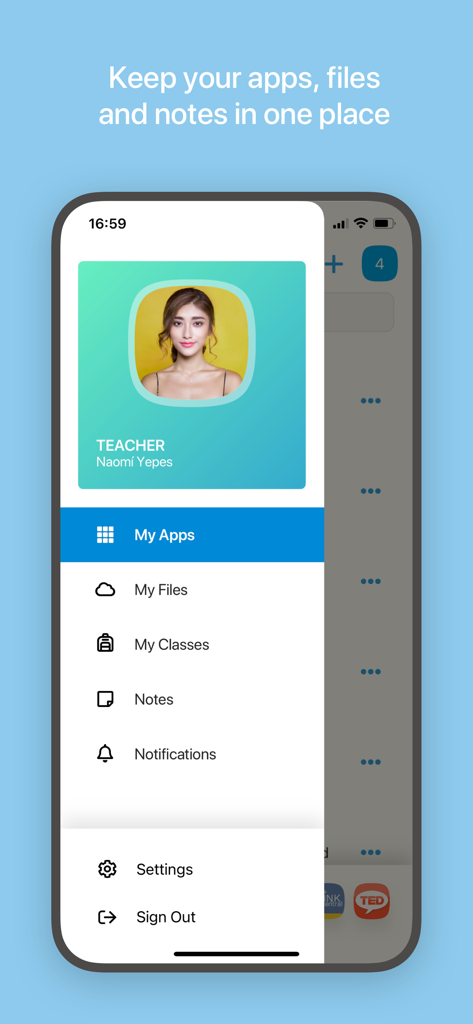
Mobile interface of ClassLink LaunchPad showing the main navigation menu with options for apps, files, and classes.
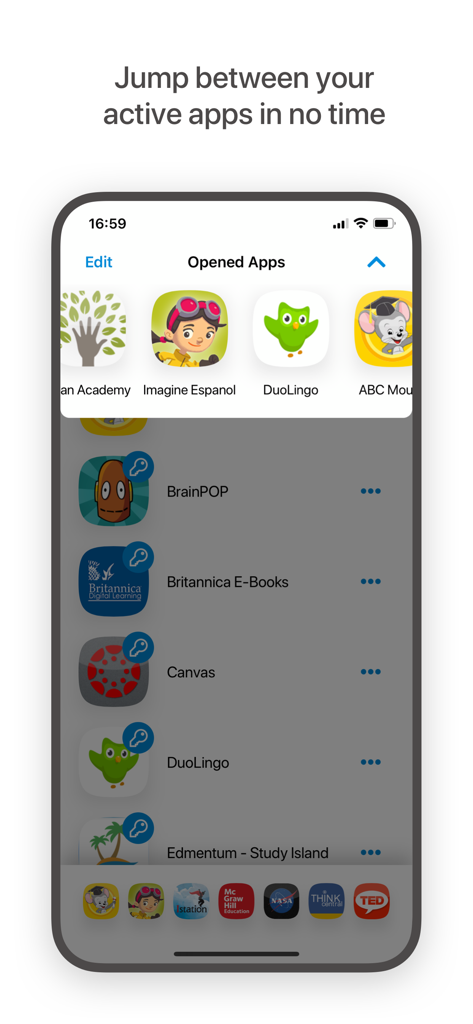
ClassLink LaunchPad app interface displaying a list of active educational applications
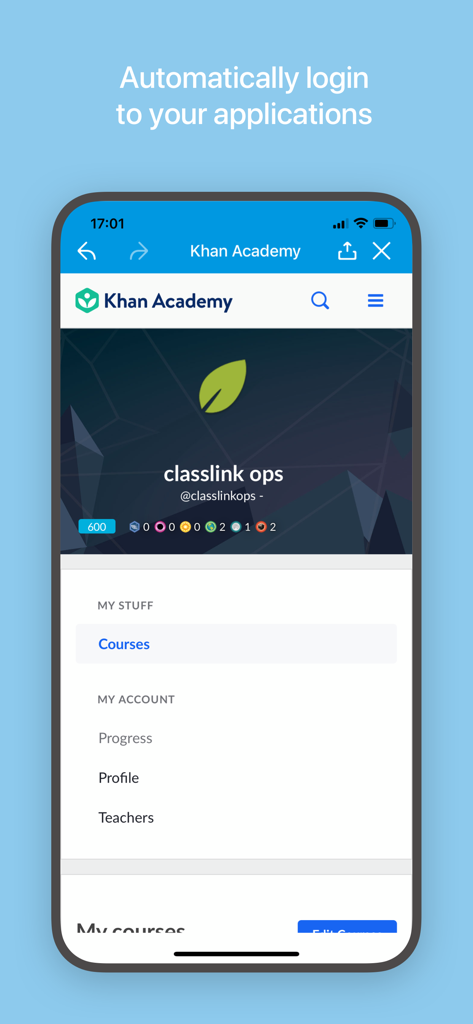
ClassLink LaunchPad mobile app showing automatic login access to Khan Academy
Description
Download
More Like This
Apps with similar features and user experience

Minha Estácio
Sociedade De Ensino Superior Estacio de Sa Ltda

Unicesumar Studeo App
Cesumar - Centro de Ensino Superior de Maringa Ltda

MyQU - Qassim University
Qassim University

UniStudents
UNISTUDENTS P.C.

Cep Kütüphanem
Yordam Mobil

컴시간알리미
Comcigan Co., Ltd.

Clever
Clever Inc.

StudentVUE (New)
Edupoint
مدرستي - النتائج
Saudi Ministry of Education
This page is not an official page of the app or its developer, but an independent editorial publication created for informational and commentary purposes. Unless expressly stated otherwise, neither the app nor its developer is affiliated with, endorsed by, sponsored by, authorized by, or otherwise officially connected with MWM, Apple, Google Play, the app publisher, or the app's developer, and nothing on this page implies that the app was developed using MWM's services. Any trademarks, logos, screenshots, and other content remain the property of their respective owners.