
This page is not an official page of the app or its developer, but an independent editorial publication created for informational and commentary purposes. Unless expressly stated otherwise, neither the app nor its developer is affiliated with, endorsed by, sponsored by, authorized by, or otherwise officially connected with MWM, Apple, Google Play, the app publisher, or the app's developer, and nothing on this page implies that the app was developed using MWM's services. Any trademarks, logos, screenshots, and other content remain the property of their respective owners.


Clear Wave - Speaker Test
Speaker performance matters. This app equips users with diagnostic power, turning guesswork into certainty.
Downloads
1M+User Rating
Total Ratings
2.3KPublisher
Category
MusicLocales
35Latest Version
3.0Size
174.3 MBFirst Released
Mar 25, 2022An evaluation of core functionalities for mobile audio diagnostics.
Key Analytical Insights: Clear Wave - Speaker Test
Advanced Speaker Diagnostics
The app provides users with multiple modes to comprehensively test and analyze the performance of their phone's speakers, ensuring precision in diagnostics.
Precise Frequency Generation
It allows users to generate specific frequencies ranging from 100 Hz to 20,000 Hz, offering detailed control for thorough sound analysis and troubleshooting. This tool features a selection of 7 classic waveforms for varied testing.
Dedicated Bass Response Evaluation
This tool features a dedicated mode for evaluating the low-frequency response of speakers, which is critical for assessing bass performance and fidelity.
Stereo Channel Verification
The app allows users to perform complete stereo channel testing, ensuring proper left and right channel separation and balance for an optimal audio experience.
Maximum Volume Performance Testing
It enables users to test speaker performance at their maximum capabilities, helping to identify distortions or limitations at high volume levels.
Environmental Decibel Meter
The app includes a built-in decibel meter to measure ambient sound levels, providing context for speaker testing and general acoustic awareness.
Frequently Asked Questions
Everything you need to know about Clear Wave - Speaker Test
Does Clear Wave remove water from iPhone speakers?
No, Clear Wave does not remove water from your iPhone speakers. The app explicitly states it does not provide water ejection functionality. Its primary purpose is speaker testing and analysis.
What is the primary function of Clear Wave - Speaker Test?
Clear Wave tests and analyzes phone speakers using a series of tones. It helps users evaluate speaker performance, including bass response and stereo channels, and provides a frequency generator.
Can Clear Wave boost the volume of my phone speakers?
No, Clear Wave is not a volume booster app. It features a "volume booster mode" specifically for testing speaker performance at maximum capabilities, not for permanently increasing device volume.
What types of speaker tests does Clear Wave offer?
Clear Wave offers advanced speaker testing with three ultimate modes. These include dedicated bass testing, complete stereo channel testing, and a volume booster mode to evaluate performance at maximum capabilities.
What is the price of a Clear Wave lifetime subscription?
A lifetime subscription for Clear Wave costs $19.99. This is a one-time payment for permanent access to the app's features.
What is the frequency range of the Clear Wave generator?
Clear Wave's frequency generator offers precise control from 100 Hz to 20,000 Hz. Users can select from various classic waveforms to produce different tones for testing.
Does Clear Wave have a free trial period?
Yes, Clear Wave offers a free trial period with its subscription options. The subscription automatically renews to a paid plan after the trial unless canceled at least 24 hours prior.
How can I manage my Clear Wave subscription?
You can manage your Clear Wave subscription and auto-renewal settings by going to your Account Settings after purchase. Subscriptions can be canceled in iTunes settings.
Does Clear Wave include a decibel meter?
Yes, Clear Wave includes a built-in decibel meter. This feature measures environmental sound levels, providing an additional tool for audio analysis and testing.
The following screenshots and description are sourced directly from the app's official store listing and are the property of the app developer.
App Store
Screenshots
This initial screen presents a clean droplet icon within concentric circles, emphasizing the app's core function to 'Eject Clear Sound From Speakers' for optimal audio.
Crystal Clear Sound
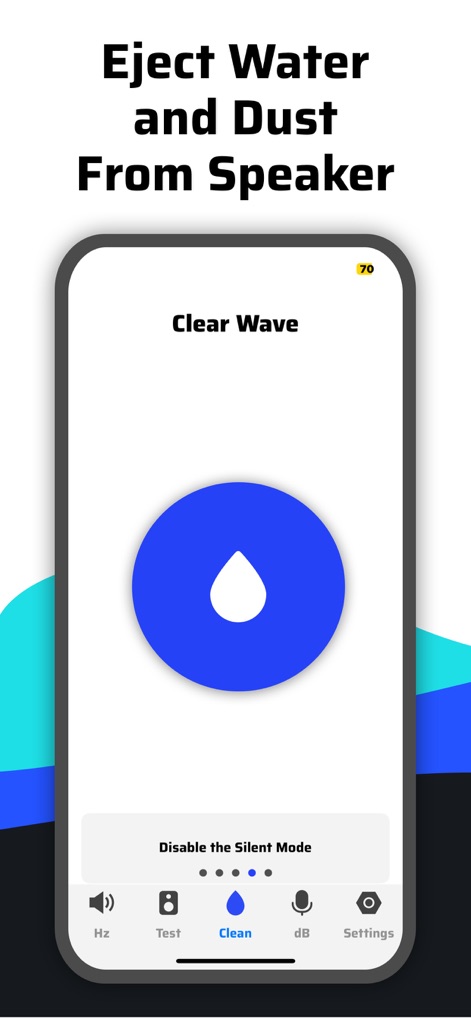
Users can activate the large blue droplet icon for speaker maintenance, guided by the clear prompt to 'Disable the Silent Mode' and the intuitive bottom navigation bar for various functions.
Speaker Cleaning Utility
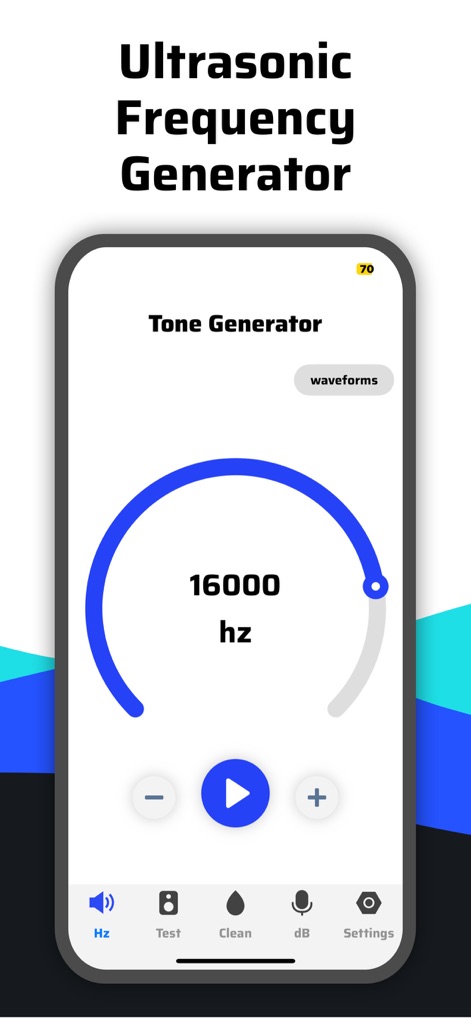
The app features a precise circular frequency slider, clearly showing '16000 hz', alongside a dedicated 'waveforms' button for advanced sound analysis capabilities.
Precision Tone Generation
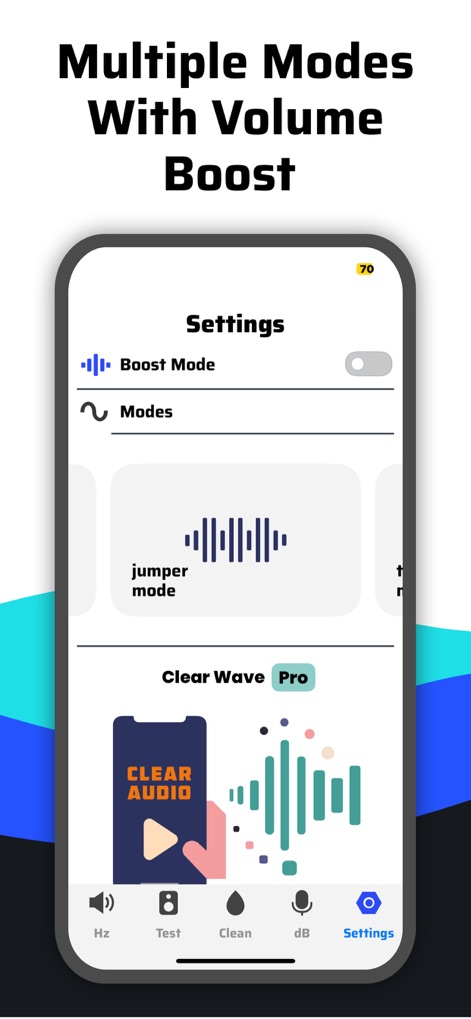
This view showcases the versatile 'Boost Mode' toggle and a selection of specialized options like 'jumper mode', allowing users to customize their speaker testing experience.
Optimized Performance Modes
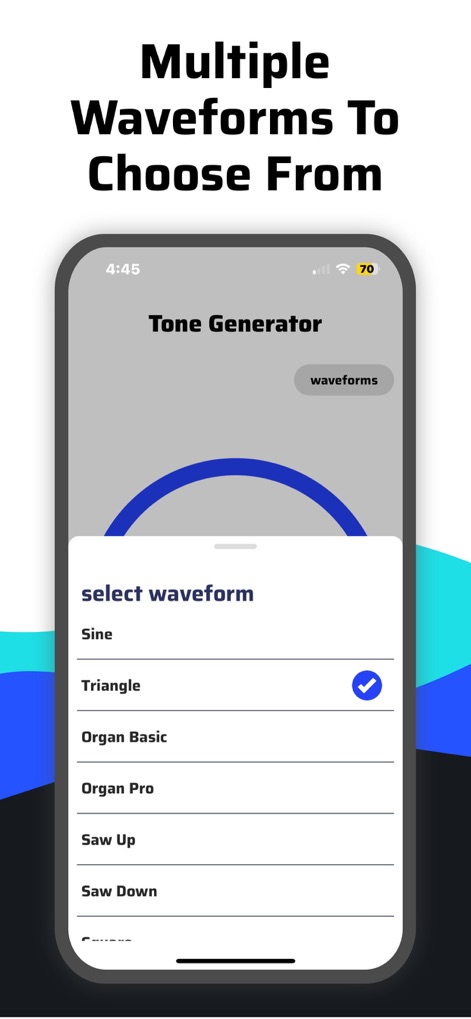
The 'select waveform' modal window reveals a comprehensive array of choices, including 'Sine' and 'Triangle', empowering users to generate diverse sound types for testing.
Diverse Waveform Selection
Description
Download
More Like This
Apps with similar features and user experience
This page is not an official page of the app or its developer, but an independent editorial publication created for informational and commentary purposes. Unless expressly stated otherwise, neither the app nor its developer is affiliated with, endorsed by, sponsored by, authorized by, or otherwise officially connected with MWM, Apple, Google Play, the app publisher, or the app's developer, and nothing on this page implies that the app was developed using MWM's services. Any trademarks, logos, screenshots, and other content remain the property of their respective owners.