
This page is not an official page of the app or its developer, but an independent editorial publication created for informational and commentary purposes. Unless expressly stated otherwise, neither the app nor its developer is affiliated with, endorsed by, sponsored by, authorized by, or otherwise officially connected with MWM, Apple, Google Play, the app publisher, or the app's developer, and nothing on this page implies that the app was developed using MWM's services. Any trademarks, logos, screenshots, and other content remain the property of their respective owners.

Speaker Fix
Professional-grade diagnostics at your fingertips. Test speaker frequencies, calibrate stereo output, and measure real-time noise levels to ensure your device delivers peak sound performance.
Downloads
202K+User Rating
Total Ratings
0Publisher
Category
UtilitiesLocales
1Latest Version
1.4Size
9.4 MBFirst Released
Apr 21, 2024Professional Diagnostics for Your Audio
Restore, calibrate, and measure your iPhone's sound performance with professional-grade utility tools designed for high-performance hardware.
Stereo Balance Precision
Perfectly calibrate your left and right channels to ensure a flawless spatial audio experience for gaming and music.
Frequency Diagnostics
Run targeted sound waves across specific hertz ranges to identify muffled tones and optimize speaker output performance.
Frequently Asked Questions
Everything you need to know about Speaker Fix
What functions does the Speaker Fix app provide for audio testing?
The Speaker Fix app tests device stereo balance, checks performance at various frequencies, and differentiates left and right speaker output. It also measures current noise levels.
Does Speaker Fix measure current noise levels?
Yes, Speaker Fix includes a sound level meter feature. It measures current noise levels in decibels (dB) and hertz (Hz), requiring microphone access.
What features are included in Speaker Fix Premium?
Speaker Fix Premium offers unlimited sound testing, unique waveforms, and an ad-free experience. These features enhance the app's diagnostic capabilities without interruptions.
What are the subscription prices for Speaker Fix?
Speaker Fix offers a Weekly subscription for $4.99, an Annual subscription for $24.99, and a discounted Annual option for $9.99. Prices adjust for other currencies.
How do users manage their Speaker Fix subscriptions?
Users can manage Speaker Fix subscriptions and turn off auto-renewal through their iTunes Account Settings. Cancellation must occur at least 24 hours before the current period ends.
Is microphone access necessary for the Speaker Fix app?
Yes, microphone access is necessary for Speaker Fix to utilize its sound level meter for noise measurement. Users grant access via device settings.
Where can I view the Speaker Fix app's Privacy Policy?
The Speaker Fix app's Privacy Policy is available at the provided URL: https://speaker-cleaner.notion.site/Privacy-Policy-53fa51cdd3b44369bf6f86ddb04a8478.
Can Speaker Fix differentiate between left and right speaker output?
Yes, Speaker Fix is designed to differentiate between left and right speaker output. This feature helps users check their device's stereo balance effectively.
The following screenshots and description are sourced directly from the app's official store listing and are the property of the app developer.
App Store
Screenshots
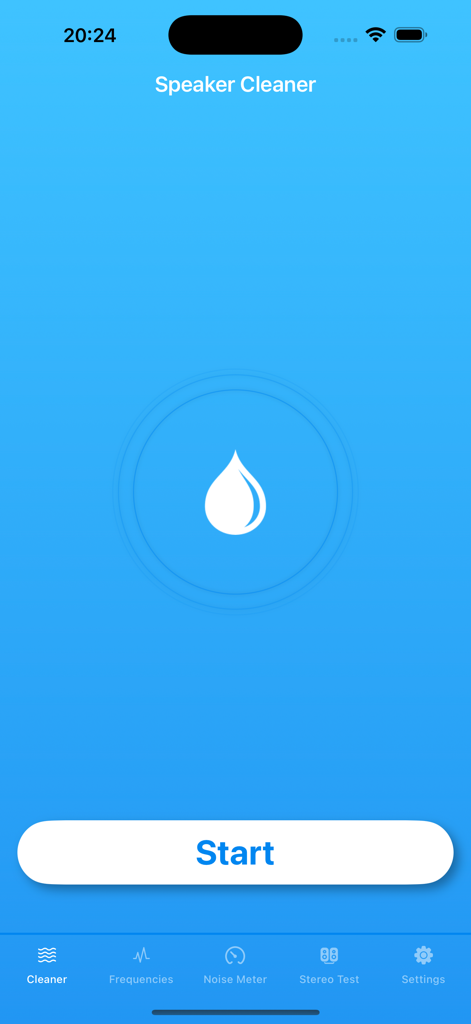
Speaker Fix mobile app interface for cleaning speakers from water using sound frequencies
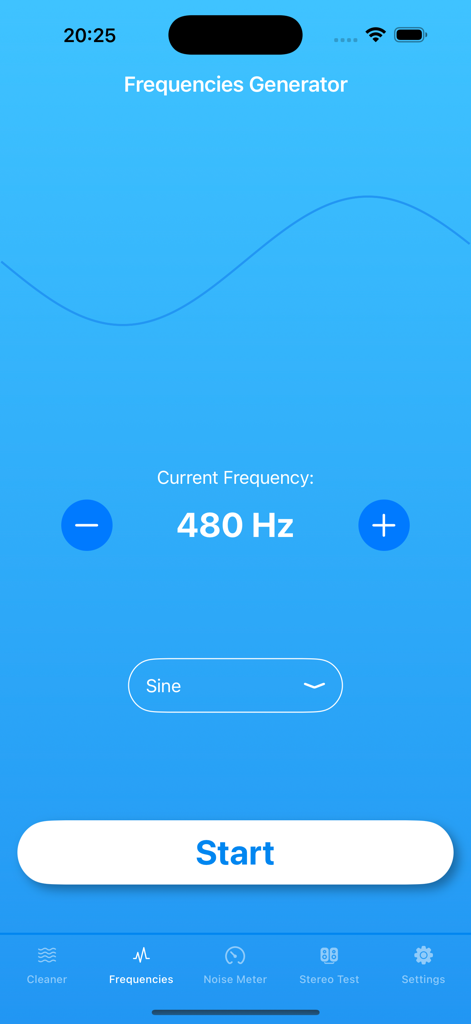
Speaker Fix app frequency generator interface showing a 480 Hz sine wave setting with start button
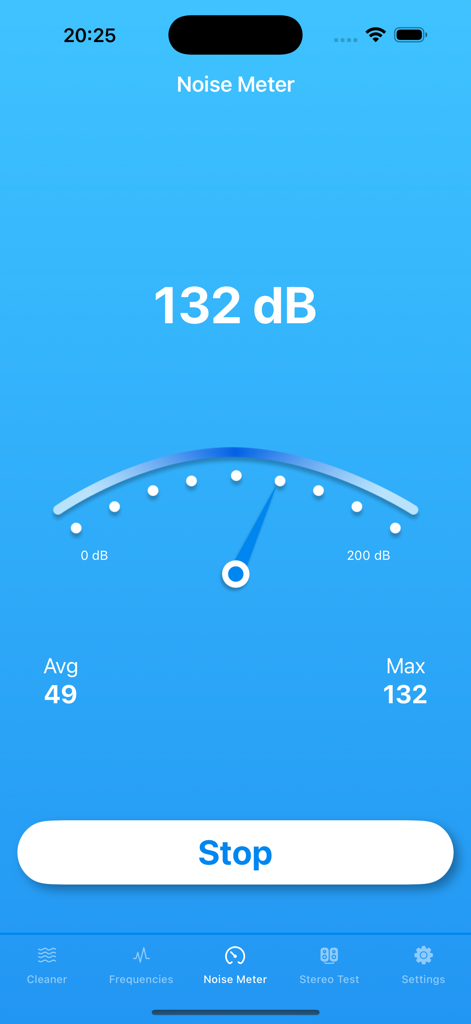
Noise Meter feature in the Speaker Fix app showing a decibel measurement screen
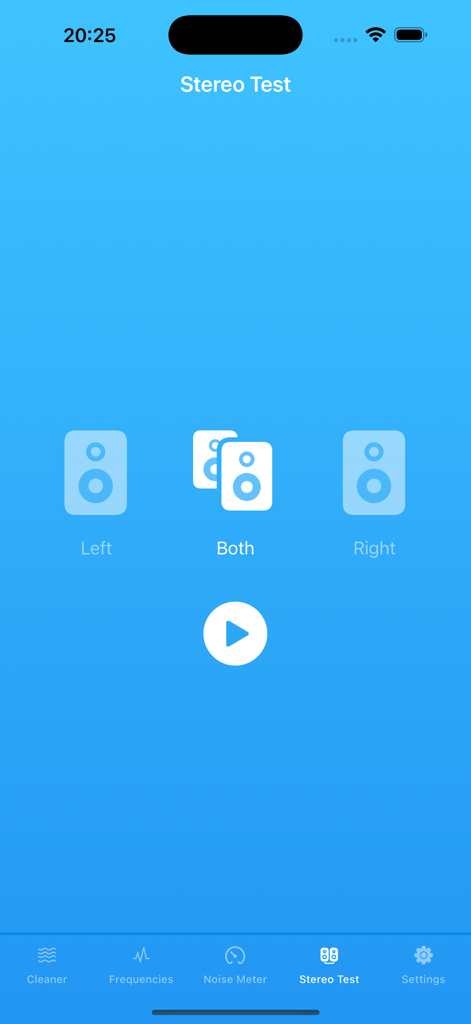
Speaker Fix app Stereo Test screen showing options to test left both and right speakers with a play button on a blue background
Description
Download
More Like This
Apps with similar features and user experience

Clear Wave ° Water Eject
Alexander Sazanovich
Clear Wave - Speaker Test
Enacti Ventures Private Limited

Water Eject · Speaker Сleaner
Tatyana Belova
Speaker Wizard Tone Generator
HyperHype UAB
Tone Generator: Audio Sound Hz
TMSOFT

Clear Stereo Sound-Clean Wave
Artem Popov
This page is not an official page of the app or its developer, but an independent editorial publication created for informational and commentary purposes. Unless expressly stated otherwise, neither the app nor its developer is affiliated with, endorsed by, sponsored by, authorized by, or otherwise officially connected with MWM, Apple, Google Play, the app publisher, or the app's developer, and nothing on this page implies that the app was developed using MWM's services. Any trademarks, logos, screenshots, and other content remain the property of their respective owners.