Clicker Communicator: AAC
Download on App Store

This page is not an official page of the app or its developer, but an independent editorial publication created for informational and commentary purposes. Unless expressly stated otherwise, neither the app nor its developer is affiliated with, endorsed by, sponsored by, authorized by, or otherwise officially connected with MWM, Apple, Google Play, the app publisher, or the app's developer, and nothing on this page implies that the app was developed using MWM's services. Any trademarks, logos, screenshots, and other content remain the property of their respective owners.

Logo of Clicker Communicator: AAC
Download on App Store

Clicker Communicator: AAC

Empower learners with speech challenges through our research-backed, user-friendly communication tool designed specifically for classroom participation and language development.

Key Figures

Downloads

300

User Rating

1.0/5

Total Ratings

0

Publisher

Crick Software Ltd

Category

Education

Locales

1

Latest Version

1.2.4

Size

857.6 MB

First Released

May 21, 2015
Features

Empowering Every Child's Voice

Clicker Communicator is a research-backed AAC tool designed to bridge the gap between communication and learning, making it easy for educators to customize and intuitive for children to use.

Accessible for Every Ability

Remove physical barriers with SuperKeys technology and a no-swipe interface, designed specifically for children with limited fine motor control or complex access needs.

Built for Classroom Success

Enable active participation in lessons with free curriculum-based vocabulary sets and tools that link communication directly to literacy and academic growth.

The following screenshots and description are sourced directly from the app's official store listing and are the property of the app developer.

App Store

Screenshots
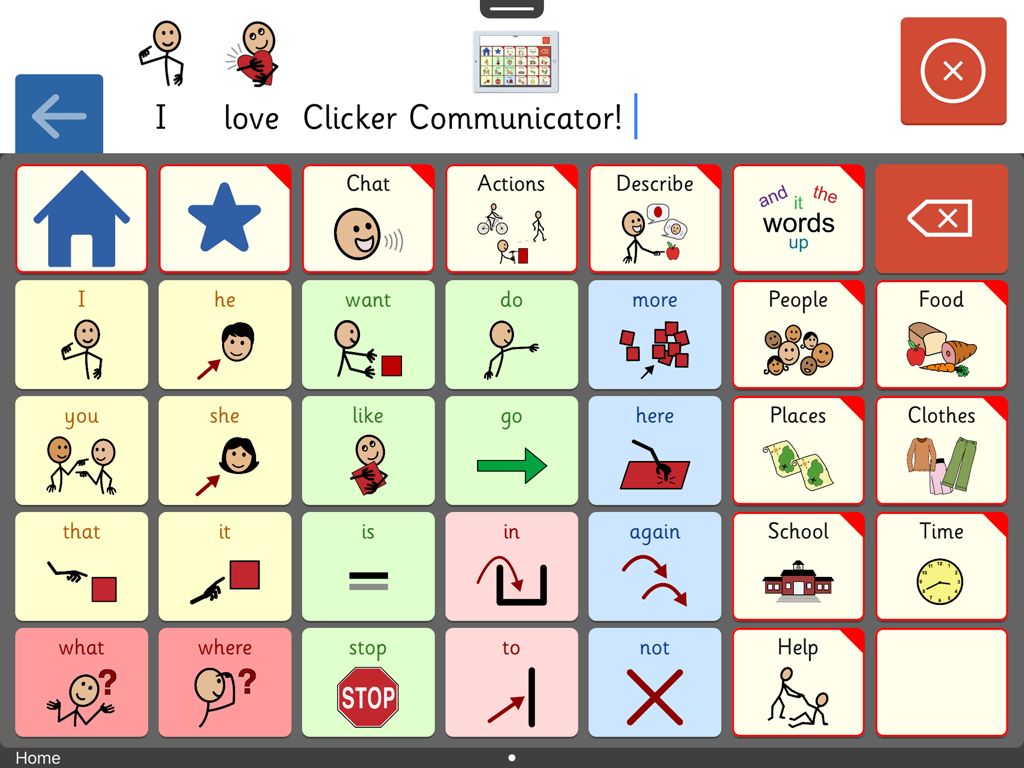
Clicker Communicator: AAC - Clicker Communicator AAC app screen showing a communication board with color coded symbols and categories for children
Clicker Communicator AAC app screen showing a communication board with color coded symbols and categories for children

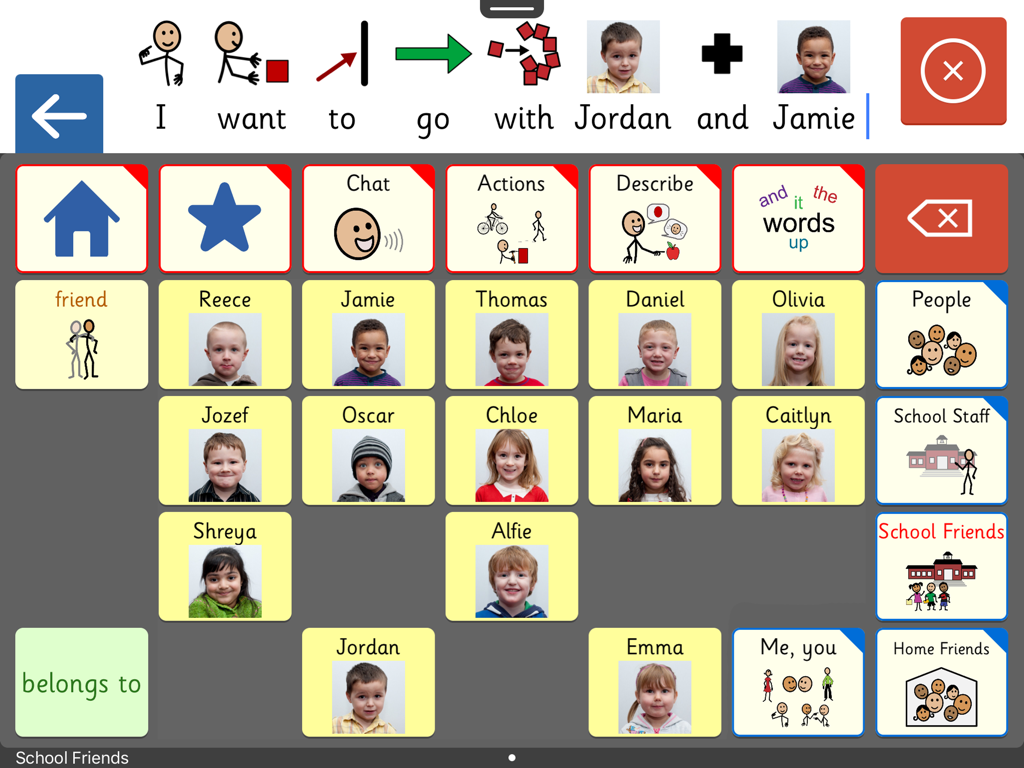
Clicker Communicator: AAC - Interface of the Clicker Communicator AAC app showing a custom grid of school friends with names and photos for easy communication.
Interface of the Clicker Communicator AAC app showing a custom grid of school friends with names and photos for easy communication.

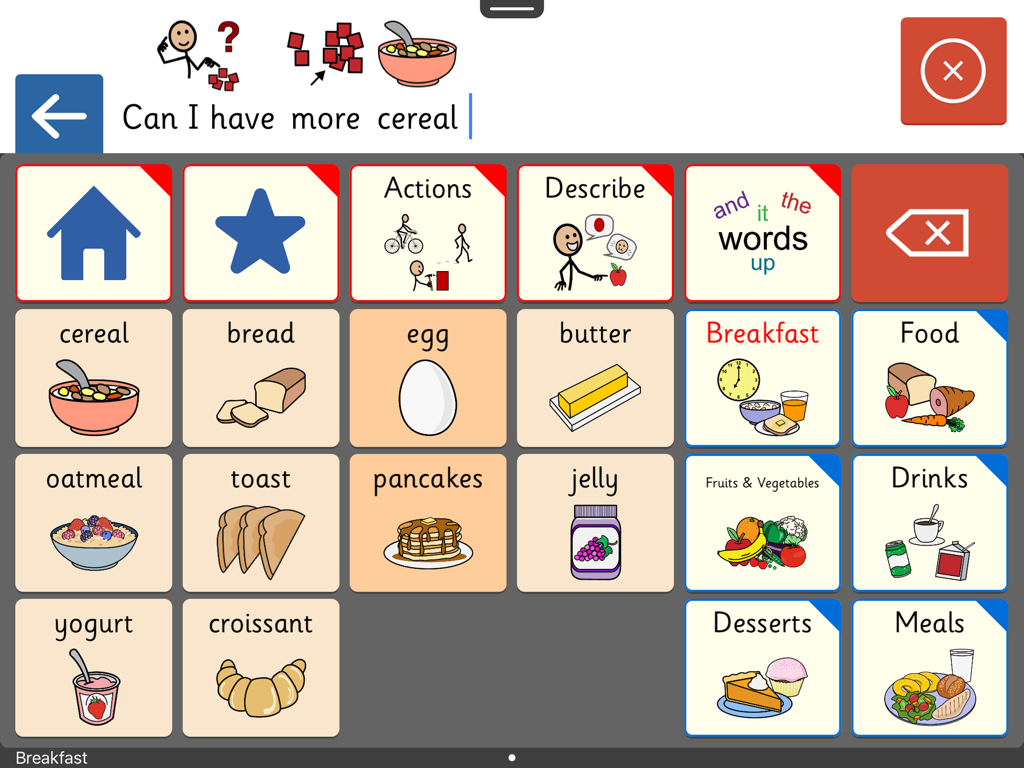
Clicker Communicator: AAC - Clicker Communicator AAC app interface showing a communication grid with breakfast food symbols and a sentence bar
Clicker Communicator AAC app interface showing a communication grid with breakfast food symbols and a sentence bar

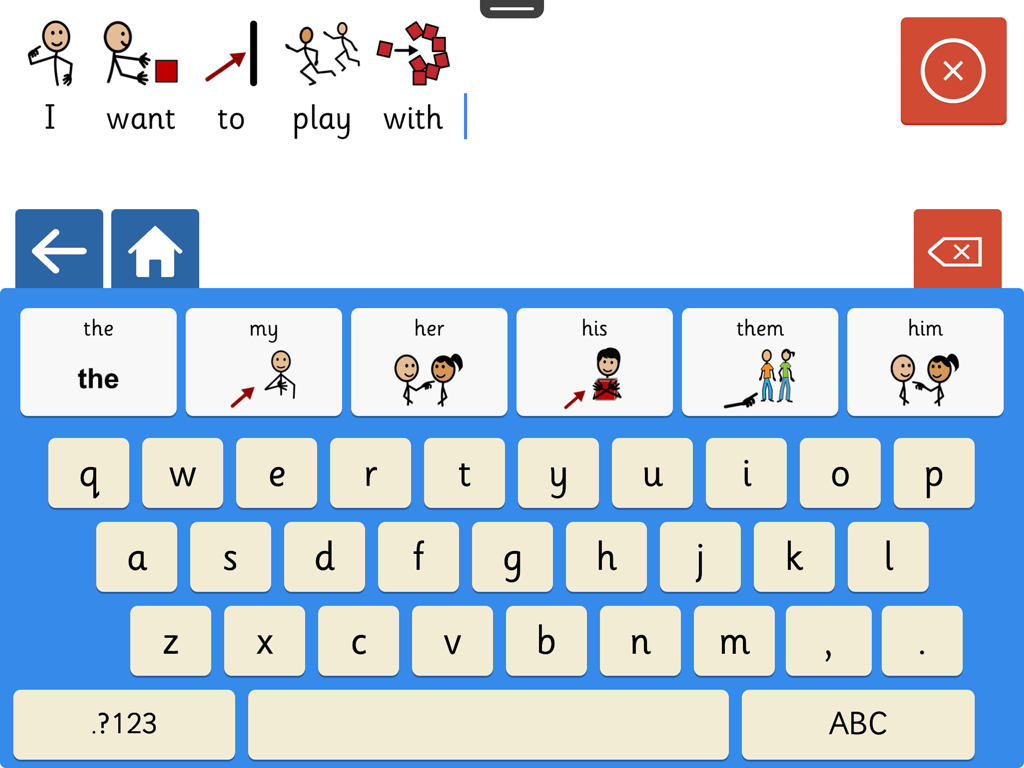
Clicker Communicator: AAC - Screenshot of the Clicker Communicator AAC app showing a symbol-supported keyboard and sentence builder.
Screenshot of the Clicker Communicator AAC app showing a symbol-supported keyboard and sentence builder.

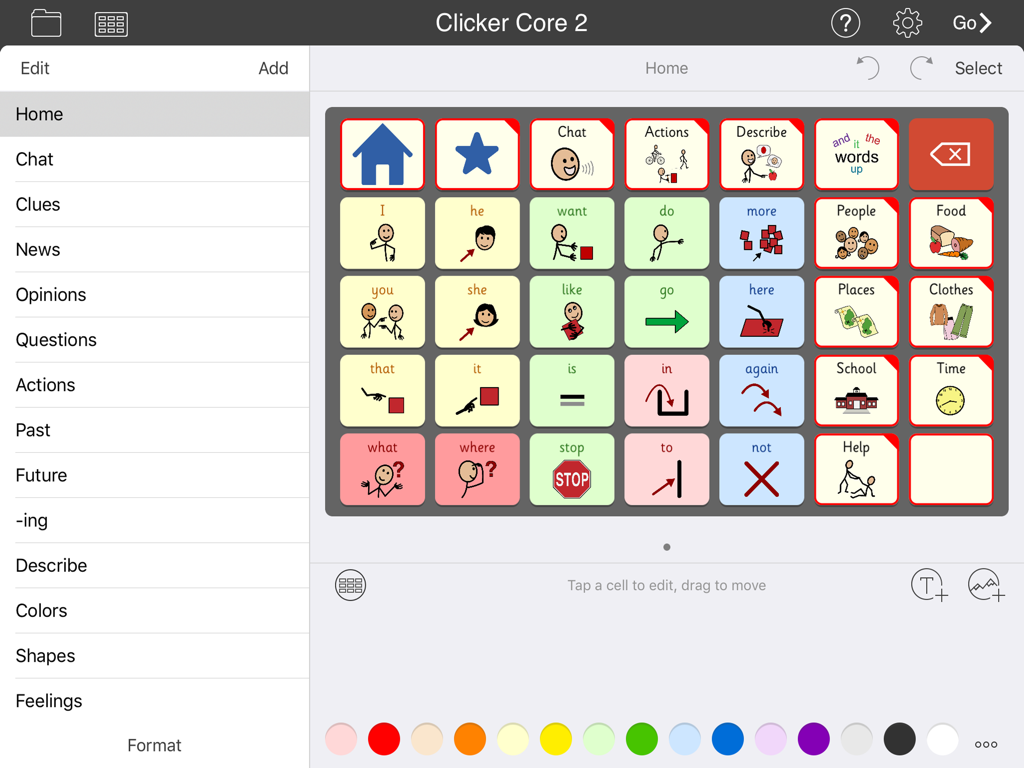
Clicker Communicator: AAC - Interface of the Clicker Communicator AAC app showing a grid of communication symbols and categories

Interface of the Clicker Communicator AAC app showing a grid of communication symbols and categories

Description

A VOICE FOR EVERYONE Clicker Communicator is the definitive AAC app that gives a voice to children and young people with speech and language challenges. This is the latest addition to Crick Software’s Clicker family, developed over 20 years and used worldwide. "The app is so user friendly and easy to customize. Personally, I think it is the BEST AAC app I have seen" - Rose Duszynski, AT Specialist “I love the crisp, easy-to-use interface! The thoughtfulness of features that no other AAC apps have speaks to Crick's continued dedication to students with special needs.” - Laura Giovanetti, CAGS, CCC-SLP, ATP GET STARTED QUICKLY The ready-made Vocabulary Sets are carefully constructed using color-coded, research-based core words - a proven approach for providing a rich communication experience and developing language skills. The three levels, Clicker Core 1, 2, and 3, cover a wide ability range and use consistent layouts to optimize motor-mapping and enable children to progress from one level to the next. CREATE AND EDIT IN MINUTES Clicker Communicator works in the same intuitive way as all the Clicker Apps, enabling you to meet the particular needs of your learners by editing the ready-made Vocabulary Sets or creating your own. Personalize every last detail by adding photos, colors, and topics, and repositioning cells. And you won’t find a faster way of searching and selecting symbols anywhere! DESIGNED FOR CHILDREN We’ve used our 20+ years of experience in developing special needs software to create an app that includes: • Easy to read Sassoon font • Realistic children’s voices • Child-friendly keyboard with symbol-supported predictor • Research-based Vocabulary Sets at three levels • Free curriculum-based Vocabulary Sets on LearningGrids SYMBOLSTIX SYMBOLS INCLUDED This app comes with the complete SymbolStix library. The Widgit and PCS libraries are also available as in-app purchases (please note that this is the only version of the app that enables you to purchase additional libraries). If you wish to ONLY use Widgit or PCS symbols, these versions of Clicker Communicator are available as separate apps in the App Store. Additional pictures are provided by the CrickPix library: 3,500 curriculum pictures to support a wide range of classroom topics. TALK IN CLASS Get your learners with speech challenges taking an active vocal part in the classroom. Our free LearningGrids resources provide the opportunity to respond to teaching points, participate in discussions, and ask and answer topic-based questions. These sets provide access to the vocabulary your learners will meet in their curriculum topics, and provide a natural link to literacy development. UNIQUELY ACCESSIBLE Clicker Communicator has a wide range of accessibility options: • SuperKeys – our unique access method for those who need big target areas. Just tap the cluster containing the symbol you want, and then tap the symbol in the enlarged cluster. • No scrolling or swiping – so every tap is accepted. • Switch access for one and two switches. • Toolbars only visible when editing – all navigation is done from the grid. • Favorite/Recent messages and Vocabulary Sets accessible with just two taps. SHARE AND BACKUP There’s a Backup Safe provided within the app, and Vocabulary Sets can be shared or backed up via email, AirDrop, Dropbox, Google Drive, OneDrive, or WebDAV. PART OF CRICK SOFTWARE’S CLICKER FAMILY Based in the UK and US, Crick Software has a worldwide reputation for quality educational software for learners of all abilities, and we provide free support by email, phone and the Clicker Communicator Users Group on Facebook. Clicker Communicator is part of the Clicker Apps family – find more in the App Store by searching for Crick Software.

Download

Download on App Store

This page is not an official page of the app or its developer, but an independent editorial publication created for informational and commentary purposes. Unless expressly stated otherwise, neither the app nor its developer is affiliated with, endorsed by, sponsored by, authorized by, or otherwise officially connected with MWM, Apple, Google Play, the app publisher, or the app's developer, and nothing on this page implies that the app was developed using MWM's services. Any trademarks, logos, screenshots, and other content remain the property of their respective owners.








