
This page is not an official page of the app or its developer, but an independent editorial publication created for informational and commentary purposes. Unless expressly stated otherwise, neither the app nor its developer is affiliated with, endorsed by, sponsored by, authorized by, or otherwise officially connected with MWM, Apple, Google Play, the app publisher, or the app's developer, and nothing on this page implies that the app was developed using MWM's services. Any trademarks, logos, screenshots, and other content remain the property of their respective owners.


Clip Studio Paint
Experience desktop-class power on your iPad. From advanced 3D anatomy references to industry-leading comic tools, join millions of artists elevating their craft with the most versatile digital art studio.
Downloads
6M+User Rating
Total Ratings
106K+Publisher
Category
Graphics & DesignLocales
11Latest Version
4.2.5Size
563.7 MBFirst Released
Nov 7, 2017Professional Tools for Your Creative Journey
From high-precision illustration to professional webtoon creation, Clip Studio Paint gives you desktop-class power on your iPad to help you grow from aspiring artist to professional creator.
Master Anatomy with 3D Models
Nail complex poses and perspectives using fully customizable 3D drawing figures that serve as the perfect reference for your character art.
The Ultimate Webtoon & Comic Suite
Streamline your storytelling with specialized tools for panels, speech bubbles, and effect lines designed for high-volume serial production.
Frequently Asked Questions
Everything you need to know about Clip Studio Paint
What is Clip Studio Paint?
Clip Studio Paint is an advanced drawing and painting application designed for creating illustrations, comics, manga, and animations. It offers tools for beginners and professionals to enhance their creative experience.
Is there a free trial for Clip Studio Paint?
Yes, Clip Studio Paint offers a free 30-day trial. Users can also get up to 3 months free with their first plan subscription.
Does Clip Studio Paint support 3D models for drawing references?
Yes, Clip Studio Paint supports 3D models. Users can employ 3D drawing figures for anatomy, customize character models, and attach objects like hats for specific references.
Can I create comics and manga using Clip Studio Paint?
Yes, Clip Studio Paint is the ultimate comic creation app. It provides tools for storyboarding, panel frames, speech balloons, text, effect lines, and screen tones for print or web.
What are the differences between Clip Studio Paint PRO and EX?
Clip Studio Paint PRO is for illustrations and short animations. EX includes all PRO features plus multi-page functionality for comics/manga and unlimited animation frames.
Does Clip Studio Paint offer various brushes and materials?
Yes, Clip Studio Paint provides an unlimited amount of brushes with realistic textures. It also offers countless artist-made materials and community-made brushes for diverse styles.
Can I adjust my drawings after creation in Clip Studio Paint?
Yes, Clip Studio Paint includes tools like Liquify for illustration balance, Mesh Transformation for shape adjustments, and Puppet warp to change character poses. Non-destructive color adjustment layers are also available.
What are the minimum device specifications for Clip Studio Paint?
Clip Studio Paint requires a minimum of 3GB free storage (4GB recommended) and a recommended display size of 10.5 inches or larger.
Is an in-app purchase required to save my work in Clip Studio Paint?
Yes, after the free trial, an in-app payment or subscription is required to save and export your canvas in Clip Studio Paint, particularly on iPad.
Does Clip Studio Paint provide animation features?
Yes, Clip Studio Paint offers professional animation tools. Users can draw frames digitally, achieve a pencil-and-paper look, and save vector data up to 4K resolution.
The following screenshots and description are sourced directly from the app's official store listing and are the property of the app developer.
App Store
Screenshots
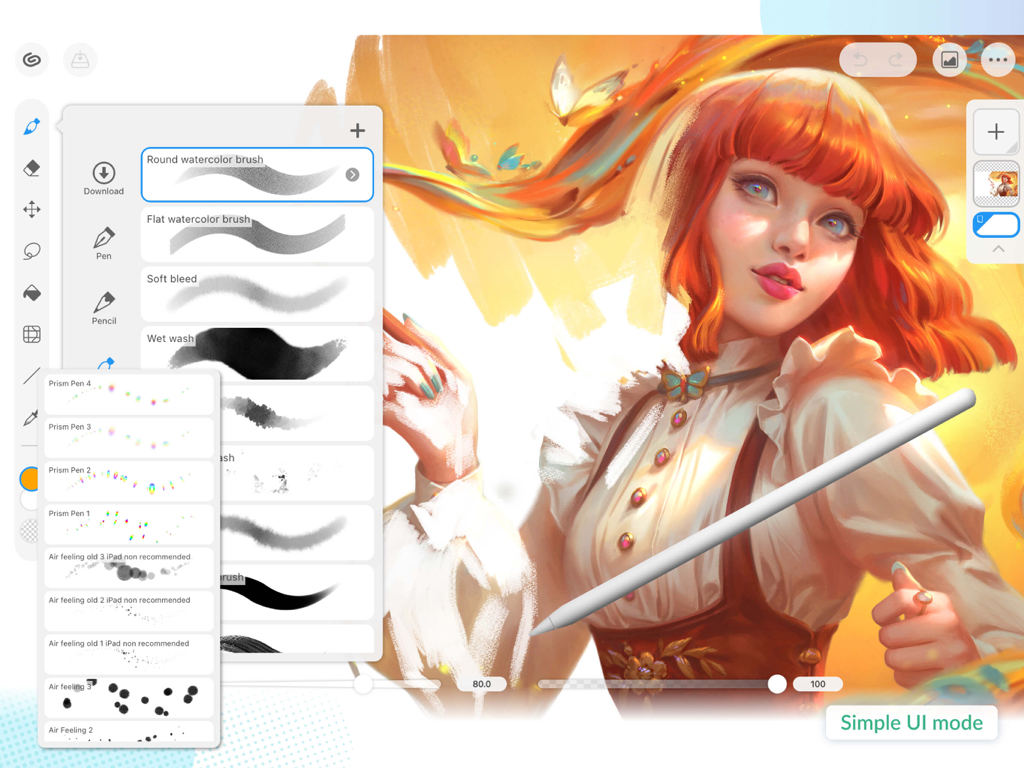
Clip Studio Paint interface showing the brush selection menu and simple UI mode on an iPad
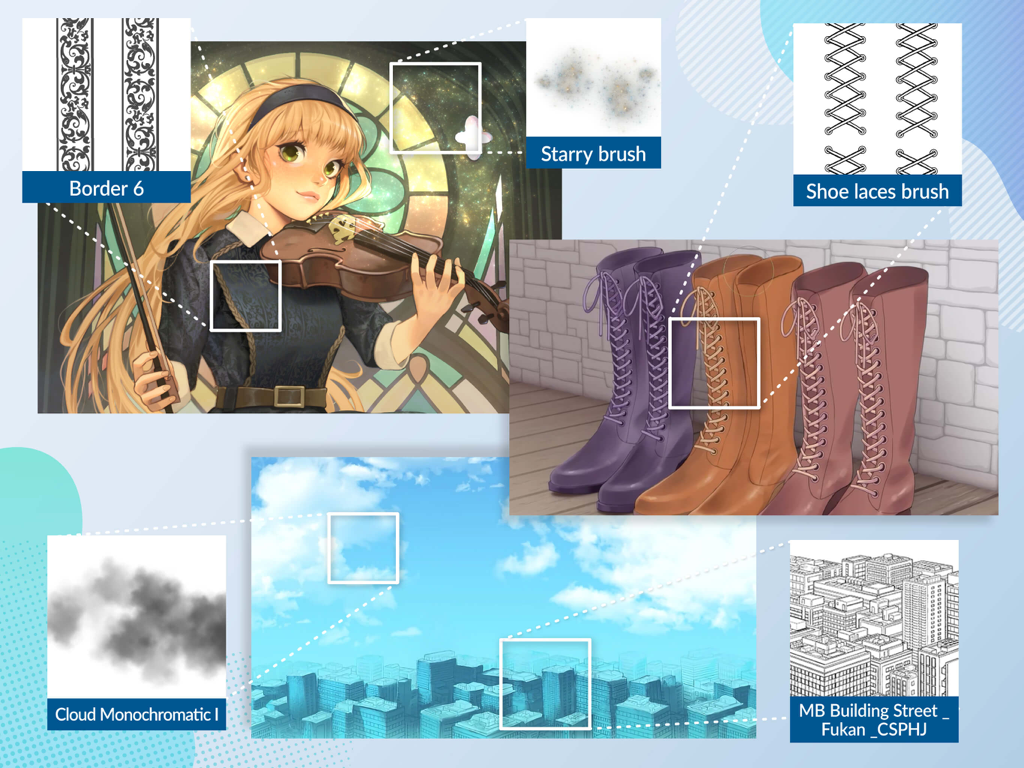
Showcase of Clip Studio Paint digital art brushes and background assets including patterns and 3D city models
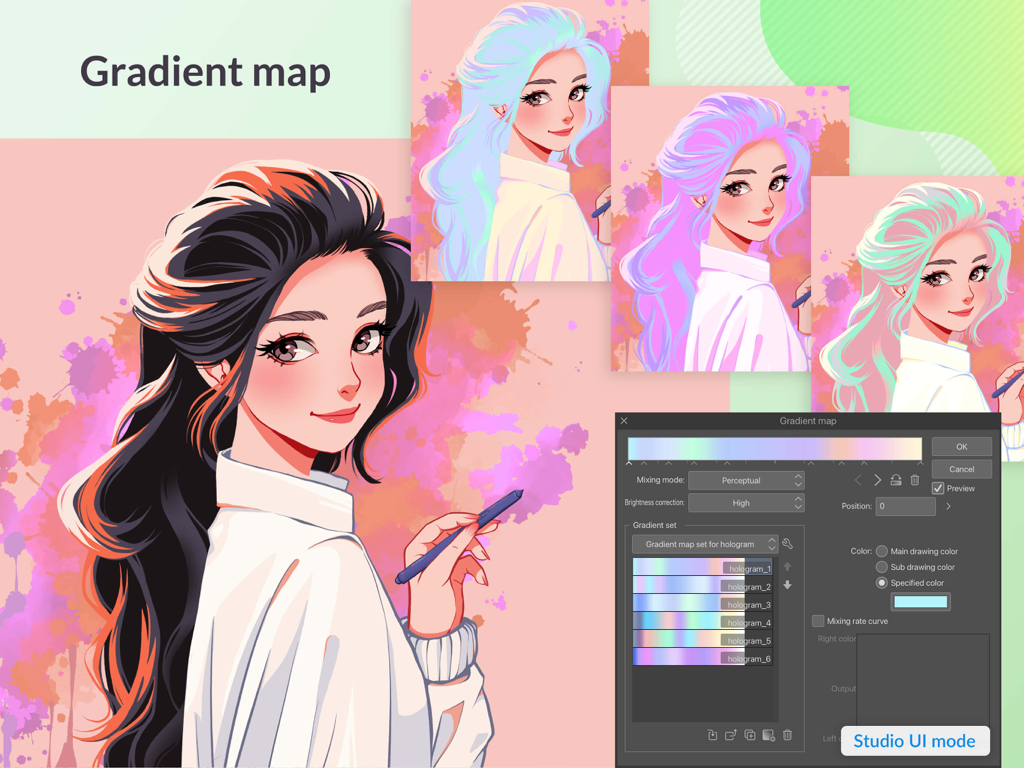
Anime character illustration with holographic hair colors using the Clip Studio Paint gradient map tool.
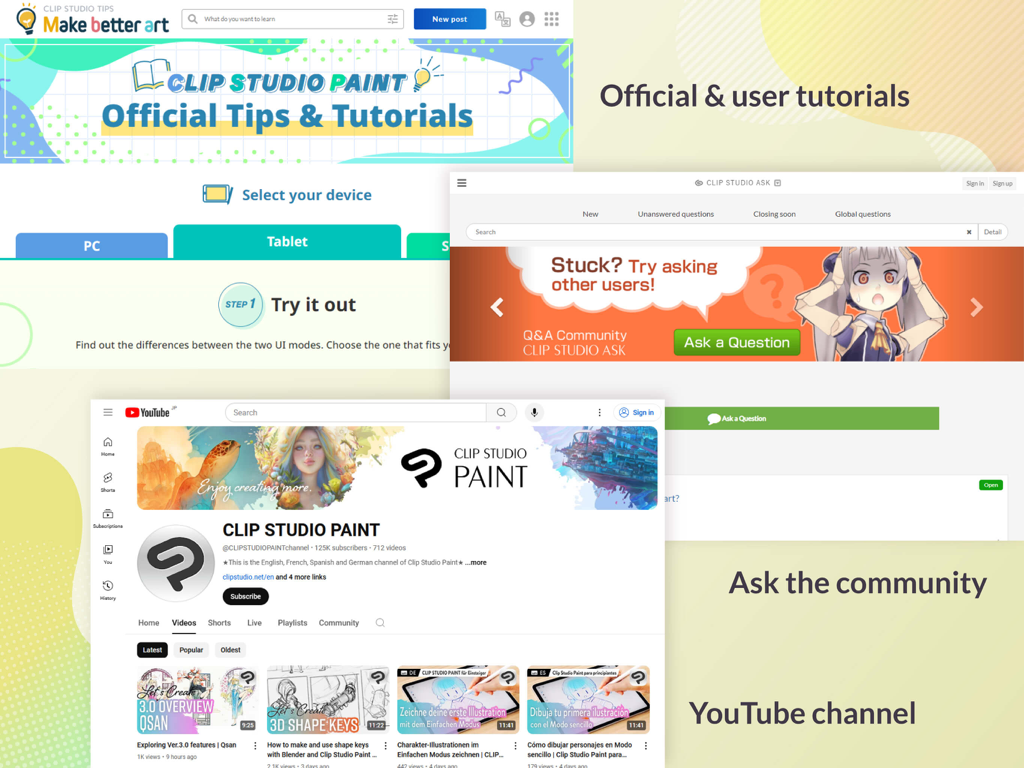
Screenshot showing Clip Studio Paint learning resources including official tutorials, a community Q&A forum, and their YouTube channel.
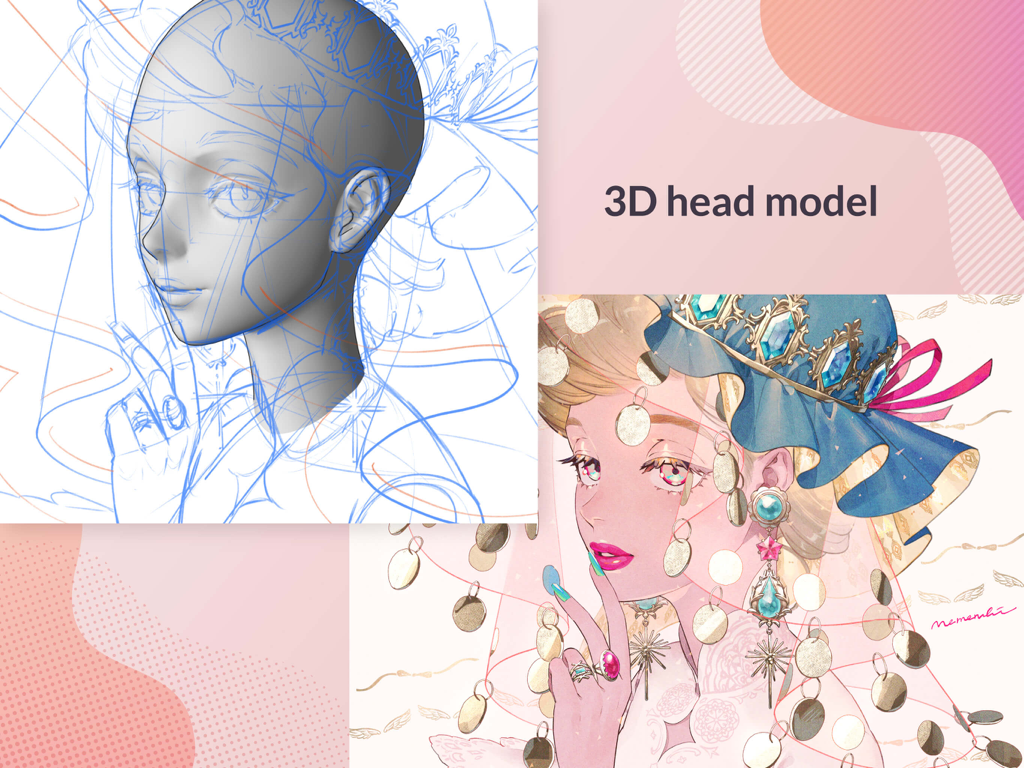
A 3D head model reference and a finished character illustration in Clip Studio Paint
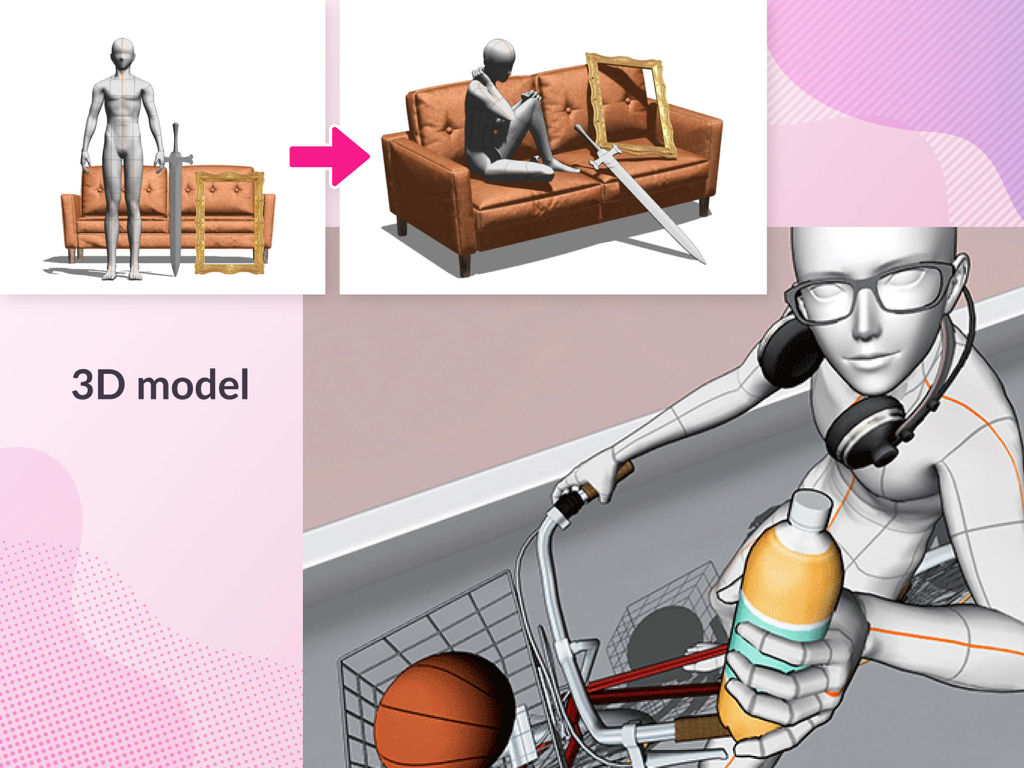
3D poseable figures and drawing references in Clip Studio Paint
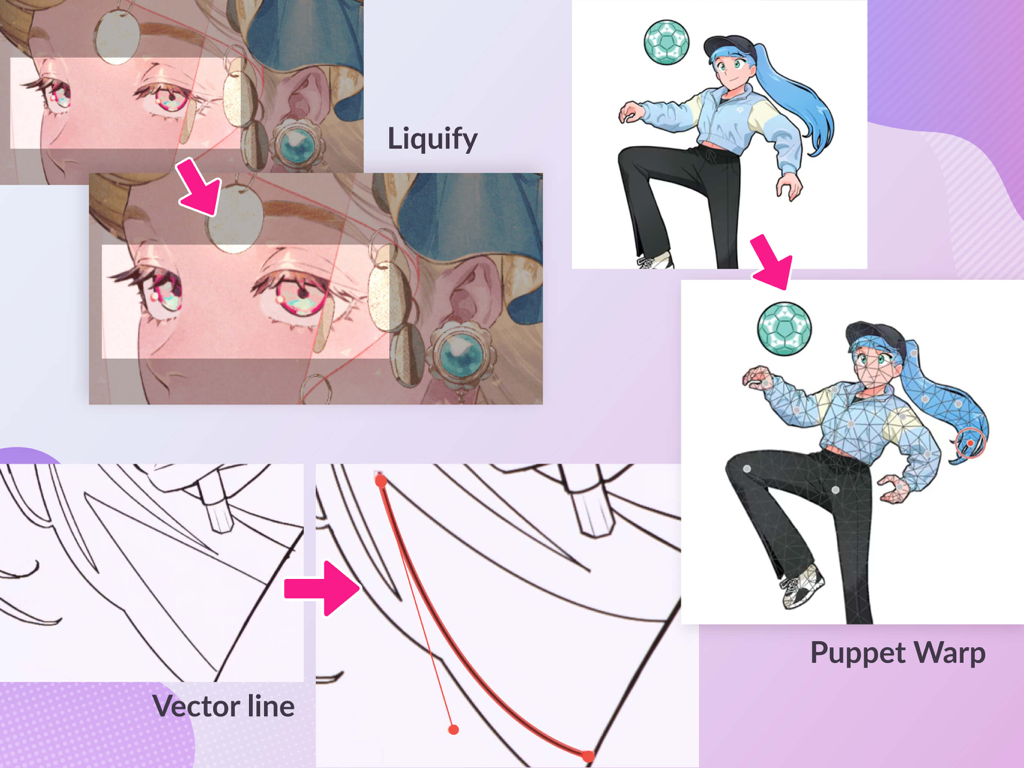
Advanced features in Clip Studio Paint showing Liquify, Vector line manipulation, and Puppet Warp on anime illustrations.
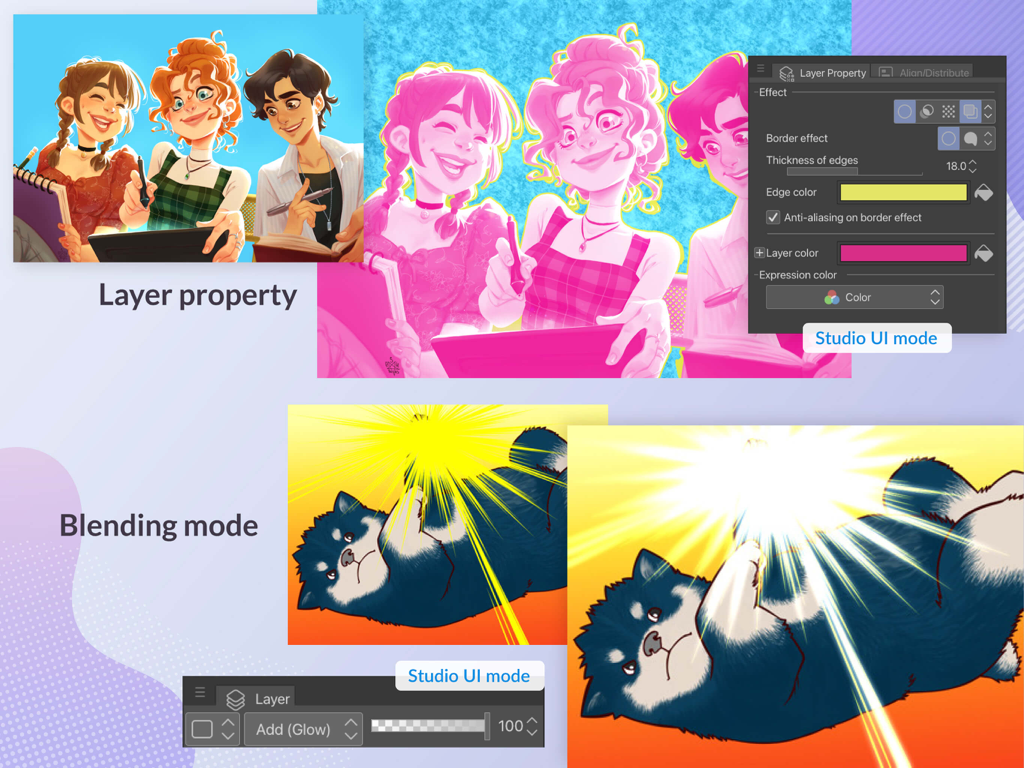
Interface of Clip Studio Paint showing layer properties and blending mode features in Studio UI mode.
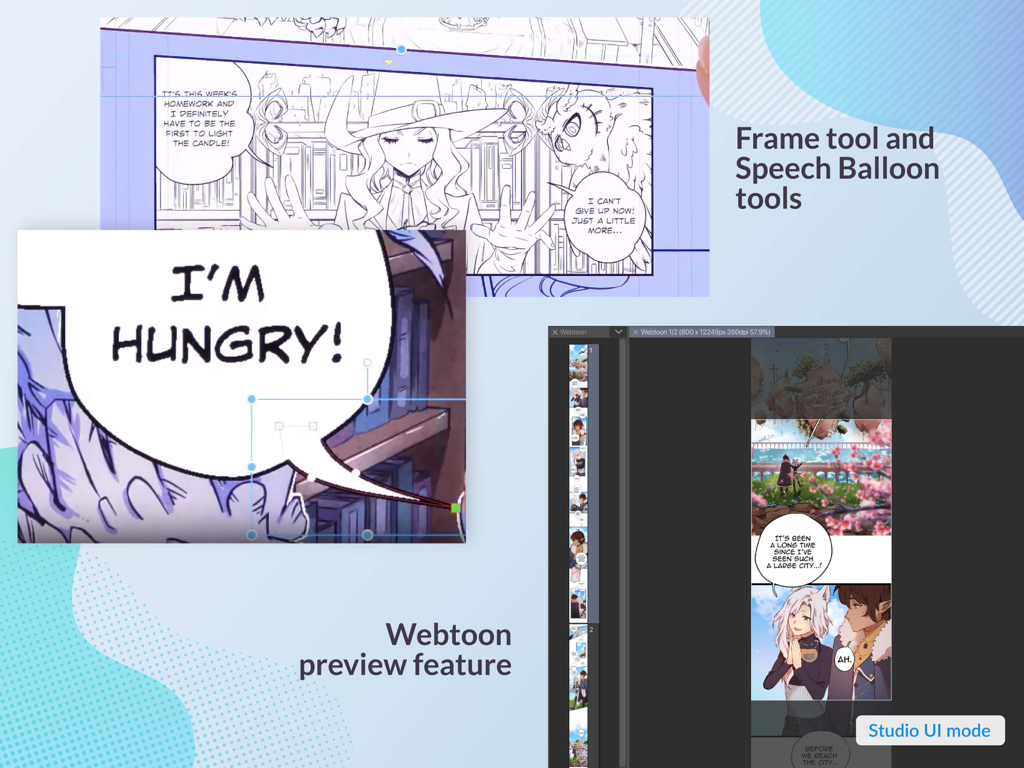
Webtoon preview and speech balloon tools in Clip Studio Paint interface
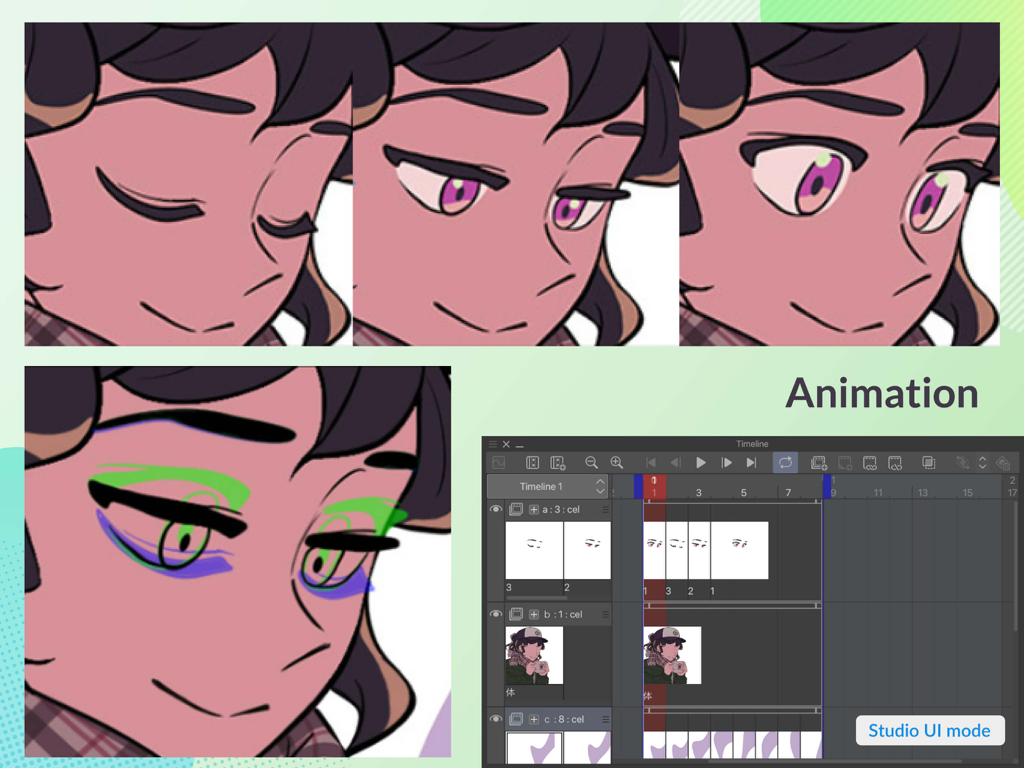
Professional animation timeline and character frames in Clip Studio Paint showing the onion skinning feature
Description
Download
More Like This
Apps with similar features and user experience

Sketchbook®
Sketchbook, Inc.

Mental Canvas Draw
Mental Canvas, Inc.

ibis Paint
ibis inc.

ibis Paint X
ibis inc.

Paper: Sketch, Draw & Create
Evernote Corporation

Adobe Fresco: Draw & Paint App
Adobe Inc.

Art Set 4
Lofopi Ltd

MediBang Paint – Drawing & Art
MediBang inc.

Tayasui Sketches
SKETCHES SRL
This page is not an official page of the app or its developer, but an independent editorial publication created for informational and commentary purposes. Unless expressly stated otherwise, neither the app nor its developer is affiliated with, endorsed by, sponsored by, authorized by, or otherwise officially connected with MWM, Apple, Google Play, the app publisher, or the app's developer, and nothing on this page implies that the app was developed using MWM's services. Any trademarks, logos, screenshots, and other content remain the property of their respective owners.