ClipTube: Video to MP3 Maker
Download on App Store

This page is not an official page of the app or its developer, but an independent editorial publication created for informational and commentary purposes. Unless expressly stated otherwise, neither the app nor its developer is affiliated with, endorsed by, sponsored by, authorized by, or otherwise officially connected with MWM, Apple, Google Play, the app publisher, or the app's developer, and nothing on this page implies that the app was developed using MWM's services. Any trademarks, logos, screenshots, and other content remain the property of their respective owners.

Logo of ClipTube: Video to MP3 Maker
Download on App Store

ClipTube: Video to MP3 Maker

The fastest way to turn videos into MP3s, WAVs, or ringtones. Trim your favorite clips, organize your library, and listen anywhere with 100% offline conversion—no ads, no fuss.

Key Figures

Downloads

0

User Rating

1.0/5

Total Ratings

0

Publisher

MAXIMUS TECHNOLOGIES

Category

Music

Locales

1

Latest Version

1.0.4

Size

129.3 MB

First Released

Apr 24, 2025
Features

Master Your Audio Library

The ultimate tool for creators, students, and music lovers to extract high-quality audio from any video—anytime, anywhere.

Lightning-Fast Conversion

Extract crystal-clear MP3, WAV, or AAC audio from your videos in seconds. Perfect for turning lectures into portable study guides.

Precision Trimming

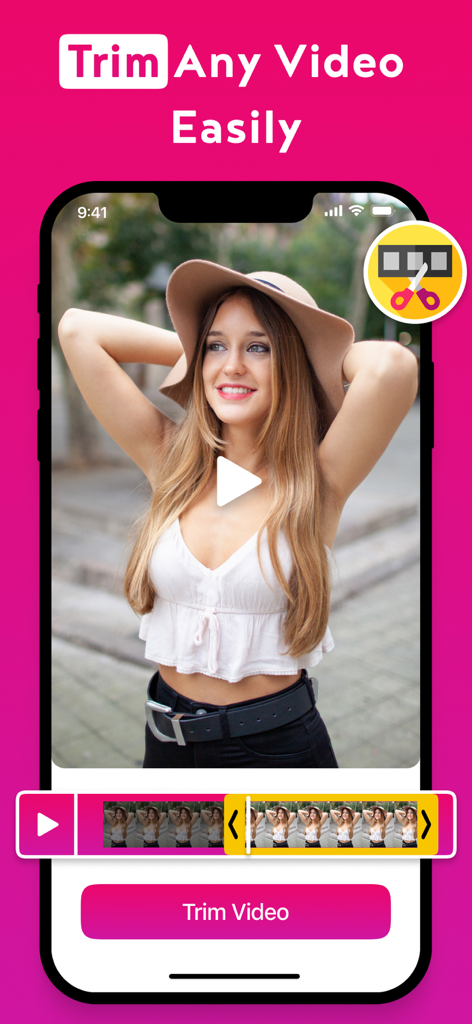
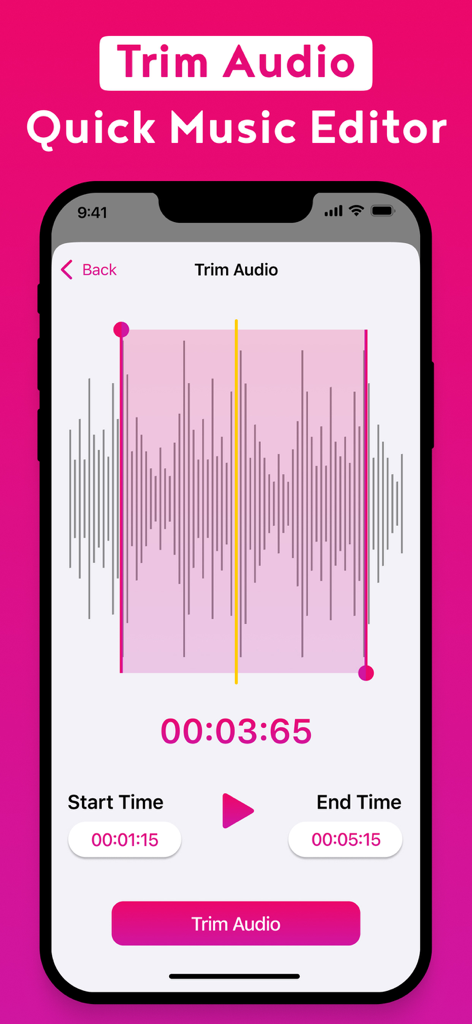
Isolate the perfect soundbite. Trim your video before extracting to create custom ringtones or viral audio clips for your next reel.

The following screenshots and description are sourced directly from the app's official store listing and are the property of the app developer.

App Store

Screenshots
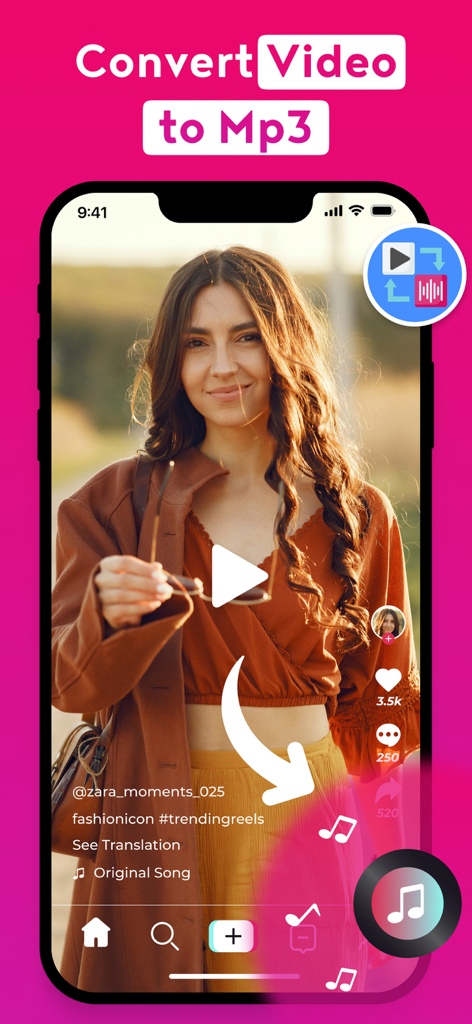
ClipTube: Video to MP3 Maker - ClipTube mobile app interface showing a social media video being converted into an MP3 audio file

ClipTube mobile app interface showing a social media video being converted into an MP3 audio file
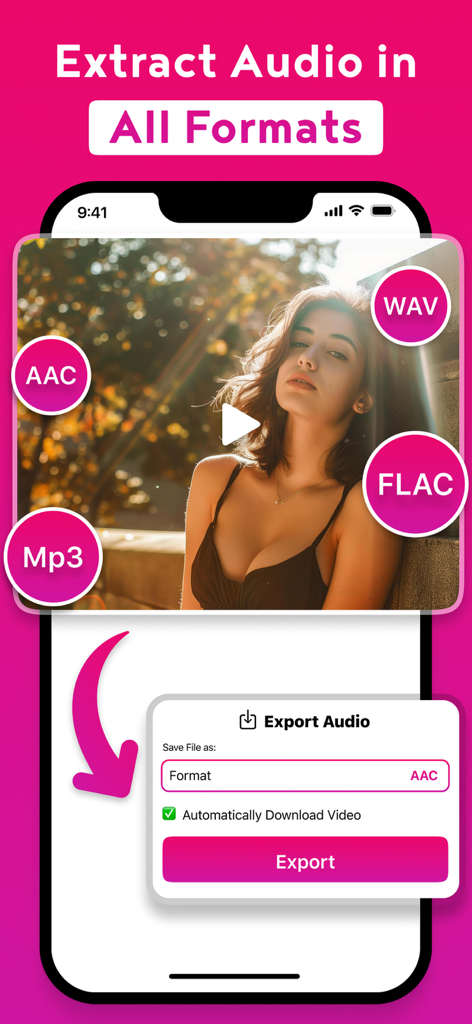
ClipTube: Video to MP3 Maker - ClipTube app screen showing video to audio extraction in MP3, AAC, WAV, and FLAC formats
ClipTube app screen showing video to audio extraction in MP3, AAC, WAV, and FLAC formats

ClipTube: Video to MP3 Maker - ClipTube app screenshot demonstrating the easy video trimming feature on an iPhone
ClipTube app screenshot demonstrating the easy video trimming feature on an iPhone

ClipTube: Video to MP3 Maker - A mobile app interface for trimming audio with a waveform display and time selection tools.
A mobile app interface for trimming audio with a waveform display and time selection tools.

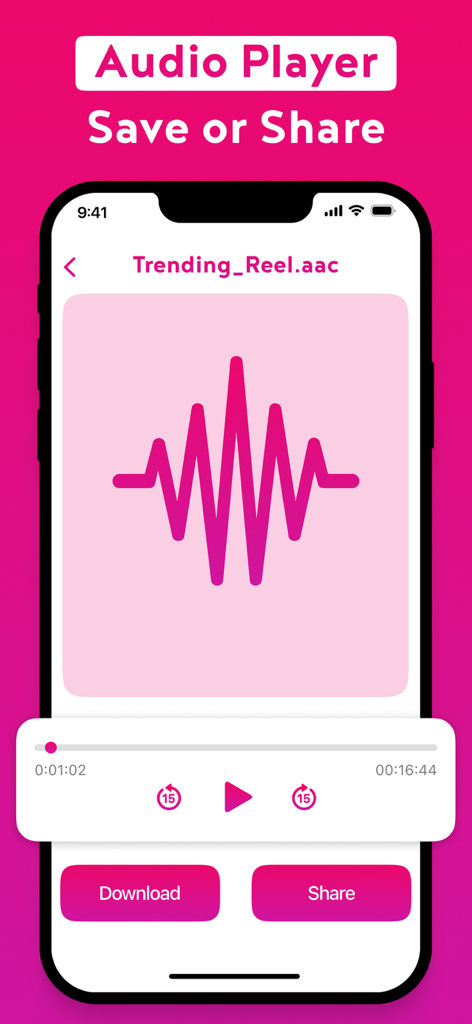
ClipTube: Video to MP3 Maker - ClipTube app screen showing an audio player for a converted video file with download and share buttons
ClipTube app screen showing an audio player for a converted video file with download and share buttons

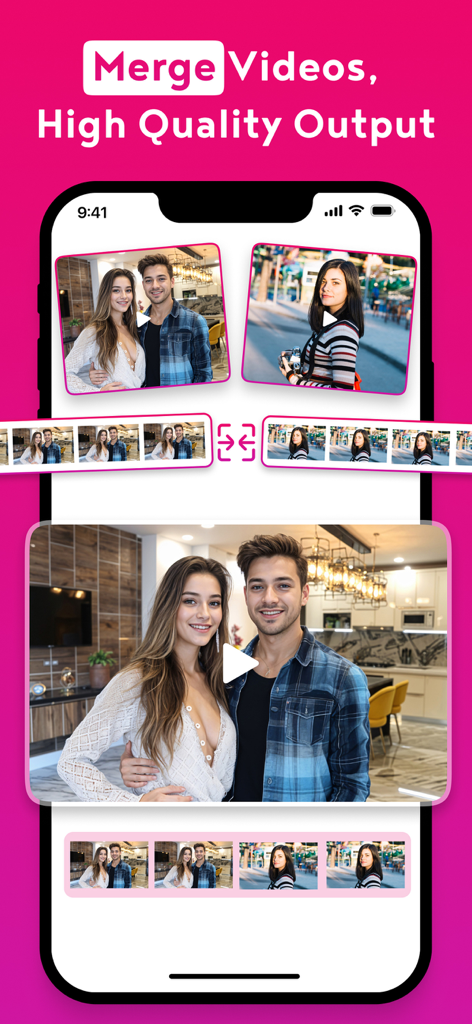
ClipTube: Video to MP3 Maker - ClipTube app interface showing the merge videos feature with high quality output.
ClipTube app interface showing the merge videos feature with high quality output.

ClipTube: Video to MP3 Maker - ClipTube Video to Audio Mp3 Converter splash screen with Top Rated and Trending Apple badge on a pink background

ClipTube Video to Audio Mp3 Converter splash screen with Top Rated and Trending Apple badge on a pink background

Description

Easily Convert Videos to Audio – Anytime, Anywhere! Turn your videos into high-quality audio files in seconds with the Video to Audio Converter App. The fastest and easiest way to extract sound from any video on your iPhone! Whether you want to save music from a video, create ringtones, extract dialogue, or save lectures as MP3s – this app has everything you need in one simple, offline tool. Key Features: Convert Video to MP3, WAV, AAC & More Support for multiple audio formats ensures the best quality and compatibility. Trim Video Before Extraction Cut and convert only the part of the video you need – perfect for making ringtones or soundbites. Manage & Organize Files Save, rename, and organize your converted audio files directly within the app. Built-In Audio Player Preview your audio without leaving the app. Easy Sharing Send your audio via WhatsApp, Messages, Email, AirDrop, or upload to cloud storage. Works 100% Offline No internet? No problem. Convert videos to audio anytime, anywhere. Perfect For: Music lovers who want audio from videos Students recording lectures Podcasters & content creators Social media users saving sound from reels Anyone who needs quick, easy audio conversion! No ads, no watermarks – just fast and reliable audio extraction with a sleek interface designed for iOS. Download Video to Audio Converter App now and start converting like a pro! SUBSCRIPTION PRICING AND TERMS: Video to Audio Converter offers auto-renewing subscription options: $6.99 per week for one month, then $9.99 per week for Weekly Discount (Auto-renewable) $6.99 per week for Unlimited Weeky Conversions(Auto-renewable) $9.99 per month for Unlimited Monthly Conversions (Auto-renewable) $49.99 per year for Unlimited Yearly Conversions (Auto-renewable) $6.99 per week for Remove Ads & Enjoy Fast Conversions (Auto-renewable) $29.99 lifetime membership with ads removal (Non-consumable) Video to Audio Converter allows you to enhance conversion experience and service. • These prices are for US customers. Pricing in other countries may vary and actual charges may be converted to your local currency depending on the country of residence. • Payment will be charged to iTunes account at confirmation of purchase. • Subscription automatically renews unless auto-renew is turned off at least 24 hours before the end of the current period. • Account will be charged for renewal within 24 hours before the end of the current period and identify the cost of the renewal. • Subscriptions may be managed by the user and auto-renewal may be turned off by going to the user’s Account Settings after purchase. • Any unused portion of a free trial period, if offered, will be forfeited when the user purchases a subscription to that publication, where applicable. Our Privacy Policy URL: https://sites.google.com/view/ewhewhrj4qwgrqrq23j/home Term of Service & Terms of Use URL: https://sites.google.com/view/rerer312be3he23iohr4ioun/home

Download

Download on App Store

This page is not an official page of the app or its developer, but an independent editorial publication created for informational and commentary purposes. Unless expressly stated otherwise, neither the app nor its developer is affiliated with, endorsed by, sponsored by, authorized by, or otherwise officially connected with MWM, Apple, Google Play, the app publisher, or the app's developer, and nothing on this page implies that the app was developed using MWM's services. Any trademarks, logos, screenshots, and other content remain the property of their respective owners.