
This page is not an official page of the app or its developer, but an independent editorial publication created for informational and commentary purposes. Unless expressly stated otherwise, neither the app nor its developer is affiliated with, endorsed by, sponsored by, authorized by, or otherwise officially connected with MWM, Apple, Google Play, the app publisher, or the app's developer, and nothing on this page implies that the app was developed using MWM's services. Any trademarks, logos, screenshots, and other content remain the property of their respective owners.

CLOMO MDM Agent
Empower your organization with integrated device control, real-time admin messaging, and automated work-life balance scheduling to protect both corporate data and employee privacy.
Downloads
111K+User Rating
Total Ratings
0Publisher
Category
BusinessLocales
2Latest Version
4.5.0Size
133.2 MBFirst Released
Feb 20, 2015Empower Your Workforce with Smart Device Management
CLOMO MDM Agent bridges the gap between enterprise security and employee privacy, providing a robust suite of tools for the modern mobile professional.
Protect Your Work-Life Balance
Use the Work-hour Mode to define clear boundaries, allowing you to silence tracking and notifications during your personal time.
Enterprise-Grade Device Security
Ensure corporate compliance and data safety with silent location tracking and secure access to authorized web environments.
Frequently Asked Questions
Everything you need to know about CLOMO MDM Agent
What is the CLOMO MDM Agent app?
CLOMO MDM Agent is an agent app that extends the management functions of CLOMO MDM, a cloud service for businesses to manage smart devices. It is designed for enterprise use.
Who can use the CLOMO MDM Agent app?
Yes, only businesses with an existing CLOMO MDM contract or trial can utilize the CLOMO MDM Agent app. It requires prior subscription to the CLOMO MDM service.
How do users set up CLOMO MDM Agent on their devices?
Users set up CLOMO MDM Agent by installing it on their iOS device and following specific instructions from their administrator. This includes providing necessary authentication details like domain and password.
Can CLOMO MDM Agent receive messages from administrators?
Yes, CLOMO MDM Agent allows administrators to send messages to enrolled devices. Screenshot #3 displays an example of a message received through the app's interface.
Does CLOMO MDM Agent track device location?
Yes, CLOMO MDM Agent periodically acquires device location information, which can be done silently. It also supports confirming and sending the current device location, as shown in Screenshot #4.
Is CLOMO MDM Agent exclusively for iOS devices?
Yes, CLOMO MDM Agent is exclusively designed as a feature extension agent app for iOS devices. The description specifies its compatibility solely with the iOS platform.
The following screenshots and description are sourced directly from the app's official store listing and are the property of the app developer.
App Store
Screenshots
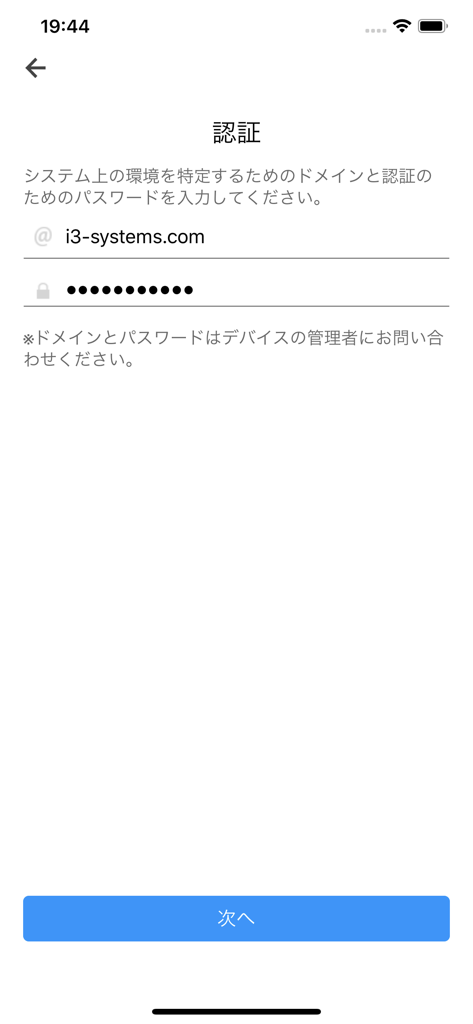
CLOMO MDM Agent authentication screen showing domain and password input fields
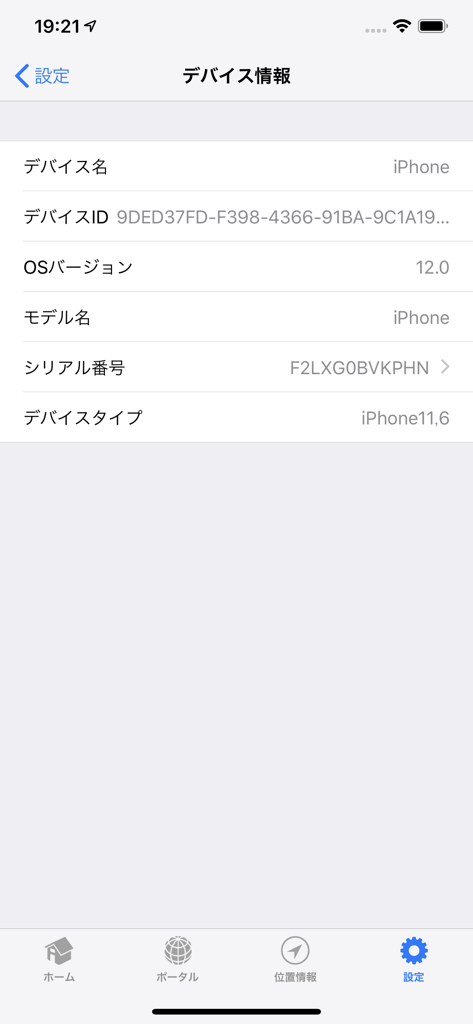
Device information screen in the CLOMO MDM Agent app showing device details and settings
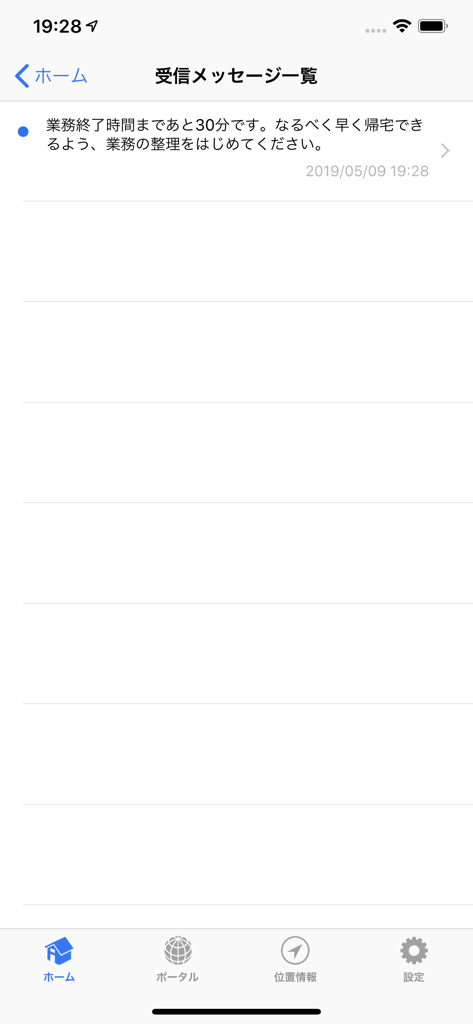
CLOMO MDM Agent app interface displaying a received message list with a notification about ending work hours.
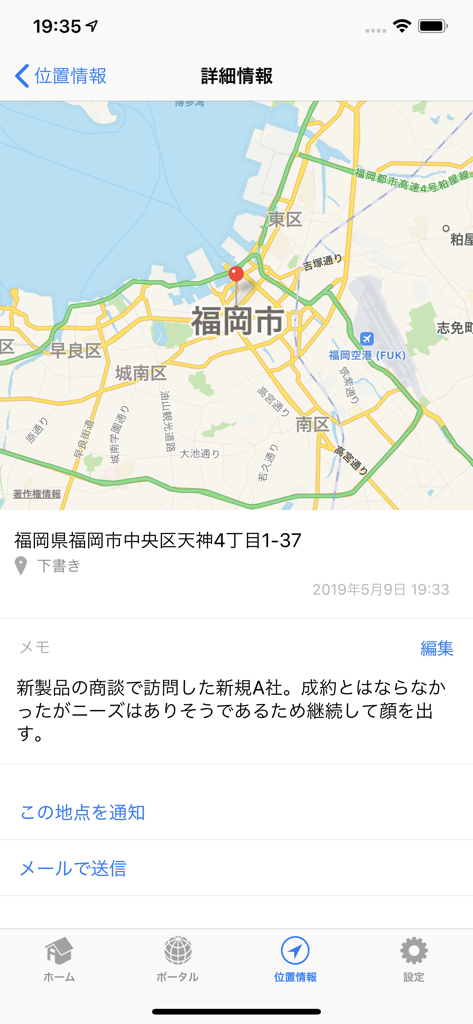
A screenshot of the CLOMO MDM Agent app displaying a device location on a map with address and business notes
Description
Download
More Like This
Top-ranked apps in the same category

Microsoft Teams
Microsoft Corporation

Zoom Workplace
Zoom Communications, Inc.

WhatsApp Business
WhatsApp Inc.

Indeed Job Search
Indeed Inc.

LinkedIn: Network & Job Finder
LinkedIn Corporation

Adobe Acrobat Reader: Sign PDF
Adobe Inc.

WeCom-Work Communication&Tools
Tencent Technology (Shenzhen) Company Limited

BOSS直聘-招聘求职找工作神器
Beijing China Product Bo Farce Network Technology Co., Ltd.

DingDing - Redefine Work in AI
DingTalk Technology Co., Ltd.
This page is not an official page of the app or its developer, but an independent editorial publication created for informational and commentary purposes. Unless expressly stated otherwise, neither the app nor its developer is affiliated with, endorsed by, sponsored by, authorized by, or otherwise officially connected with MWM, Apple, Google Play, the app publisher, or the app's developer, and nothing on this page implies that the app was developed using MWM's services. Any trademarks, logos, screenshots, and other content remain the property of their respective owners.