
This page is not an official page of the app or its developer, but an independent editorial publication created for informational and commentary purposes. Unless expressly stated otherwise, neither the app nor its developer is affiliated with, endorsed by, sponsored by, authorized by, or otherwise officially connected with MWM, Apple, Google Play, the app publisher, or the app's developer, and nothing on this page implies that the app was developed using MWM's services. Any trademarks, logos, screenshots, and other content remain the property of their respective owners.


Clover
Experience the ultimate 'regular' treatment. Skip the line with mobile ordering and earn perks at your favorite local spots without ever fumbling for a barcode.
Downloads
3M+User Rating
Total Ratings
53K+Publisher
Category
ShoppingLocales
1Latest Version
5.5.2Size
19.7 MBFirst Released
Apr 7, 2011Experience Your Neighborhood Like a Regular
Clover brings the convenience of a global chain to your favorite local gems. Enjoy frictionless rewards and skip the line with ease.
The 'First Name' Experience
Skip the QR codes and physical cards. Check in automatically and earn rewards just by mentioning your name at the counter.
Skip the Wait
Order ahead for pickup right from the app. Whether it is your morning latte or a quick lunch, your order is ready when you are.
Frequently Asked Questions
Everything you need to know about Clover
What is the Clover app?
The Clover app allows users to earn rewards and perks at participating local businesses. It also supports mobile ordering for quick pickup, enabling users to skip lines and save time.
How does the Clover app work for earning rewards?
Users of the Clover app visit participating businesses, introduce themselves by first name, and collect points. These points automatically accumulate towards earning perks without scanning codes or using extra gadgets.
Can I place mobile orders with the Clover app?
Yes, the Clover app provides mobile ordering capabilities. Users can skip the line by placing orders for pickup through the 'Order Ahead' tab or by tapping the shopping bag icon.
Does Clover offer loyalty rewards?
Yes, Clover offers loyalty rewards where users earn perks for regular visits. Examples include free items like muffins and coffee, with bonuses increasing based on visit frequency.
How do I redeem perks using the Clover app?
The Clover app allows users to redeem perks directly. When a perk is available, such as a free muffin, a 'Redeem now' option appears within the app for activation at the business.
Does the Clover app provide order ahead pricing?
Yes, the Clover app displays pricing for menu items when using the order ahead feature. Users can view individual item costs and a subtotal before confirming their pickup order.
Can I receive notifications for deals through Clover?
Yes, the Clover app sends notifications to users about available perks and deals from their favorite businesses. These alerts keep users informed about new offers like a free muffin.
Does Clover process payments?
Yes, Clover manages payment transactions. The app displays a 'Payment complete' confirmation along with the total amount paid, including any tips, simplifying the checkout process.
Can I give feedback to businesses through the Clover app?
Yes, the Clover app includes a feedback mechanism. Users can rate their experience using heart icons and add notes for the manager directly within the app.
The following screenshots and description are sourced directly from the app's official store listing and are the property of the app developer.
App Store
Screenshots
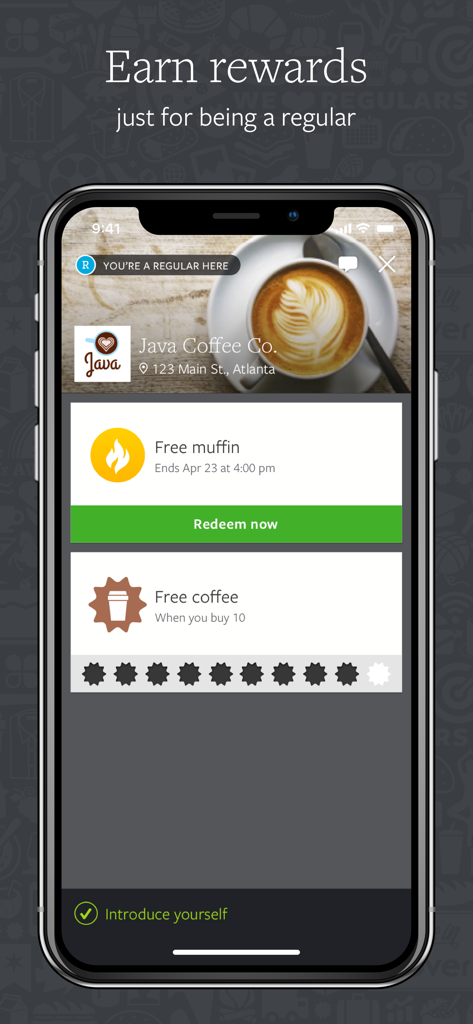
Clover mobile app interface displaying digital loyalty rewards and a punch card for a local coffee shop
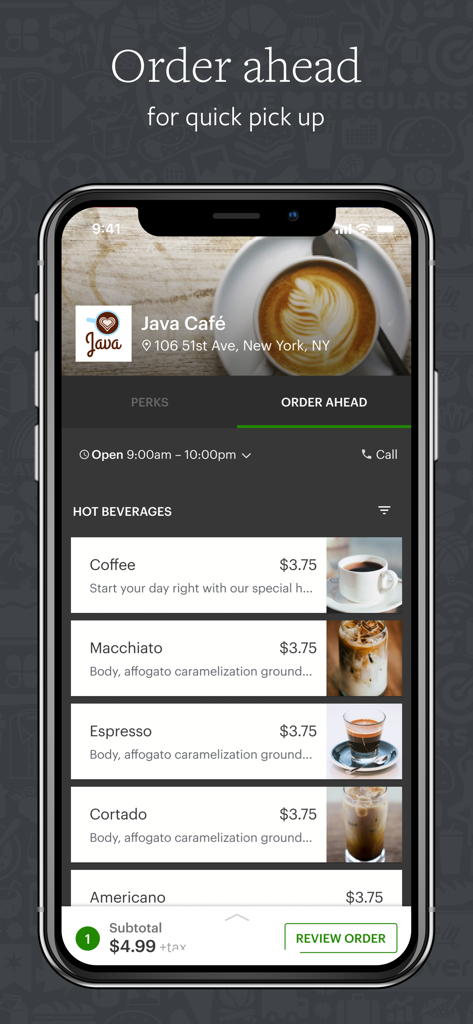
Clover mobile app interface showing a coffee shop menu with options to order ahead for quick pickup
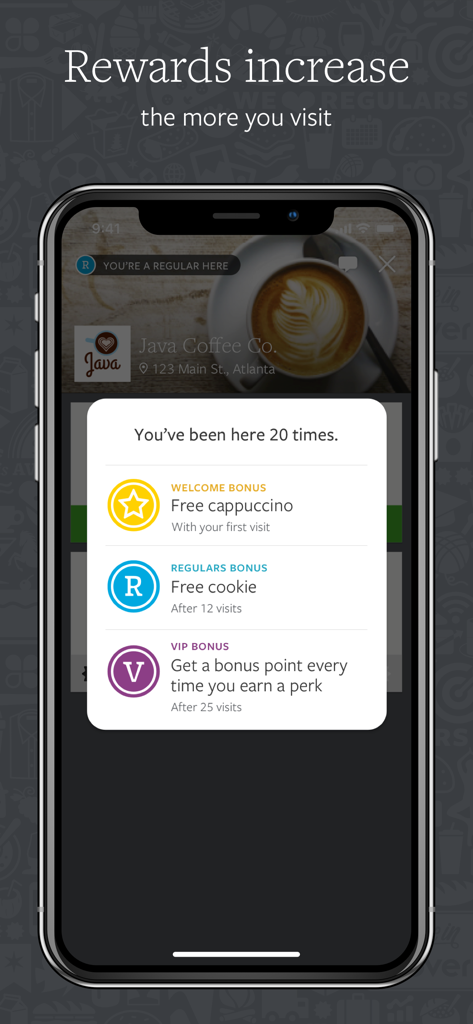
Clover app displaying customer loyalty rewards and bonuses for a local coffee shop
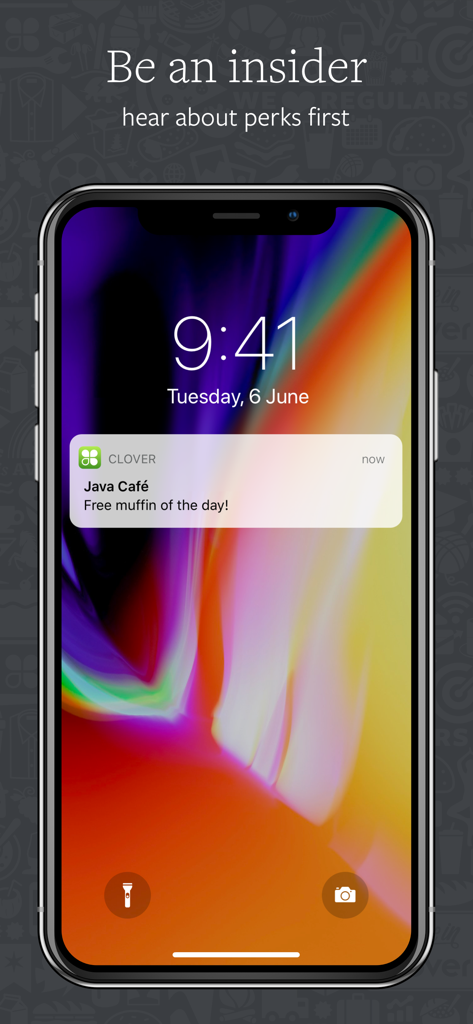
Clover app push notification on an iPhone lock screen offering a free muffin from a local coffee shop
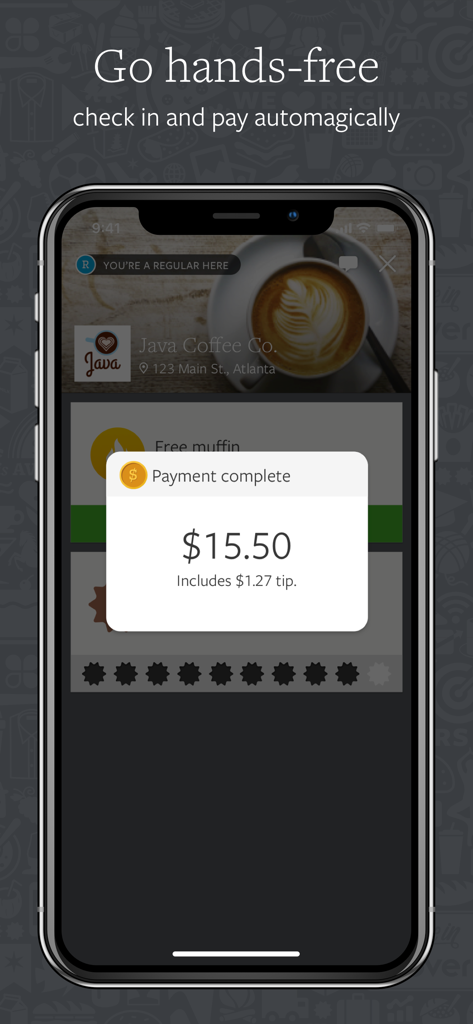
Clover app mobile payment confirmation screen for a local coffee shop purchase.
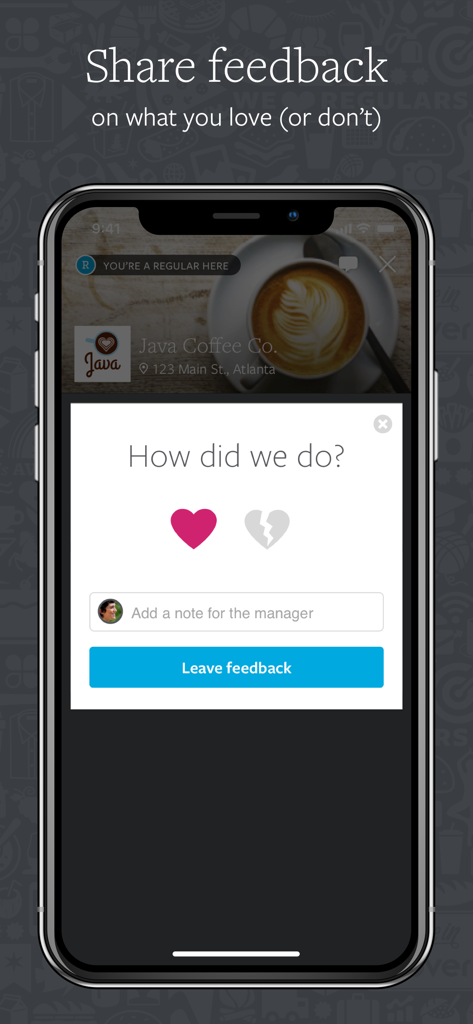
A mobile screen from the Clover app showing a customer feedback form for a local coffee shop
Description
Download
More Like This
Apps with similar features and user experience

BEANZ - بينز
AL BATEEN HOLDINGS LIMITED

Nugttah - نقطة
Intelligence Codes IT Solutions, LLC

Snackpass
Snackpass, LLC

Qerko
Qerko s.r.o.

GoTo Place
SpotOn Transact, Inc

Bartello
BARTELLO, OOO

Wetherspoon
J D Wetherspoon plc

MLB Ballpark
Major League Baseball Advanced Media

LineLeap
LINE SERVICES LLC
This page is not an official page of the app or its developer, but an independent editorial publication created for informational and commentary purposes. Unless expressly stated otherwise, neither the app nor its developer is affiliated with, endorsed by, sponsored by, authorized by, or otherwise officially connected with MWM, Apple, Google Play, the app publisher, or the app's developer, and nothing on this page implies that the app was developed using MWM's services. Any trademarks, logos, screenshots, and other content remain the property of their respective owners.