Cnc Turning Programming Pro
Download on App Store

This page is not an official page of the app or its developer, but an independent editorial publication created for informational and commentary purposes. Unless expressly stated otherwise, neither the app nor its developer is affiliated with, endorsed by, sponsored by, authorized by, or otherwise officially connected with MWM, Apple, Google Play, the app publisher, or the app's developer, and nothing on this page implies that the app was developed using MWM's services. Any trademarks, logos, screenshots, and other content remain the property of their respective owners.

Logo of Cnc Turning Programming Pro
Download on App Store

Cnc Turning Programming Pro

Empower your workflow with ready-to-run Fanuc cycles. Skip the manual math, eliminate shop-floor errors, and move from technical drawing to machine cutting faster than ever.

Key Figures

Downloads

100

User Rating

1.0/5

Total Ratings

0

Publisher

Shekhar Aggarwal

Category

Education

Locales

1

Latest Version

1.0.1

Size

7.0 MB

First Released

Dec 9, 2025
Features

Master Your Machining Workflow

Stop hand-coding complex cycles and start cutting. Generate production-ready, industry-standard G-code directly at your machine in seconds.

Instant G-Code Generation

Skip the math and the manual syntax. Simply input your drawing dimensions to generate complete G71 roughing, G76 threading, and G75 grooving cycles instantly.

Production-Ready Fanuc Logic

Generate clean, structured code compatible with industry-standard Fanuc controllers, ensuring reliable performance and stable toolpaths for every job.

The following screenshots and description are sourced directly from the app's official store listing and are the property of the app developer.

App Store

Screenshots
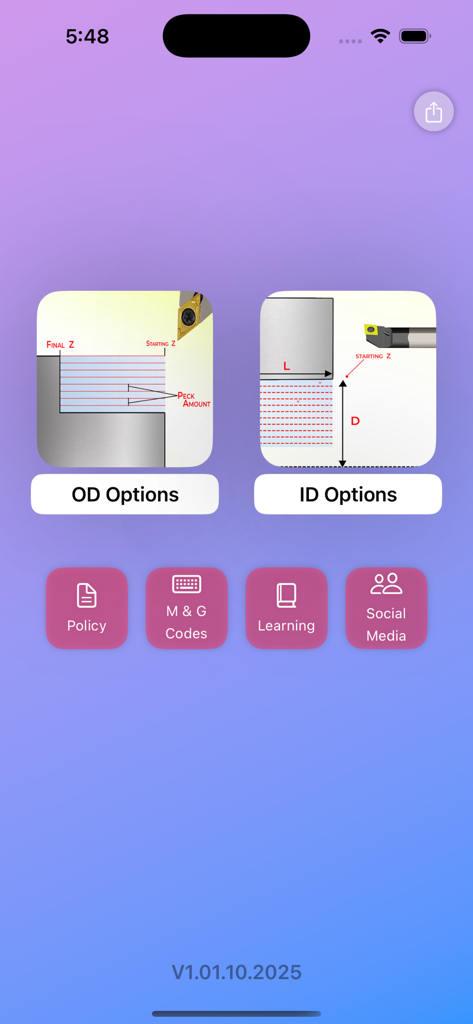
Cnc Turning Programming Pro - Home screen of the CNC Turning Programming Pro app with OD and ID options
Home screen of the CNC Turning Programming Pro app with OD and ID options

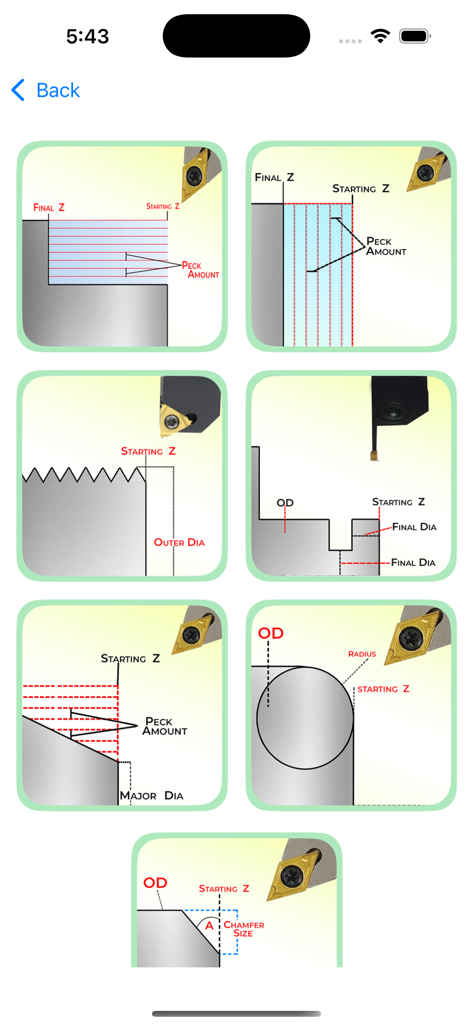
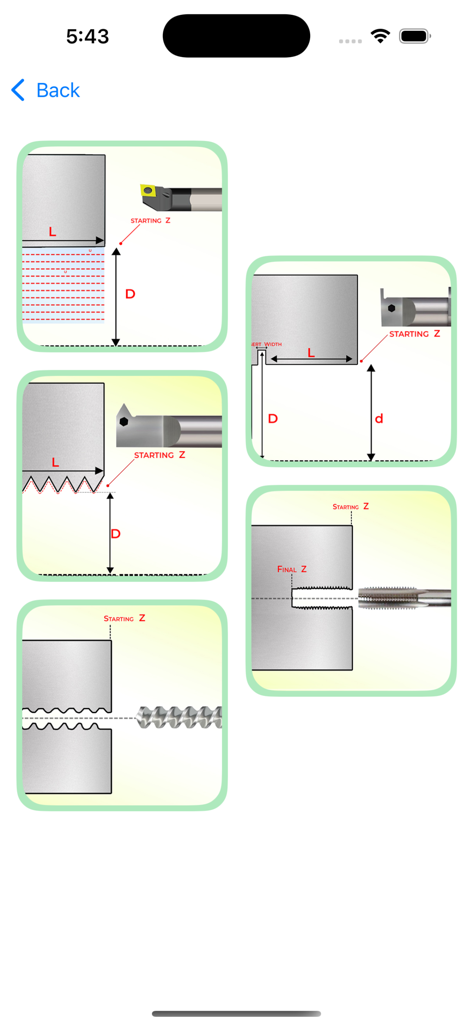
Cnc Turning Programming Pro - Technical diagrams showing various CNC turning operations for G-code programming
Technical diagrams showing various CNC turning operations for G-code programming

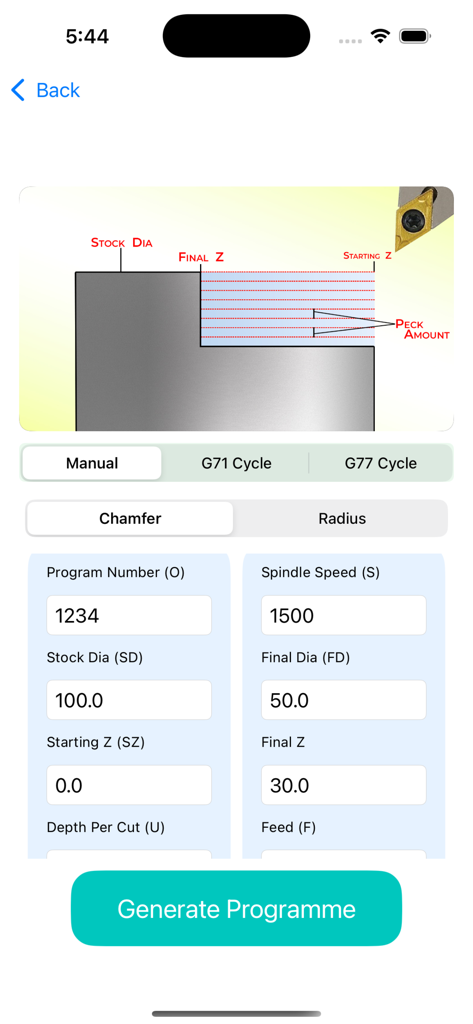
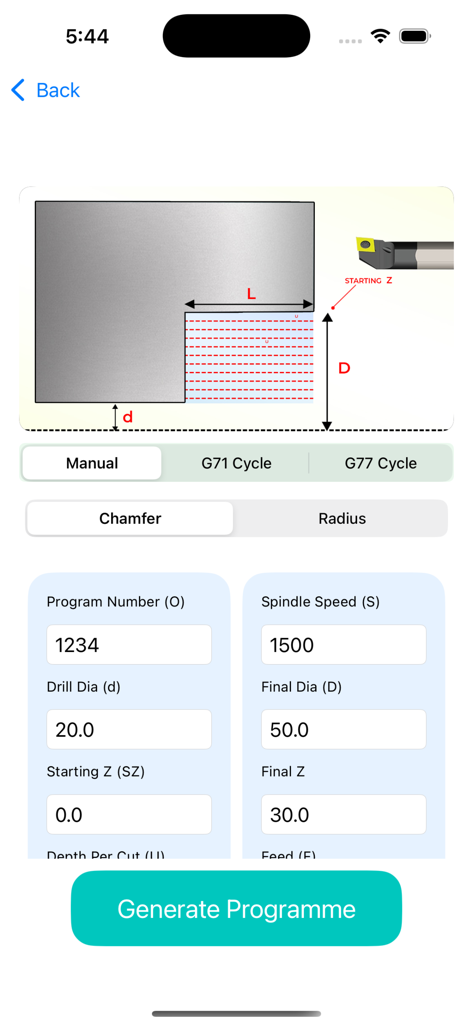
Cnc Turning Programming Pro - CNC Turning Programming Pro app interface showing parameters for generating G-code with a technical turning diagram
CNC Turning Programming Pro app interface showing parameters for generating G-code with a technical turning diagram

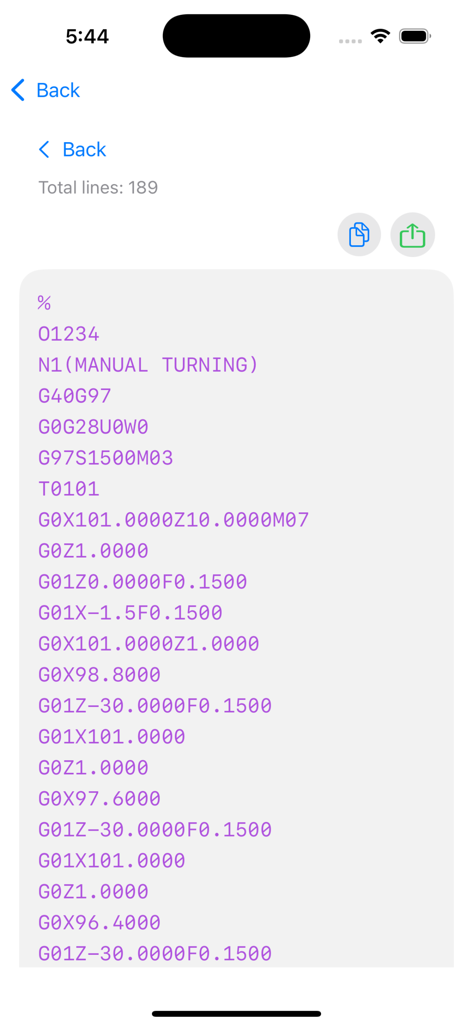
Cnc Turning Programming Pro - A mobile screen showing generated G-code for a Fanuc CNC turning machine
A mobile screen showing generated G-code for a Fanuc CNC turning machine

Cnc Turning Programming Pro - Technical diagrams of CNC turning cycles including roughing, threading, and grooving operations with labeled dimensions.
Technical diagrams of CNC turning cycles including roughing, threading, and grooving operations with labeled dimensions.

Cnc Turning Programming Pro - CNC turning programming app interface showing G71 cycle input parameters and toolpath diagram
CNC turning programming app interface showing G71 cycle input parameters and toolpath diagram

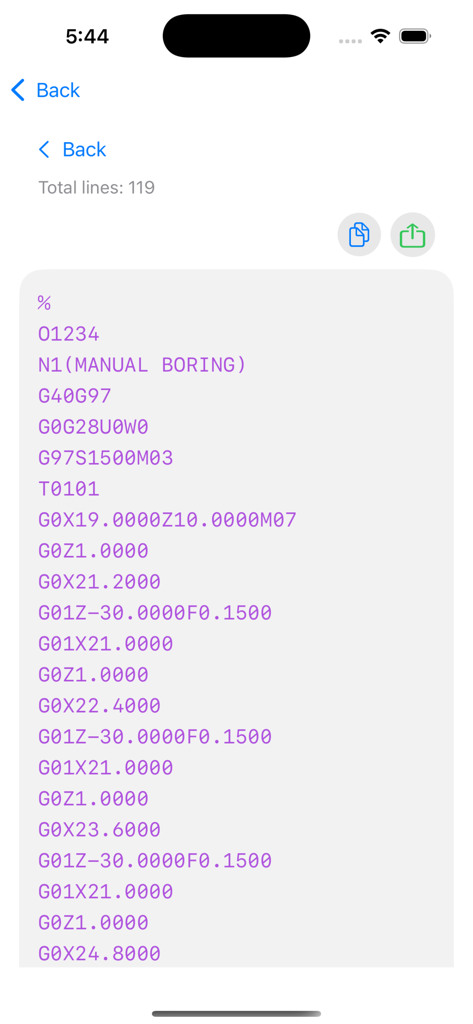
Cnc Turning Programming Pro - Generated Fanuc G-code program for a manual boring operation
Generated Fanuc G-code program for a manual boring operation

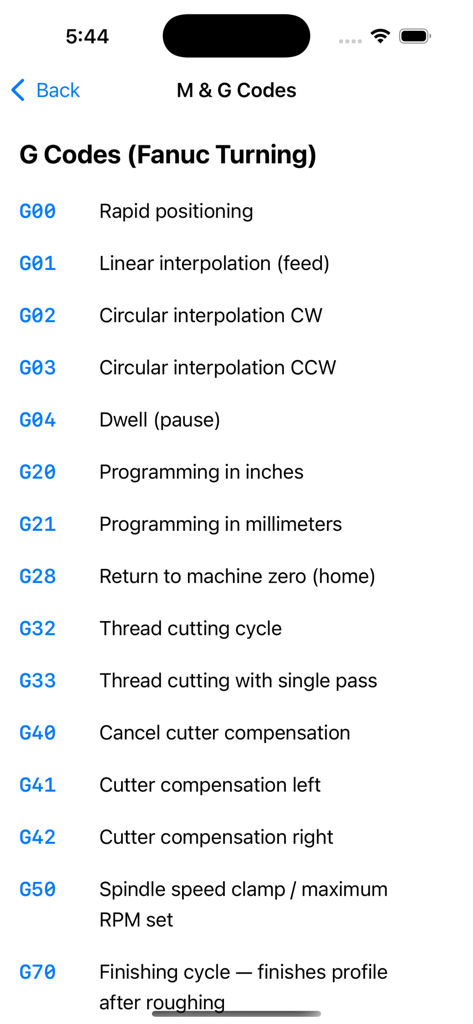
Cnc Turning Programming Pro - A reference list of Fanuc CNC turning G codes and their functions
A reference list of Fanuc CNC turning G codes and their functions

Cnc Turning Programming Pro - Policy and disclaimer screen for CNC Turning Programming Pro app
Policy and disclaimer screen for CNC Turning Programming Pro app

Cnc Turning Programming Pro - Social media links screen for CNC Turning Programming Pro showing WhatsApp YouTube Instagram and Telegram buttons

Social media links screen for CNC Turning Programming Pro showing WhatsApp YouTube Instagram and Telegram buttons

Description

CNC Turning Programming Pro is an advanced program-generating application designed for CNC operators, machinists, students, and professionals working with CNC turning machines. This app simplifies CNC programming by allowing you to create accurate turning programs within seconds, simply by entering the required dimensional values. No advanced coding knowledge is required — the app handles everything automatically. CNC programming (Computer Numerical Control) is the backbone of modern manufacturing, enabling machines to follow precise programmed instructions. CNC lathes, in particular, rotate a workpiece and cut it with multiple tools to produce components with accurate profiles. For many users, writing CNC programs manually can be time-consuming and prone to errors. CNC Turning Programming Pro solves this problem by generating clean, ready-to-run G-code instantly. This application follows industry-standard Fanuc fundamentals, ensuring compatibility with most CNC turning machines. Users can generate programs for operations such as drilling, tapping, OD turning, facing, grooving, threading, and several advanced cycles. The app supports a wide range of essential and frequently used cycles including: – G70 Finishing Cycle – G71 Turning Rough Cycle – G72 Facing Rough Cycle – G74 Drilling Cycle – G75 Grooving Cycle – G76 & G78 Threading Cycles – G77 Turning Cycle – G79 Facing Cycle – G01 Chamfer Programming – G02 & G03 Radius Programming – G63 Tapping Cycle By entering values directly from technical drawings, users can generate complete CNC programs without needing to memorize cycle formats or perform complex calculations. This makes the app extremely valuable for both beginners and experienced operators looking to save time and increase accuracy. The app also acts as a learning tool for those who want to understand CNC turning. New users can view the generated G-code and learn how industrial CNC programs are structured. We are continuously expanding the app to support more machines and program formats Whether you work in a workshop, manufacturing unit, toolroom, or training institute, CNC Turning Programming Pro helps you create fast, accurate, and reliable CNC turning programs. It reduces manual effort, minimizes errors, and improves productivity — making it an essential companion for every CNC operator. Using this app is simple: enter the required values from the drawing and generate the program instantly. There is no need to be highly skilled in coding, and no need to rely on manual calculations. Everything happens automatically, saving valuable time and boosting confidence on the production floor. If you're looking for a clean, efficient, and user-friendly CNC turning program generator that supports real industrial cycles and enhances both learning and productivity, CNC Turning Programming Pro is the perfect solution for your CNC journey. CNC Turning Programming Pro includes powerful industrial Fanuc cycles such as G71 for rough turning, G72 for facing rough cuts, G74 for drilling and peck operations, G75 for grooving, and G76–G78 for precision threading. It also supports G77 and G79 finishing cycles for accurate profile machining. These essential cycles help users generate structured and reliable G-code within seconds, making the app extremely useful for real shop-floor production and CNC training environments. These Fanuc cycles help automate roughing, facing, threading, and grooving operations, allowing users to generate optimized toolpaths quickly. With accurate cycle formatting, the app ensures stable and production-ready CNC programs. By supporting essential cycles like G71 for rough turning, G72 for facing cuts, G74 for drilling, G75 for groove machining, and G76–G78 for threading, the app helps users create highly structured CNC programs with minimal effort. G77 and G79 add precise finishing control, making the generated G-code reliable for both training and real production use.

Download

Download on App Store

This page is not an official page of the app or its developer, but an independent editorial publication created for informational and commentary purposes. Unless expressly stated otherwise, neither the app nor its developer is affiliated with, endorsed by, sponsored by, authorized by, or otherwise officially connected with MWM, Apple, Google Play, the app publisher, or the app's developer, and nothing on this page implies that the app was developed using MWM's services. Any trademarks, logos, screenshots, and other content remain the property of their respective owners.








