
Cocil


Stop sketching and start directing. Transform your ideas into Hollywood-grade animated scenes with cinematic camera controls and dynamic action precision.
Publisher
Category
LifestyleDownloads
11K+User Rating
Total Ratings
0Locales
1Discover the interface used by 11K+ users.

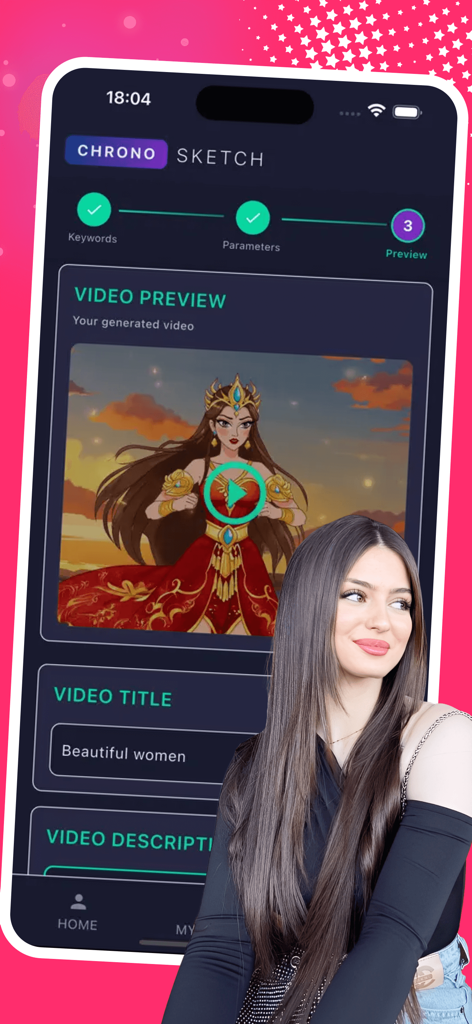
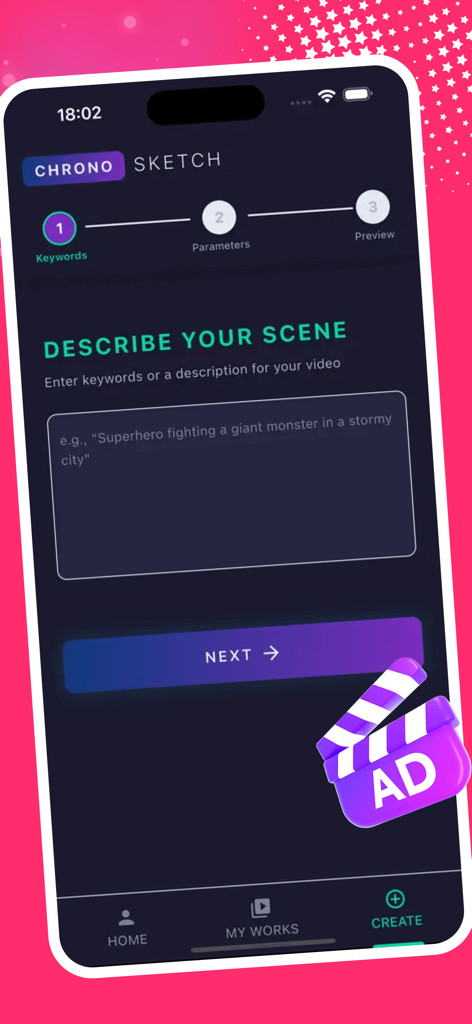
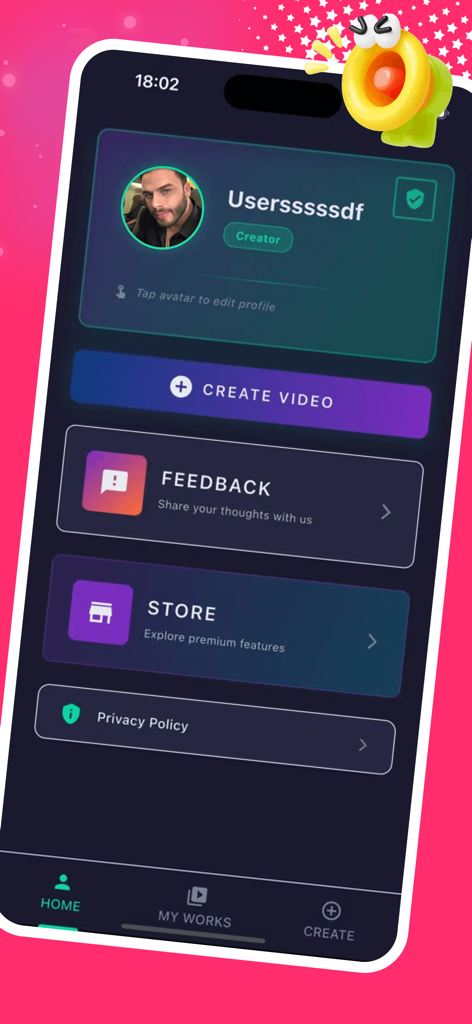
The tools that make this app stand out, trusted by 11K+ users.
Take total control of your characters. Script exact movements from energy blasts to epic leaps, ensuring every frame serves your story with intentionality.
Direct like a pro using the Cinematic Cam. Apply advanced techniques like crane dives and bullet-time focus to give your scenes narrative power.
Select from professional templates like Dynamic Flat 2D or Cinematic 3D to perfectly match your project’s aesthetic without drawing a single line.
Everything you need to know about Cocil.
Description
Latest Version
2.3.5
Size
31.1 MB
First Released
Nov 20, 2025
Turn your scripts into high-impact Western-style animation in seconds. Download Cocil now and build the cinematic scenes your story deserves.
Everything you need to know about Cocil
Cocil (ChronoSketch) generates animated clips from text descriptions. Users describe a scene, and the AI instantly produces a visually stunning, action-packed clip, eliminating the need for manual sketching.
Cocil's StyleForge Mastery offers professional animation templates like "Dynamic Flat 2D" and "Cinematic 3D Render." These options allow users to choose an aesthetic that perfectly matches their project's requirements.
Cocil (ChronoSketch) ensures precise character movements using its Action Weaver feature. Users script exact actions, such as "Energy Blast" or "Epic Leap," to animate characters with purpose and detailed choreography.
Yes, Cocil (ChronoSketch) allows users to apply professional camera techniques. The Cinematic Cam offers advanced options like "Crane Dive" and "Bullet-Time Focus" to enhance narrative power in generated animated clips.
Cocil (ChronoSketch) users adjust clip atmosphere with the DramaFilter. This feature enables tweaking light and shadow for perfect visual drama, ideal for action, sci-fi, and adventure genres in generated animations.
Cocil, also known as ChronoSketch, is a professional AI tool for creators. It generates dynamic, stylized, and high-impact animated clips in the Western animation tradition directly from text descriptions.
The Privacy Policy for Cocil (ChronoSketch) is accessible from the app's settings menu and through a direct link in the store description. The provided URL is https://docs.google.com/document/d/1wchK7Rv1JUTZN4aXIzdrOIAyfowwyYOPZwJFSFr_I8M/edit?usp=sharing.
Yes, Cocil (ChronoSketch) saves all generated videos. Users can access and review their creations within the "MY WORKS" section of the app, where each clip is listed with its title.
Yes, Cocil (ChronoSketch) offers premium features. Users can explore and purchase these advanced functionalities by navigating to the "STORE" section, which is located within the app's settings interface.
Top-ranked apps in the same category

Pinterest, Inc.

Alipay (Hangzhou) Technology Co., Ltd.

Sankuai Technology Co., Ltd.

Hanhai Information Technology (Shanghai) Co.Ltd

TIKTOK PTE. LTD.

Beijing Xiaomi Co., Ltd

Tinder LLC

GLOBAL TECHNOLOGY - TELECOMMUNICATIONS CORPORATION

Samsung Electronics Co., Ltd.
App information, icons, screenshots, and descriptions displayed on this page are sourced from the Apple App Store and are the property of their respective developers. Download estimates and rankings are based on MWM's proprietary models and may not reflect actual figures. This page is provided for informational and analytical purposes only.
Believe this page infringes your intellectual property? File a dispute