
This page is not an official page of the app or its developer, but an independent editorial publication created for informational and commentary purposes. Unless expressly stated otherwise, neither the app nor its developer is affiliated with, endorsed by, sponsored by, authorized by, or otherwise officially connected with MWM, Apple, Google Play, the app publisher, or the app's developer, and nothing on this page implies that the app was developed using MWM's services. Any trademarks, logos, screenshots, and other content remain the property of their respective owners.


SmartThings
Many devices, often disconnected, plague the modern home. This app grants users immediate authority, transforming scattered tech into a responsive, single system.
Downloads
50M+User Rating
Total Ratings
2.0MPublisher
Category
LifestyleLocales
73Latest Version
1.7.41Size
931.6 MBFirst Released
Jun 20, 2017SmartThings: Core Functionality Analysis
Evaluating key features for modern smart home management and automation.
Automated Routines & Scheduling
It allows users to build intelligent routines based on time, weather conditions, or device status, ensuring the home operates seamlessly and efficiently without manual intervention.
Remote Control & Monitoring
The app provides the ability to control and monitor smart home devices from any location, offering peace of mind and convenience for managing home systems remotely.
Energy Monitoring & Savings
This tool features SmartThings Energy, enabling users to track, monitor, and optimize energy consumption across their home and compatible devices, leading to potential cost savings and increased efficiency.
Multi-Brand Device Interoperability
It allows users to connect and integrate smart devices from hundreds of different brands, including Samsung, Ring, Nest, and Philips Hue, to create unified smart home experiences and custom 'scenes'.
Device Status Notifications
The app provides automated notifications regarding device status updates, keeping users informed about their home's conditions and any potential issues in real-time.
Voice Control Integration
This tool features seamless integration with voice assistants like Google Assistant, enabling users to control their smart devices hands-free using voice commands.
User Access Sharing
It allows users to securely grant shared control of their smart home devices to other individuals, facilitating collaboration and convenience for family members or trusted guests.
SmartThings Cooking Integration
The app provides SmartThings Cooking functionality, offering recipe recommendations, meal planning, shopping assistance, and preparation guidance by scanning food items.
Frequently Asked Questions
Everything you need to know about SmartThings
What is SmartThings?
SmartThings is an app designed to quickly and easily connect and control smart home devices from various brands. It allows users to manage their smart home gadgets, including Samsung Smart TVs and appliances, all from one application.
What smart home brands are compatible with SmartThings?
SmartThings is compatible with hundreds of smart home brands. These include Samsung, Ring, Nest, and Philips Hue, allowing users to control diverse devices from a single app.
Can I control my Samsung Smart TV with SmartThings?
Yes, you can control your Samsung Smart TV through the SmartThings app. It integrates Samsung's smart TVs and smart home appliances, along with other compatible devices, into one central control hub.
Does SmartThings support voice control for devices?
Yes, SmartThings supports voice control for your smart devices. You can use voice assistants, including Google Assistant, to manage and interact with your connected smart home ecosystem.
How does SmartThings Energy help save money?
SmartThings Energy helps save money by tracking and monitoring energy usage. It offers features like AI saving mode and allows scheduling devices during off-peak hours to reduce costs and manage energy consumption efficiently.
Can I automate routines for my devices in SmartThings?
Yes, SmartThings allows you to build routines that automate your devices. These routines can be triggered by conditions such as time, weather, or device status, making your home run smoothly in the background.
What are the system requirements for the SmartThings app on iOS?
The SmartThings app requires iOS 17.0 or later. It is compatible with iPhone XR or later models and iPad 6 or later models to ensure full functionality.
Can SmartThings provide recipe recommendations and cooking assistance?
Yes, SmartThings offers cooking assistance through SmartThings Cooking. It provides recipe recommendations by scanning meal kits, wine, and meat, and helps plan, shop, and prep meals.
Does SmartThings allow shared control of smart devices?
Yes, SmartThings allows for shared control of smart devices. You can grant access to other users, enabling multiple people to manage and operate the connected smart home devices.
Can I monitor my home's security and air quality using SmartThings?
Yes, you can monitor your home's security and air quality with SmartThings. The "Life" tab features modules like Home Monitor for security and Air Care for air quality monitoring.
What is the 3D Map View feature in SmartThings?
The 3D Map View feature in SmartThings provides intuitive controls of your devices. It uses maps that resemble your actual home, offering a visual and organized way to manage your smart home layout.
The following screenshots and description are sourced directly from the app's official store listing and are the property of the app developer.
App Store
Screenshots
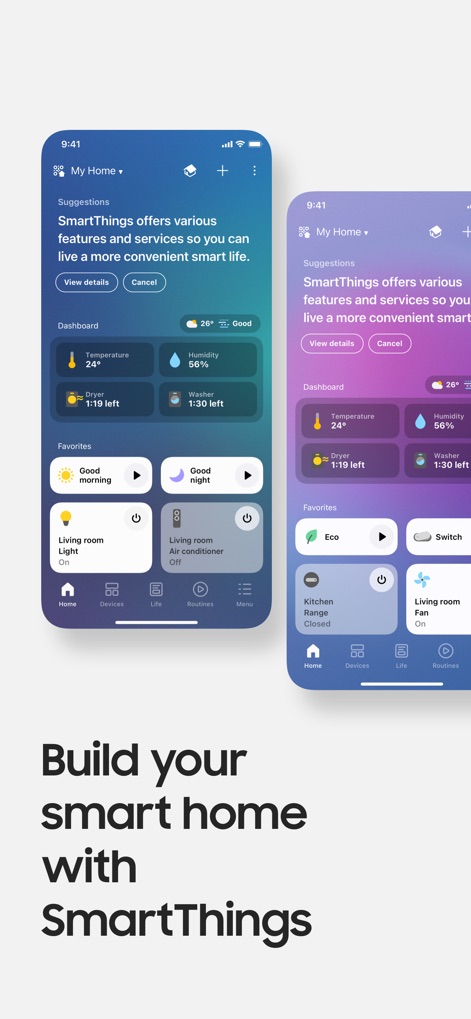
Home Dashboard Overview
This screen provides a central dashboard, displaying environmental conditions such as temperature and humidity, alongside quick-access favorites for immediate device control.
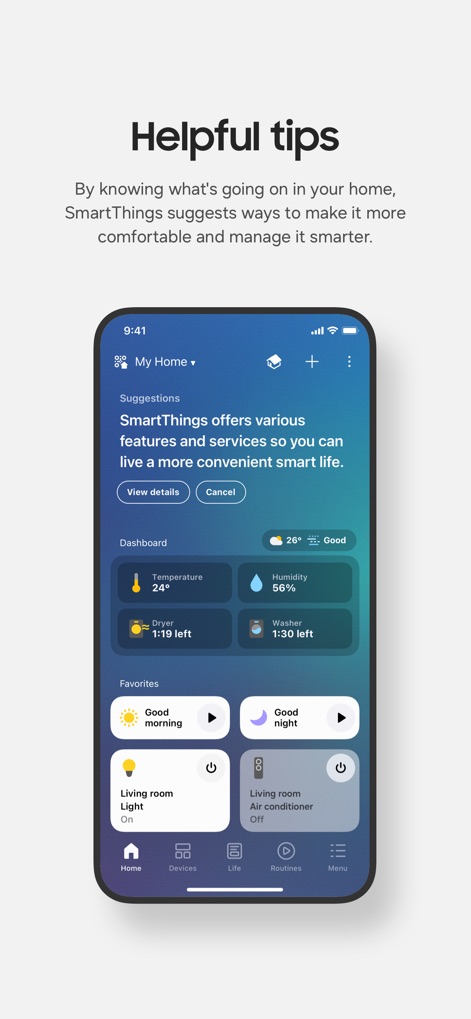
Intuitive Home Hub
The app's main interface features a 'Suggestions' banner to proactively offer tips and a comprehensive dashboard for monitoring essential home metrics and device statuses.
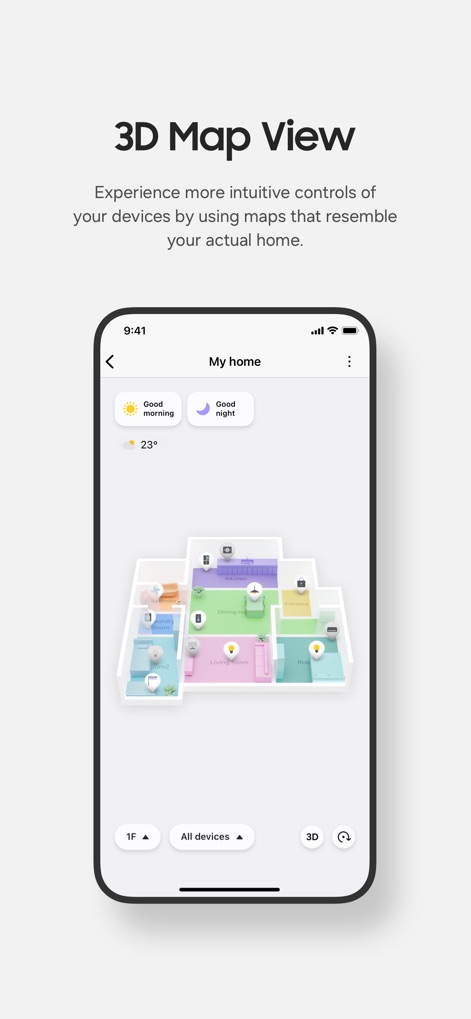
Immersive Home Map
Users can experience intuitive controls through a dynamic 3D map view, allowing visualization of rooms like the living room and kitchen for precise device management.
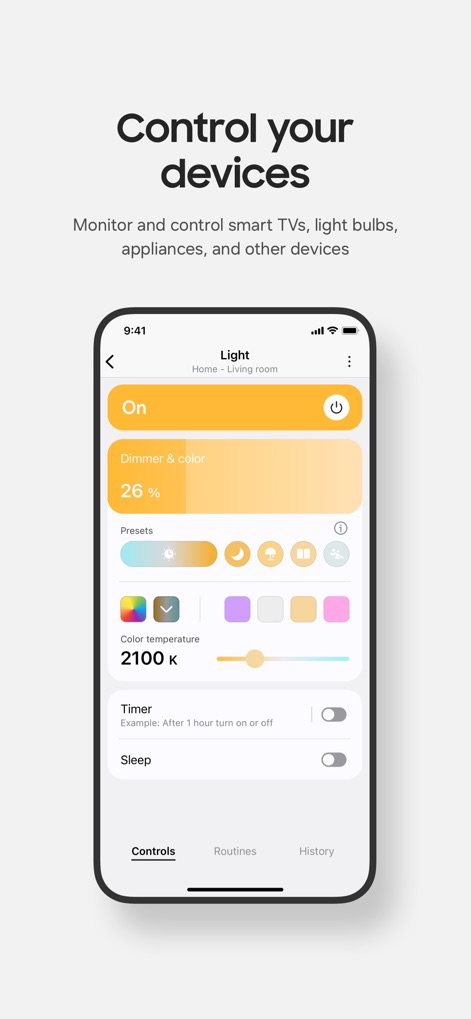
Device Control Precision
This screen demonstrates precise control over individual devices, featuring a dimmer and color slider for lighting adjustments and various color temperature options.
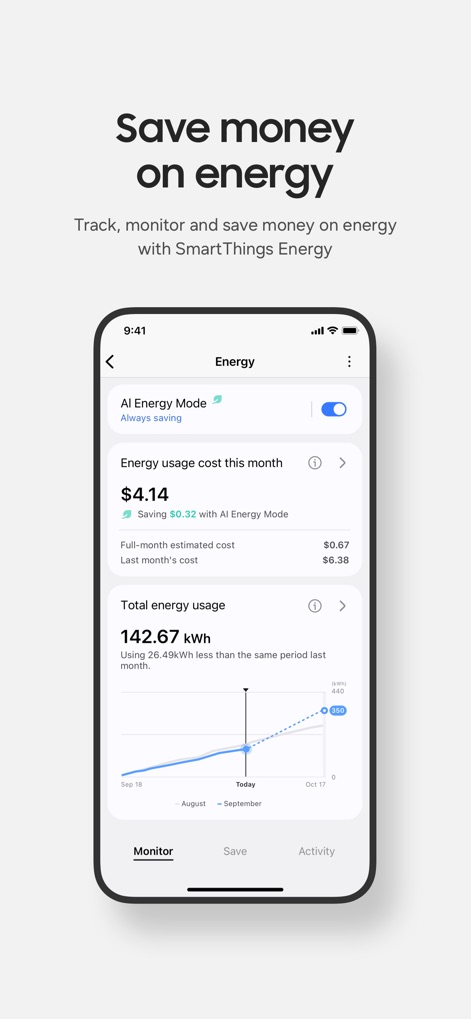
Smart Energy Management
The app offers detailed energy insights, including a clear graph of total energy usage over time and an 'AI Energy Mode' toggle for optimized savings.
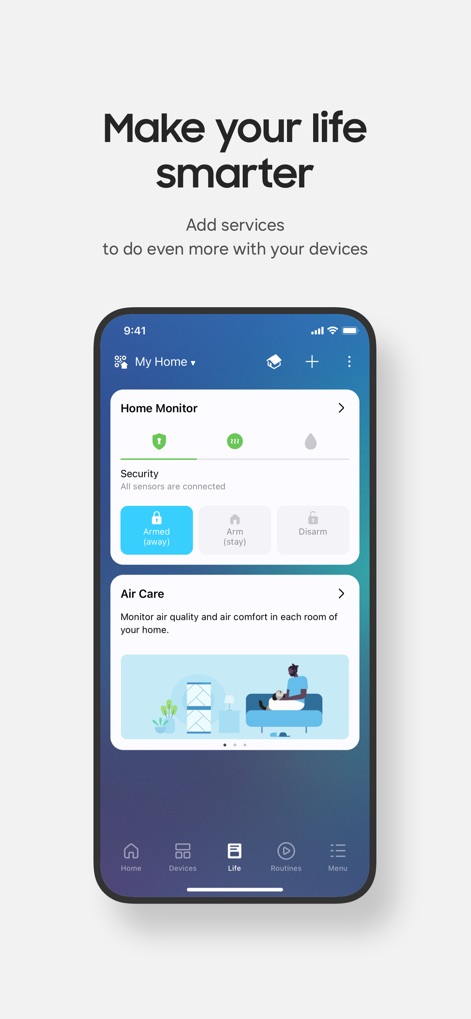
Enhanced Home Life
The 'Life' section integrates essential services like the Home Monitor for robust security management and an Air Care module for comprehensive environmental quality oversight.
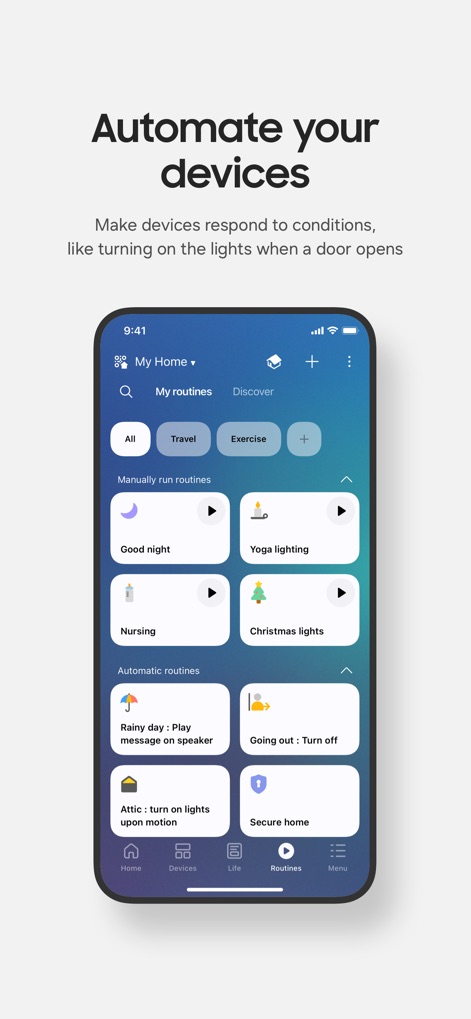
Custom Home Routines
Users can easily create and manage both 'Manually run routines' such as 'Good night' and 'Automatic routines' triggered by specific conditions like a 'Rainy day' for effortless home automation.
Description
Download
More Like This
Apps with similar features and user experience

TP-Link Tapo
TP-Link Systems Inc.

Дом с Алисой
DIRECT CURSUS COMPUTER SYSTEMS TRADING LLC

VeSync
Vesync Technology Corporation

Kasa Smart
TP-Link Systems Inc.

ecobee
ecobee Ltd.

Hubspace
Afero, Inc.

ADT Control ®
ADT LLC

First Alert by Resideo
Resideo Technologies, Inc.

Mibo Smart: Casa Inteligente
Intelbras S.A. Ind. de Telecom. Elet. Brasileira
This page is not an official page of the app or its developer, but an independent editorial publication created for informational and commentary purposes. Unless expressly stated otherwise, neither the app nor its developer is affiliated with, endorsed by, sponsored by, authorized by, or otherwise officially connected with MWM, Apple, Google Play, the app publisher, or the app's developer, and nothing on this page implies that the app was developed using MWM's services. Any trademarks, logos, screenshots, and other content remain the property of their respective owners.