
This page is not an official page of the app or its developer, but an independent editorial publication created for informational and commentary purposes. Unless expressly stated otherwise, neither the app nor its developer is affiliated with, endorsed by, sponsored by, authorized by, or otherwise officially connected with MWM, Apple, Google Play, the app publisher, or the app's developer, and nothing on this page implies that the app was developed using MWM's services. Any trademarks, logos, screenshots, and other content remain the property of their respective owners.

Kasa Smart
Join over 9 million users who trust Kasa to simplify their daily routines. Seamlessly manage your lights, plugs, and cameras from anywhere to enhance your home's security, comfort, and energy efficiency.
Downloads
9M+User Rating
Total Ratings
106K+Publisher
Category
LifestyleLocales
23Latest Version
3.4.450Size
613.8 MBFirst Released
Oct 15, 2015Your Home, Smarter and Simpler
Experience seamless control over your entire ecosystem of Kasa devices. From lighting to security, manage every detail of your home right from your pocket.
Total Remote Control
Instantly manage your lights and appliances from anywhere in the world. Never worry about leaving the iron on again.
Enhanced Peace of Mind
Protect your home with Away Mode and real-time camera alerts. Make your house look lived-in even when you are miles away.
Frequently Asked Questions
Everything you need to know about Kasa Smart
What is Kasa Smart?
Kasa Smart is an application that serves as the portal for your TP-LINK Smart Home devices. It allows users to add, configure, monitor, and control connected TP-LINK smart home devices from any location worldwide.
Which TP-LINK devices are compatible with Kasa Smart?
Kasa Smart is compatible with a wide range of TP-LINK devices, including Smart Plugs, Switches, Power Strips, Bulbs, Light Strips, IP Cameras, Smart Routers, and Range Extenders. A detailed list of specific models is provided in the app description.
Can I control my TP-LINK Smart Home devices remotely using Kasa Smart?
Yes, Kasa Smart enables you to add, configure, monitor, and control your connected TP-LINK Smart Home devices from anywhere in the world. This feature ensures constant management of your smart home.
Does Kasa Smart include scheduling features for connected TP-LINK devices?
Yes, Kasa Smart allows you to schedule your appliances to turn on or off according to your preferences. The app also offers an Away Mode to deter intruders and automates routine tasks.
What is the purpose of Away Mode in Kasa Smart?
Kasa Smart's Away Mode feature is designed to deter potential burglars. It achieves this by simulating occupancy, likely by turning lights or other devices on and off, making your home appear occupied when you are away.
Does Kasa Smart offer a cloud service for its security cameras?
Yes, Kasa Smart offers Kasa Care cloud service, specifically for Security Cameras. This service provides 30-day unlimited video cloud storage, instant notifications with snapshots, and the ability to record and share video clips.
How much does the Kasa Care cloud service cost per device?
The Kasa Care cloud service costs $2.99 USD per month per device in the US. Prices vary by region, including €2.99 EUR for certain European countries, $3.49 CAD for Canada, and £2.79 GBP for the UK.
How can I manage my Kasa Care subscription and auto-renewal?
Subscriptions and auto-renewal for Kasa Care can be managed by accessing your Account Settings after purchase. Auto-renewal must be turned off at least 24 hours before the end of the current period to prevent charges.
Can I automate my home with custom actions using Kasa Smart?
Yes, Kasa Smart enables you to automate your home with custom Smart Actions. Features include Motion Sensing, Control With a Switch, Schedule a Scene, and Auto-Off Timer for connected devices.
Does Kasa Smart support controlling colored smart bulbs and light strips?
Yes, Kasa Smart supports expressing yourself in brilliant colors with Smart Bulbs and Light Strips. The app provides a color wheel for adjusting brightness, white tones, and specific colors.
Can Kasa Smart display live video feeds from Kasa Cams?
Yes, Kasa Smart displays live video feeds from your Kasa Cams. It also provides a timeline of recorded events and allows for two-way audio communication via a microphone icon.
The following screenshots and description are sourced directly from the app's official store listing and are the property of the app developer.
App Store
Screenshots
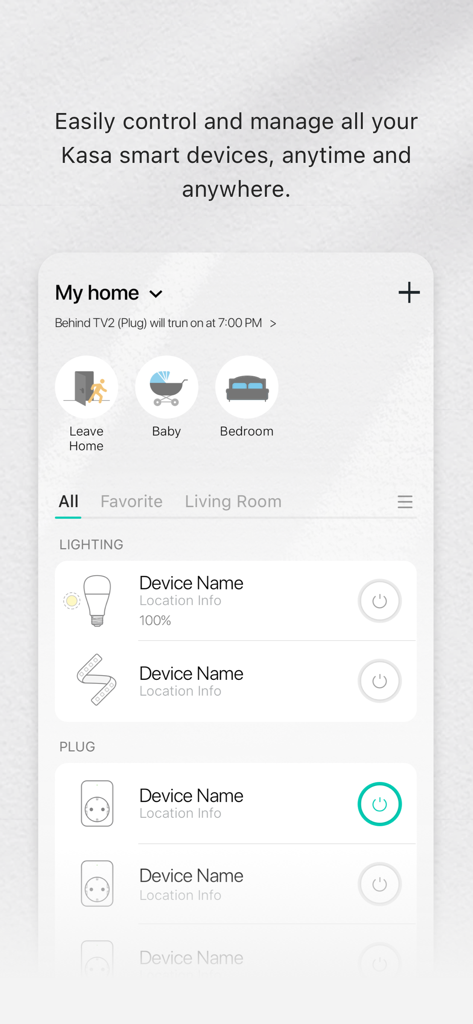
Kasa Smart app dashboard showing connected lighting and smart plug devices for home automation
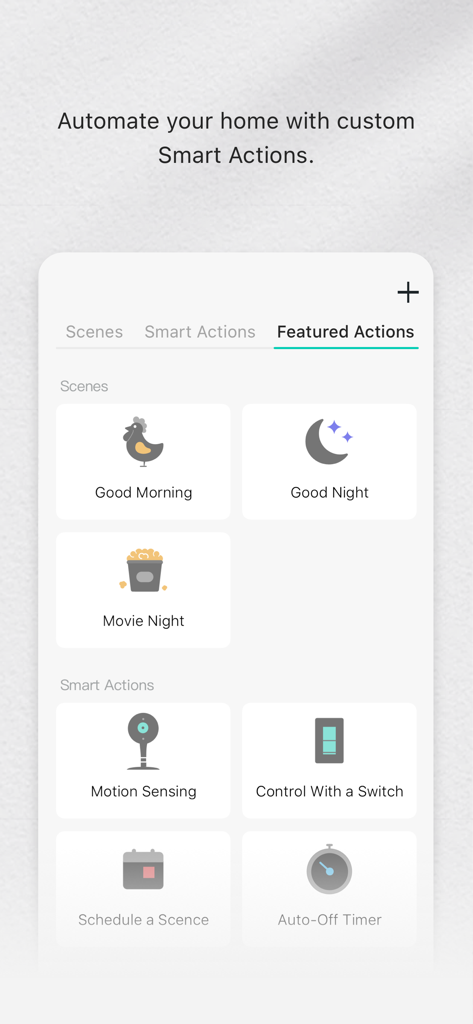
Kasa Smart app interface showing custom home automation scenes and smart actions
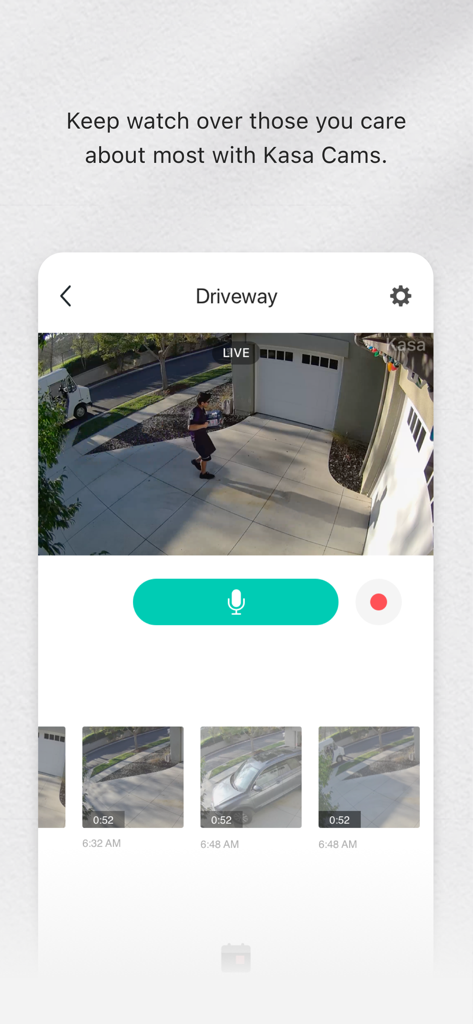
Live driveway security camera feed displayed on the Kasa Smart mobile app interface
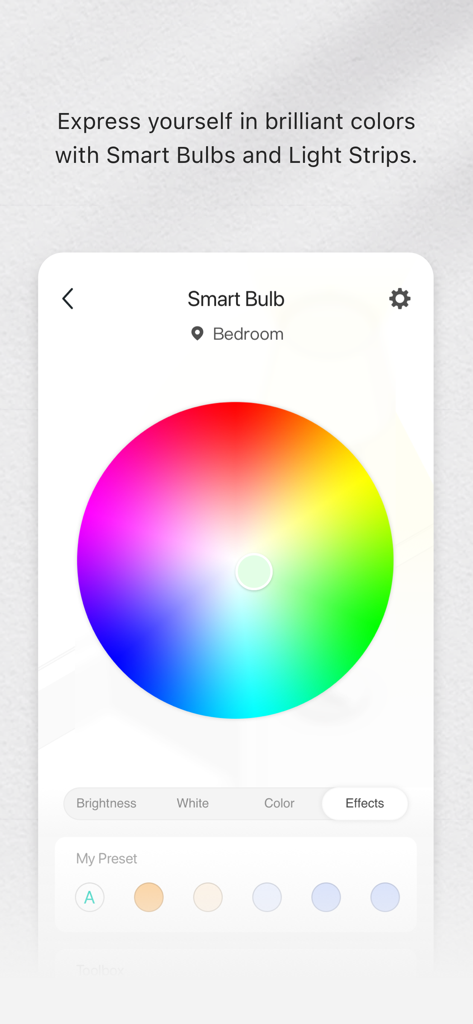
Kasa Smart app interface showing a color wheel for bedroom smart bulb settings
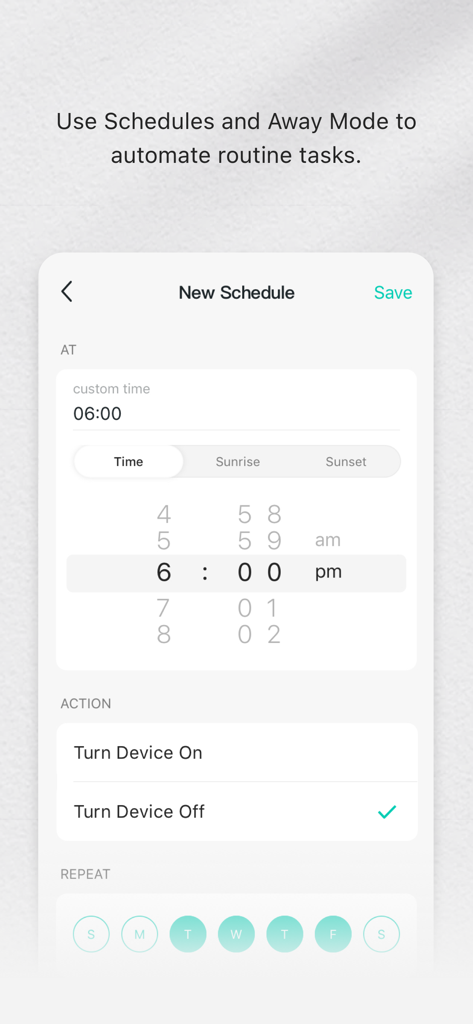
Interface of the Kasa Smart app showing how to create a new automated device schedule
Description
Download
More Like This
Apps with similar features and user experience

TP-Link Tapo
TP-Link Systems Inc.

Дом с Алисой
DIRECT CURSUS COMPUTER SYSTEMS TRADING LLC

VeSync
Vesync Technology Corporation

ecobee
ecobee Ltd.

Hubspace
Afero, Inc.

ADT Control ®
ADT LLC

First Alert by Resideo
Resideo Technologies, Inc.

Mibo Smart: Casa Inteligente
Intelbras S.A. Ind. de Telecom. Elet. Brasileira
京东小家
BEIJING JINGDONG 360 DU E-COMMERCE LTD.
This page is not an official page of the app or its developer, but an independent editorial publication created for informational and commentary purposes. Unless expressly stated otherwise, neither the app nor its developer is affiliated with, endorsed by, sponsored by, authorized by, or otherwise officially connected with MWM, Apple, Google Play, the app publisher, or the app's developer, and nothing on this page implies that the app was developed using MWM's services. Any trademarks, logos, screenshots, and other content remain the property of their respective owners.