
This page is not an official page of the app or its developer, but an independent editorial publication created for informational and commentary purposes. Unless expressly stated otherwise, neither the app nor its developer is affiliated with, endorsed by, sponsored by, authorized by, or otherwise officially connected with MWM, Apple, Google Play, the app publisher, or the app's developer, and nothing on this page implies that the app was developed using MWM's services. Any trademarks, logos, screenshots, and other content remain the property of their respective owners.

Hubspace
Set up and manage your favorite Home Depot smart products in minutes. From lighting to ceiling fans, take full control of your home with easy scheduling and remote access.
Downloads
3M+User Rating
Total Ratings
204K+Publisher
Category
LifestyleLocales
3Latest Version
2.1.0Size
94.6 MBFirst Released
Dec 17, 2020Take Full Command of Your Smart Home
Experience the convenience of a modern home without the complexity. Hubspace brings effortless control to your lighting, fans, and appliances in one intuitive app.
Setup in Minutes
Skip the technical headaches. Simply scan the QR code on your product and connect instantly—no extra hubs or professional installation required.
Smart Scheduling
Set your home to run on your routine. Automate porch lights for sunset or schedule fans to keep you cool, all while maximizing your energy savings.
Frequently Asked Questions
Everything you need to know about Hubspace
What is the Hubspace app?
The Hubspace app allows users to set up and manage their Hubspace smart home products. It enables management and monitoring of connected devices both at home and remotely.
Can I control my Hubspace devices remotely?
Yes, the Hubspace app allows users to manage and monitor their Hubspace products from any location. This remote capability extends to all connected smart devices.
How does Hubspace organize smart home products?
The Hubspace app organizes smart home products by room and property. Users can create and customize rooms to efficiently manage multiple devices within their home.
What product settings can I control with the Hubspace app?
The Hubspace app offers on/off controls, light color temperature adjustments, color changes, and fan speed settings. It also includes features for grouping products and setting schedules.
Does Hubspace integrate with other smart home systems?
Yes, the Hubspace app integrates with both Google and Alexa. This allows users to control their Hubspace smart products using these popular voice assistant platforms.
Can I set schedules for my Hubspace devices?
Yes, users can set schedules for their Hubspace smart products using the app. These schedules automate actions, such as turning devices on or off at specific times.
How can I change light colors using the Hubspace app?
The Hubspace app allows users to change light color temperatures and specific colors. It provides color presets and a color wheel for precise customization of lighting.
Does the Hubspace app collect personal information?
Yes, the Hubspace app collects, uses, and discloses certain personal information. This data enables the app's functionality for building and controlling a smart product home network.
Can I group multiple Hubspace products together?
Yes, the Hubspace app supports grouping products. This feature allows users to control multiple devices simultaneously from a single interface.
The following screenshots and description are sourced directly from the app's official store listing and are the property of the app developer.
App Store
Screenshots
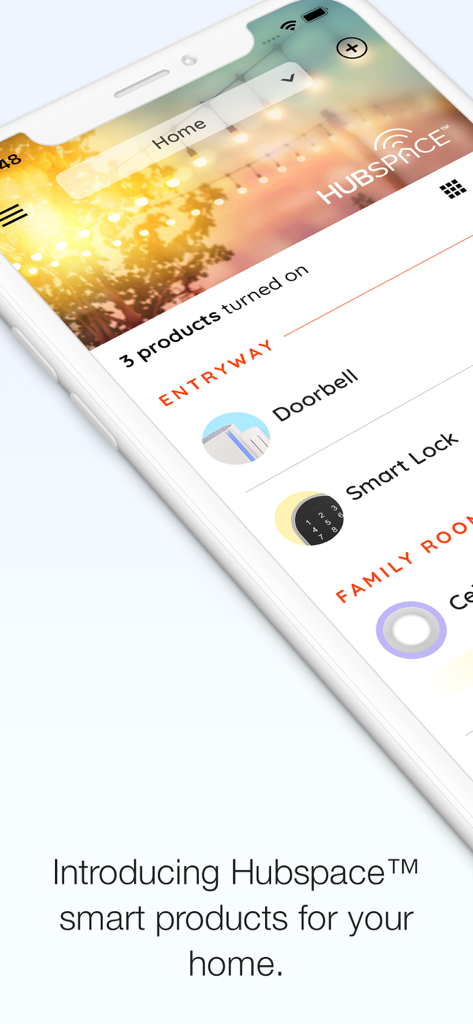
Hubspace mobile app dashboard displaying smart home products like a doorbell and smart lock.
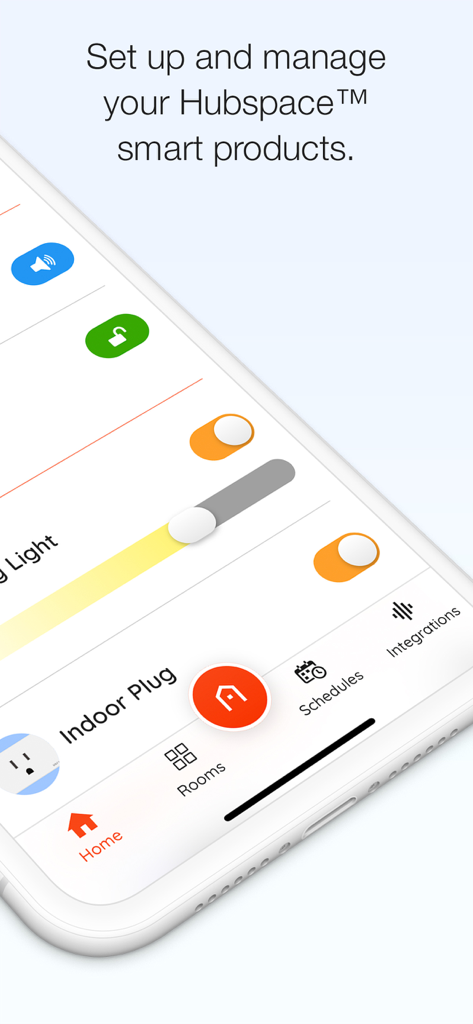
Hubspace app on iPhone screen displaying smart home device management and controls
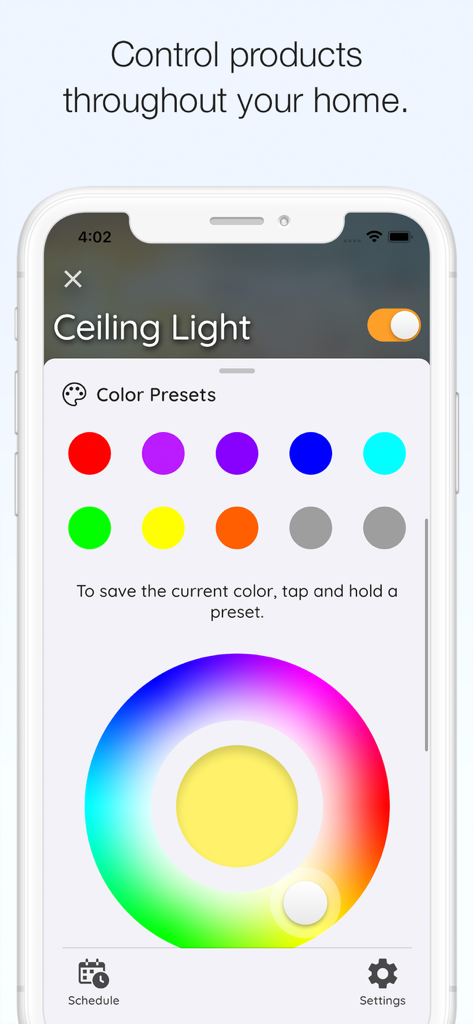
Interface of Hubspace app showing color presets and a color wheel for controlling a smart ceiling light
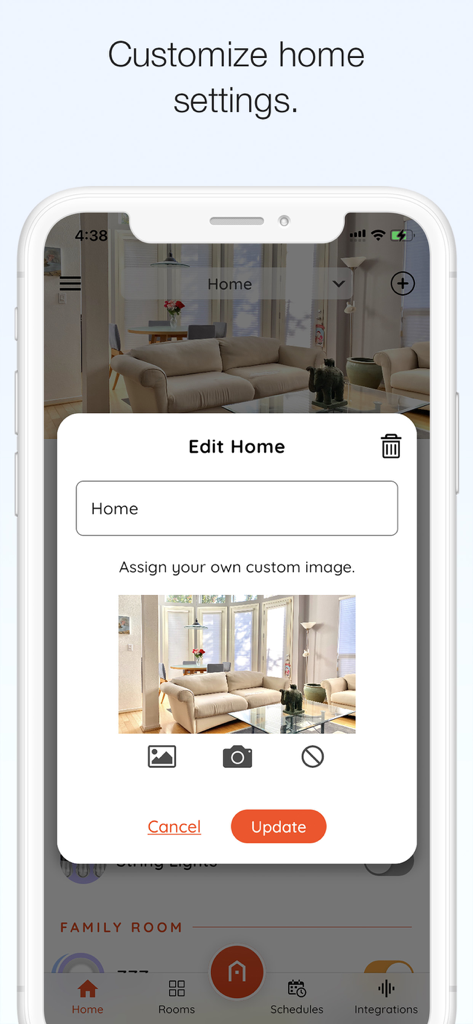
Interface for customizing home name and image in the Hubspace app.
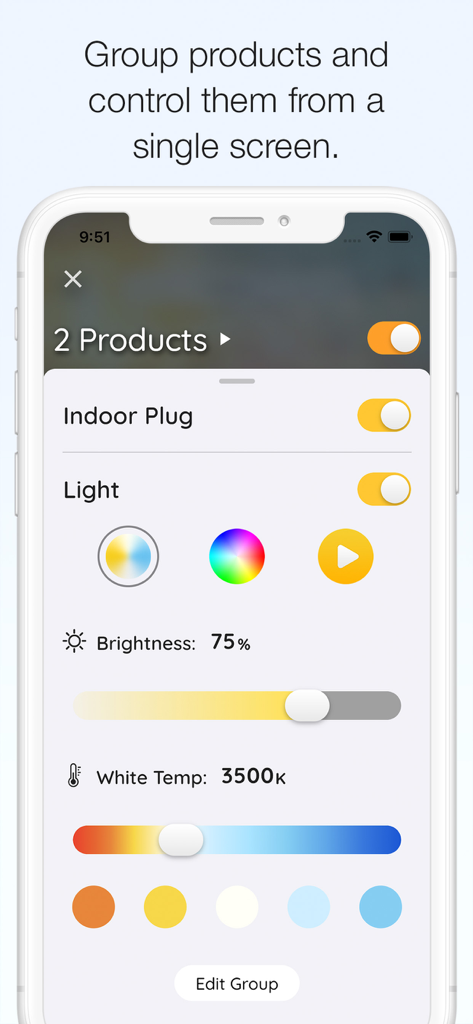
Hubspace app screen showing grouped control for an indoor plug and smart light with brightness and color temperature settings
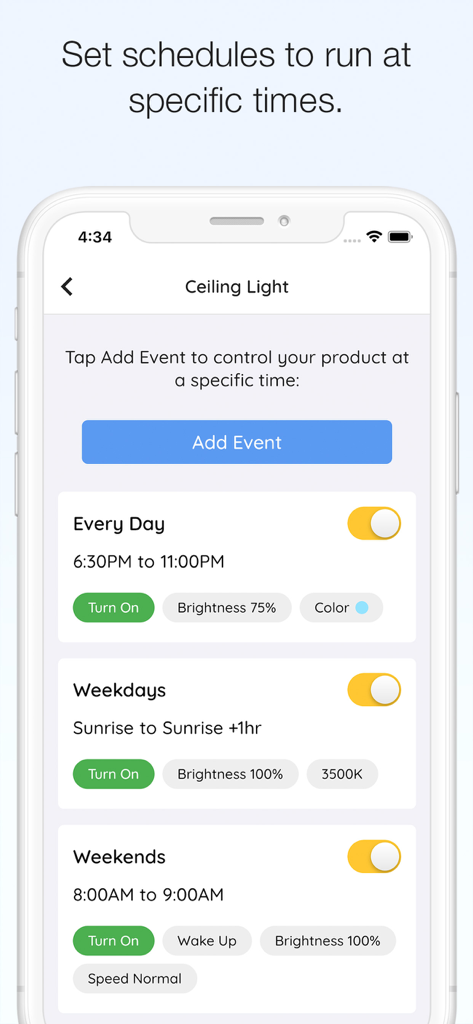
Hubspace app interface for setting custom schedules for smart ceiling lights
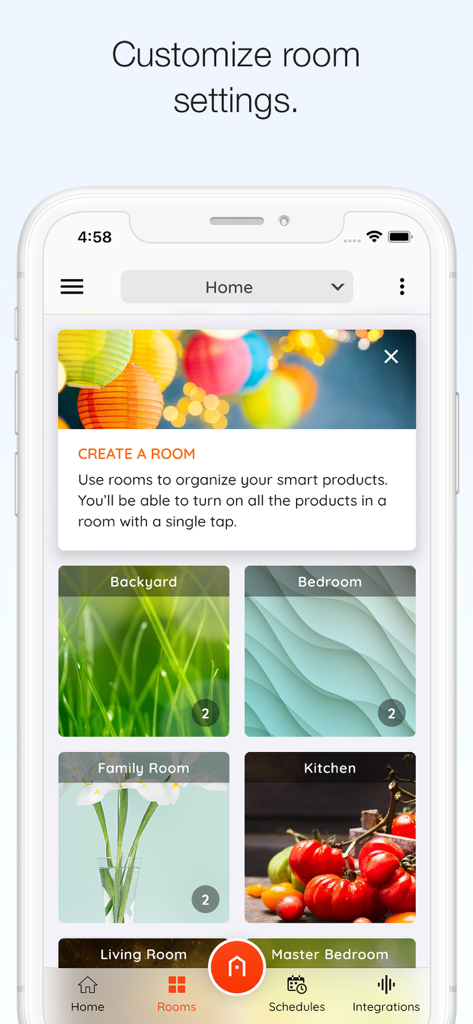
Hubspace app interface showing smart home devices organized by room like backyard and bedroom
Description
Download
More Like This
Apps with similar features and user experience

TP-Link Tapo
TP-Link Systems Inc.

Дом с Алисой
DIRECT CURSUS COMPUTER SYSTEMS TRADING LLC

VeSync
Vesync Technology Corporation

Kasa Smart
TP-Link Systems Inc.

ecobee
ecobee Ltd.

ADT Control ®
ADT LLC

First Alert by Resideo
Resideo Technologies, Inc.

Mibo Smart: Casa Inteligente
Intelbras S.A. Ind. de Telecom. Elet. Brasileira

京东小家
BEIJING JINGDONG 360 DU E-COMMERCE LTD.
This page is not an official page of the app or its developer, but an independent editorial publication created for informational and commentary purposes. Unless expressly stated otherwise, neither the app nor its developer is affiliated with, endorsed by, sponsored by, authorized by, or otherwise officially connected with MWM, Apple, Google Play, the app publisher, or the app's developer, and nothing on this page implies that the app was developed using MWM's services. Any trademarks, logos, screenshots, and other content remain the property of their respective owners.