
This page is not an official page of the app or its developer, but an independent editorial publication created for informational and commentary purposes. Unless expressly stated otherwise, neither the app nor its developer is affiliated with, endorsed by, sponsored by, authorized by, or otherwise officially connected with MWM, Apple, Google Play, the app publisher, or the app's developer, and nothing on this page implies that the app was developed using MWM's services. Any trademarks, logos, screenshots, and other content remain the property of their respective owners.


Color Identifier: Color Picker
Instantly extract HEX, RGB, and CMYK codes from any image to streamline your design workflow and master your perfect palette.
Downloads
332K+User Rating
Total Ratings
1K+Publisher
Category
Graphics & DesignLocales
33Latest Version
2.5.2Size
167.2 MBFirst Released
Aug 31, 2022Master Your Palette with Professional Precision
Bridge the gap between inspiration and execution with the intuitive tool designed for designers, developers, and creative perfectionists.
Instant Technical Extraction
Get precise HEX, RGB, and CMYK codes in seconds to keep your digital and print projects perfectly on-brand.
Smart Workflow History
Never lose a shade again. Automatically save your discoveries to a personal library for instant access whenever inspiration strikes.
Frequently Asked Questions
Everything you need to know about Color Identifier: Color Picker
What is the Color Identifier: Color Picker app?
The Color Identifier: Color Picker app detects the color of any pixel on a photo or image. It displays colors in RGB, CMYK, and HEX formats, along with their names.
How does the Color Identifier: Color Picker app work?
Users upload an image to Color Identifier: Color Picker, then zoom and scroll to the desired color. The app identifies and displays the color's RGB, CMYK, HEX values, and its name.
Can Color Identifier: Color Picker identify colors from live camera feeds?
Yes, the Color Identifier app includes a camera function. It identifies colors directly from live camera feeds, serving as an image color scanner and finder.
What color formats does the Color Identifier: Color Picker app support?
The Color Identifier: Color Picker app supports RGB, CMYK, and HEX color formats for identification. It also displays the names of detected colors.
Can I save identified colors in Color Identifier: Color Picker?
Yes, Color Identifier: Color Picker allows users to save identified colors. These saved colors are stored and accessible on the dedicated 'History' page within the app.
What is the price of the Color Identifier: Color Picker monthly subscription?
The monthly subscription for Color Identifier: Color Picker costs $4.99 per month. This fee is charged to the iTunes Account upon confirmation of purchase.
How much does the Color Identifier: Color Picker yearly subscription cost?
The yearly subscription for Color Identifier: Color Picker costs $19.99. This provides users with an annual payment option for app access.
Does Color Identifier: Color Picker support color conversion to RAL?
Yes, Color Identifier: Color Picker features a color converter that supports RAL values. It converts colors instantly, alongside HEX, RGB, and CMYK formats.
How are subscriptions managed for the Color Identifier: Color Picker app?
Users manage subscriptions for Color Identifier: Color Picker. Auto-renewal can be turned off via the user's Account Settings within the iTunes store after purchase.
Can Color Identifier: Color Picker help create color palettes?
Yes, Color Identifier: Color Picker enables users to create and manage color palettes. This feature allows for easy organization of custom color collections.
Does Color Identifier: Color Picker have a free trial?
Color Identifier: Color Picker may offer a free trial period. If a trial is used, any unused portion is forfeited when the user purchases a subscription.
The following screenshots and description are sourced directly from the app's official store listing and are the property of the app developer.
App Store
Screenshots
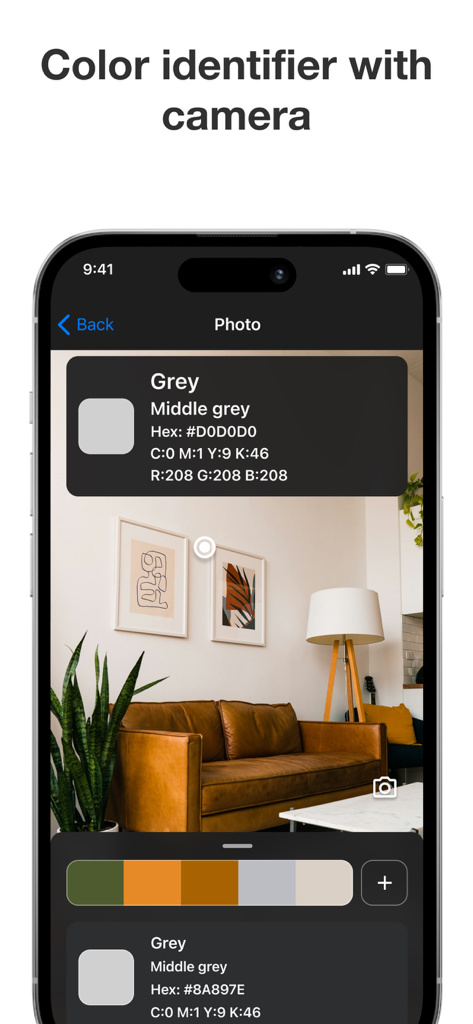
Color Identifier app interface identifying a middle grey color from a photo of a living room including HEX and RGB values
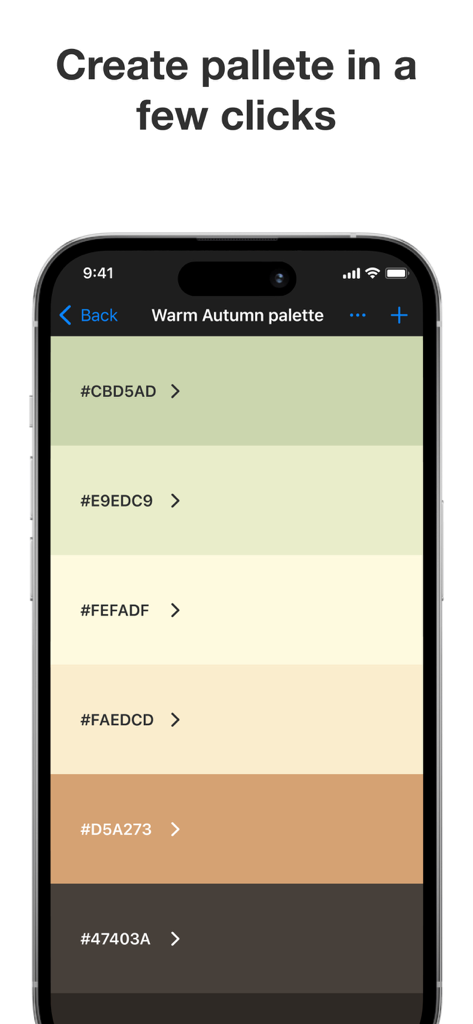
A mobile app interface displaying a warm autumn color palette with HEX codes
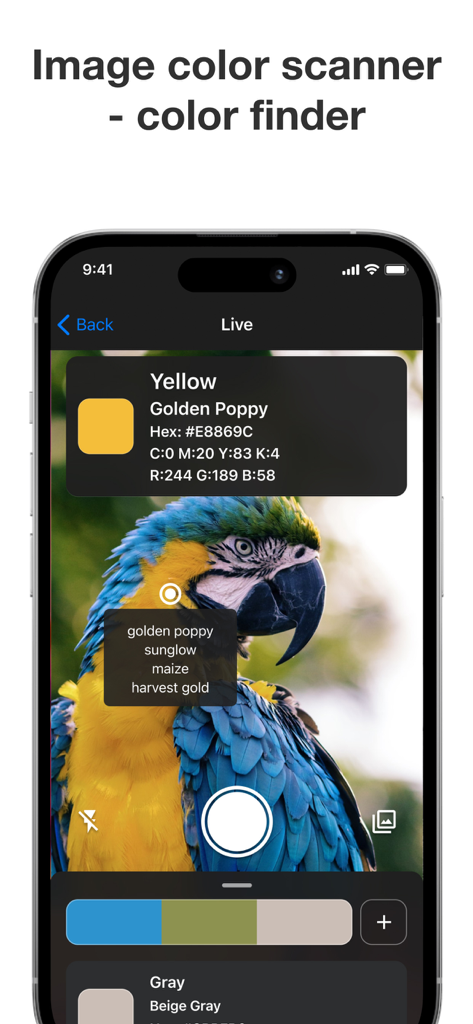
Color Identifier app interface identifying the Golden Poppy color from a parrot image with HEX and RGB codes.
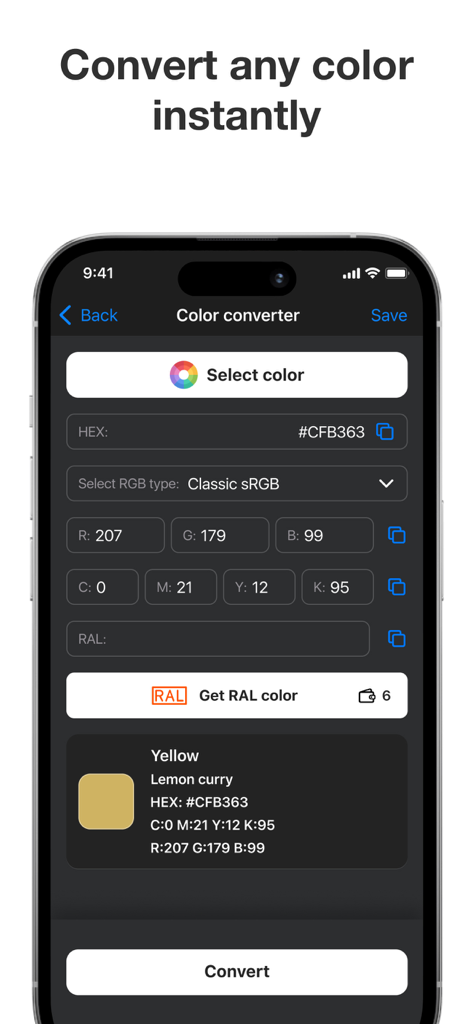
Color Identifier app screen displaying color conversion values for HEX RGB and CMYK
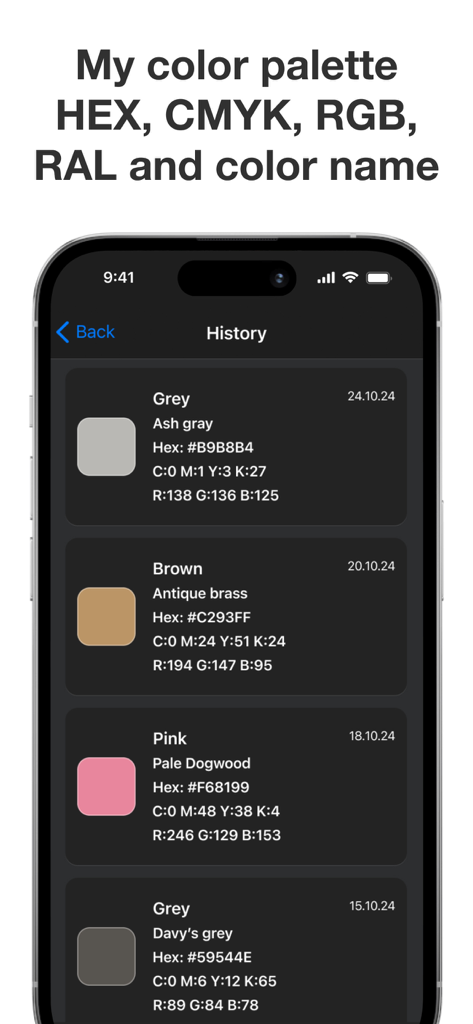
History screen of the Color Identifier app showing saved color palettes with HEX RGB and CMYK values
Description
Download
More Like This
Apps with similar features and user experience

Adobe Capture: Illustrator, Ps
Adobe Inc.

Coolors
Coolors srl

Color Collect - Palette Studio
WXColor Tech Co., Ltd.

Artist Brushes for Procreate
Outlane, Inc.

SherMatch+
Variable Technologies, LLC

Xeko
永卓 喻

Brushes for Procreate: Art Set
AppSLabs OU
Color Identifier: Paint Match
Mobile Card Games & Travel Apps LLC

AiGetImageColor-图片主色调分析
Truda Jeremiah
This page is not an official page of the app or its developer, but an independent editorial publication created for informational and commentary purposes. Unless expressly stated otherwise, neither the app nor its developer is affiliated with, endorsed by, sponsored by, authorized by, or otherwise officially connected with MWM, Apple, Google Play, the app publisher, or the app's developer, and nothing on this page implies that the app was developed using MWM's services. Any trademarks, logos, screenshots, and other content remain the property of their respective owners.