
This page is not an official page of the app or its developer, but an independent editorial publication created for informational and commentary purposes. Unless expressly stated otherwise, neither the app nor its developer is affiliated with, endorsed by, sponsored by, authorized by, or otherwise officially connected with MWM, Apple, Google Play, the app publisher, or the app's developer, and nothing on this page implies that the app was developed using MWM's services. Any trademarks, logos, screenshots, and other content remain the property of their respective owners.


CommBank
It grants users unprecedented financial control and peace of mind. Its ecosystem streamlines daily transactions, offering a robust shield against fraud.
Downloads
7.5M+User Rating
Total Ratings
342.2KPublisher
Category
FinanceLocales
1Latest Version
5.49.0.165578Size
519.2 MBFirst Released
Apr 16, 2009Evaluating key features for the financially active Australian individual and small business owner.
CommBank App: A Comprehensive Financial Ecosystem Analysis
Advanced Security & Fraud Prevention
This tool features CallerCheck for verifying calls, the ability to delete cards from digital wallets, and NameCheck to prevent billing scams and mistaken payments.
Real-time Banking & Payments
The app provides real-time capabilities to transfer money, pay bills, and check balances directly from a mobile device. It also facilitates fast payments via PayID, account number, or BPAY.
Smart Financial Planning (Money Plan)
It allows users to track spending, manage bills, and set savings goals through its integrated Money plan feature, promoting better financial control.
Comprehensive Card Management
This tool enables users to manage card settings, change PINs, report lost, stolen, or damaged cards, and temporarily lock cards for enhanced security and control.
Accessible 24/7 Support
The app offers round-the-clock support, providing instant assistance from the virtual assistant Ceba or connecting users with a specialist for personalized help.
Dedicated Business Profile
It allows small business owners to set up a separate business profile within the app, offering a clear and distinct view of their business's financial position.
CommBank Yello Rewards
The app provides access to exclusive benefits, cashbacks, and discounts through the CommBank Yello customer recognition program, adding value for loyal users.
In-App Travel Offers
This tool features integrated travel booking services provided by Hopper, with specific CommBank Yello customers receiving 10% back on flight and hotel bookings.
Frequently Asked Questions
Everything you need to know about CommBank
What can I do with the CommBank app?
The CommBank app allows you to transfer money, pay bills, check balances, and make fast payments. It also offers features for tracking spending, setting savings goals, and accessing security tools like CallerCheck.
How does CommBank Yello work in the CommBank app?
CommBank Yello is the CommBank app's customer recognition program. It provides eligible users with access to exclusive benefits, cashbacks, and discounts directly within the app.
Does the CommBank app offer security features like CallerCheck?
Yes, the CommBank app integrates security features such as CallerCheck to verify calls from CommBank. It also enables users to delete cards from digital wallets and utilize NameCheck to prevent payment issues.
How do I get customer support in the CommBank app?
The CommBank app offers 24/7 support. You can get instant help from the virtual assistant Ceba or connect with a specialist who will message you back directly through the app.
Can I book travel, flights, and hotels using the CommBank app?
Yes, the CommBank app provides Travel Booking, powered by Hopper. Eligible CommBank Yello Homeowner and Everyday Plus customers receive 10% back in travel credits on flight and hotel bookings.
How do I manage my CommBank cards in the app?
The CommBank app allows comprehensive card management. Users can adjust card settings, manage their PIN, report lost, stolen, or damaged cards, and temporarily lock their cards.
Is it possible to manage business and personal accounts separately in the CommBank app?
Yes, the CommBank app allows users to set up a dedicated business profile. This feature provides a clear, separate view of your business and personal financial positions.
What is the Money plan feature in the CommBank app?
Money plan in the CommBank app is a tool for smarter banking. It enables users to track spending, effectively manage bills, and set specific savings goals to help achieve financial objectives.
Is there a cost to download the CommBank app?
No, the CommBank app is free to download. However, charges from your mobile network provider for accessing data on your phone apply independently.
What are the system requirements for the CommBank app?
For optimal performance, the CommBank app requires your phone's language setting to be English. Additionally, the device's region setting must be configured to Australia.
Can I invest in shares and ETFs with the CommBank app?
Yes, the CommBank app includes an "Investing hub" feature. This allows users to manage their portfolio, explore investment options, and invest in shares and ETFs.
How do I view all my accounts and their balances in the CommBank app?
The CommBank app provides a centralized "Accounts" section. Here, you can view all your accounts, such as Smart Access and Travel Fund, with their respective available balances and total financial positions.
The following screenshots and description are sourced directly from the app's official store listing and are the property of the app developer.
App Store
Screenshots
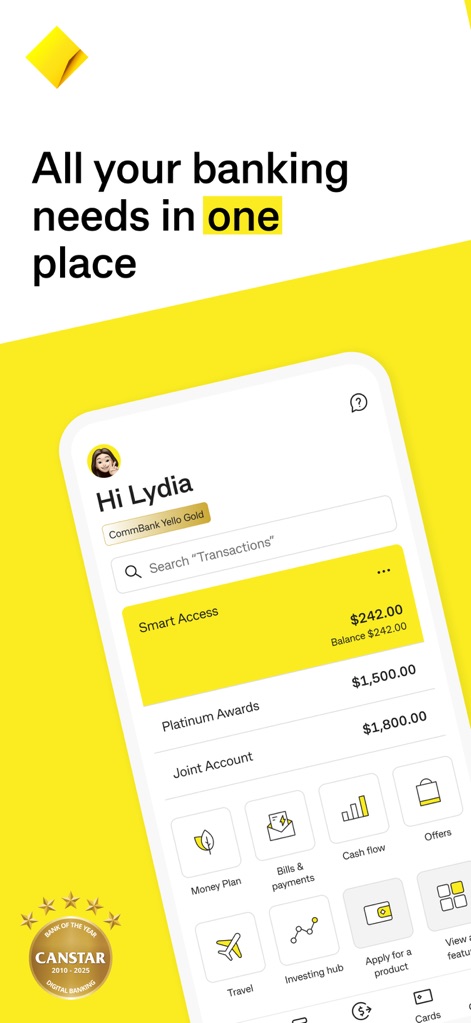
The app presents a personalized dashboard, clearly displaying current account balances and quick access to essential features like Money Plan and Offers.
Unified Financial View
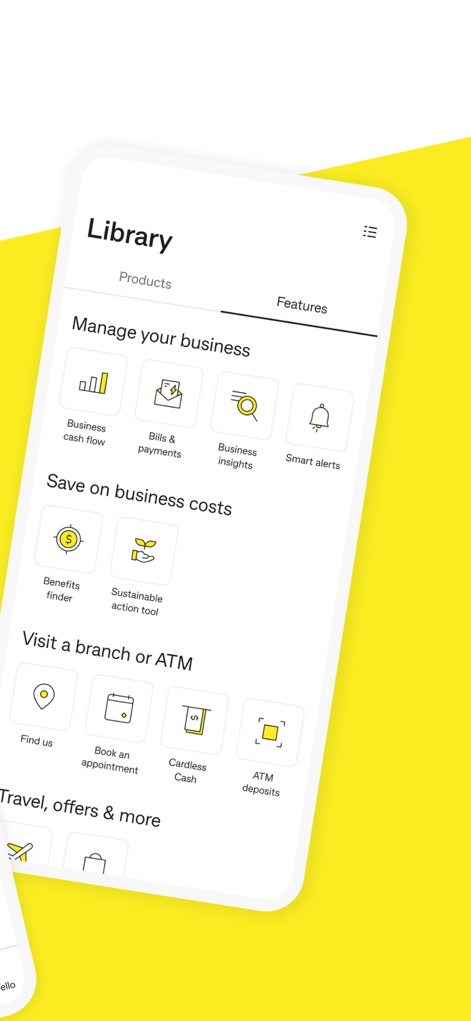
Discover the extensive functionality of this tool, including dedicated sections for managing business cash flow and accessing smart alerts, alongside options to save on business costs.
Comprehensive Features Hub
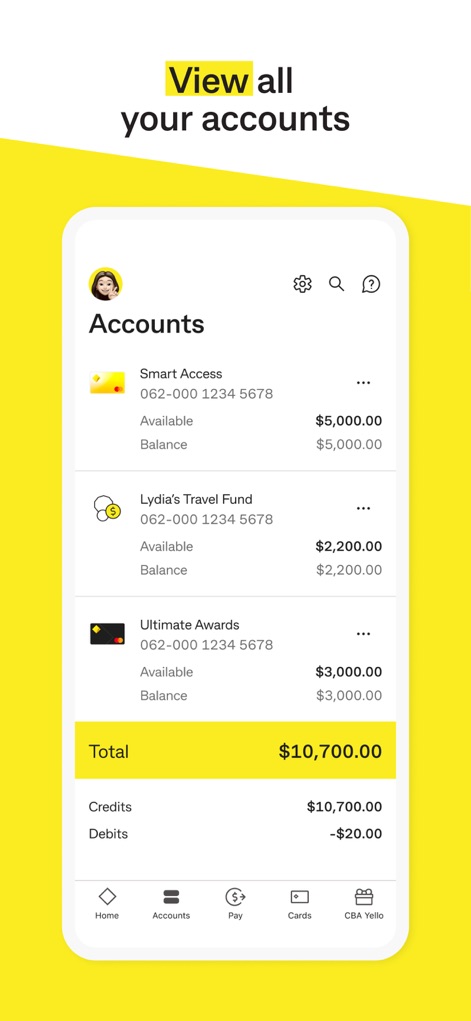
Users can effortlessly view all their linked accounts, with a clear display of individual account balances and a consolidated total balance for comprehensive financial insight.
Total Account Overview
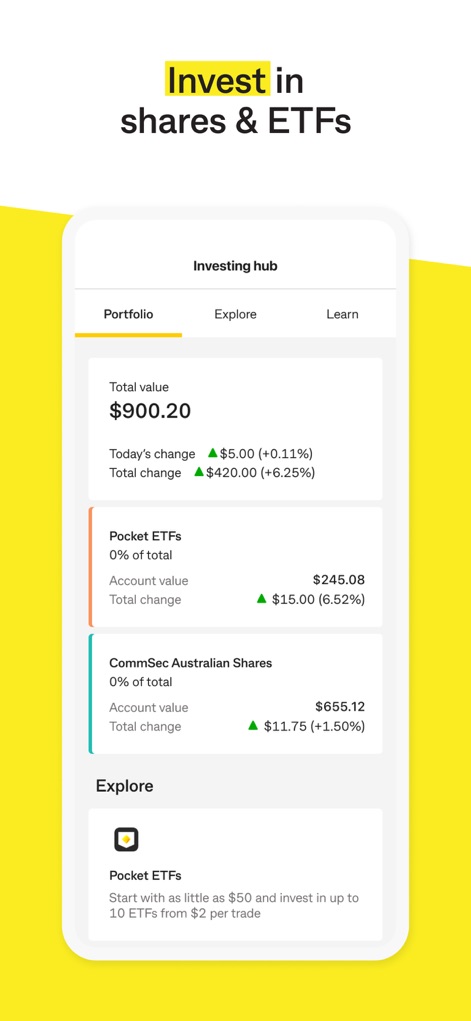
This platform offers a dedicated investing hub, allowing users to track their total portfolio value and explore various investment options like Pocket ETFs and CommSec Australian Shares.
Empowering Investment Tools

Explore CommBank Yello, where users can discover featured offers like travel credit cashbacks and see their personalized rewards tier, enhancing their banking experience.
Exclusive Rewards Program
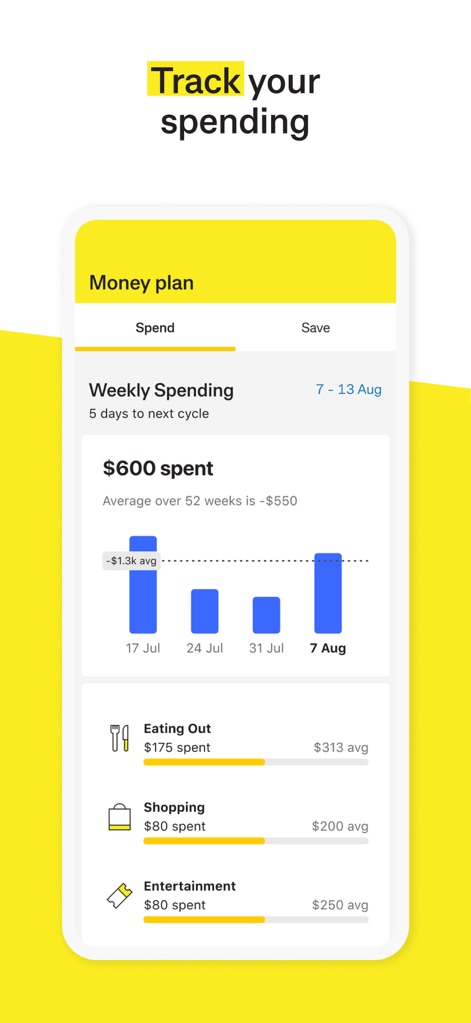
The Money plan feature provides users with detailed weekly spending insights through a visual bar chart and categorized breakdowns for areas like Eating Out and Shopping.
Insightful Spending Analysis
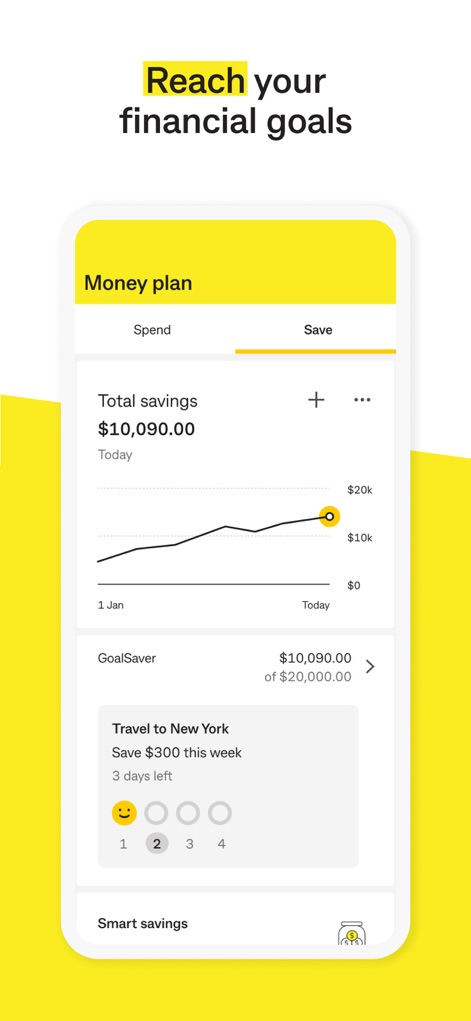
Users can actively manage their savings goals within the Money plan, tracking total savings progress with an intuitive graph and monitoring specific GoalSaver targets like "Travel to New York".
Strategic Savings Goals
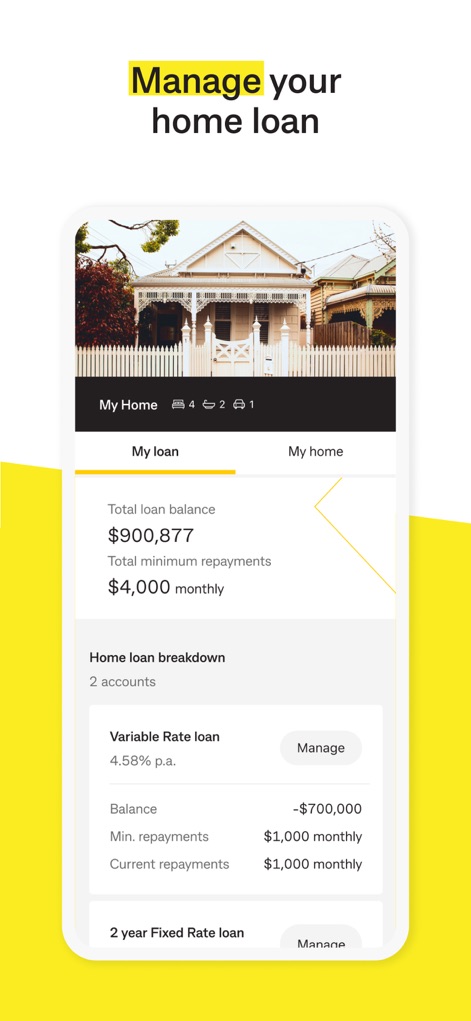
The app provides a dedicated section for managing home loans, offering a clear display of the total loan balance and a detailed breakdown of variable and fixed rate loan components.
Seamless Loan Management
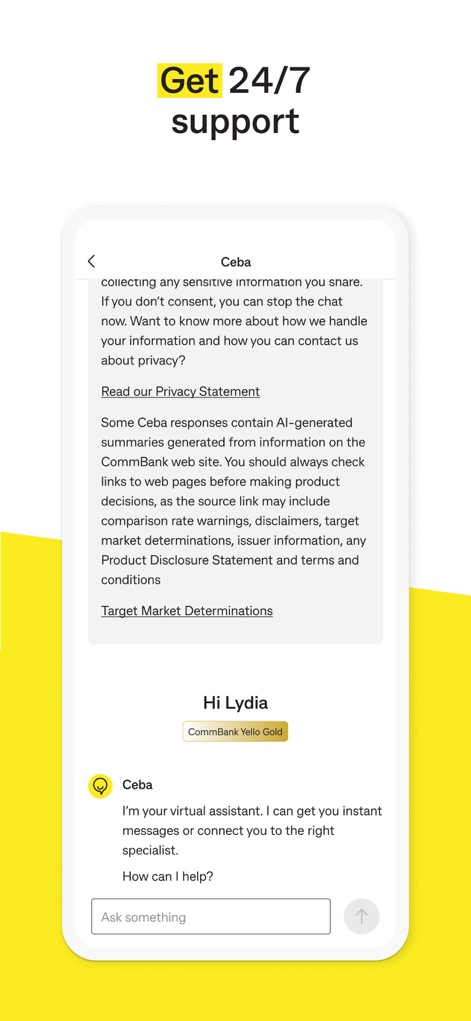
Access 24/7 support through the in-app virtual assistant, Ceba, allowing users to ask questions or connect with a specialist for immediate assistance.
Instant Expert Support
Description
Download
More Like This
Apps with similar features and user experience

PayPal - Pay, Send, Save
PayPal, Inc.

中国农业银行
AGRICULTURAL BANK OF CHINA LIMITED

Mercado Pago: cuenta digital
MercadoLibre S.A.

中国工商银行
Industrial and Commercial Bank of China

Revolut: Send, spend and save
Revolut Ltd

HDFC Bank App (Early Access)
HDFC Bank Ltd

Zalopay - Quét Mọi QR
ZION JOINT STOCK COMPANY

Cash App
Block, Inc.

招商银行
CHINA MERCHANTS BANK CO.,LTD.
This page is not an official page of the app or its developer, but an independent editorial publication created for informational and commentary purposes. Unless expressly stated otherwise, neither the app nor its developer is affiliated with, endorsed by, sponsored by, authorized by, or otherwise officially connected with MWM, Apple, Google Play, the app publisher, or the app's developer, and nothing on this page implies that the app was developed using MWM's services. Any trademarks, logos, screenshots, and other content remain the property of their respective owners.