Controller for HomeKit

Controller for HomeKit

Download on App Store
Logo of Controller for HomeKit

Controller for HomeKit: Advanced Power Tools for Your Apple Home

Go beyond the basics with complex automations, LiDAR floor plans, and total system maintenance. Designed for the smart home enthusiast who demands more.

Publisher

acasa Software GmbH

Category

Lifestyle

Downloads

390K+

User Rating

4.1/5

Total Ratings

4K+

Locales

5

Command Your Space

Discover the interface used by 390K+ users.
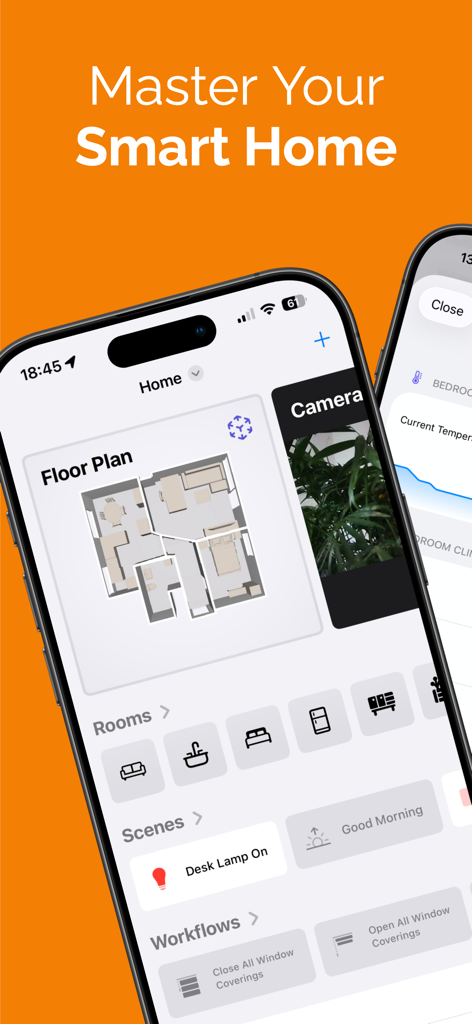
Interface of the Controller for HomeKit app showing a digital floor plan and various smart home control widgets

Interface of the Controller for HomeKit app showing a digital floor plan and various smart home control widgets

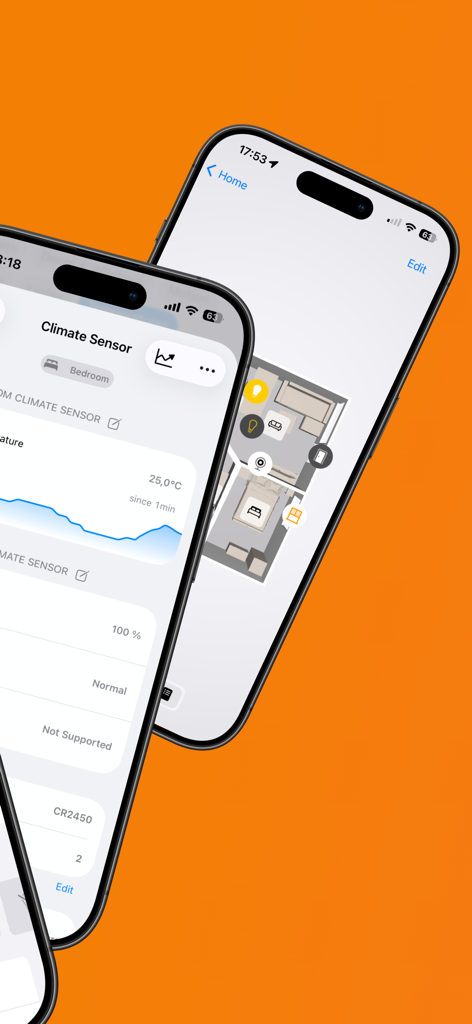
Two iPhones displaying the Controller for HomeKit app featuring a 2D floor plan and climate sensor data with charts.

Two iPhones displaying the Controller for HomeKit app featuring a 2D floor plan and climate sensor data with charts.

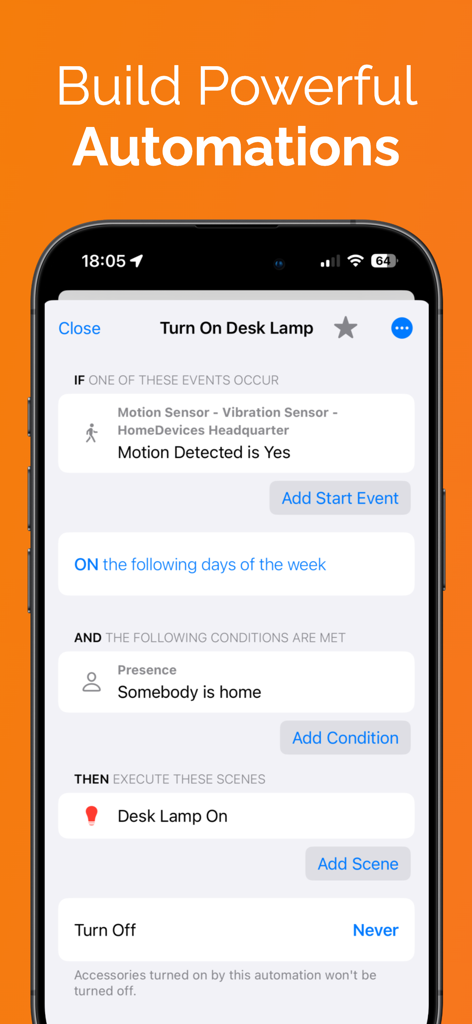
A smartphone screen displaying the Controller for HomeKit app's automation builder showing a conditional rule to turn on a desk lamp when motion is detected and someone is home.

A smartphone screen displaying the Controller for HomeKit app's automation builder showing a conditional rule to turn on a desk lamp when motion is detected and someone is home.

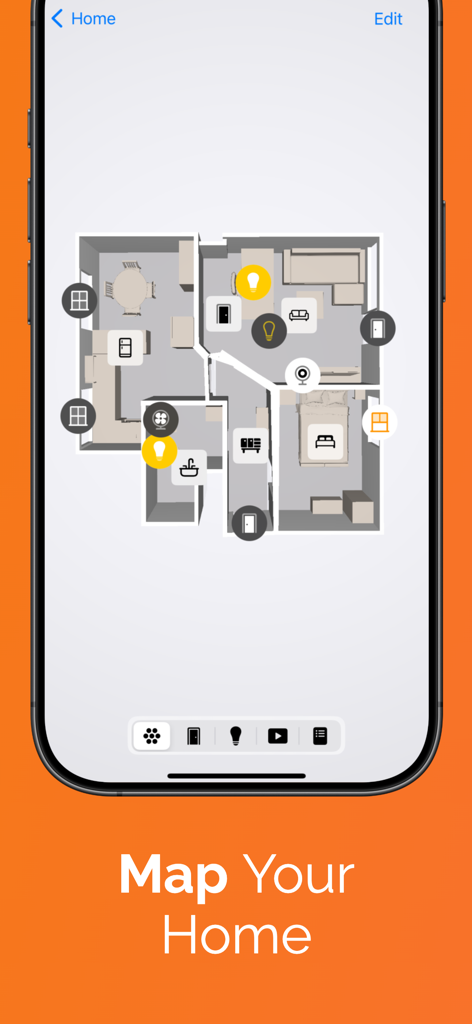
Digital 3D floor plan in the Controller for HomeKit app showing smart device icons mapped across different rooms

Digital 3D floor plan in the Controller for HomeKit app showing smart device icons mapped across different rooms

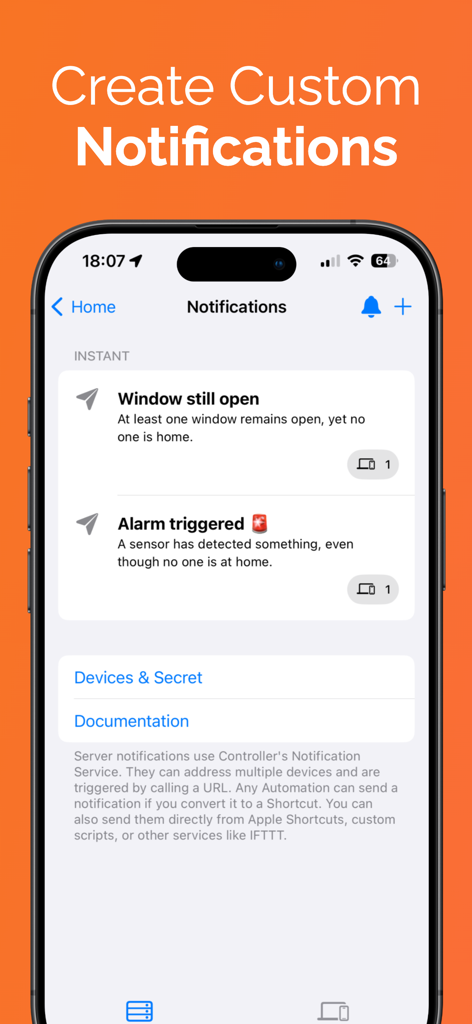
Interface of Controller for HomeKit showing custom smart home notifications for window status and alarm triggers

Interface of Controller for HomeKit showing custom smart home notifications for window status and alarm triggers

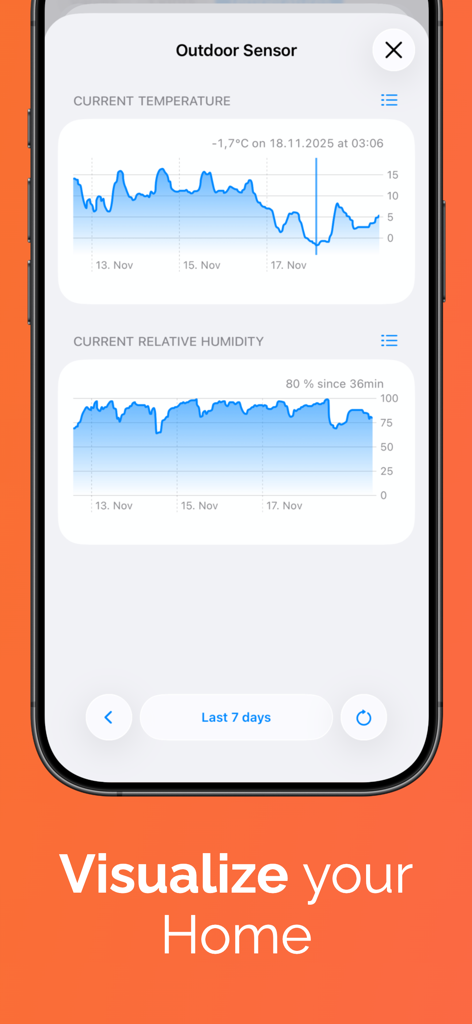
Mobile app interface showing detailed line charts for outdoor sensor temperature and humidity tracking.

Mobile app interface showing detailed line charts for outdoor sensor temperature and humidity tracking.

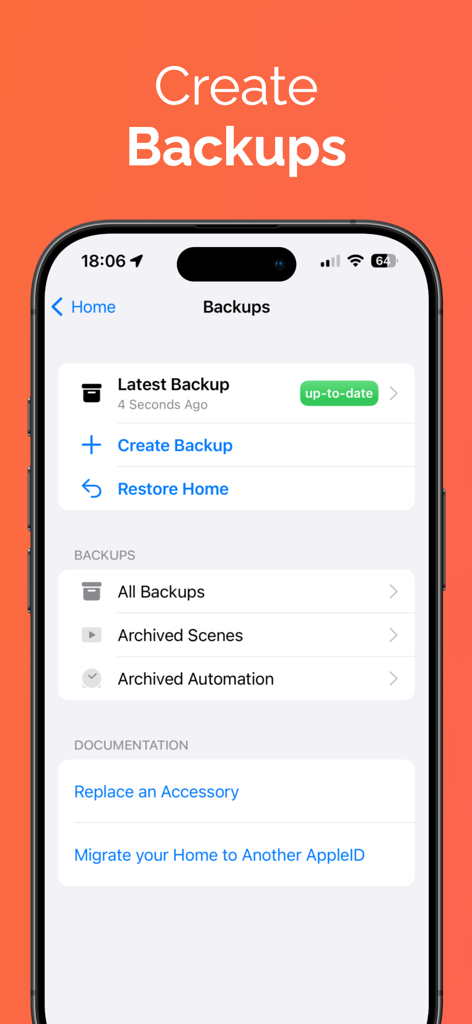
Backup and restore management screen in the Controller for HomeKit app.

Backup and restore management screen in the Controller for HomeKit app.

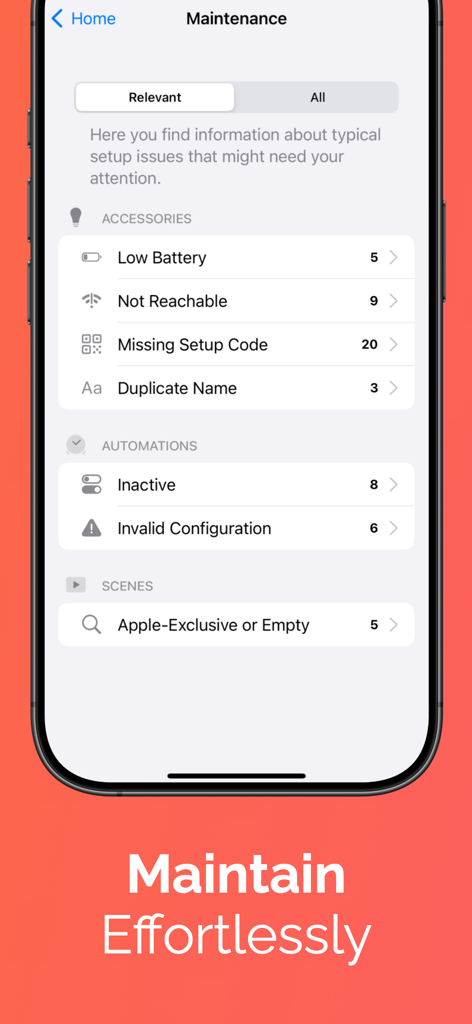
Maintenance dashboard in Controller for HomeKit app showing smart home device health and automation status

Maintenance dashboard in Controller for HomeKit app showing smart home device health and automation status

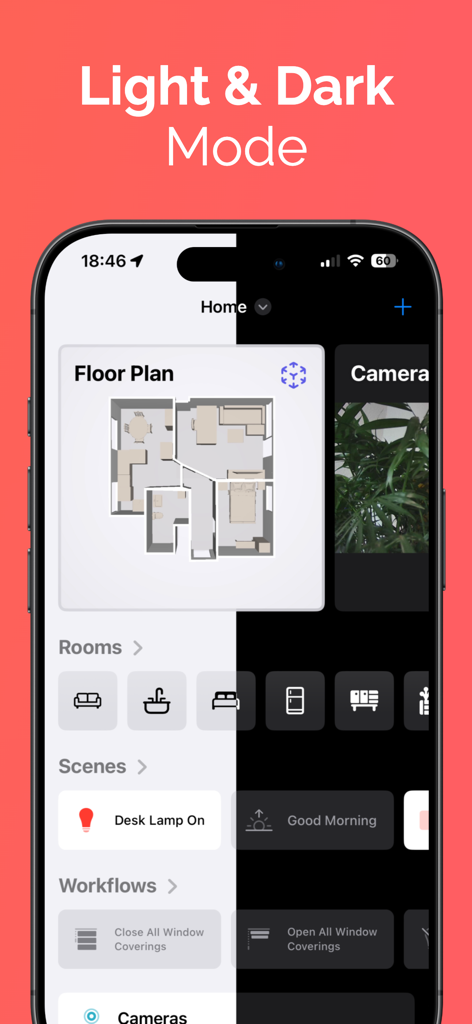
Split screen demonstration of the Controller for HomeKit app interface in both Light and Dark modes

Split screen demonstration of the Controller for HomeKit app interface in both Light and Dark modes

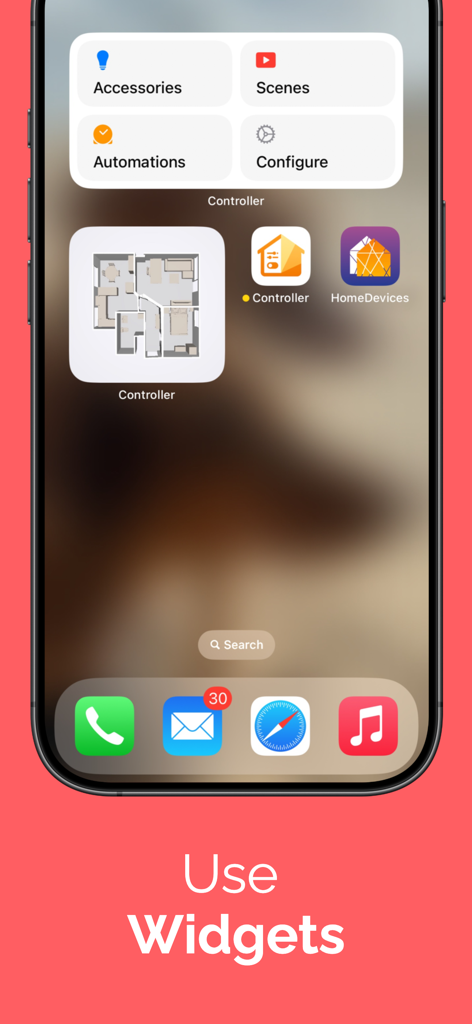
iPhone home screen featuring Controller for HomeKit widgets for smart home management and floor plan navigation

iPhone home screen featuring Controller for HomeKit widgets for smart home management and floor plan navigation

Professional Tools for HomeKit Power Users

The tools that make this app stand out, trusted by 390K+ users.

⚙️

Advanced Automation Logic

Break free from standard limitations with multi-conditional triggers and complex workflows tailored to your specific lifestyle.

🛠️

Smart Home Maintenance & Logs

Keep your home running smoothly. Monitor device health, track battery levels, and view activity logs to troubleshoot issues instantly.

🗺️

Interactive LiDAR Floor Plans

Map your home in seconds using your iPhone's LiDAR sensor to create a visual control center for all your accessories.

Review Analysis

Insights from user reviews.

Sentiment Score

5%
Negative

Summary

The general feedback for the app is overwhelmingly negative, primarily due to a significant change in its monetization model introduced with Version 8. Users who previously purchased an expensive "lifetime" license feel misled and betrayed, as core functionalities like "Hub Mode" and the ability to create/modify automations have been moved behind new, costly subscription paywalls. Many describe this as a "bait and switch" tactic, leading to widespread frustration and a severe lack of trust in the developer, with some users now actively seeking alternatives like Home Assistant. While some users initially praised the app's HomeKit integration and workflow capabilities, the recent pricing adjustments have largely overshadowed any positive aspects.

Common Themes

Subscription Model(39)
Lifetime License Policy(36)
Trust in Developer(30)
Hub Mode(10)
Automations & Workflows(8)
Core App Functionality(4)

About the app

Everything you need to know about Controller for HomeKit.

Description

Experience and control your Apple Home in a whole new way with Controller for HomeKit. Our app combines all the familiar HomeKit features with numerous additional enhancements, offering you a user-friendly interface, unparalleled control, and flexibility. * FLOOR PLAN: Create a detailed floor plan of your home using the LiDAR sensor on your iPhone or iPad and control your HomeKit accessories directly through the floor plan. * CHARTS: See how your Apple Home evolves over time. Charts in Controller for HomeKit show how values like temperature, humidity or battery usage change – across all your devices and brands. * COMPLEX AUTOMATIONS: Utilize advanced triggers and conditions for custom automations that are perfectly tailored to your needs. * WORKFLOWS: Optimize your daily routines with workflows that go beyond the capabilities of Apple Home. * NOTIFICATIONS: Create custom notifications to stay informed about important events in your home. * BACKUPS: Secure your setup and restore it easily when needed. * SMART FOLDERS: Organize your devices and automations effortlessly with smart folders and custom filters. * SETUP CODES: Securely store your HomeKit and Matter codes in the app, so they are always at hand and never lost. * MAINTENANCE: Keep track of your setup, quickly identifying which batteries need to be replaced, which devices are unreachable, or which automations are broken. * LOGS: Monitor all activities and changes in your smart home. * WIDGETS: Control your devices faster and easier with convenient widgets or quickly jump into your floor plan. Unlock the full potential of your smart home with Controller for HomeKit. Download the app now and experience how simple and intuitive home automation can be. For more information, visit our website: https://www.controllerforhomekit.com Privacy Policy: https://controllerforhomekit.com/privacy-en/ Terms of Use: https://www.apple.com/legal/internet-services/itunes/dev/stdeula/

Latest Version

8.1.2

Size

199.7 MB

First Released

Feb 16, 2017

Elevate Your Apple Home to Pro Status

Stop settling for basic controls. Join 390,000+ power users and master your smart home with advanced automations, LiDAR mapping, and secure backups.

Download on App Store

App information, icons, screenshots, and descriptions displayed on this page are sourced from the Apple App Store and are the property of their respective developers. Download estimates and rankings are based on MWM's proprietary models and may not reflect actual figures. This page is provided for informational and analytical purposes only.

Believe this page infringes your intellectual property? File a dispute