
This page is not an official page of the app or its developer, but an independent editorial publication created for informational and commentary purposes. Unless expressly stated otherwise, neither the app nor its developer is affiliated with, endorsed by, sponsored by, authorized by, or otherwise officially connected with MWM, Apple, Google Play, the app publisher, or the app's developer, and nothing on this page implies that the app was developed using MWM's services. Any trademarks, logos, screenshots, and other content remain the property of their respective owners.


Cookup: Recipes & Tips
Stop the decision fatigue. Transform any URL, photo, or 'what’s in my fridge' thought into simple, step-by-step instructions designed for your real life, not just your social media feed.
Downloads
100User Rating
Total Ratings
0Publisher
Category
Food & DrinkLocales
4Latest Version
2.6Size
69.4 MBFirst Released
Dec 5, 2025Master Your Kitchen Without the Stress
From conquering decision fatigue to organizing your chaotic recipe collection, Cookup turns your cooking goals into realistic, delicious results.
Your Personal AI Sous-Chef
Stop asking 'what’s for dinner?' Get instant meal ideas and easy dietary swaps tailored exactly to what you have and how you live.
Import From Anywhere
Turn messy TikTok links, web URLs, or photos of your grandma’s handwritten notes into clean, structured, and searchable recipes.
Frequently Asked Questions
Everything you need to know about Cookup: Recipes & Tips
How does Cookup help users find new recipes?
Cookup helps users find recipes by providing a dynamic cookbook tailored to their tastes. It analyzes web content to create full recipes with detailed ingredients, step-by-step instructions, timings, and helpful tips.
Can users import existing recipes into the Cookup app?
Yes, users can import existing recipes into Cookup. The app allows importing from URLs, PDFs, or saved recipe files. Users can also scan recipes from physical documents like cookbooks using their device's camera.
What are the capabilities of Cookup's AI cooking assistant?
Cookup's AI cooking assistant provides menu ideas, step-by-step techniques, and recipe variations, including gluten-free or dairy-free options. It answers in the user's language with simple, friendly explanations, without assuming professional skills.
How does Cookup organize and save favorite recipes?
Cookup organizes favorite recipes using collections and smart tags. Users can save recipes, and the app suggests thematic collections like "Quick weeknight dinners" or "Comfort food Sundays" based on their saved preferences.
Does Cookup provide detailed cooking instructions?
Yes, Cookup provides detailed cooking instructions. Each recipe includes preparation time, cooking time, total time, specific ingredients, and clear step-by-step guidance. It also lists the number of servings.
Where can users find the Cookup app's Privacy Policy?
Users can find the Cookup app's Privacy Policy linked directly in the app's store description. This policy outlines how user data is handled by the application.
Is Cookup suitable for beginners in cooking?
Yes, Cookup is suitable for beginners in cooking. The app focuses on realistic timings and provides detailed instructions that are easy to follow, ensuring users can cook meals successfully without feeling overwhelmed.
The following screenshots and description are sourced directly from the app's official store listing and are the property of the app developer.
App Store
Screenshots
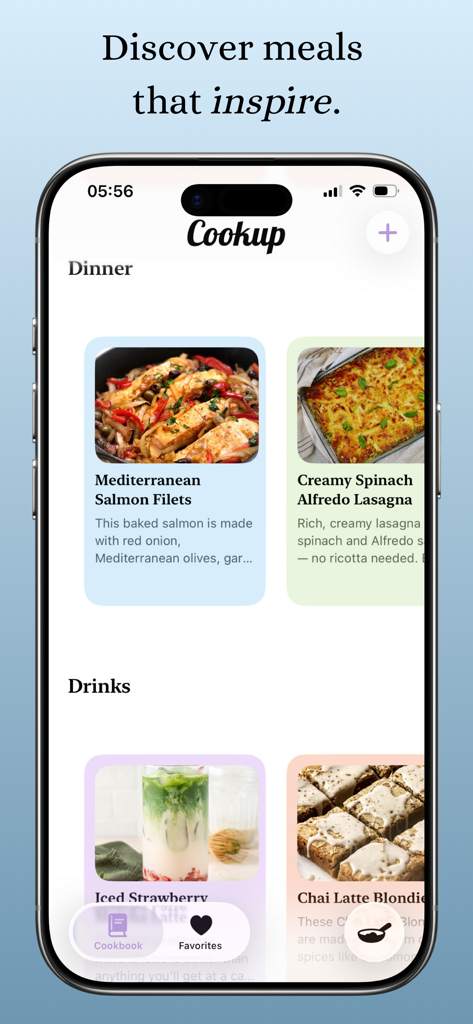
Cookup app interface showing dinner and drinks recipe cards including salmon and lasagna
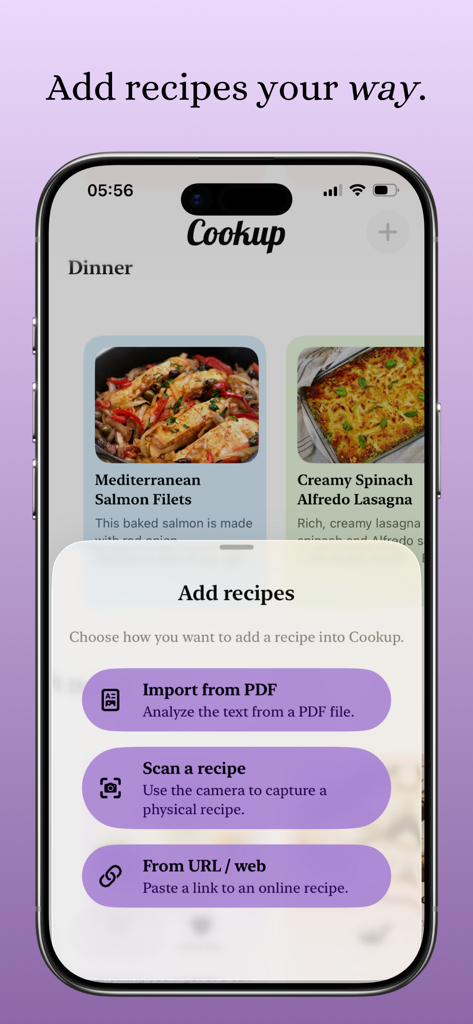
Cookup app interface showing a menu to add recipes via PDF import camera scan or web URL link
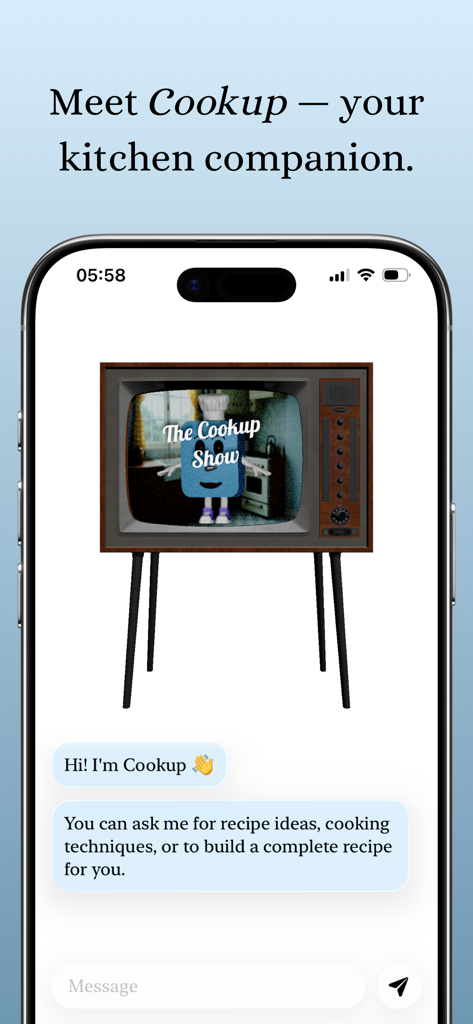
iPhone screen displaying the Cookup AI cooking assistant chat interface with a retro TV character
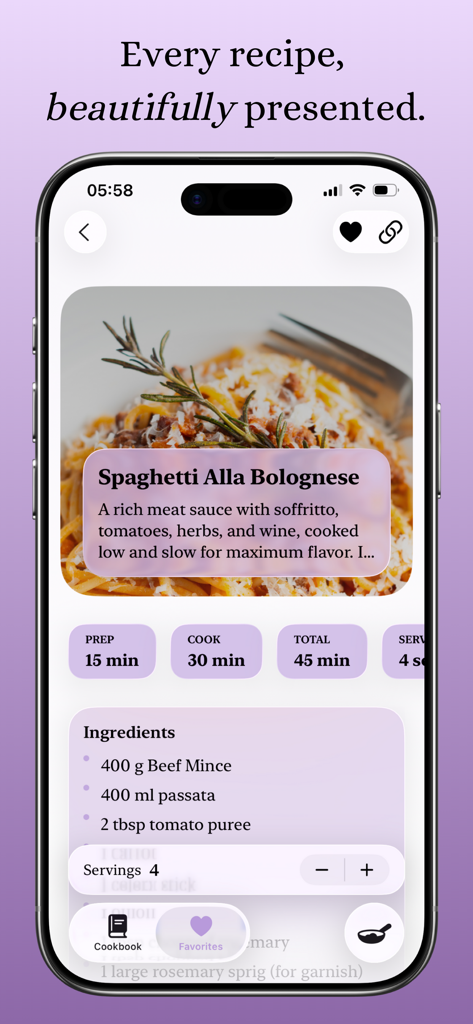
Smartphone screen showing the Cookup app displaying a detailed spaghetti bolognese recipe with prep time and ingredients
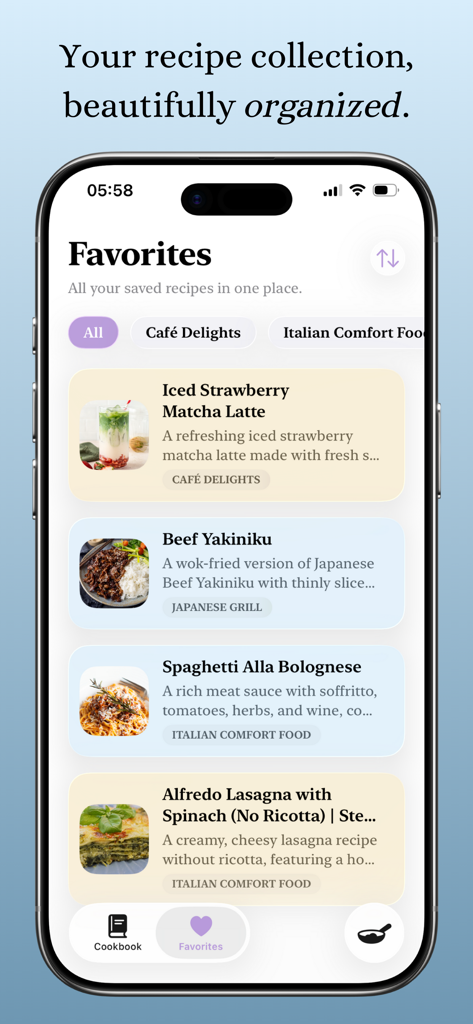
Cookup app interface showing organized favorite recipes and meal collections
Description
Download
More Like This
Top-ranked apps in the same category
DoorDash: Food, Grocery, More
DoorDash, Inc.

盒马 - 鲜美生活
Shanghai Heli Network Technical Service Co., Ltd.

Uber Eats: Food & Groceries
Uber Technologies, Inc.

Too Good To Go: End Food Waste
Too Good To Go ApS

Keeta - Food Delivery
Kangaroo Limited

麦当劳McDonald's - 到店取餐 麦咖啡 麦乐送
McDonald's (China) Co., Ltd.

McDonald’s
McDonald's Global Markets LLC

McDonald's
McDonalds USA LLC

美团外卖-外卖订餐,送啥都快
Sankuai Technology Co., Ltd.
This page is not an official page of the app or its developer, but an independent editorial publication created for informational and commentary purposes. Unless expressly stated otherwise, neither the app nor its developer is affiliated with, endorsed by, sponsored by, authorized by, or otherwise officially connected with MWM, Apple, Google Play, the app publisher, or the app's developer, and nothing on this page implies that the app was developed using MWM's services. Any trademarks, logos, screenshots, and other content remain the property of their respective owners.