
This page is not an official page of the app or its developer, but an independent editorial publication created for informational and commentary purposes. Unless expressly stated otherwise, neither the app nor its developer is affiliated with, endorsed by, sponsored by, authorized by, or otherwise officially connected with MWM, Apple, Google Play, the app publisher, or the app's developer, and nothing on this page implies that the app was developed using MWM's services. Any trademarks, logos, screenshots, and other content remain the property of their respective owners.


CQG
No longer tethered. This app puts global exchange command in your pocket, turning any location into a trading desk.
Downloads
25k+User Rating
Total Ratings
34Publisher
Category
FinanceLocales
5Latest Version
1.21.1.2Size
40.3 MBFirst Released
Mar 15, 2018An Analytical Overview of CQG's Core Capabilities for Professional Traders
Key Features of CQG
Direct Trading on Global Exchanges
It allows users to execute trades directly on a wide array of international exchanges, including major venues like CME, ICE, and Eurex, facilitating global market access.
Real-time Market Data Access
The app provides immediate access to live market data, ensuring traders have up-to-the-second information for informed decision-making.
Advanced Charting Tools
This tool features comprehensive charting capabilities, enabling in-depth technical analysis for identifying trends and patterns across various instruments.
High Performance and Reliability
The app offers a high-performance environment underpinned by robust infrastructure, ensuring quick execution and consistent service availability crucial for demanding trading activities.
Extensive Exchange Connectivity
It supports connectivity to numerous global exchanges, such as CME, ICE, Eurex, and NASDAQ, broadening the scope of available trading instruments for users.
Global Data Coverage
The app ensures comprehensive global data coverage, offering a wide spectrum of financial information necessary for international market analysis.
Mobile Accessibility for Trading
It allows users to view markets, access charts, and trade from their smartphones anywhere, anytime, providing flexibility and continuous market engagement.
Robust Cloud Infrastructure
The app leverages a robust cloud infrastructure, guaranteeing data quality, reliability, and scalability for professional trading operations.
The following screenshots and description are sourced directly from the app's official store listing and are the property of the app developer.
App Store
Screenshots

Explore the comprehensive market overview displaying instruments like EPM21 and CLEN21, alongside real-time price changes and profit/loss indicators.
Real-time Market Overview

Witness the rapid "HOT" order entry interface, allowing users to place trades instantly via the ladder-style order book and dedicated BUY/SELL market buttons.
Dynamic Order Entry
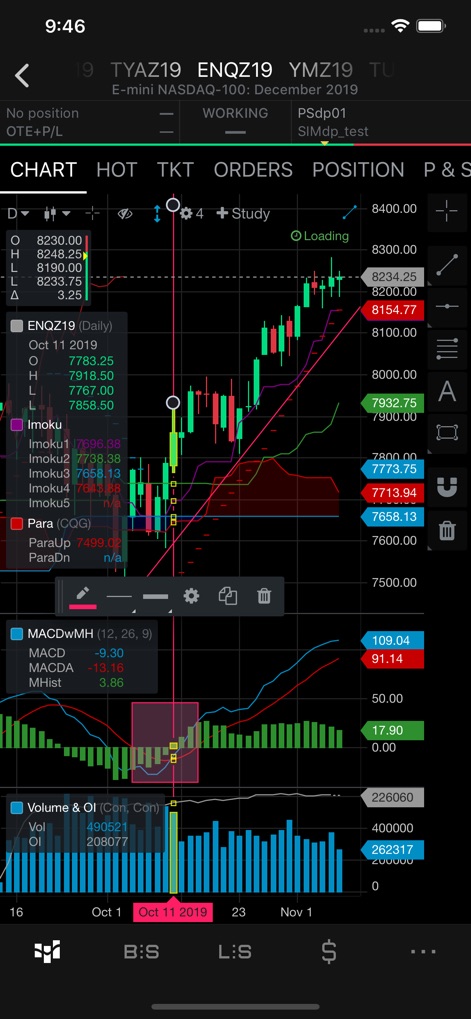
Dive into the advanced charting capabilities, featuring detailed candlestick patterns and a suite of technical indicators like MACD and Ichimoku for in-depth analysis.
Advanced Charting Tools

Review the comprehensive order confirmation screen, enabling users to define precise target profit and stop loss levels with flexible trailing options.
Precise Order Management

Examine the detailed "ORDERS" tab, presenting a clear overview of working and filled orders, along with various order types like Limit (LMT) and Stop (STP).
Comprehensive Order Book
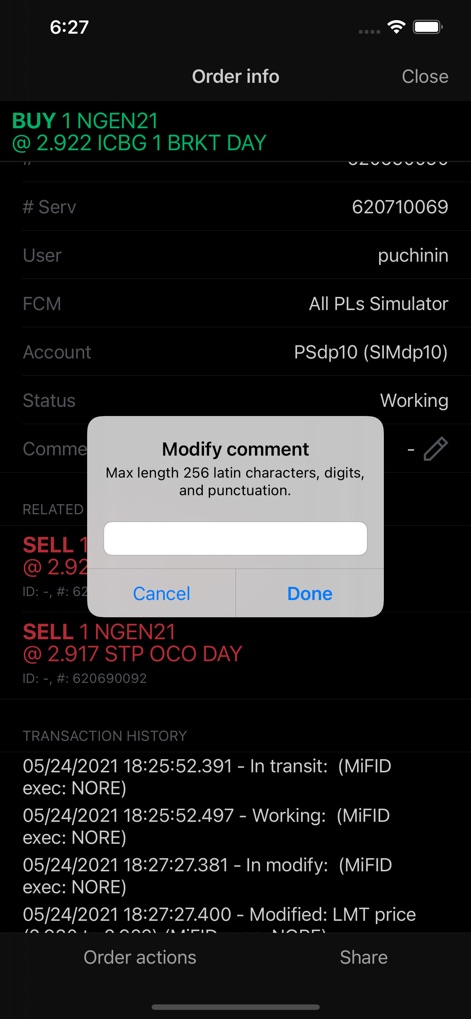
Access complete order information, including transaction history and the ability to modify comments via the dedicated dialog box for precise record-keeping.
In-depth Order Review
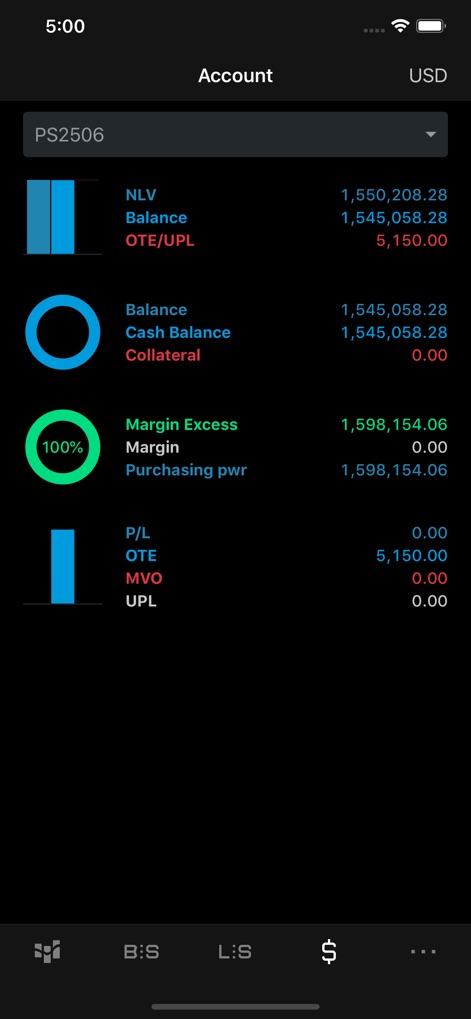
Gain insights into the app's holistic account summary, showcasing key metrics such as Net Liquidation Value (NLV) and Margin Excess for effective capital management.
Holistic Account View
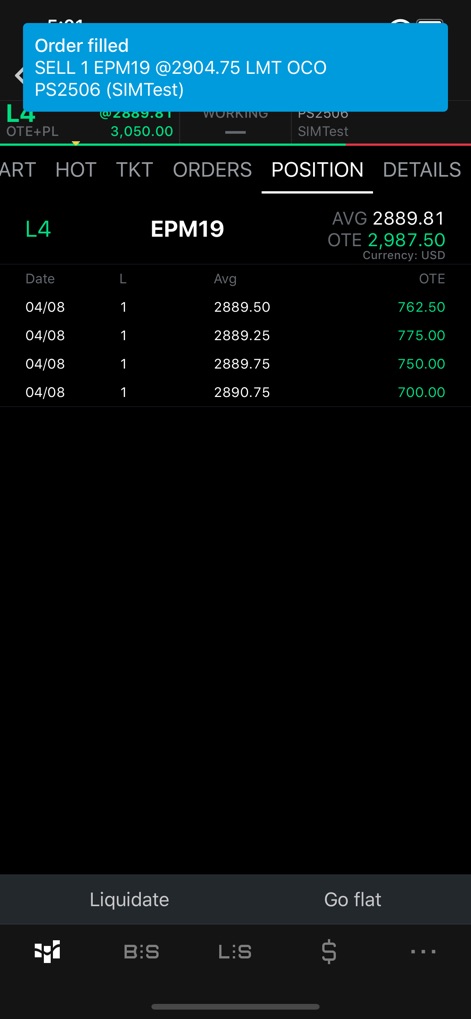
Monitor active trading positions under the "POSITION" tab, displaying detailed entries like L4 EPM19 and real-time Open Trade Equity (OTE) values.
Active Positions Overview

Analyze individual trade profitability within the "P&S" tab, offering a clear table of trade history and specific P/L figures for each transaction.
Detailed Profitability Analysis
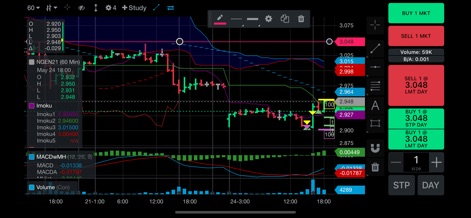
Experience interactive chart trading, combining detailed technical charts with an integrated volume indicator and direct buy/sell order placement buttons.
Interactive Chart Trading
Description
Download
More Like This
Top-ranked apps in the same category

电子税务局
State Administration of Taxation

UnionPay APP
China Unionpay Co.,Ltd.

养基宝 - 年轻人的养基神器
Shenzhen Xiaoduotou Information Technology Co.,Ltd.

PayPal - Pay, Send, Save
PayPal, Inc.

中国农业银行
AGRICULTURAL BANK OF CHINA LIMITED

Mercado Pago: cuenta digital
MercadoLibre S.A.

Kalshi: Trade on the Big Game
KALSHI INC.

中国工商银行
Industrial and Commercial Bank of China

个人所得税
State Administration of Taxation
This page is not an official page of the app or its developer, but an independent editorial publication created for informational and commentary purposes. Unless expressly stated otherwise, neither the app nor its developer is affiliated with, endorsed by, sponsored by, authorized by, or otherwise officially connected with MWM, Apple, Google Play, the app publisher, or the app's developer, and nothing on this page implies that the app was developed using MWM's services. Any trademarks, logos, screenshots, and other content remain the property of their respective owners.