
This page is not an official page of the app or its developer, but an independent editorial publication created for informational and commentary purposes. Unless expressly stated otherwise, neither the app nor its developer is affiliated with, endorsed by, sponsored by, authorized by, or otherwise officially connected with MWM, Apple, Google Play, the app publisher, or the app's developer, and nothing on this page implies that the app was developed using MWM's services. Any trademarks, logos, screenshots, and other content remain the property of their respective owners.


Custom Crosshair
Design pro-level reticles, import community codes, and gain the ultimate edge in your favorite FPS and Battle Royale games. Join over 50,000 players optimizing their aim today.
Downloads
56K+User Rating
Total Ratings
700Publisher
Category
EntertainmentLocales
1Latest Version
1.7Size
27.3 MBFirst Released
Mar 30, 2025Dominate the Leaderboards
The ultimate performance toolkit to design, share, and discover the elite crosshairs used by top-tier FPS pros.
Pixel-Perfect Customization
Stop losing targets in the heat of battle. Fine-tune every pixel, color, and gap to create a high-contrast reticle that never blends into the background.
Instant Code Sharing
Skip the tedious setup. Import elite configurations or export your signature designs with a single tap using universal crosshair codes.
Frequently Asked Questions
Everything you need to know about Custom Crosshair
What is Custom Crosshair?
Custom Crosshair is an app for creating, customizing, and sharing professional-quality crosshairs. It enhances aiming precision in FPS and Battle Royale games, designed by players for players.
How do I create a custom crosshair using the Custom Crosshair app?
The Custom Crosshair app features an intuitive editor for designing custom reticles. Users control various aspects of their aiming experience directly within the app to create personalized crosshairs.
Can I share my custom crosshairs with other players using the Custom Crosshair app?
Yes, the Custom Crosshair app allows users to instantly share their custom crosshairs with friends or the competitive gaming community directly. The app facilitates sharing creations.
Does Custom Crosshair support both dark and light display modes?
Yes, the Custom Crosshair app supports both dark and light modes. This feature ensures comfortable viewing for users, adaptable to different preferences and environments.
How can I save my favorite crosshair designs in Custom Crosshair?
Custom Crosshair allows users to save an unlimited number of favorite crosshair designs. This provides quick access to preferred reticles for various games and scenarios.
Can I import and export crosshair codes with the Custom Crosshair app?
Yes, Custom Crosshair enables users to copy, import, and export crosshair codes with a single tap. This facilitates easy transfer and sharing of custom designs.
What premium features are available in Custom Crosshair?
Premium features in Custom Crosshair include the removal of all advertisements and a premium user badge displayed on your profile. These features require an in-app purchase.
Does Custom Crosshair help optimize aim for different weapons?
Yes, Custom Crosshair helps users optimize their aim for various weapons and game scenarios. This customization enhances gaming performance for better precision and accuracy.
Can I create a personal gamer profile within the Custom Crosshair app?
Yes, users can create a personal gamer profile within the Custom Crosshair app. This profile allows them to showcase their style and manage their created crosshairs.
Where can I find the privacy policy for the Custom Crosshair app?
The privacy policy for the Custom Crosshair app is available at the provided link: https://appsule.vercel.app/custom-crosshair/privacy. It details the app's data handling practices.
The following screenshots and description are sourced directly from the app's official store listing and are the property of the app developer.
App Store
Screenshots
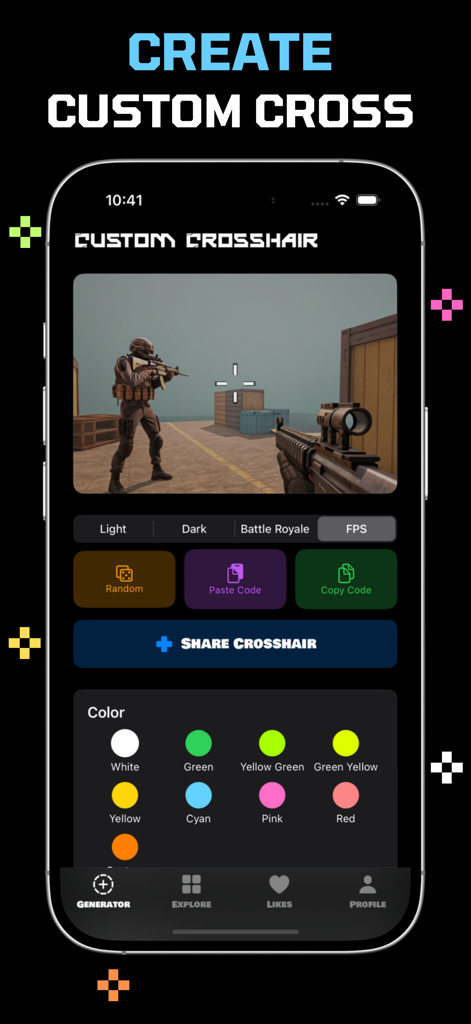
Custom crosshair generator with color selection and FPS game preview
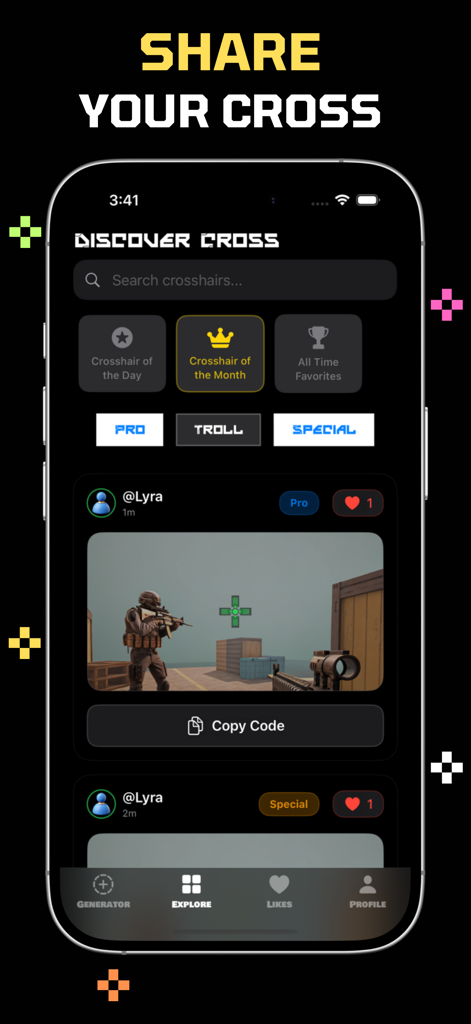
A mobile app screen titled Discover Cross showing various custom gaming crosshair designs shared by users
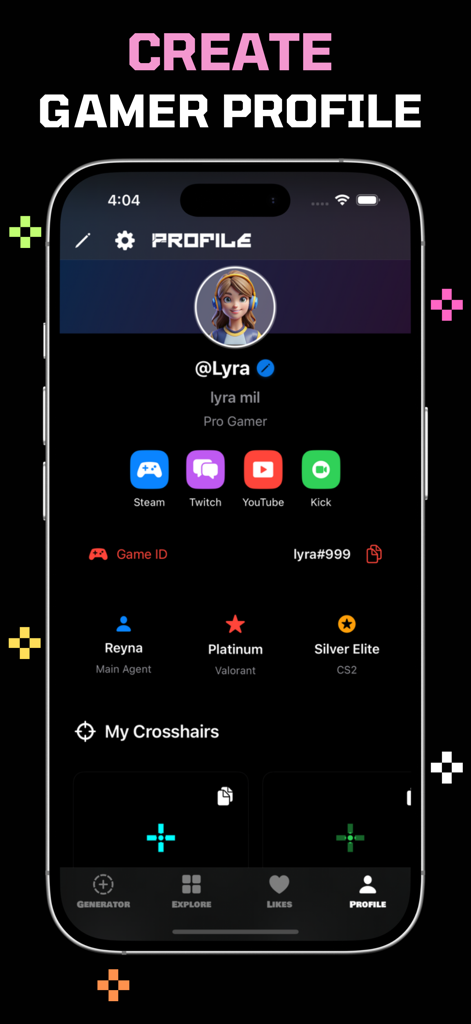
Custom Crosshair app gamer profile screen showing player stats and social media links
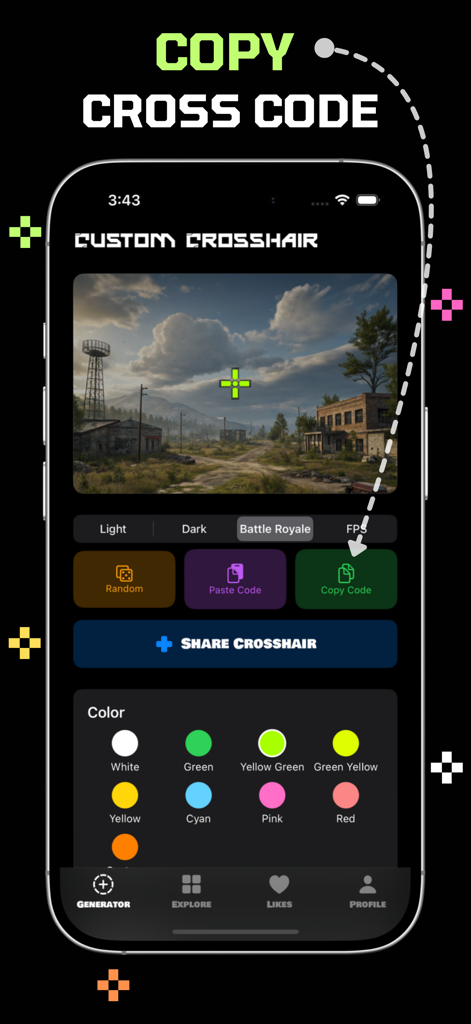
Custom Crosshair app interface showing the generator screen with a green crosshair preview and copy code functionality
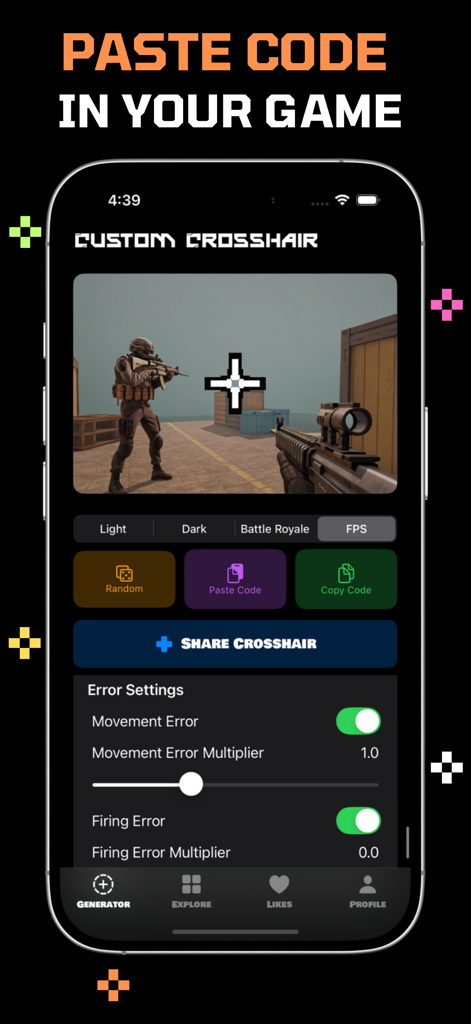
The Custom Crosshair app interface showing options to generate, copy, and paste crosshair codes with advanced movement and firing error settings.
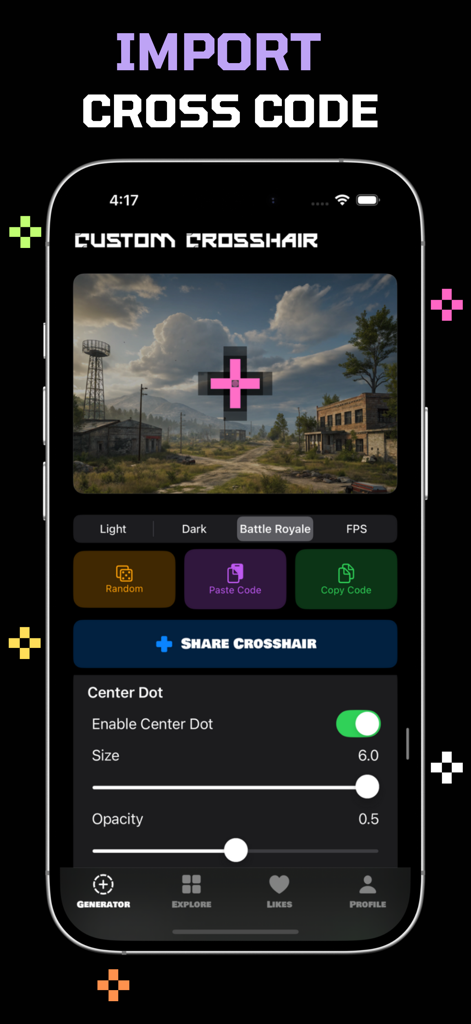
Custom Crosshair app generator screen showing crosshair import options and center dot customization settings
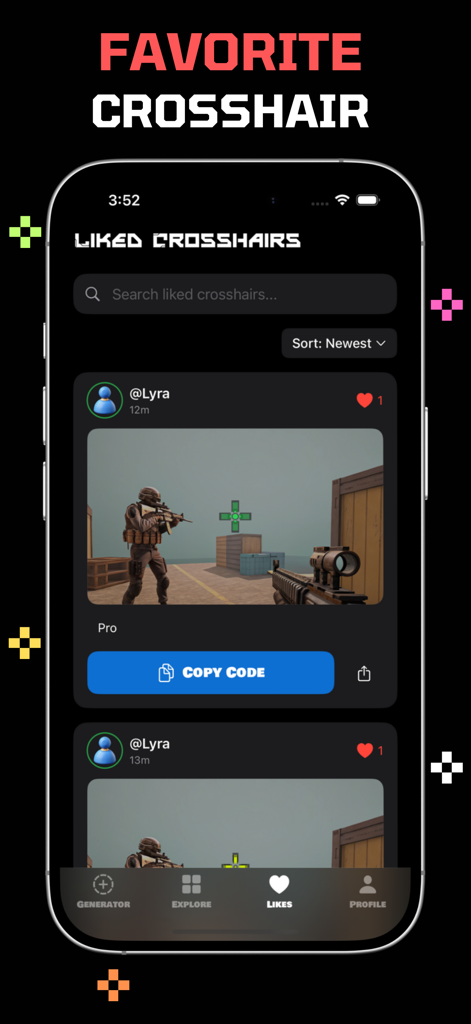
App screen displaying a collection of liked crosshair designs for FPS games with a copy code button
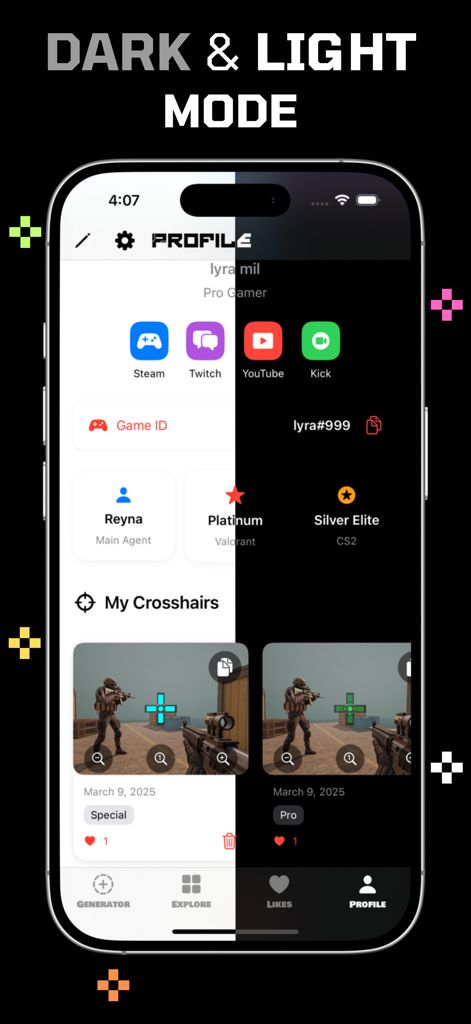
Split screen view of the Custom Crosshair app showing dark and light mode options for a gamer profile
Description
Download
More Like This
Apps with similar features and user experience
Crosshair X: Custom Aim v2
Nergis Sadiklar

Custom Crosshair: Aimiks v2
Arda Sen

FF4 Tool - Only Headshot
Ahammam Lahcen
Only Red Settings
Bouchaib Ennil

Panda Touch Pro
Yassine Ifisi
Game Aim Converter
Petrichka Yaroslav

SenXit - Pacote de Sensi FF
Wilson Sousa
This page is not an official page of the app or its developer, but an independent editorial publication created for informational and commentary purposes. Unless expressly stated otherwise, neither the app nor its developer is affiliated with, endorsed by, sponsored by, authorized by, or otherwise officially connected with MWM, Apple, Google Play, the app publisher, or the app's developer, and nothing on this page implies that the app was developed using MWM's services. Any trademarks, logos, screenshots, and other content remain the property of their respective owners.