
This page is not an official page of the app or its developer, but an independent editorial publication created for informational and commentary purposes. Unless expressly stated otherwise, neither the app nor its developer is affiliated with, endorsed by, sponsored by, authorized by, or otherwise officially connected with MWM, Apple, Google Play, the app publisher, or the app's developer, and nothing on this page implies that the app was developed using MWM's services. Any trademarks, logos, screenshots, and other content remain the property of their respective owners.


Cutout Pro - Passport ID Photo
Skip the drugstore and create compliant passport, visa, and CV photos in seconds. Use AI to enhance quality, remove backgrounds, and even add professional attire for the perfect headshot every time.
Downloads
357K+User Rating
Total Ratings
6K+Publisher
Category
Photo & VideoLocales
1Latest Version
2.2Size
289.8 MBFirst Released
Jun 14, 2024Everything You Need for the Perfect ID Photo
Join over 357,000 users who skip the pharmacy lines and save money. Create, edit, and export government-compliant document photos directly from your iPhone in seconds.
Guaranteed Compliance
Access official templates for US Passports (2x2"), Visas, and State IDs. Rest easy knowing your photos meet strict government requirements.
AI-Powered Professionalism
Turn a casual selfie into a professional headshot. Use our AI Suit tool to swap your outfit and our enhancer to ensure a sharp, polished look.
Frequently Asked Questions
Everything you need to know about Cutout Pro - Passport ID Photo
What is Cutout Pro?
Cutout Pro is a mobile app for creating, editing, and printing compliant document photos for passports, visas, and CVs directly from your smartphone.
Can Cutout Pro remove photo backgrounds?
Yes, Cutout Pro can remove and change photo backgrounds to match specific document requirements. It uses AI for this function.
Does Cutout Pro offer passport photo customization for different countries?
Yes, Cutout Pro offers standard photo sizes for various countries like the US (2x2 inches) and allows custom sizes, meeting international document photo requirements.
What are the export options for photos in Cutout Pro?
Cutout Pro allows users to save and share photos in PDF, PNG, or JPG formats. It also supports exporting high-quality PDFs for printing.
Can I add a suit to my photo using Cutout Pro?
Yes, Cutout Pro's "Mockup Creation" tool allows users to add a formal suit to their image. This ensures a professional appearance for document photos.
How much does a Cutout Pro subscription cost?
Cutout Pro offers a weekly subscription for $2.99 and an annual subscription for $19.99. Prices for other currencies correspond to the App Store Pricing Matrix.
How do I cancel my Cutout Pro subscription?
Users cancel their Cutout Pro subscription or free trial via iTunes settings at least 24 hours before the current period ends. Manage auto-renewal in Account Settings.
Does Cutout Pro enhance photo quality?
Yes, Cutout Pro includes a Photo Quality Enhancement feature. It improves old, blurry, or poorly lit photos, making them sharp and professional for document use.
What premium features are available in Cutout Pro?
Cutout Pro Premium offers AI Photo Enhancement, an ad-free experience, and updates to the suit collection for professional image mockups.
Can Cutout Pro remove unwanted objects from photos?
Yes, Cutout Pro features an Object Removal tool. It instantly removes unwanted objects from photos, including images uploaded from a user's gallery.
The following screenshots and description are sourced directly from the app's official store listing and are the property of the app developer.
App Store
Screenshots
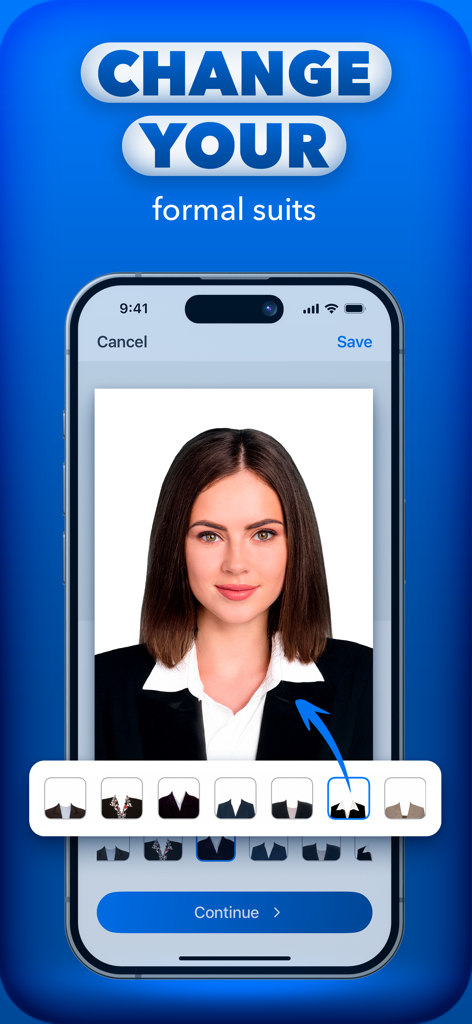
Mobile app interface showing how to add a professional formal suit to a passport or ID photo using AI.
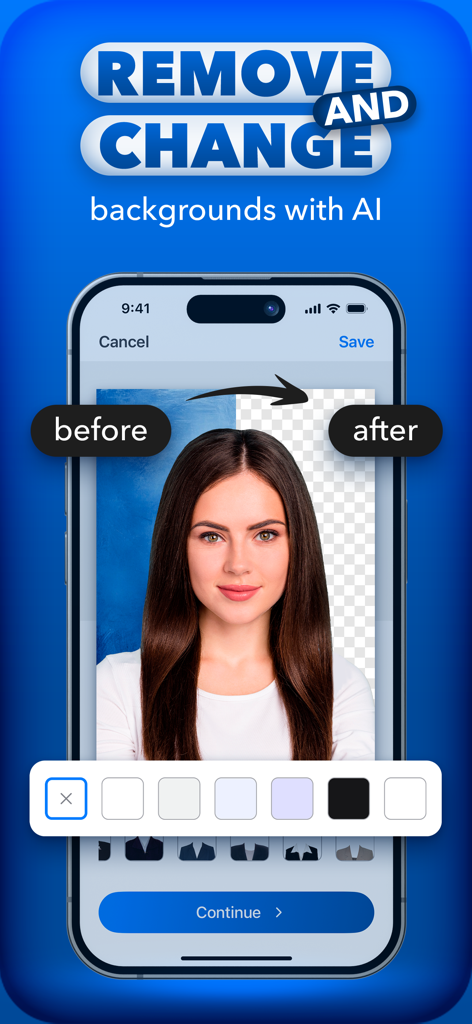
AI background removal feature showing a before and after comparison for a professional document photo
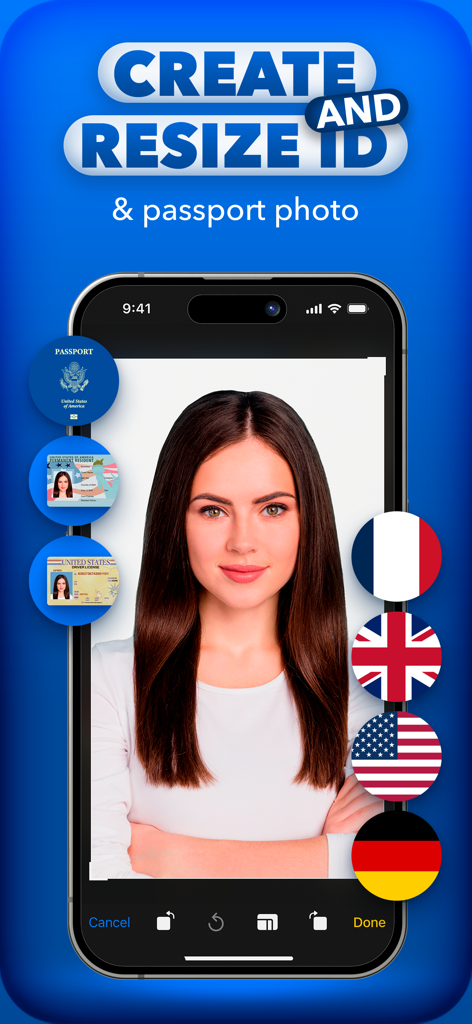
A woman's portrait on a smartphone screen using Cutout Pro to create and resize passport and ID photos for various countries
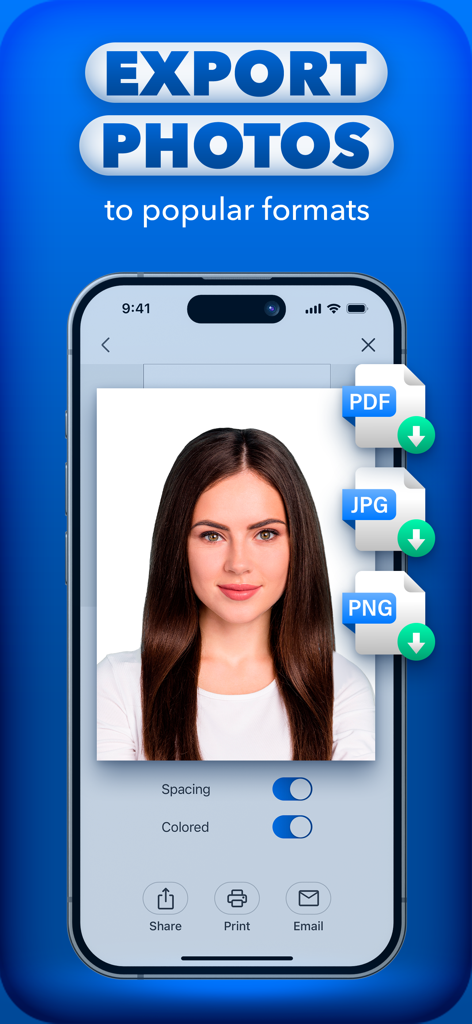
Mobile app interface showing export options for passport photos in PDF JPG and PNG formats
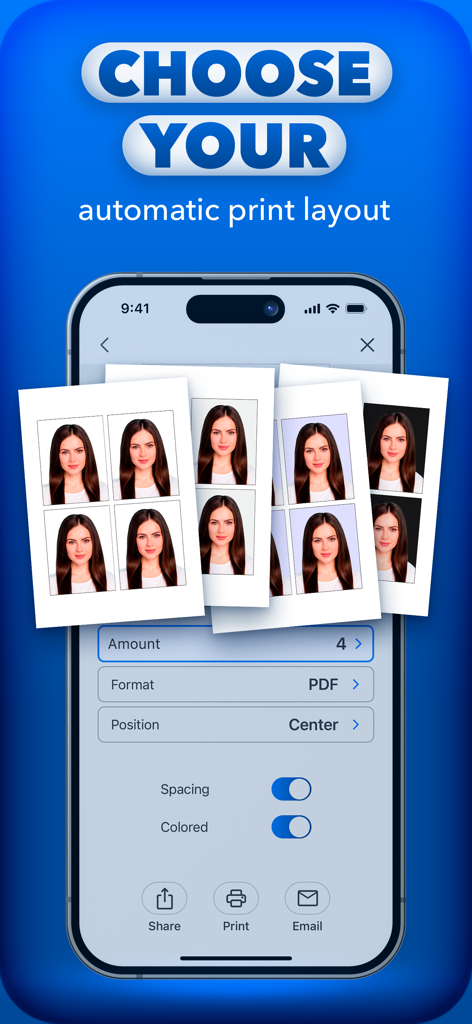
Interface for choosing automatic print layouts for passport ID photos
Description
Download
More Like This
Apps with similar features and user experience

Passport Photo Maker :ID Booth
Appable Yazilim Hizmetleri Limited Sirketi

Passport Photo-ID Photo Cutout
润娟 邹

ID photo passport maker:IDCam
Hangzhou Jiadi Bozhong Enterprise Management Partnership

证件照随拍-智能证件照制作软件
Shenzhen Piaopiao Baobei Co., Ltd
Passport Size Photo Maker App
Jatin Maniya

Print to Size
Clafou Ltd

Passport Photo Maker ID Photo・
泽沛 许

ID Photo:Passport Photo Maker
Retouch Photo Editor Technology Limited

ID Photo - Print Passport Pics
书敏 贾
This page is not an official page of the app or its developer, but an independent editorial publication created for informational and commentary purposes. Unless expressly stated otherwise, neither the app nor its developer is affiliated with, endorsed by, sponsored by, authorized by, or otherwise officially connected with MWM, Apple, Google Play, the app publisher, or the app's developer, and nothing on this page implies that the app was developed using MWM's services. Any trademarks, logos, screenshots, and other content remain the property of their respective owners.