
This page is not an official page of the app or its developer, but an independent editorial publication created for informational and commentary purposes. Unless expressly stated otherwise, neither the app nor its developer is affiliated with, endorsed by, sponsored by, authorized by, or otherwise officially connected with MWM, Apple, Google Play, the app publisher, or the app's developer, and nothing on this page implies that the app was developed using MWM's services. Any trademarks, logos, screenshots, and other content remain the property of their respective owners.


Daak - Budget & Money Tracker
Transform financial stress into a habit you love. Manage spending, debt, and savings with 100+ hand-drawn icons and powerful features designed to make budgeting feel like journaling.
Downloads
1M+User Rating
Total Ratings
21K+Publisher
Category
FinanceLocales
33Latest Version
15.2Size
102.8 MBFirst Released
Apr 22, 2020Budgeting, But Make It Aesthetic
Discover a powerful yet adorable money tracker designed to help you organize your finances without the stress of traditional corporate apps.
Fully Personalized Themes
Express your style with 100+ hand-drawn icons and cute girly themes that transform financial tracking into a creative digital journal.
Collaborative Shared Ledgers
Easily manage shared expenses with partners or roommates using multi-person ledgers, making split bills and group saving simple.
Frequently Asked Questions
Everything you need to know about Daak - Budget & Money Tracker
What is Daak and what does it do?
Daak is a fully functional, cute, and easy-to-use budget and money tracker app. It offers features like multi-ledger support, budget management, asset tracking, and detailed financial reports for effective personal finance management.
Does the Daak app support Apple Watch?
Yes, Daak supports Apple Watch integration. The app also features various widgets, allowing users to conveniently access and monitor their budget and expense tracking information directly from their Apple Watch or device home screen.
Can I manage multiple ledgers with the Daak budget tracker?
Yes, Daak allows users to manage multiple ledgers. This includes support for multi-person ledgers and multi-currency functions, providing flexibility for tracking finances across different accounts, households, or international transactions.
How does Daak ensure user privacy and data security?
Daak protects user privacy through password protection and background blur features. Additionally, it enables data backup via iCloud and real-time data synchronization across multiple devices, ensuring both security and accessibility of financial data.
What financial management features are available in the Daak app?
Daak offers comprehensive financial management features, including budget, asset, and debt (borrow/lend) management. It also supports refund, reimbursement, installment payments, and provides various statistical charts for detailed financial analysis.
Can users customize icons within the Daak app?
Yes, Daak offers extensive customization options. Users can choose from over 100 super cute hand-drawn icons, various app icons, and holiday-themed icons. The app also features a girly theme color for personalization.
How do Daak subscriptions work and what features do they unlock?
Daak subscriptions unlock all paid features. Payment is charged to the iTunes account upon purchase confirmation. Subscriptions automatically renew unless auto-renew is disabled at least 24 hours before the current period ends. Users manage renewals in account settings.
Does the Daak app offer widgets for quick financial overview?
Yes, the Daak app provides various widgets for quick financial overviews. These widgets allow users to easily see their expenses, budget progress, and other key financial information directly on their device's home screen.
Does the Daak app include a piggy bank feature for saving?
Yes, Daak includes a piggy bank function. This feature enables users to set specific savings goals and track their progress towards these financial targets, helping manage and grow their personal savings effectively.
Can I track my assets and debt within the Daak money tracker app?
Yes, Daak offers a dedicated asset management feature. Users can track their net assets, disposable funds, and manage debt, including amounts borrowed or lent. This provides a clear overview of their financial position.
The following screenshots and description are sourced directly from the app's official store listing and are the property of the app developer.
App Store
Screenshots
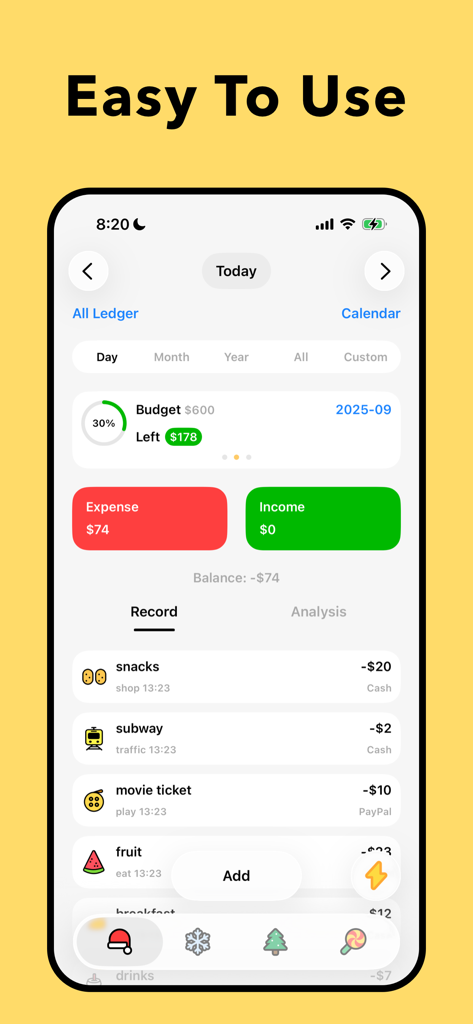
Daak app interface showing daily expense tracking and budget overview with cute hand-drawn icons
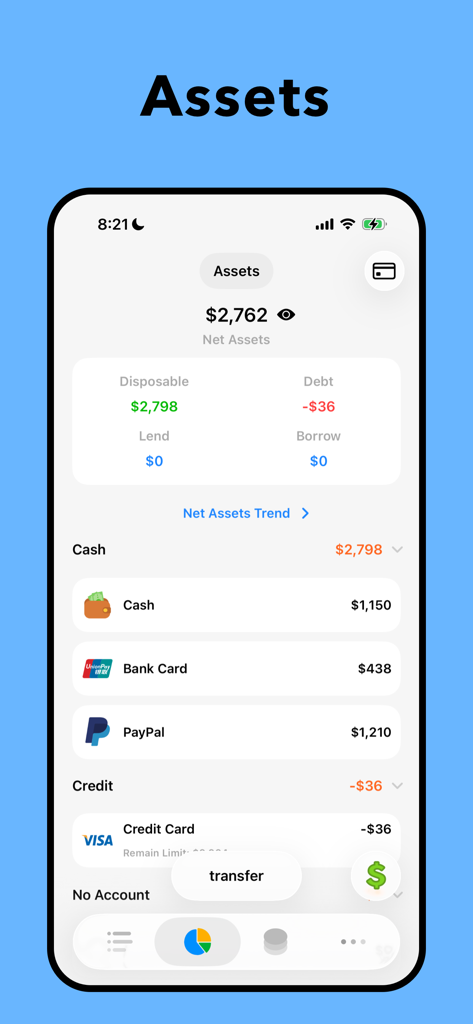
A mobile app screen titled Assets showing a summary of net assets with account categories like Cash Bank Card and PayPal
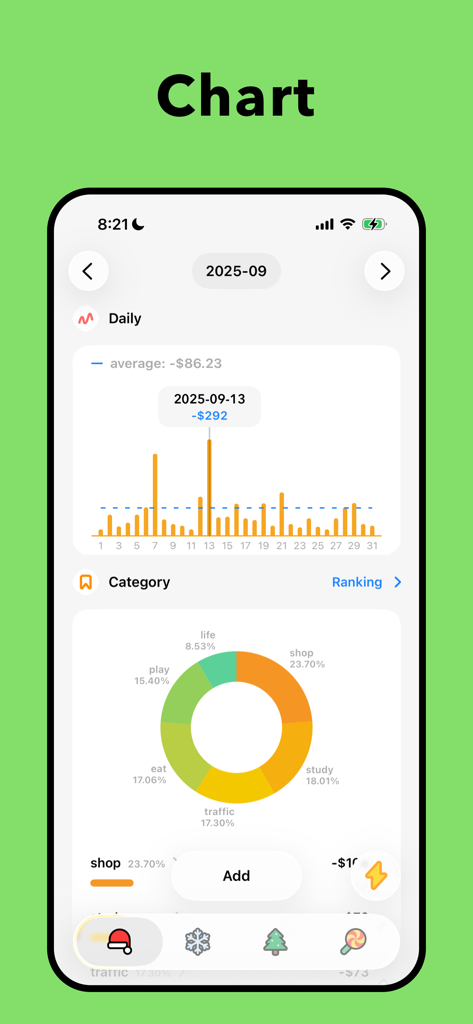
Financial dashboard of Daak budget app showing daily spending bar chart and categorical donut chart
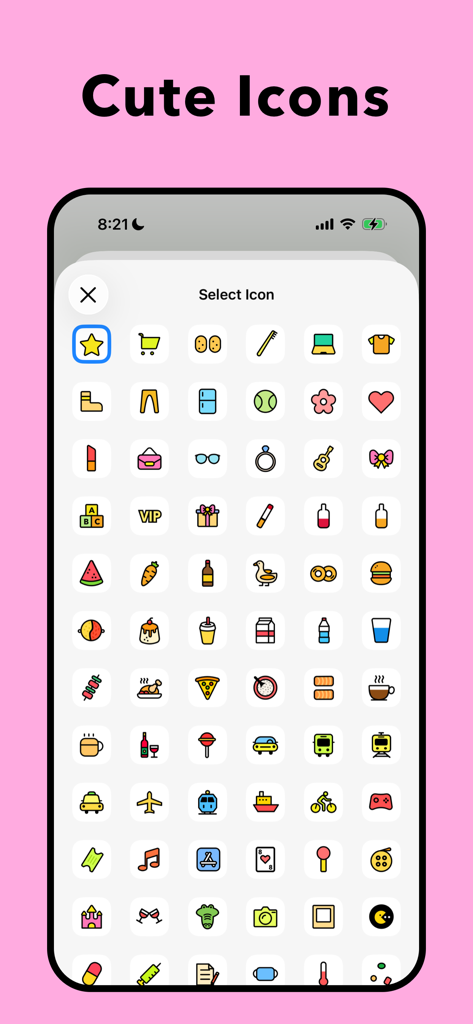
A variety of hand-drawn cute icons for expense tracking categories in the Daak app.
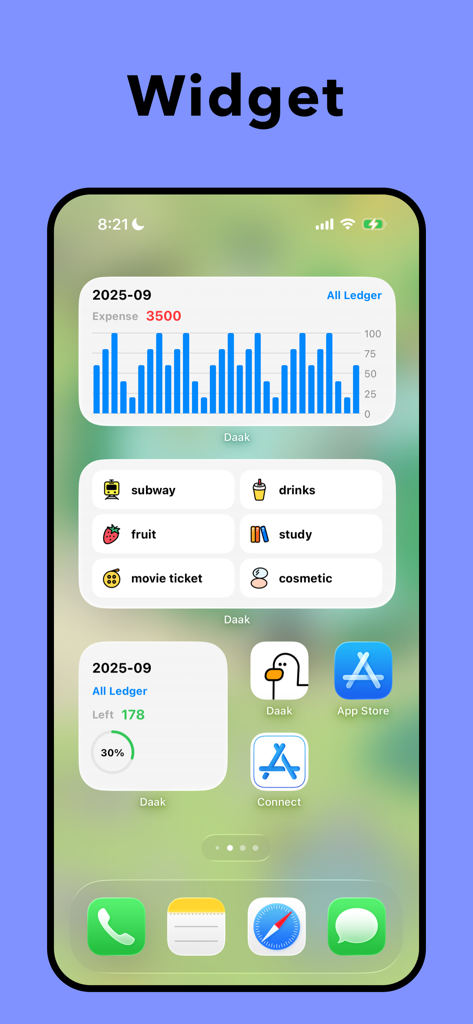
Daak budget tracker iOS home screen widgets showing expense charts and spending categories with cute icons
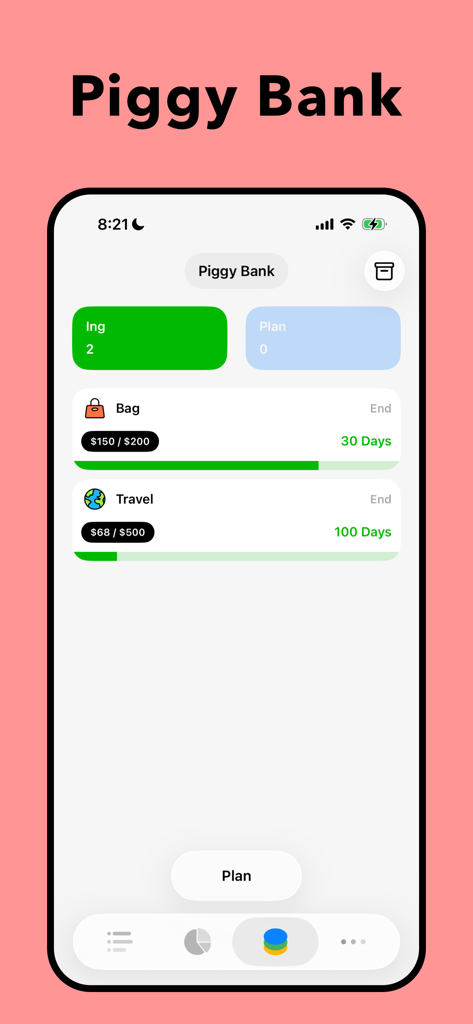
Daak app piggy bank interface showing progress bars for savings goals like a bag and travel
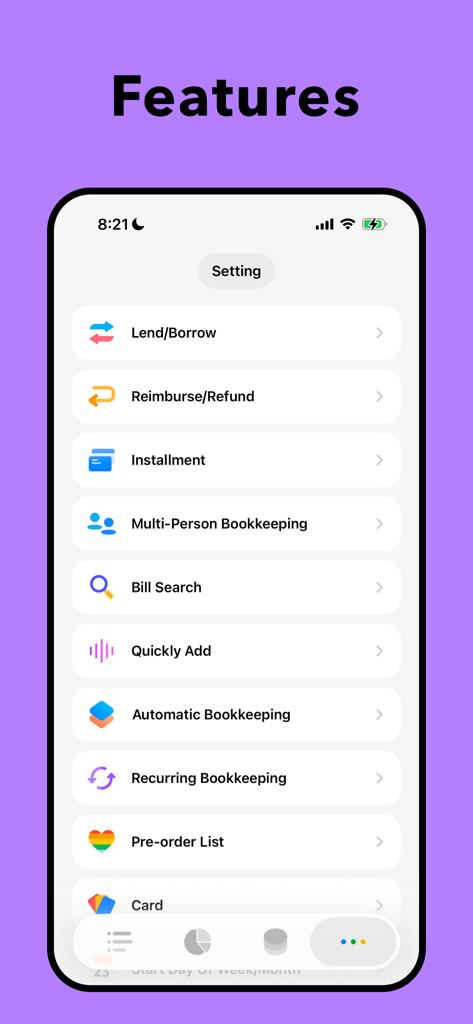
A purple screen showing the features list of the Daak budget tracker app including lend borrow and multi person bookkeeping
Description
Download
More Like This
Apps with similar features and user experience

Monarch: Budget & Track Money
Monarch Money, Inc.
Budget app - spending tracker
Inner Grow Limited
Budget & Expense Tracker Monee
Stephan Lerner

CoinKeeper: money manager
Dizrapp OOO
Budget Flow | Expense Tracker
Fabian Hasse
Expenses: Spending Tracker
BLUE COMET LABS LLC

Expense: Budget Tracker
Sviatoslav Belmeha

挖财记账-AI自动记账
Hangzhou Yuancai Technology Co.,Ltd.

阿柴记账-自动记账超方便
Chongqing AiYouAiYou Information Technology Co., Ltd.
This page is not an official page of the app or its developer, but an independent editorial publication created for informational and commentary purposes. Unless expressly stated otherwise, neither the app nor its developer is affiliated with, endorsed by, sponsored by, authorized by, or otherwise officially connected with MWM, Apple, Google Play, the app publisher, or the app's developer, and nothing on this page implies that the app was developed using MWM's services. Any trademarks, logos, screenshots, and other content remain the property of their respective owners.