
This page is not an official page of the app or its developer, but an independent editorial publication created for informational and commentary purposes. Unless expressly stated otherwise, neither the app nor its developer is affiliated with, endorsed by, sponsored by, authorized by, or otherwise officially connected with MWM, Apple, Google Play, the app publisher, or the app's developer, and nothing on this page implies that the app was developed using MWM's services. Any trademarks, logos, screenshots, and other content remain the property of their respective owners.

Dash Cam | Drive Guardian AI
Transform your iPhone into a professional 4K dash cam. Get real-time collision warnings, drowsiness alerts, and legal data overlays to protect every drive.
Downloads
7K+User Rating
Total Ratings
0Publisher
Category
NavigationLocales
1Latest Version
1.0.8Size
103.5 MBFirst Released
Sep 6, 2024Advanced Road Safety Powered by AI
Drive Guardian turns your iPhone into a high-end dash cam, offering intelligent collision alerts, real-time monitoring, and ironclad insurance proof for every commute.
AI-Driven Collision Prevention
Modernize your vehicle with Advanced Driver Assistance Systems (ADAS). Get real-time alerts for front collisions, safe distance monitoring, and drowsiness warnings to stay safe.
Ironclad Insurance Evidence
Record in stunning 4K with data overlays for speed, GPS location, and timestamps. Eliminate 'he-said-she-said' scenarios with legal-grade video proof of every incident.
Frequently Asked Questions
Everything you need to know about Dash Cam | Drive Guardian AI
What is Dash Cam | Drive Guardian AI?
Dash Cam | Drive Guardian AI transforms your device into a smart dash cam. It records trips and enhances footage with front camera views, maps, and data overlays such as speed, time, and location, ideal for insurance proof.
What recording quality does Dash Cam | Drive Guardian AI support?
Dash Cam | Drive Guardian AI supports main back camera recording resolutions up to 4K. It also allows setting both ultra-wide and wide-angle cameras if available on the device.
Does Dash Cam | Drive Guardian AI support Apple CarPlay?
Yes, Dash Cam | Drive Guardian AI supports Apple CarPlay. Dash cam recording functions, including saving main back camera footage, are available when using CarPlay.
What AI ADAS features are included in Drive Guardian AI?
Drive Guardian AI includes several AI ADAS features: Front Collision & Distance Warning, Speed Limit Signs Detection, and Drowsiness Alerts to keep the driver aware and safe.
How does Drive Guardian AI detect speed limits?
Drive Guardian AI detects speed limits through AI. It plays an alert if the current speed limit is exceeded, helping drivers maintain legal speeds.
Which countries support speed limit detection in Drive Guardian AI?
Currently, Drive Guardian AI supports speed limit detection from Europe, Australia, Japan, the UK, and Russia. This feature is active only in these specified regions.
Does Drive Guardian AI provide drowsiness alerts?
Yes, Drive Guardian AI provides drowsiness alerts. The front camera constantly monitors for driver drowsiness and issues multiple alerts to help keep the driver awake.
Can I view the Dash Cam | Drive Guardian AI feed remotely?
Yes, Dash Cam | Drive Guardian AI offers a remote parking mode. If enabled, users can connect to the dash cam and view a live stream of the camera feed through another device via a simple link.
Is a subscription required to use Dash Cam | Drive Guardian AI?
Yes, a subscription is required to fully access the features of the Dash Cam | Drive Guardian AI app. This unlocks all functionalities.
What is the recommended setup for Dash Cam | Drive Guardian AI?
The best setup for Dash Cam | Drive Guardian AI involves placing your device horizontally in a standard phone holder at the center of your dash. Front AC is recommended on hot days.
Can Drive Guardian AI overlay data onto recorded footage?
Yes, Drive Guardian AI enriches footage by adding data overlays. This includes speed, time, location, a map video overlay, and front camera footage.
Does Drive Guardian AI detect potential front collisions?
Yes, Drive Guardian AI detects potential front collisions. It features a Front Collision & Distance Warning that alerts the driver if the distance to the front vehicle is too short or if a collision is imminent.
The following screenshots and description are sourced directly from the app's official store listing and are the property of the app developer.
App Store
Screenshots
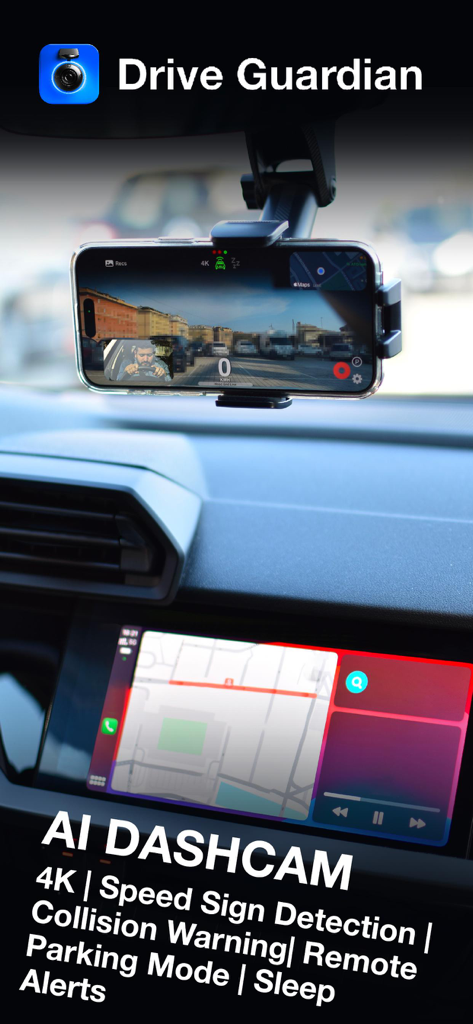
iPhone mounted on a car dashboard running the Drive Guardian AI dash cam app with CarPlay integration
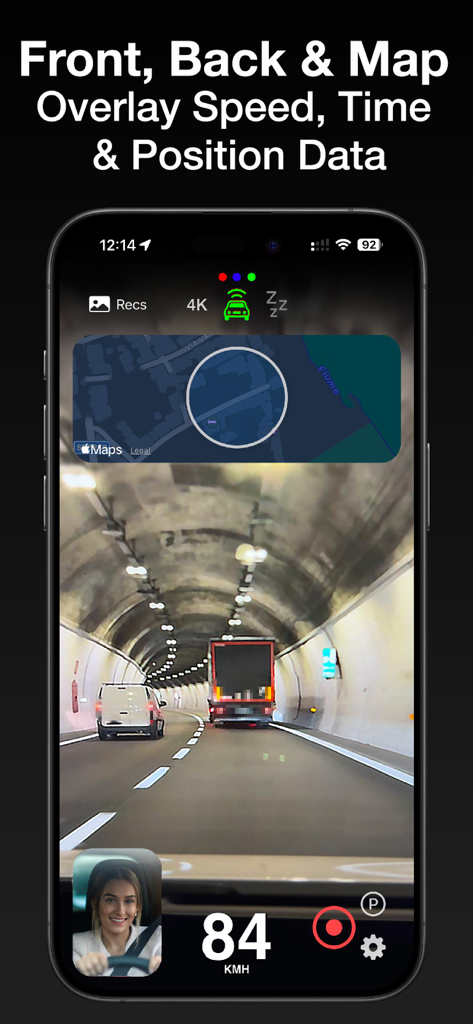
Dash cam app interface with map and speed overlay during road recording
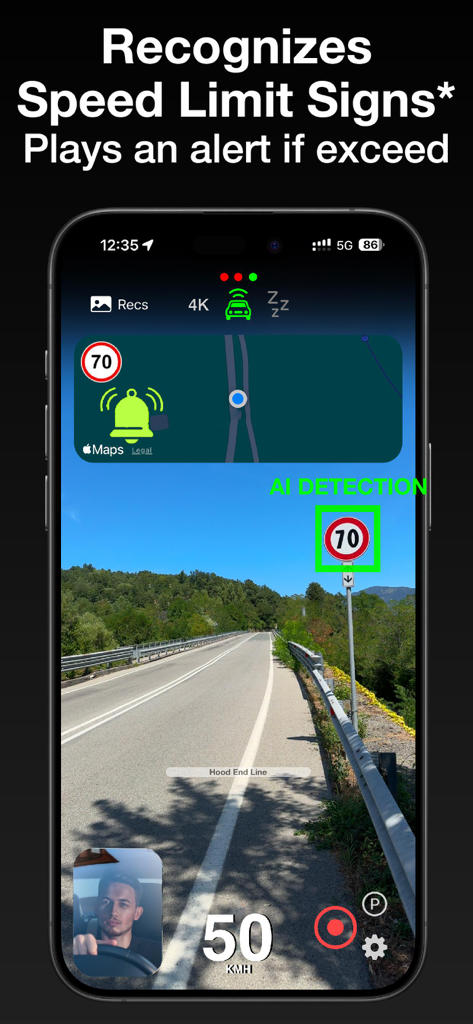
Smartphone screen showing the Drive Guardian AI app detecting a speed limit sign and providing a visual alert during a drive.
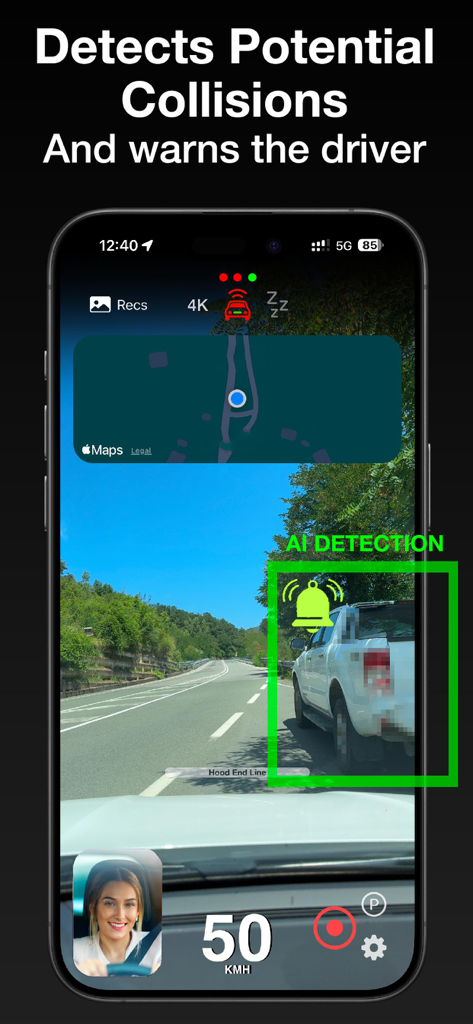
Dash Cam app interface showing an AI collision warning alert with a green detection box on a nearby vehicle.
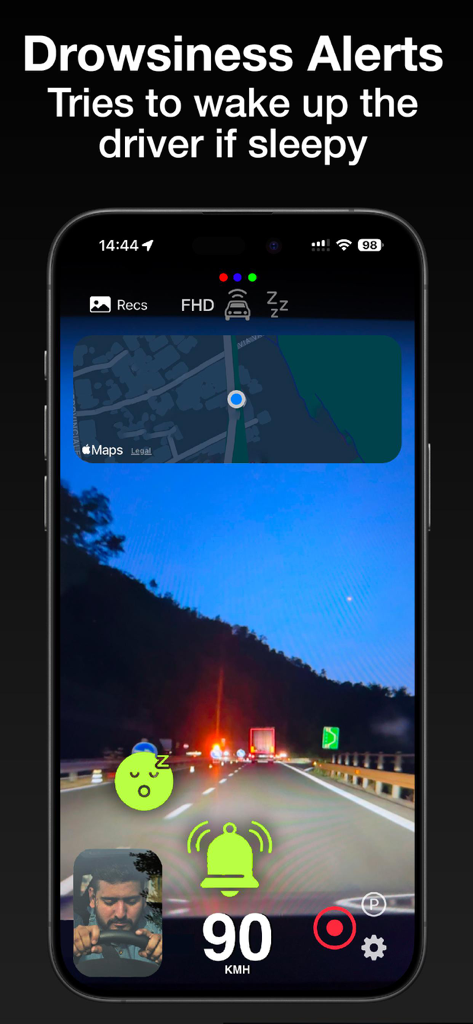
Dash Cam app interface showing AI drowsiness alerts with a sleeping emoji and bell icon over a night driving view
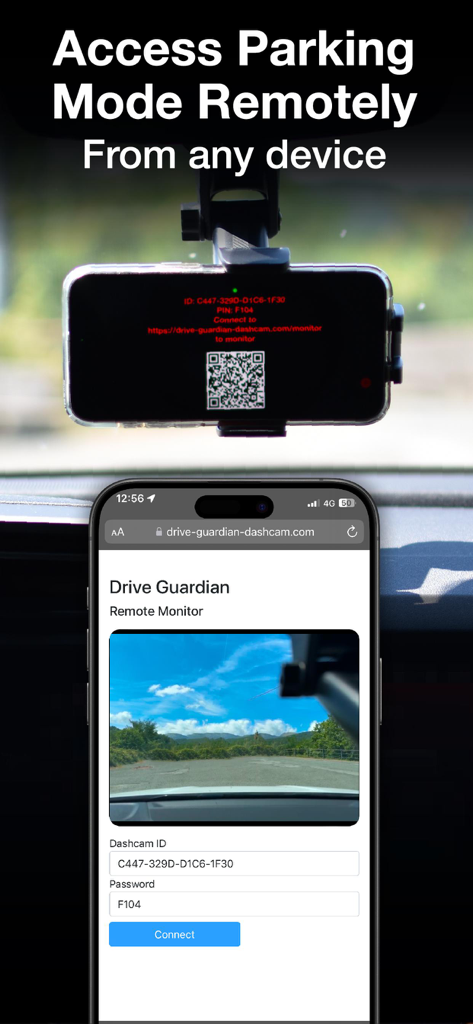
Smartphone displaying a remote live feed from the Drive Guardian dash cam parking mode
Description
Download
More Like This
Top-ranked apps in the same category

Google Maps
Google LLC

Waze Navigation & Live Traffic
waze

AMap Global
AutoNavi Information Technology Co. Ltd.

百度地图-路线规划,出行必备
Beijing Baidu Netcom Science & Technology Co.,Ltd

Moovit: Bus & Transit Tracker
Moovit App Global LTD

Transit • Subway & Bus Times
9280-0366 Quebec inc.

ParkMobile: Park. Pay. Go.
Parkmobile USA, Inc

腾讯地图-路线规划,导航地铁打车出行
Shenzhen Tencent Computer Systems Company Limited

Île-de-France Mobilités
Ile de France Mobilites
This page is not an official page of the app or its developer, but an independent editorial publication created for informational and commentary purposes. Unless expressly stated otherwise, neither the app nor its developer is affiliated with, endorsed by, sponsored by, authorized by, or otherwise officially connected with MWM, Apple, Google Play, the app publisher, or the app's developer, and nothing on this page implies that the app was developed using MWM's services. Any trademarks, logos, screenshots, and other content remain the property of their respective owners.