
This page is not an official page of the app or its developer, but an independent editorial publication created for informational and commentary purposes. Unless expressly stated otherwise, neither the app nor its developer is affiliated with, endorsed by, sponsored by, authorized by, or otherwise officially connected with MWM, Apple, Google Play, the app publisher, or the app's developer, and nothing on this page implies that the app was developed using MWM's services. Any trademarks, logos, screenshots, and other content remain the property of their respective owners.


DataMan - Data Usage Widget
Real-time tracking and smart forecasts delivered through beautiful widgets. Stay under your cap and avoid throttling with the privacy-first tracker that requires no VPN and no login.
Downloads
244K+User Rating
Total Ratings
17K+Publisher
Category
FinanceLocales
8Latest Version
26.2Size
12.2 MBFirst Released
Jan 17, 2013Master Your Mobile Plan
Stop overage fees before they happen with the most accurate, privacy-focused data tracker built exclusively for the Apple ecosystem.
Intelligent Smart Forecast
Our advanced algorithm predicts if you'll stay within your data cap based on your current habits, so you can adjust before hitting your limit.
Instant Glance Monitoring
Check your usage in seconds via Lock Screen widgets or your Apple Watch. Get the stats you need without ever opening a slow carrier app.
Frequently Asked Questions
Everything you need to know about DataMan - Data Usage Widget
What is DataMan - Data Usage Widget?
DataMan is an app that tracks cellular and WiFi data usage in real-time, helping users avoid exceeding their data cap. It provides smart forecasts, custom alerts, and a widget for quick monitoring directly on iOS.
How does DataMan track data usage?
DataMan tracks both cellular and WiFi data usage in real-time directly on iOS devices. It provides immediate and accurate usage information without relying on carrier updates, ensuring users always have current data.
Does DataMan provide a data usage forecast?
Yes, DataMan includes a Smart Forecast feature. It intelligently predicts if a user will stay within their data cap based on current usage. This allows for proactive measures to prevent data overage.
Can I check my data usage with a widget using DataMan?
Yes, DataMan offers a dedicated widget. Users can instantly check their data usage at a glance by swiping on their Home or Lock screen, displaying essential usage statistics.
Does DataMan offer custom alerts for data usage?
Yes, DataMan provides Custom Usage Alerts. These alerts warn users before they reach their data cap, offering four customizable alert thresholds. This helps prevent unexpected overage charges.
Does DataMan support multiple data plans and rollover data?
Yes, DataMan PRO supports managing multiple data plans and rollover data. It also features auto-reset on monthly bill cycle dates and custom billing periods, offering flexible data plan management.
Is DataMan compatible with Siri?
Yes, DataMan integrates with Siri Shortcuts. Users can ask Siri for their data usage forecast, providing an easier and faster voice-controlled method to track their data consumption.
Does DataMan work on Apple Watch?
Yes, DataMan is designed for Apple Watch. It allows users to quickly view their most important data statistics directly on their wrist through complications and the dedicated Apple Watch app.
How private is my data with DataMan?
DataMan prioritizes user privacy. It operates without requiring a VPN or login, ensuring personal data remains private and secure. The app explicitly states its commitment to data privacy.
What additional features does DataMan PRO offer?
DataMan PRO offers daily usage history, push usage alerts, multiple plan management, app icon badge, custom billing periods, rollover data, map usage locations, export statistics, widget styles, and themes.
How much does DataMan PRO cost?
DataMan PRO is a subscription service that includes a 7-day free trial. Payment processes through the Apple ID account. The subscription automatically renews unless canceled at least 24 hours before the current period ends.
Can I view historical data usage with DataMan?
Yes, DataMan PRO provides daily usage history. The app also displays monthly usage summaries by bill cycle, allowing users to review their past cellular and WiFi data consumption patterns.
The following screenshots and description are sourced directly from the app's official store listing and are the property of the app developer.
App Store
Screenshots
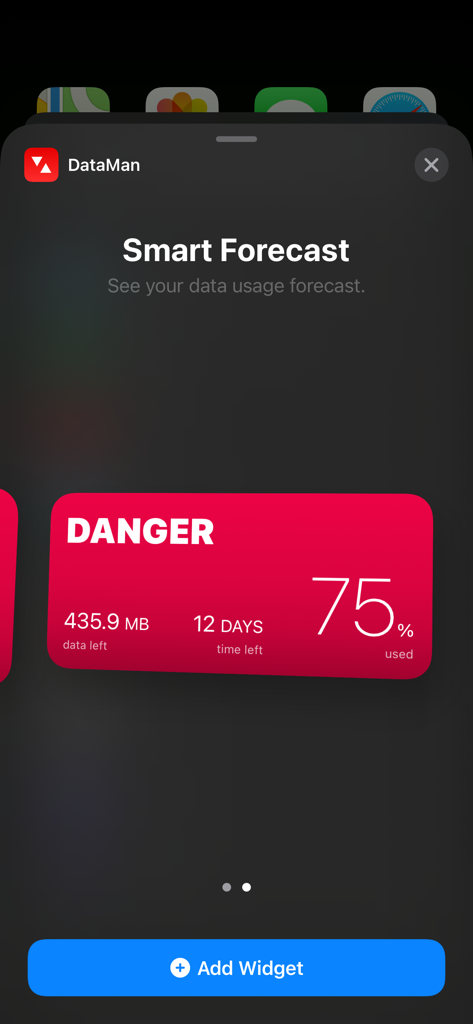
DataMan smart forecast widget showing a data usage danger alert
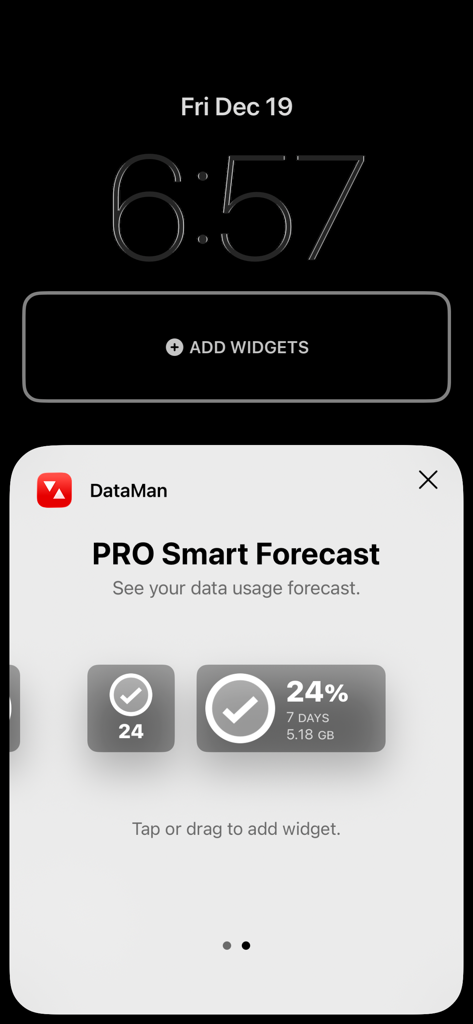
DataMan PRO Smart Forecast widget selection screen on an iPhone
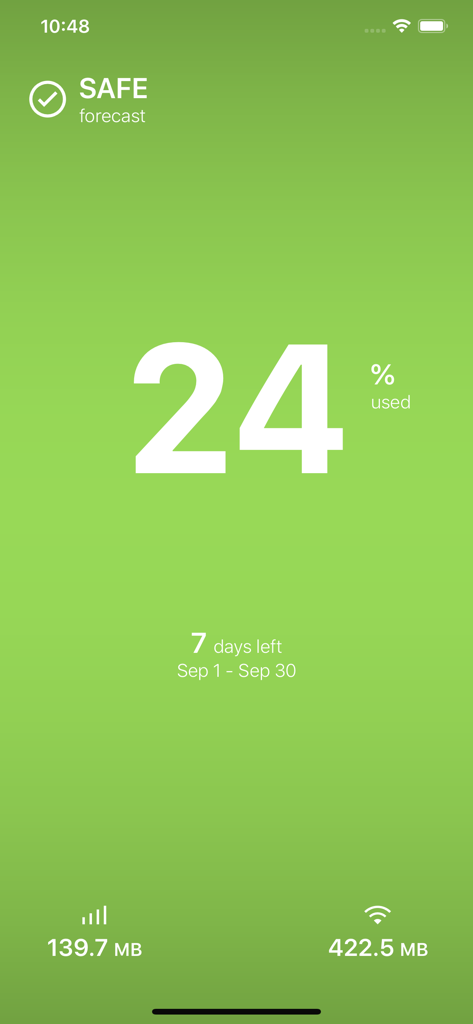
DataMan app interface showing twenty four percent data usage and a safe status forecast on a green screen
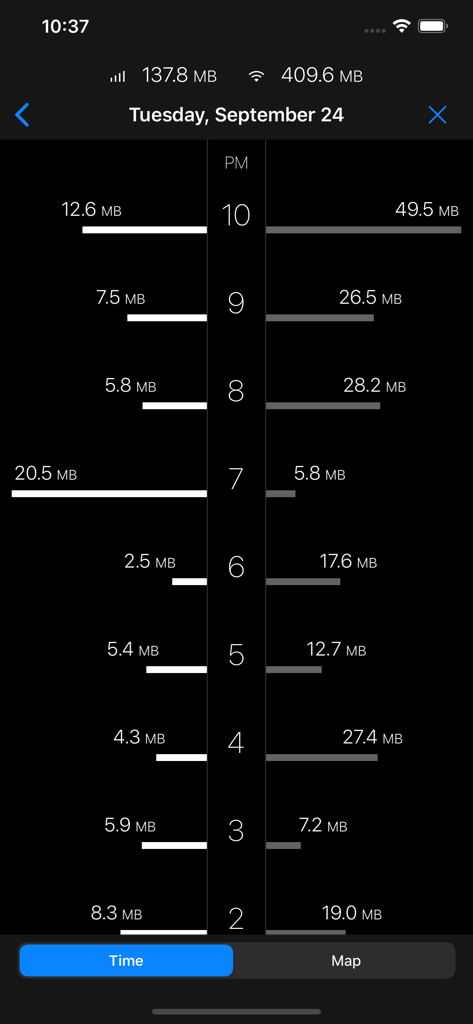
A screenshot of the DataMan app displaying an hourly breakdown of cellular and WiFi data usage on a vertical timeline.
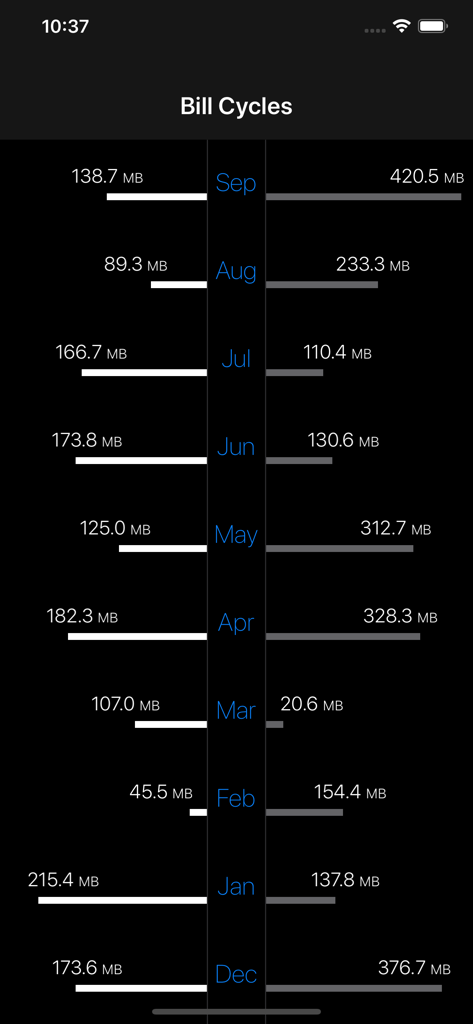
Monthly bill cycles screen showing data usage history in megabytes for each month.
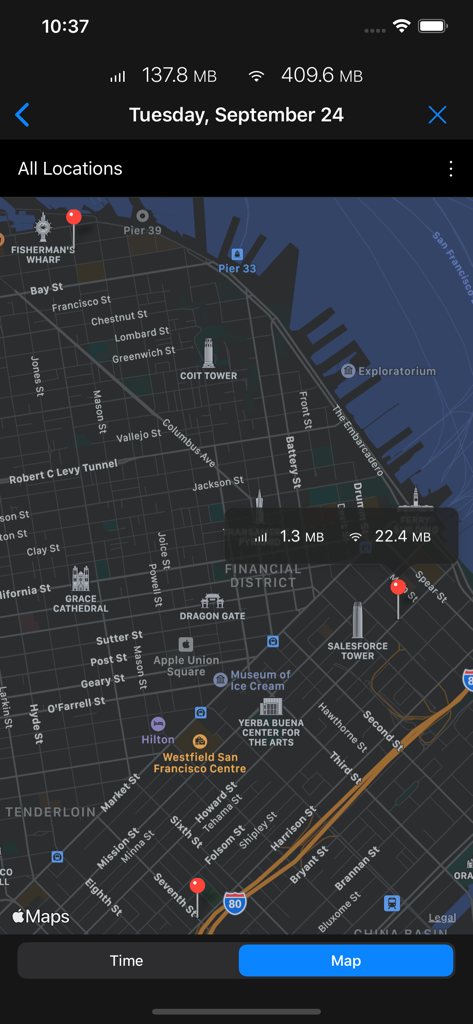
A map view within the DataMan app showing cellular and WiFi data usage at specific locations in San Francisco.
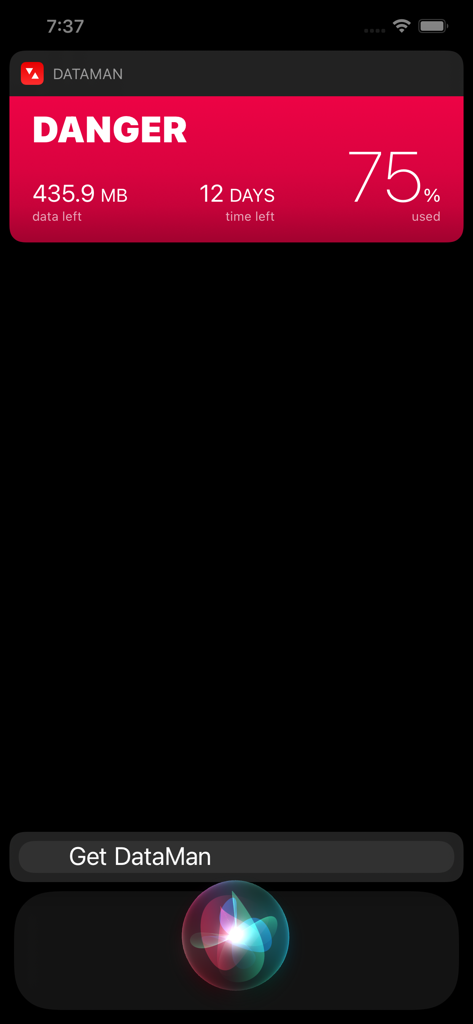
DataMan data usage danger alert displayed via Siri shortcut on an iPhone screen
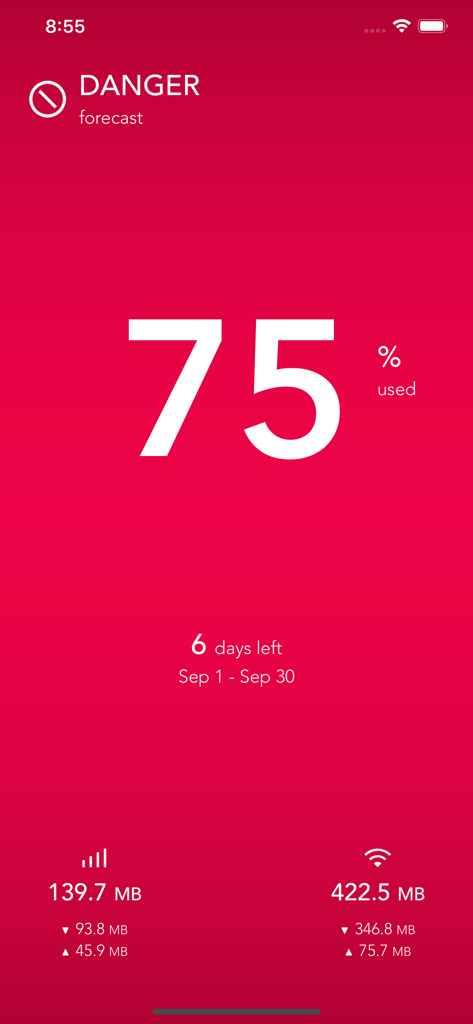
DataMan app interface showing a red danger alert for seventy five percent data usage
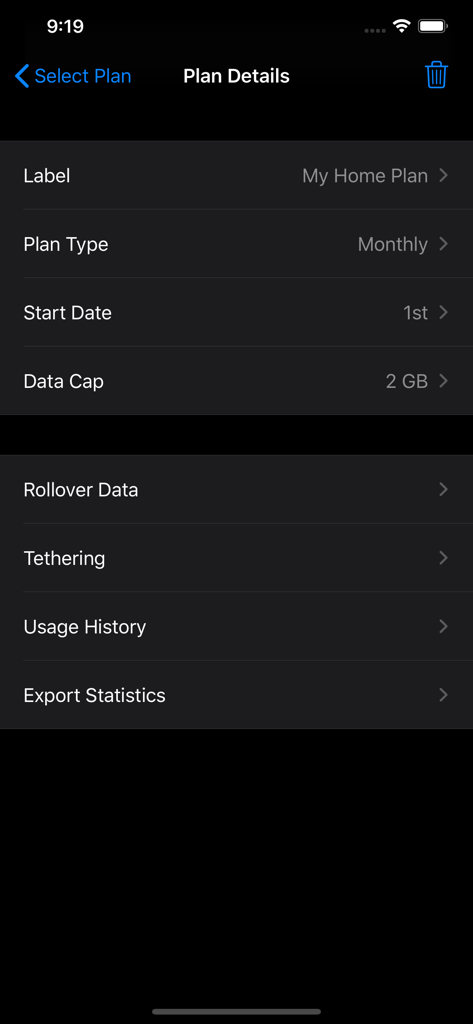
DataMan app settings screen for tracking monthly cellular data plans and caps.
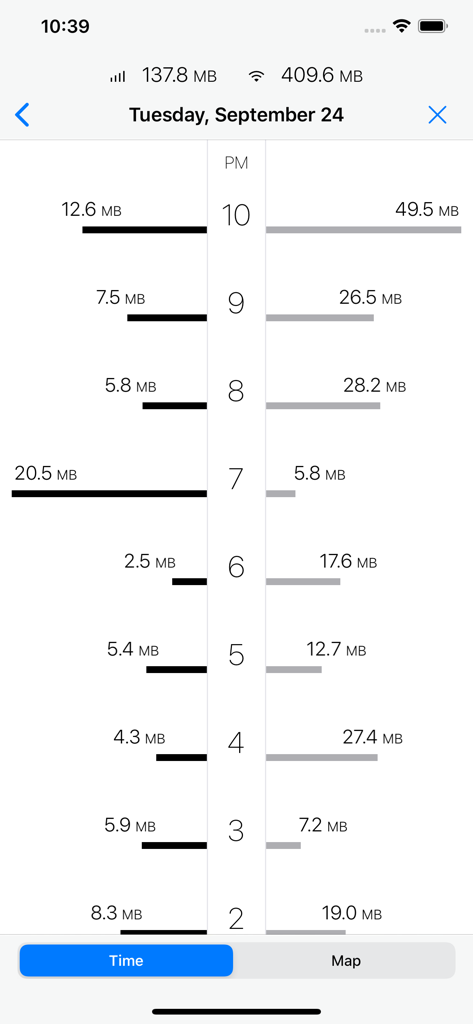
A chart showing hourly cellular and WiFi data usage history in the DataMan app.
Description
Download
More Like This
Apps with similar features and user experience

My lifecell
Limited Liability Company "ASTELIT"

My Straight Talk: Mobile App
Tracfone Wireless Inc.

Azercell
Azercell Telecom MMC

Halo Telco
Winner Venture Sdn Bhd

Everyday Mobile (Woolworths)
Woolworths Group Limited

Bakcell
BAKCELL MMC

Mint Mobile
UVNV, Inc.

Visible mobile
Visible Service LLC

myMetro®
MetroPCS Wireless, Inc.
This page is not an official page of the app or its developer, but an independent editorial publication created for informational and commentary purposes. Unless expressly stated otherwise, neither the app nor its developer is affiliated with, endorsed by, sponsored by, authorized by, or otherwise officially connected with MWM, Apple, Google Play, the app publisher, or the app's developer, and nothing on this page implies that the app was developed using MWM's services. Any trademarks, logos, screenshots, and other content remain the property of their respective owners.