DayCost - Personal Finance
Download on App Store

This page is not an official page of the app or its developer, but an independent editorial publication created for informational and commentary purposes. Unless expressly stated otherwise, neither the app nor its developer is affiliated with, endorsed by, sponsored by, authorized by, or otherwise officially connected with MWM, Apple, Google Play, the app publisher, or the app's developer, and nothing on this page implies that the app was developed using MWM's services. Any trademarks, logos, screenshots, and other content remain the property of their respective owners.

Logo of DayCost - Personal Finance
Download on App Store

DayCost - Personal Finance

Experience the fastest, most beautiful way to manage your money. Log transactions directly from your lock screen with total privacy and stunning custom themes designed for your iPhone.

Key Figures

Downloads

0

User Rating

4.6/5

Total Ratings

0

Publisher

良峰 侯

Category

Finance

Locales

20

Latest Version

7.8

Size

41.9 MB

First Released

Apr 15, 2015
Features

Master Your Money in Seconds

The ultimate personal finance companion for the modern professional. Track expenses instantly, secure your data, and personalize your experience within a fluid, gesture-based iOS interface.

Ultra-Fast 3-Second Entry

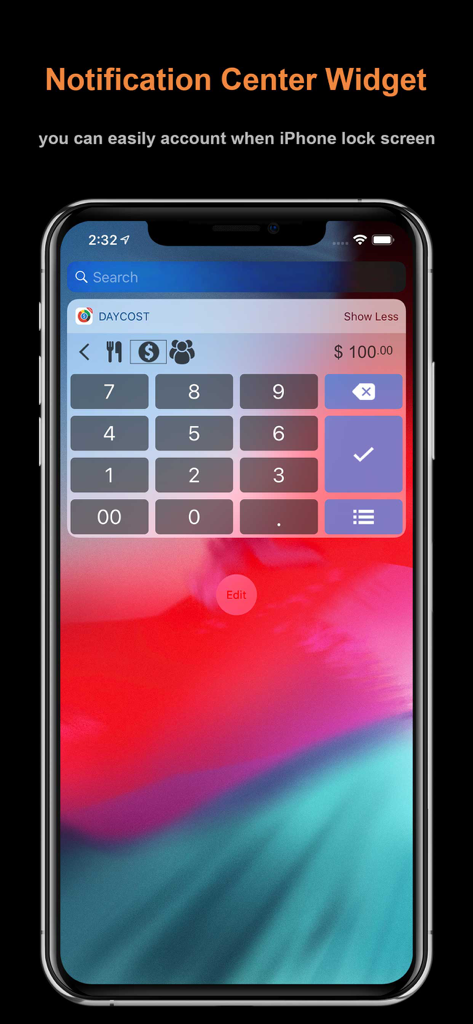
Record transactions directly from your Lock Screen or Notification Center. Log that morning coffee in seconds without ever unlocking your phone.

Privacy Without Compromise

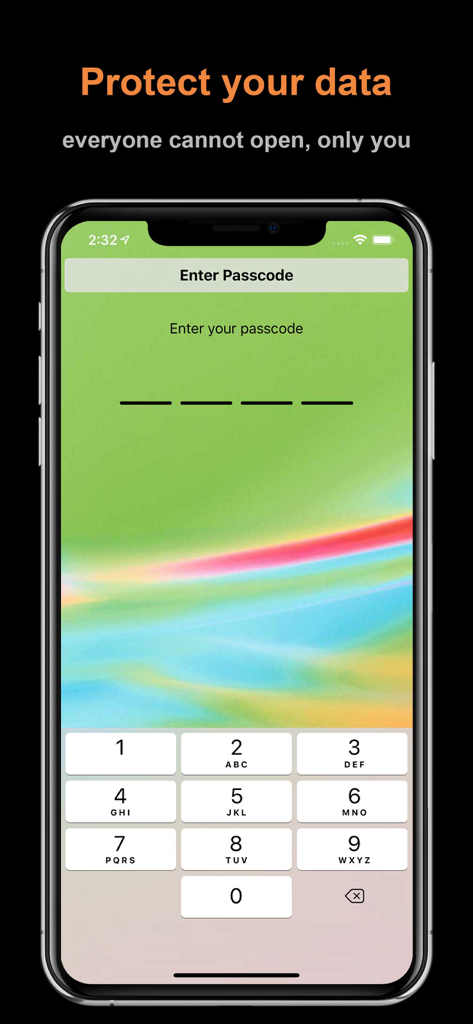
Take full control of your data without linking your bank accounts. Protect your financial history with passcode security and private iCloud backups.

The following screenshots and description are sourced directly from the app's official store listing and are the property of the app developer.

App Store

Screenshots
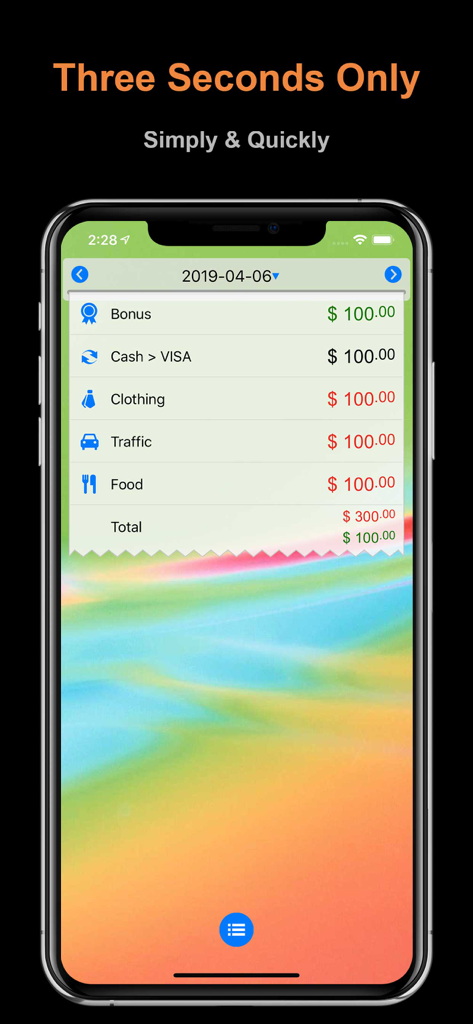
DayCost - Personal Finance - DayCost app interface showing a list of expenses and categories with a minimalist design
DayCost app interface showing a list of expenses and categories with a minimalist design

DayCost - Personal Finance - DayCost notification center widget for quick expense entry on iPhone lock screen.
DayCost notification center widget for quick expense entry on iPhone lock screen.

DayCost - Personal Finance - DayCost app passcode entry screen for personal data privacy and security
DayCost app passcode entry screen for personal data privacy and security

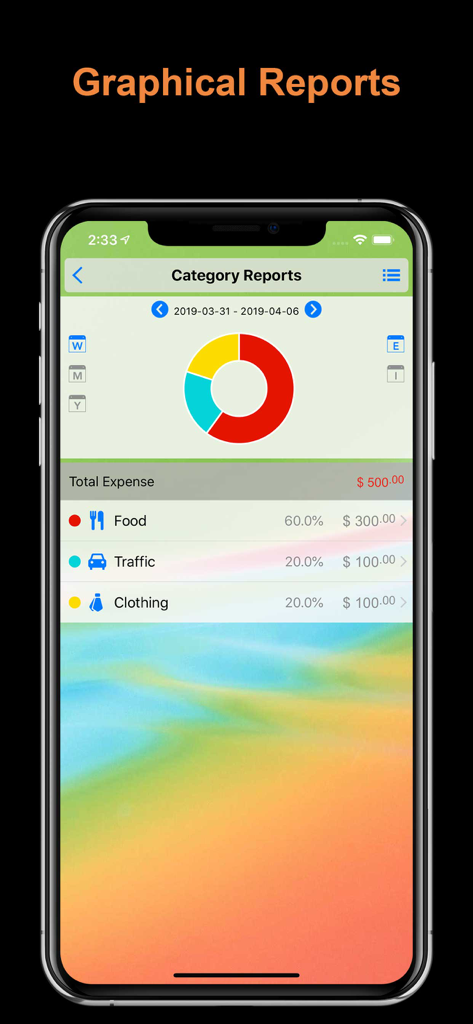
DayCost - Personal Finance - DayCost app graphical reports showing a donut chart of weekly expenses by category
DayCost app graphical reports showing a donut chart of weekly expenses by category

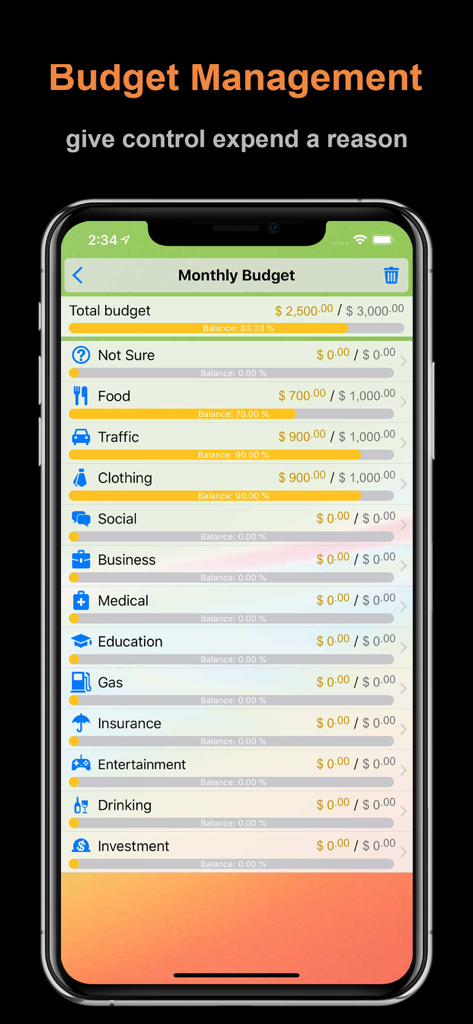
DayCost - Personal Finance - DayCost app interface for monthly budget management with categorized expense tracking and progress bars.

DayCost app interface for monthly budget management with categorized expense tracking and progress bars.

Description

Three seconds a bill. Fast, Security and Easy to use is our aim, and iOS notification center widget. Look at other people how to say: ◎ I just downloaded this app and I am so loving it already! It seems easy to use but I need to explore it more. ◎ Very innovative work. Keep up guys. 5 star app. ◎ It's quick to note down your expenses and helps you track your money. ◎ Polished, smart, simple, with all functions of apps of this kind. Exactly the one I was looking for. Makes me delete other similar apps on my phone and keep only this one, really. ◎ I love this app! It is clean, beautiful, very customizable, and user-friendly. I love the ability to make your own categories and accounts. And I also love the ability to put it in your pull-down Notification Center on your phone. It makes it quickly accessible during the day. Great job, love the app! Feature: ◎ Three seconds only: pull down, fill money, choose category ◎ iOS notification center widget: you can easily account when iPhone lock screen ◎ Passcode security: everyone cannot open, only you. even double-click the Home button, in the App list can not view the data ◎ Support more than 160 kinds of currency, conversion exchange rate automatic updates ◎ Calculator: built-in calculator, more convenient and faster ◎ Full gestures: fast billing basic ◎ Humane beginners guide: for special operations, we guide the way through the animation + text, more intuitive, easier to understand ◎ iCloud backup & restore ◎ Dropbox backup & restore ◎ Export data to CSV via Email ◎ Recurring event, both expenses and incomes, with rich frequency options. ◎ Allow custom theme color and wallpaper. ◎ Allow add transaction from template. Basic: ◎ Expense & Income bills can be added photos ◎ Income, Expense, Transfer, the others have ◎ Graphical reports, allowing you to easily view the balance of payments situation year / month / week ◎ Budget management: give yourself a reason to control consumption ◎ A variety of color themes and wallpaper, allows you to fully personalize ◎ Custom categories and consumption expenditure accounts, more in line with your needs ◎ Supports iPhone & iPad ◎ Daily reminder Increase: ◎ Easy copy history through gestures and automatically positioned in the day consumption date, you only need to modify the money can be. of course, you can use the existing money saved directly ◎ You can also add categories and account when billing editing, click on the banner to change currency If you give up because of difficulties If you give up because of busy If you want to know where expenses If you want to save money If 。。。 Try our "DayCost" it, she will be your best assistant URL Schemes: DayCostFree:// Help translate DayCost: Contribute to the DayCost translation in your language. Let's make DayCost available to everyone in the world! We will show translator's info in DayCost, if you so desire. In addition, we also give several redemption code as a gift. have any suggestions or comments, please write to us:support@daycost.com

Download

Download on App Store

This page is not an official page of the app or its developer, but an independent editorial publication created for informational and commentary purposes. Unless expressly stated otherwise, neither the app nor its developer is affiliated with, endorsed by, sponsored by, authorized by, or otherwise officially connected with MWM, Apple, Google Play, the app publisher, or the app's developer, and nothing on this page implies that the app was developed using MWM's services. Any trademarks, logos, screenshots, and other content remain the property of their respective owners.