
This page is not an official page of the app or its developer, but an independent editorial publication created for informational and commentary purposes. Unless expressly stated otherwise, neither the app nor its developer is affiliated with, endorsed by, sponsored by, authorized by, or otherwise officially connected with MWM, Apple, Google Play, the app publisher, or the app's developer, and nothing on this page implies that the app was developed using MWM's services. Any trademarks, logos, screenshots, and other content remain the property of their respective owners.


DET - Duolingo English Test
Secure your English certification. This app cuts the setup hassle, letting users focus on the main event: proving their fluency.
Downloads
100k+User Rating
Total Ratings
29Publisher
Category
EducationLocales
1Latest Version
1.4.0Size
22.9 MBFirst Released
Nov 25, 2025An Analytical Overview of Essential Pre-Test Verification Capabilities.
Core Setup Features of the DET Mobile App
Remote Proctoring Setup
The app guides users through setting up their mobile device to record the computer screen, forming a vital component of the remote proctoring system to monitor test integrity.
Secure Setup Environment
The app provides a foundation for a reliable and secure testing environment, ensuring the integrity and validity of the exam process.
Environment Security Scan
The app facilitates a thorough scan of the testing room, ensuring a controlled and compliant environment free from unauthorized assistance or materials.
Biometric Identity Scan
This tool enables comprehensive biometric scanning of the user's face and identification documents, rigorously confirming the test taker's identity.
Audio Environment Check
It includes an ear scan to confirm the absence of unauthorized listening devices, thereby upholding the fairness and security of the examination.
Identity Verification Submission
It allows users to securely submit their identification details, a critical step for test eligibility and verification.
Frequently Asked Questions
Everything you need to know about DET - Duolingo English Test
What is the primary purpose of the DET - Duolingo English Test mobile app?
The DET - Duolingo English Test mobile app provides a stable and secure setup experience for the Duolingo English Test. It prepares users for the test taken on a desktop computer.
Can I take the Duolingo English Test directly on the DET mobile app?
No, the DET - Duolingo English Test mobile app does not replace the desktop application for taking the actual test. It solely facilitates the test setup process.
What information do I submit using the DET - Duolingo English Test app?
Users submit their ID information, scan their face and ID, complete a room scan, and an ear scan using the DET - Duolingo English Test app. It also sets up the phone to record the computer.
How does the DET - Duolingo English Test app connect with my computer?
The DET - Duolingo English Test app connects with your computer using a unique code. Users enter this code on their computer to seamlessly link the devices for test setup.
Does the DET - Duolingo English Test app scan my room?
Yes, the DET - Duolingo English Test app includes a room scan feature. This ensures the test environment is ready and meets the necessary security requirements for the Duolingo English Test.
How do I verify my identity with the DET - Duolingo English Test app?
To verify identity, the DET - Duolingo English Test app guides users to scan their Driver's License or other approved ID. This is a crucial part of the secure test setup process.
The following screenshots and description are sourced directly from the app's official store listing and are the property of the app developer.
App Store
Screenshots

This screen illustrates the initial instruction to begin the setup on a computer, clearly displayed alongside a welcoming message guiding users.
Seamless Setup Start

Users can swiftly connect their devices by entering the displayed code into the secure input fields, facilitated by the intuitive in-app numeric keypad.
Effortless Device Linking

The app guides users through identity confirmation with a distinct ID card visual and explicit instructions to scan a Driver's License.
Secure ID Verification

This tool ensures a compliant test environment by prompting users to perform a room scan, depicted with a helpful visual of phone positioning.
Environment Readiness Check

The app directs users back to their computer to finalize setup, clearly indicating the next action to configure the phone camera for test monitoring.
Final Setup Steps
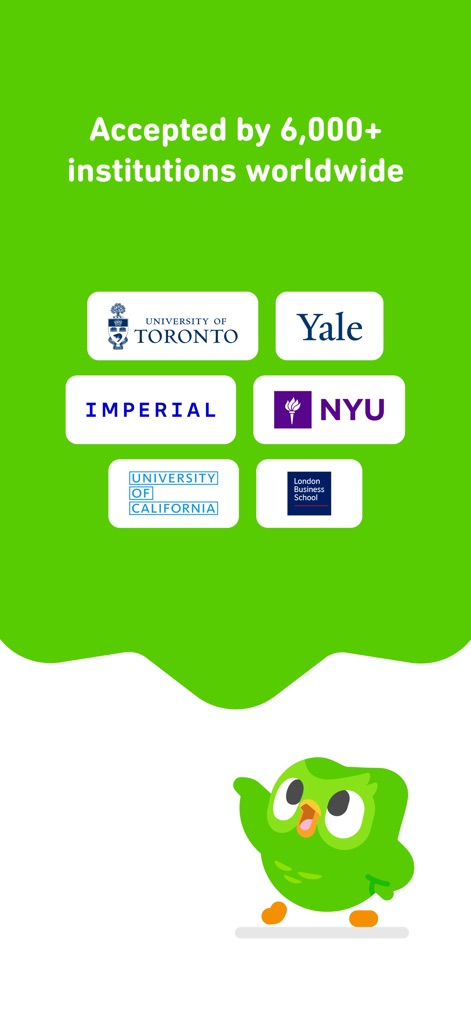
This screen prominently displays logos of prestigious universities like Yale and NYU, powerfully demonstrating the test's widespread acceptance by over 6,000 institutions globally.
Global Acceptance Assurance
Description
Download
More Like This
Top-ranked apps in the same category

Duolingo - Language Lessons
Duolingo, Inc

Speak & Learn English: Learna
DEEP FLOW SOFTWARE SERVICES - FZCO

驾考宝典-科一科四驾驶证考试驾考通
Wuhan Jiakaobaodian Information Service Co., Ltd.

Toca Boca World
Toca Boca AB

Google Classroom
Google LLC

作业帮-中小学家长作业检查和辅导工具
Guangzhou Polar Future Culture Technology Co., Ltd

学信网
Student Information Consultation Service Co., Ltd.

Gauth: AI Study Companion
GAUTHTECH PTE. LTD.

ArtWorkout: Learn How to Draw
Aleksandr Ulitin
This page is not an official page of the app or its developer, but an independent editorial publication created for informational and commentary purposes. Unless expressly stated otherwise, neither the app nor its developer is affiliated with, endorsed by, sponsored by, authorized by, or otherwise officially connected with MWM, Apple, Google Play, the app publisher, or the app's developer, and nothing on this page implies that the app was developed using MWM's services. Any trademarks, logos, screenshots, and other content remain the property of their respective owners.