
This page is not an official page of the app or its developer, but an independent editorial publication created for informational and commentary purposes. Unless expressly stated otherwise, neither the app nor its developer is affiliated with, endorsed by, sponsored by, authorized by, or otherwise officially connected with MWM, Apple, Google Play, the app publisher, or the app's developer, and nothing on this page implies that the app was developed using MWM's services. Any trademarks, logos, screenshots, and other content remain the property of their respective owners.


Dexcom Follow
Distance vanishes. It offers immediate insight into critical health data, giving users peace of mind.
Downloads
250k+User Rating
Total Ratings
758Publisher
Category
MedicalLocales
28Latest Version
1.2.1Size
214.6 MBFirst Released
Sep 16, 2025A Comprehensive Analysis of Key Features for Remote Diabetes Management Support
Dexcom Follow App: Essential Monitoring for Caregivers
Remote Glucose Monitoring
The app provides the ability to remotely view a loved one's current glucose levels directly from a smartphone or Apple Watch, offering continuous oversight and reassurance.
Customizable Glucose Alerts
It allows users to set personalized alerts and push notifications that inform them instantly when a Sharer's glucose levels fall outside a target range, enabling quick intervention.
Real-time Glucose Trends and Data
This tool features comprehensive visibility into a loved one's glucose levels, trends, and historical data, empowering caregivers to understand patterns and make informed decisions.
Multi-Sharer Support
The app supports monitoring glucose information for up to 25 different individuals, including children, friends, or other loved ones, centralizing care for multiple people with diabetes.
Frequently Asked Questions
Everything you need to know about Dexcom Follow
What is the Dexcom Follow App?
The Dexcom Follow App is part of the Dexcom SHARE® system. It allows users to view and follow the glucose levels, trends, and data of a loved one who shares from their Dexcom CGM app.
How do I connect with a loved one on the Dexcom Follow app?
To connect, the person sharing their glucose data (Sharer) must send an invitation after you install the Dexcom Follow app. You then accept the invitation to begin following.
What information can I see about a Sharer in the Dexcom Follow app?
The Dexcom Follow app displays their glucose levels, trends, and data. You can remotely monitor their glucose from your phone or Apple Watch.
Can I monitor multiple people with the Dexcom Follow app?
Yes, the Dexcom Follow app allows you to receive glucose information for up to 25 different Sharers, including children, friends, or other loved ones.
Does Dexcom Follow provide alerts for glucose levels?
Yes, Dexcom Follow provides customizable glucose alerts and push notifications. These inform you when a Sharer’s glucose levels are outside of their target range.
Can I view glucose trends over time in the Dexcom Follow app?
Yes, the Dexcom Follow app allows you to view glucose trends. You can see historical data, such as the last 3 hours, 6 hours, 12 hours, or 24 hours.
Is the Dexcom Follow app available on Apple Watch?
Yes, the Dexcom Follow app supports Apple Watch. You can remotely monitor your loved one's glucose at a glance directly from your Apple Watch.
The following screenshots and description are sourced directly from the app's official store listing and are the property of the app developer.
App Store
Screenshots
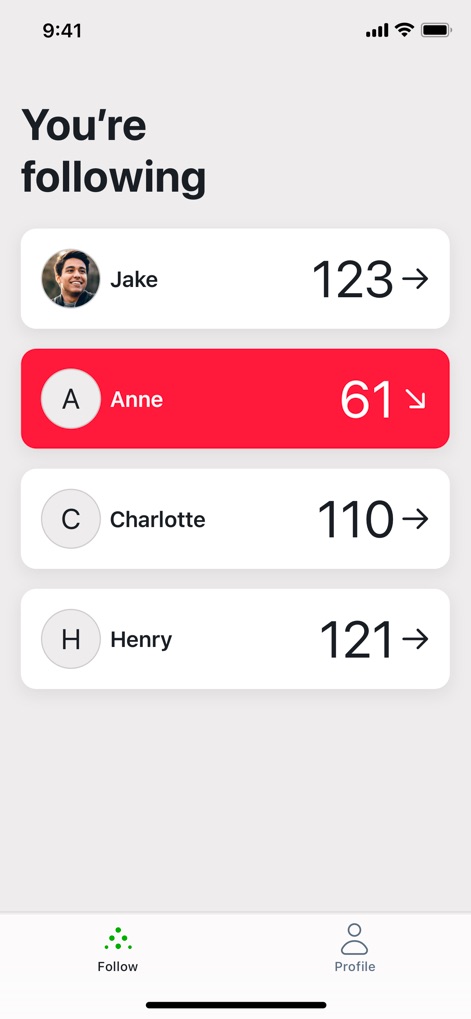
The app presents a clear 'You're following' list, allowing users to see current glucose levels and directional arrows for each individual they monitor, providing immediate context.
Following At A Glance
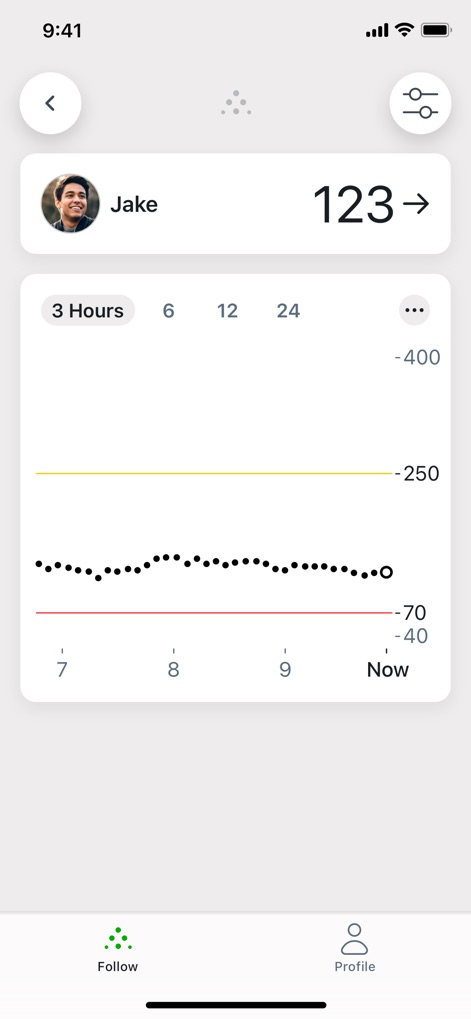
The app displays detailed glucose trends on a clear graph with configurable timeframes, allowing users to analyze specific time markers and historical data for a deeper understanding.
Glucose Trend Analysis
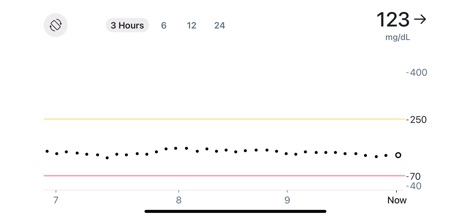
The detailed display showcases precise glucose readings in 'mg/dL' units, presented on a clear graph that defines safe boundaries with visual threshold lines for critical high and low levels.
Precision Glucose Display
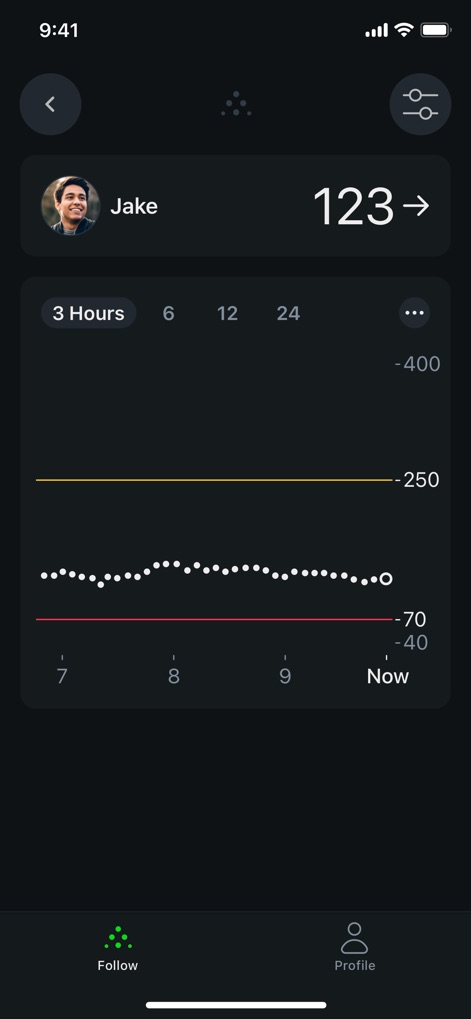
The app offers a visually comfortable dark mode, presenting glucose trend data and customizable time range options for easier viewing in low-light environments.
Night Mode Insights
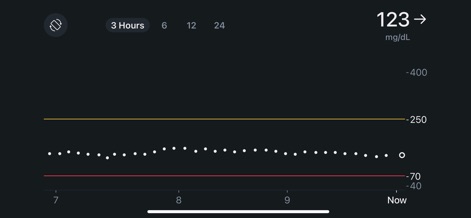
The dark theme enhances data readability by clearly presenting current 'mg/dL' glucose values and critical high and low threshold lines on the graph, reducing eye strain.
Enhanced Night Readability
Description
Download
More Like This
Apps with similar features and user experience


This page is not an official page of the app or its developer, but an independent editorial publication created for informational and commentary purposes. Unless expressly stated otherwise, neither the app nor its developer is affiliated with, endorsed by, sponsored by, authorized by, or otherwise officially connected with MWM, Apple, Google Play, the app publisher, or the app's developer, and nothing on this page implies that the app was developed using MWM's services. Any trademarks, logos, screenshots, and other content remain the property of their respective owners.