
This page is not an official page of the app or its developer, but an independent editorial publication created for informational and commentary purposes. Unless expressly stated otherwise, neither the app nor its developer is affiliated with, endorsed by, sponsored by, authorized by, or otherwise officially connected with MWM, Apple, Google Play, the app publisher, or the app's developer, and nothing on this page implies that the app was developed using MWM's services. Any trademarks, logos, screenshots, and other content remain the property of their respective owners.


Dext: Expense Tracker App
Stop drowning in receipts. This app transforms expense chaos into actionable financial clarity.
Downloads
1M+User Rating
Total Ratings
84.6KPublisher
Category
BusinessLocales
2Latest Version
5.2.4Size
82.4 MBFirst Released
Feb 15, 2011An Analytical Overview for Financial Professionals and Businesses
Key Features: Dext Expense Tracker App
Seamless Accounting Software Integration
It allows users to seamlessly integrate expense data with popular accounting software like Xero, QuickBooks, and Sage, automating financial workflows.
AI-Powered Data Extraction
The app provides highly accurate data extraction from receipts and invoices using AI and OCR, ensuring reliable financial records.
Time-Saving Expense Automation
It significantly streamlines expense management, data entry, reconciliation, and categorization processes, saving users valuable hours each month.
Automated Supplier Data Flow
The app facilitates faster, automated integration by seamlessly receiving expense data from over 1,400 suppliers, streamlining reconciliation and categorization.
Secure Data Protection
The app ensures that all receipt data is safely stored using bank-level encryption and is fully GDPR compliant, providing robust data security.
Automated Data Categorization
This tool meticulously itemizes and categorizes extracted data, offering valuable insights into business expenses and simplifying financial management.
Reliable Bookkeeping Automation
It excels in bookkeeping automation, ensuring reliable extraction and reconciliation of item transactions for faster business decisions.
Centralized Document Storage
The app allows users to centralize all financial documents, including invoices, expense reports, and receipt data, for easy access and organized record-keeping.
Frequently Asked Questions
Everything you need to know about Dext: Expense Tracker App
How does Dext: Expense Tracker App streamline expense management?
Dext streamlines expense management by effortlessly extracting data from receipts, itemizing and categorizing it. It integrates with accounting systems, simplifies tax compliance, and offers various submission methods, saving users time.
What are the main ways to submit expenses using the Dext app?
Users can submit expenses to Dext via the mobile app, by uploading from a computer, emailing invoices to a dedicated Dext Prepare address, or by setting up a Fetch connection with a supplier.
Does Dext: Expense Tracker App use OCR technology for data extraction?
Yes, Dext uses Optical Character Recognition (OCR) with 99% accuracy, combined with AI, to digitize receipts, bills, and invoices. It effectively decodes even handwritten information from documents.
Can Dext integrate with popular accounting software like QuickBooks and Xero?
Yes, Dext integrates with popular accounting software including QuickBooks (QBO) and Xero directly from the app. It also connects with Sage and other systems via its cloud platform.
What camera modes does the Dext app offer for capturing receipts?
Dext offers three camera modes: Single for one receipt, Multiple for several expenses (each photo is a separate item), and Combine for expense data spread over multiple pages into one item.
Is Dext: Expense Tracker App GDPR compliant and secure for data storage?
Yes, Dext ensures receipt data is safely stored using bank-level encryption and is fully GDPR compliant. It centralizes all documents securely for business operations.
Does Dext offer a free trial for new users?
Yes, Dext offers a 14-day free trial for new users to get started. Users can sign up through the app, tap '+', and begin capturing receipts immediately.
What types of information does Dext itemize and categorize from expenses?
Dext itemizes and categorizes data by industry type, expense category, document type, owner, submission details, supplier, currency, tax amount, and payment status, which users can easily edit.
Can Dext: Expense Tracker App track mileage for business expenses?
Yes, Dext accurately tracks mileage for business expenses. The app includes a dedicated feature for mileage claims, showing total distance and amount to help manage travel costs.
What is the accuracy rate of data extraction in Dext?
Dext's Optical Character Recognition (OCR) technology, enhanced with AI, achieves a 99% accuracy rate for digitizing receipts, bills, and invoices, including handwritten elements.
The following screenshots and description are sourced directly from the app's official store listing and are the property of the app developer.
App Store
Screenshots

Users can see the app's high ratings from platforms like QuickBooks and Trustpilot, demonstrating its global business recognition.
Business Trust & Ratings
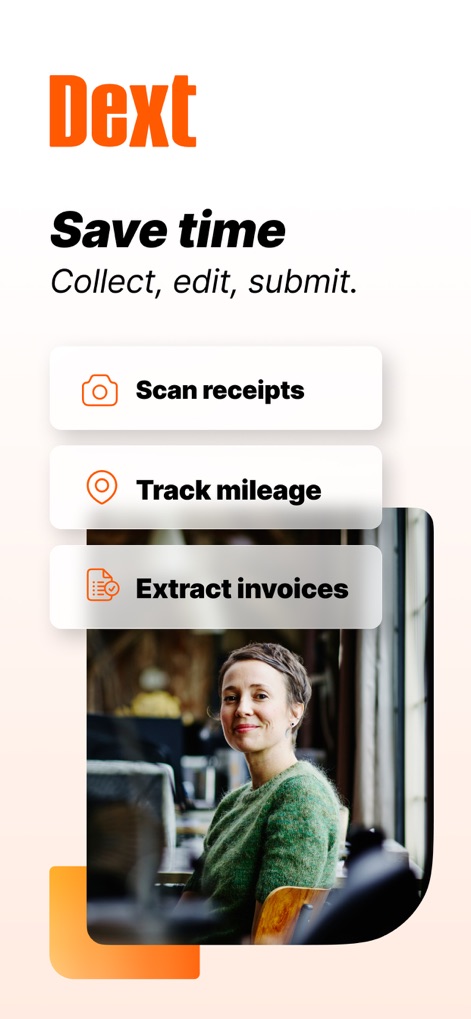
The app enables swift actions like scanning receipts and extracting invoices, allowing users to save significant time.
Streamline Expense Workflow
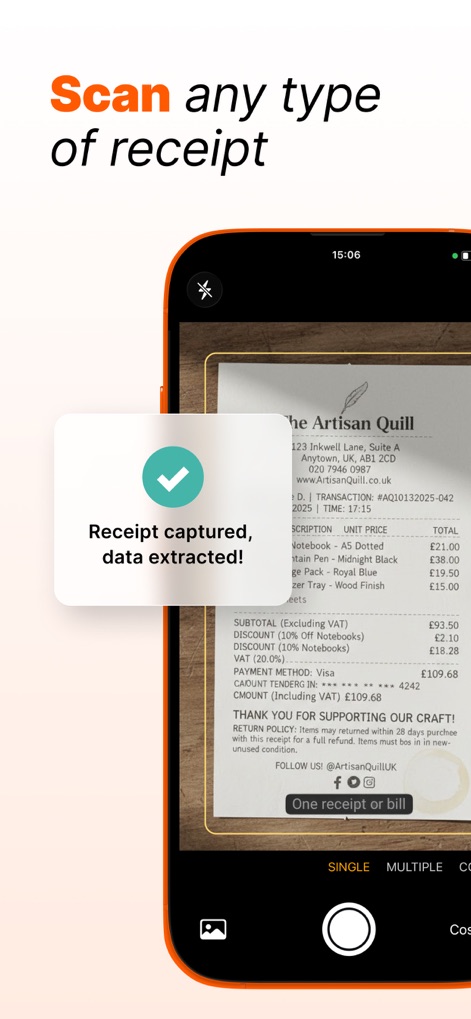
Observe the app's advanced camera modes and the instant confirmation message indicating successful data extraction from receipts.
Effortless Receipt Scanning
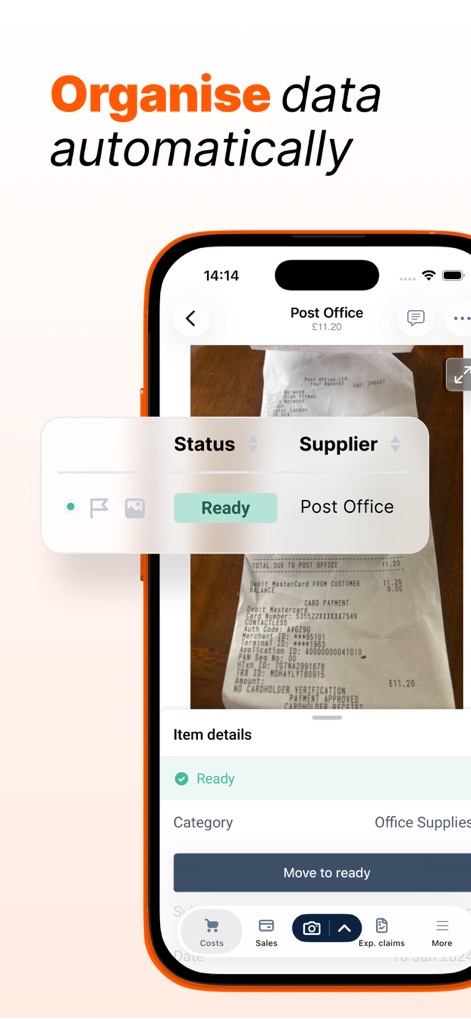
See how the app automatically categorizes expenses by status and supplier, ensuring organized item details for every transaction.
Automated Data Organization
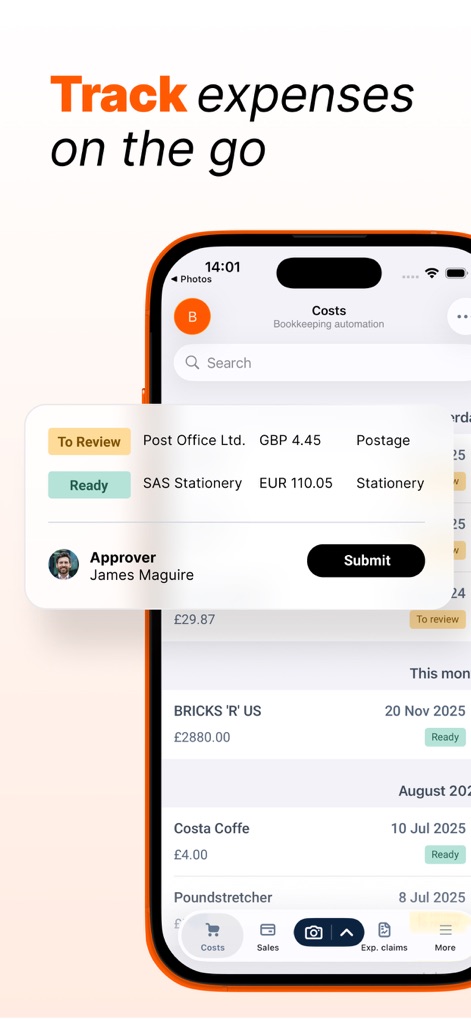
This tool provides a clear overview of expenses with 'To Review' status and a direct 'Submit' button for seamless approval workflows.
On-the-Go Tracking
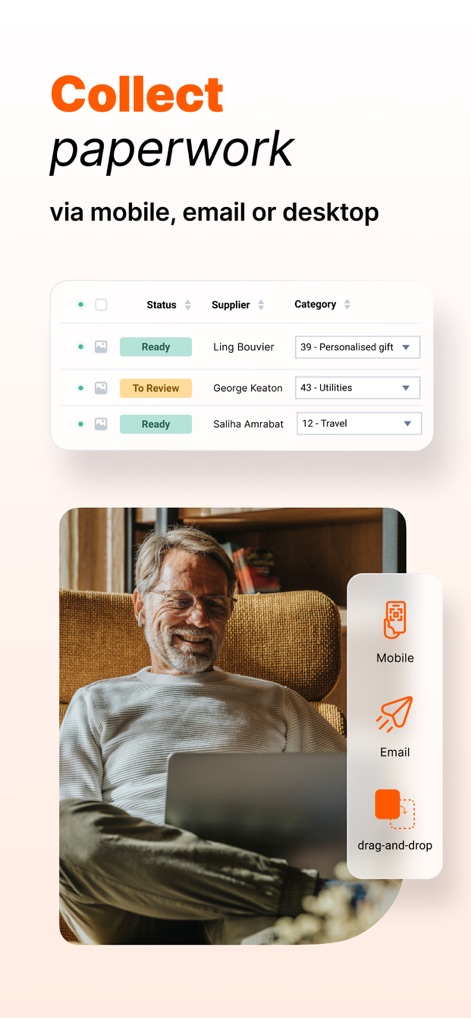
Users can efficiently collect paperwork via mobile and email, with clear indicators for document status and categories.
Versatile Document Collection
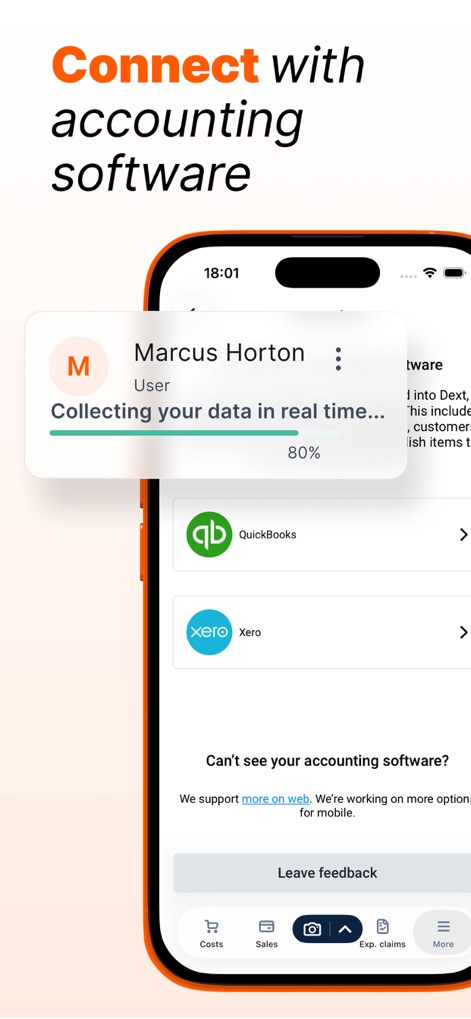
The app facilitates quick connections to major accounting software like QuickBooks and Xero, with real-time data collection shown via a progress bar.
Seamless Accounting Integration
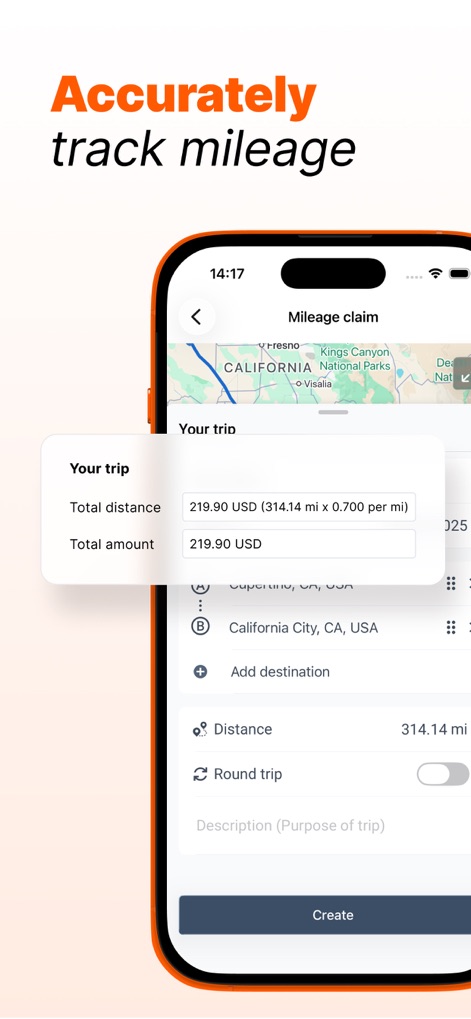
This tool accurately calculates mileage claims, displaying total distance and allowing users to add multiple destinations for trips.
Accurate Mileage Tracking
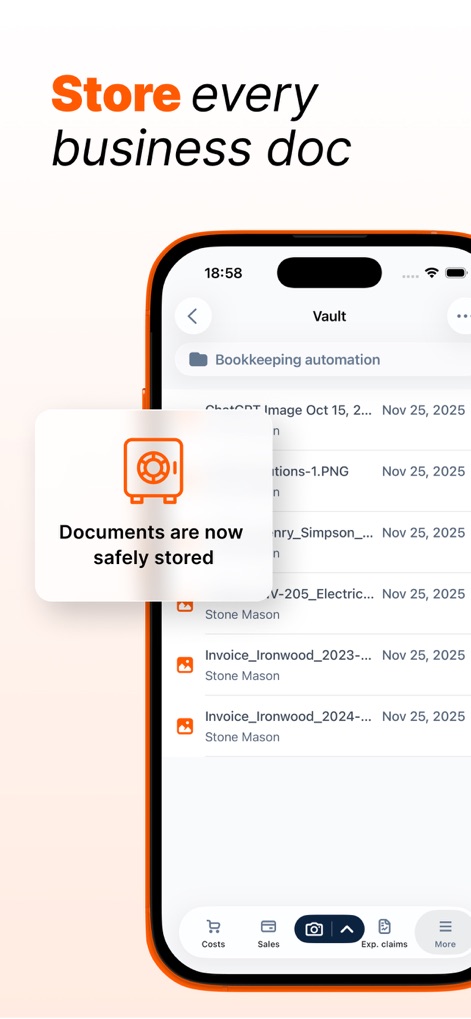
The app safely stores all business documents within its vault, providing a clear list of items and their storage dates.
Secure Document Vault
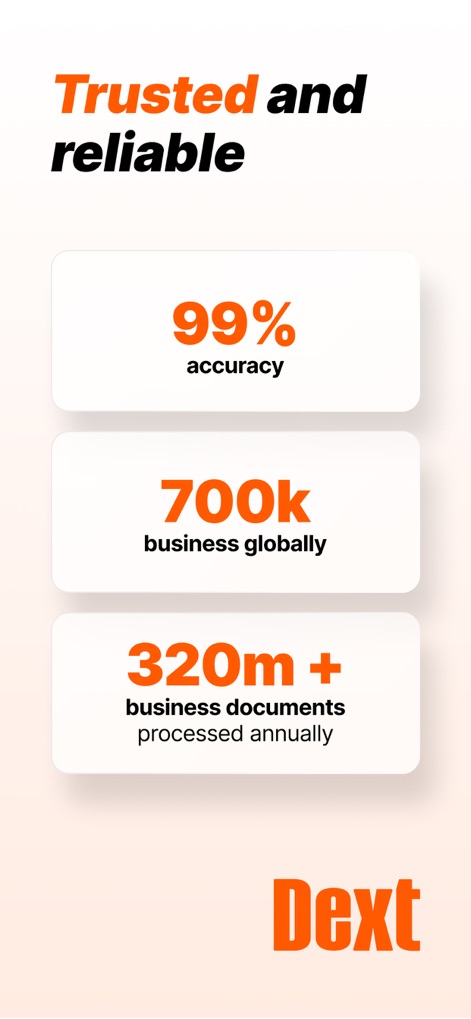
This tool showcases its reliability with 99% accuracy in data processing and a vast global user base of 700k businesses.
Proven Reliability Metrics
Description
Download
More Like This
Apps with similar features and user experience

柠檬云财务
Shenzhen Yicai Information Technology Co., Ltd.

FreeAgent Mobile Accounting
FreeAgent Central Ltd

myBillBook Billing Software
Valorem Stack Private Limited

Book Keeper Accounting
Just Apps Private Limited

Kashoo Cloud Accounting
Kashoo Cloud Accounting USA Inc.

Vyapar - Billing & Accounting
Simply Vyapar Apps private limited

烽火钱包
Hefei Yuanchu Network Technology Co., Ltd.

Plate Pro: Recipe & Food Cost
Coffee Alchymists Pty Ltd
This page is not an official page of the app or its developer, but an independent editorial publication created for informational and commentary purposes. Unless expressly stated otherwise, neither the app nor its developer is affiliated with, endorsed by, sponsored by, authorized by, or otherwise officially connected with MWM, Apple, Google Play, the app publisher, or the app's developer, and nothing on this page implies that the app was developed using MWM's services. Any trademarks, logos, screenshots, and other content remain the property of their respective owners.