Diabetes App - Diabeto Log

Diabetes App - Diabeto Log

Download on App Store
Logo of Diabetes App - Diabeto Log

Diabetes App - Diabeto Log: Visualize Patterns and Take Control

The ultimate tracking companion for the Apple ecosystem. Sync with Apple Health, log instantly with Siri, and share professional-grade reports with your doctor to manage your diabetes with confidence.

Publisher

CUBESOFT SARL

Category

Medical

Downloads

403K+

User Rating

4.5/5

Total Ratings

4K+

Locales

8

Control at a Glance

Discover the interface used by 403K+ users.
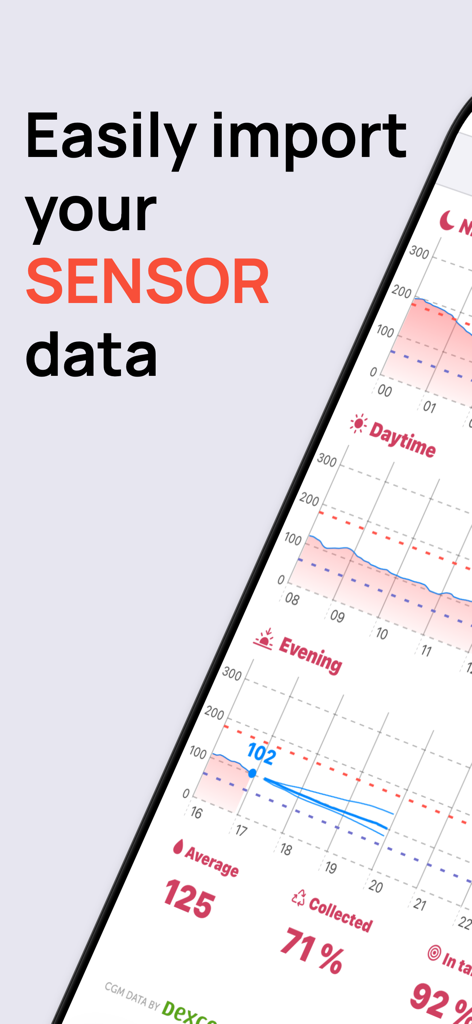
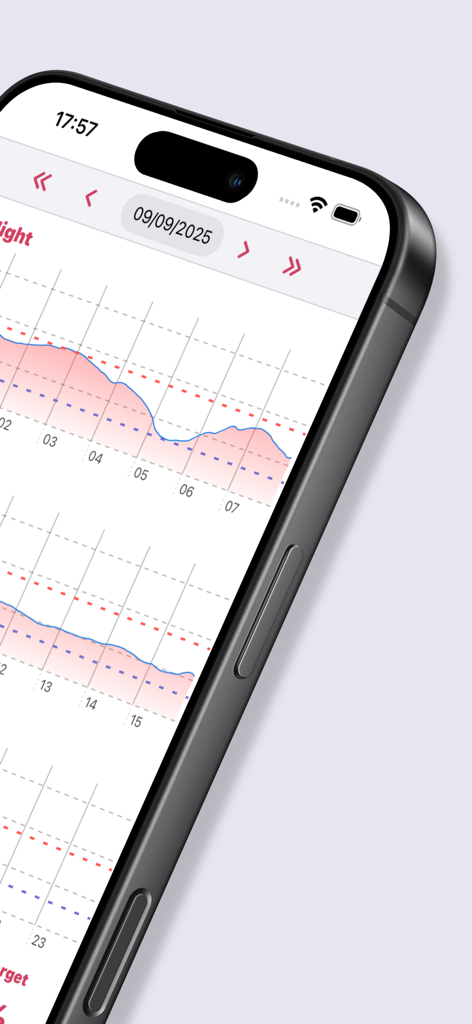
Diabetes App Diabeto Log interface showing blood glucose sensor data import and charts

Diabetes App Diabeto Log interface showing blood glucose sensor data import and charts

Detailed blood glucose trend graph with daily comparisons on an iPhone screen

Detailed blood glucose trend graph with daily comparisons on an iPhone screen

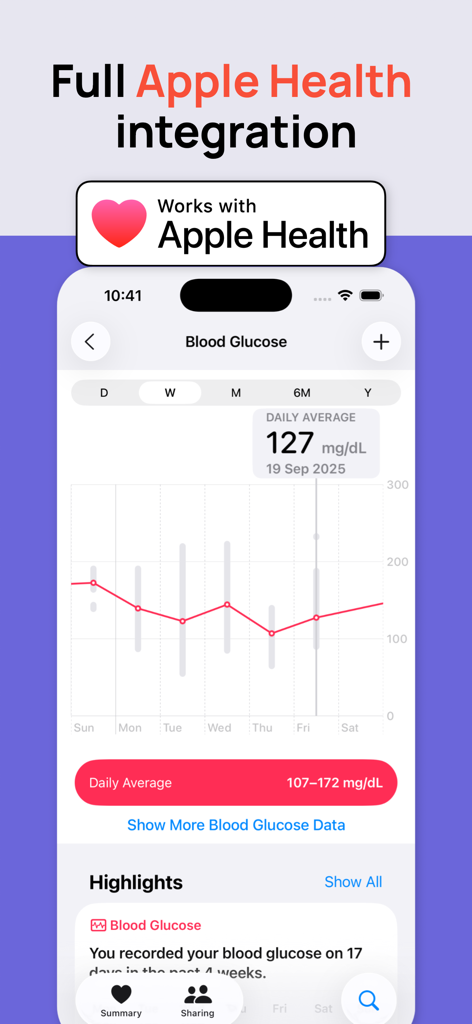
Diabetes App Diabeto Log interface showing blood glucose charts and Apple Health integration.

Diabetes App Diabeto Log interface showing blood glucose charts and Apple Health integration.

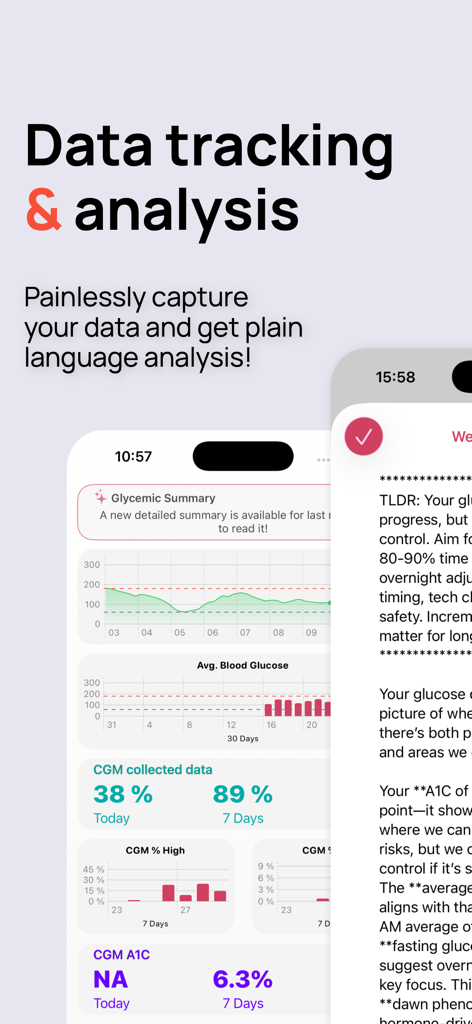
Diabeto Log app screens showing blood glucose glycemic summaries and data analysis charts

Diabeto Log app screens showing blood glucose glycemic summaries and data analysis charts

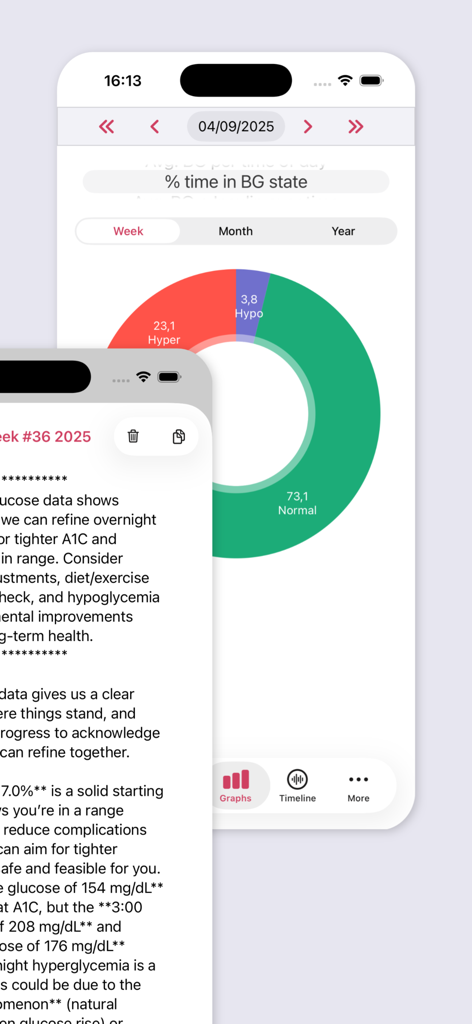
Blood glucose level distribution chart on Diabeto Log app.

Blood glucose level distribution chart on Diabeto Log app.

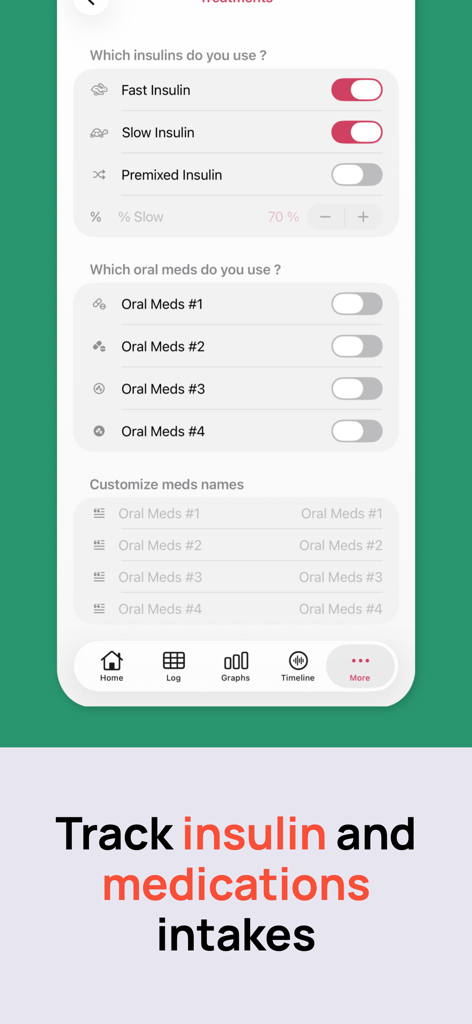
Interface for tracking insulin and oral medication intake in the Diabeto Log app

Interface for tracking insulin and oral medication intake in the Diabeto Log app

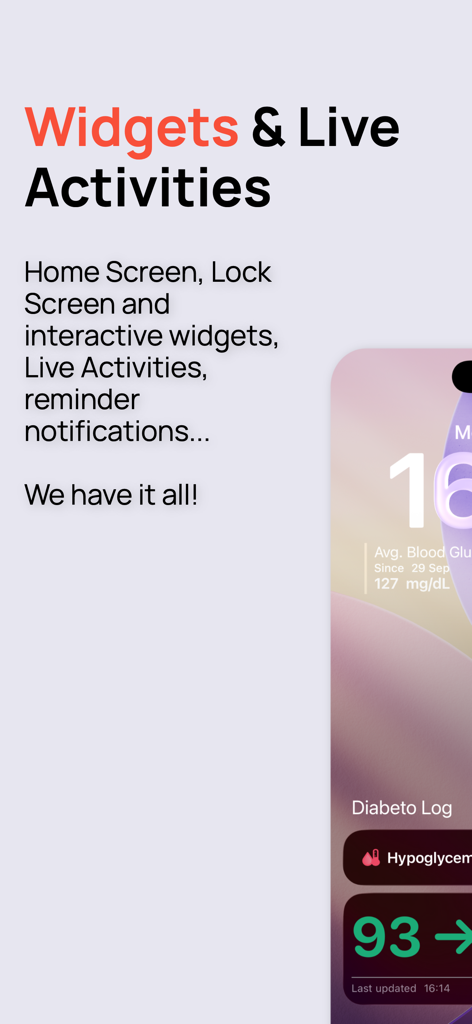
iPhone lock screen showing Diabeto Log interactive widgets and live activities for blood glucose monitoring

iPhone lock screen showing Diabeto Log interactive widgets and live activities for blood glucose monitoring

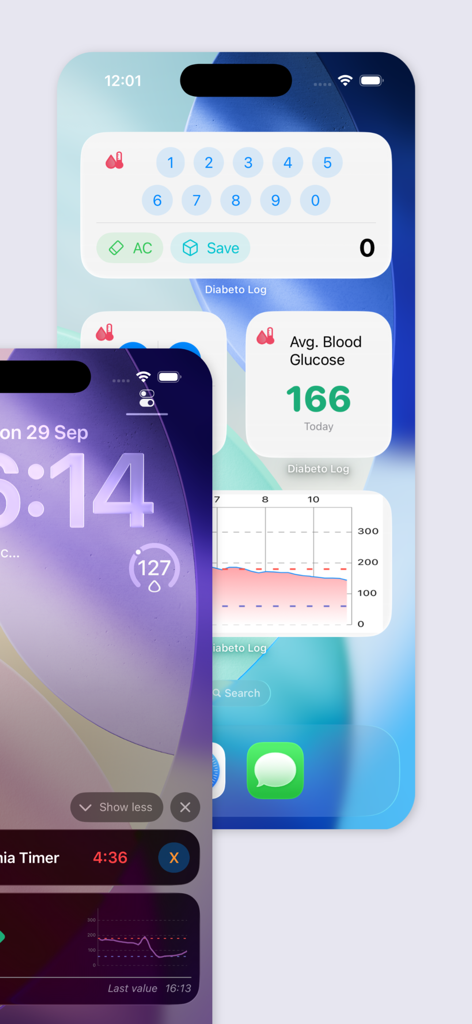
iPhone interface for Diabeto Log app featuring blood glucose tracking widgets and lock screen monitoring tools.

iPhone interface for Diabeto Log app featuring blood glucose tracking widgets and lock screen monitoring tools.

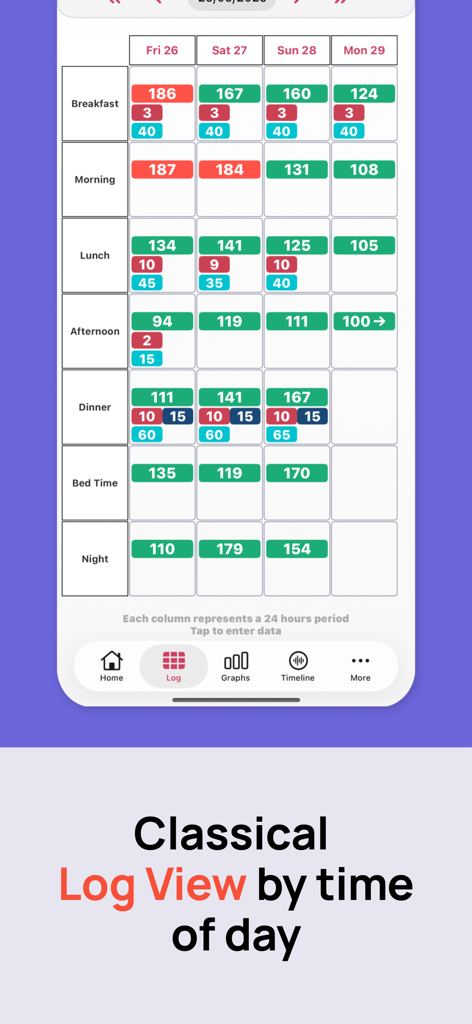
Diabeto Log app interface showing a four day grid for tracking blood glucose and insulin levels by time of day.

Diabeto Log app interface showing a four day grid for tracking blood glucose and insulin levels by time of day.

Smart Insights for Better Diabetes Management

The tools that make this app stand out, trusted by 403K+ users.

📈

Pattern Recognition at a Glance

View up to 7 days of logs on one screen to easily identify trends and visualize how insulin, carbs, and activity impact your levels.

🍏

Built for Your Apple Life

Sync effortlessly with Apple Health, use Siri for quick voice logging, and keep your sensitive medical data secure with FaceID or TouchID.

🛡️

Safety Tools for Peace of Mind

Protect yourself and your family with dedicated hypoglycemia timers and one-tap emergency alerts that share your location with chosen contacts.

Review Analysis

Insights from user reviews.

Sentiment Score

22%
Negative

Summary

This app receives mixed feedback, with users appreciating its capability to integrate glucose data with Apple Health and its compatibility with various FreeStyle Libre sensors, including a seamless live connection for Libre 3. However, a predominant issue is the app's reliability, frequently experiencing crashes, freezing, and inconsistent data synchronization, notably with Libre 2+ sensors and after recent updates. Many users are also frustrated by an excessive influx of intrusive advertisements that impede data entry, along with complaints about a complex user interface, challenging data input processes, and limited language support for Arabic and other non-German users. Additionally, several bugs have been reported, such as Apple Watch complications not displaying data on iOS 26 and settings not persisting on iPhone 16 Pro.

Common Themes

Sync and Reliability Issues(22)
Data Entry and User Interface(9)
Sensor Compatibility Problems(6)
Apple Health Integration(4)
Excessive Advertising(4)
Language Support(3)
Core Glucose Tracking Functionality(2)

About the app

Everything you need to know about Diabetes App - Diabeto Log.

Description

See 4 days (7 on iPad) of your blood glucose tests and meds intake in a single screen, designed specifically to help you see evolutions and compare data from one day to another. Days are organized in seven predefined periods for easy input and comparisons. * Enter your blood glucose level, your insulin or meds intake, your carbs eaten for a given period in a single quick input screen * Easy input of your data by tapping any cell in the logbook * Multi criteria search system to quickly find the data you need * Add tags to your records to identify specific food types or circumstance * (Premium) Backup your data and sync all your devices with iCloud * Write back your blood glucose and insulin intake into the Apple Health App. * Automatically import your activity, blood glucose and insulin intake data from the Apple Health App * Protect access to your data with either FaceID or TouchID * Easily see or add a note to any of your input with 3D touch (or long press if your device does not support it) - Easy to read dashboard of your day and the last 7 & 30 days with the following data: - Average blood glucose - Current day activity (either active calories if available or number of steps) - Number of hypoglycemias - Number of hyperglycemias - Your estimated A1c - Number of insulin units used (fast and slow) - Quantity of oral meds ingested * Create reminders for your blood glucose tests * Create 10 minutes timers for your sugar intakes when experiencing an hypoglycemia * Hypoglycemia timer: instant one-tap 10 minutes timer to remind you to check your blood glucose after having taken sugar * Hypoglycemia alert message : one-tap message sent to pre-chosen contacts with your localization to alert them that you’re having an hypoglycemia * Multiple graphs to take control of your data: - Blood glucose over time - Average blood glucose per period of the day - Percent of time spent in each blood glucose state (hypo, normal, hyperglycemia) - Average blood glucose correlated with your insulin intake over time - Average blood glucose correlated with your activity over time - Number of times you’ve hit your blood glucose target per time of the day All those graphs can be viewed for one day, week, month or year * Define your blood glucose targets * Customize your hypo and hyperglycemia limits * (Premium) Mirror sync: automatically send your data to another person device. Ideal for traveling children. * (Premium) Export a PDF report of your data to easily communicate with your diabetologist * Dark mode UI * Export all your data in an easy to use CSV file (usable in any spreadsheet software) * Siri Shortcuts: use Siri to easily enter data, trigger an hypo timer or send an emergency message * Receive a weekly summary of your blood sugar levels to see how your improving SUPPORT: We’ll be happy to hear from you. Either for feedback or for helping you. Please reach us at: web: http://www.cubesoft.fr/diabetolog mail: diabetolog@cubesoft.fr twitter: @diabetoapp DiabetoLog Premium is $20/year DiabetoLog is edited by CUBESOFT SARL. Payment will be charged to your iTunes Account at confirmation of purchase. Subscription automatically renews unless auto-renew is turned off at least 24-hours before the end of the current period. Account will be charged for renewal within 24-hours prior to the end of the current period, and identify the cost of the renewal. Subscriptions may be managed by the user and auto-renewal may be turned off by going to the user’s Account Settings after purchase. You can check our privacy policy at: https://www.cubesoft.fr/diabetolog/privacy Terms of service: https://www.cubesoft.fr/diabetolog/eula

Latest Version

2026.3

Size

235.7 MB

First Released

May 12, 2018

Ready to Simplify Your Diabetes Management?

Join over 400,000 users who log faster, stay safer with instant emergency alerts, and arrive at every doctor's appointment with professional-grade reports.

Download on App Store

App information, icons, screenshots, and descriptions displayed on this page are sourced from the Apple App Store and are the property of their respective developers. Download estimates and rankings are based on MWM's proprietary models and may not reflect actual figures. This page is provided for informational and analytical purposes only.

Believe this page infringes your intellectual property? File a dispute