
This page is not an official page of the app or its developer, but an independent editorial publication created for informational and commentary purposes. Unless expressly stated otherwise, neither the app nor its developer is affiliated with, endorsed by, sponsored by, authorized by, or otherwise officially connected with MWM, Apple, Google Play, the app publisher, or the app's developer, and nothing on this page implies that the app was developed using MWM's services. Any trademarks, logos, screenshots, and other content remain the property of their respective owners.


Glooko - Track Diabetes Data
The smarter way to manage diabetes. Sync data from 200+ devices, including CGMs and pumps, to track trends and share reports directly with your care team for better health outcomes.
Downloads
515K+User Rating
Total Ratings
12K+Publisher
Category
MedicalLocales
18Latest Version
6.14Size
150.2 MBFirst Released
Nov 9, 2011Master Your Health with Data-Driven Insights
Eliminate the guesswork of diabetes management. Glooko syncs with over 200 devices to provide a clear, comprehensive view of your health in one secure app.
Seamless Device Integration
Connect your CGMs, insulin pumps, and activity trackers automatically to see all your health metrics in one unified, real-time dashboard.
Direct Doctor Collaboration
Instantly share data with your care team using ProConnect codes, turning every telehealth or office visit into a data-driven conversation.
Frequently Asked Questions
Everything you need to know about Glooko - Track Diabetes Data
What is Glooko - Track Diabetes Data?
Glooko is a comprehensive diabetes management platform. It helps users understand and control blood glucose levels and overall well-being by tracking various health data points.
What health data can Glooko track?
Glooko tracks blood glucose, insulin, weight, exercise, food, and medications. It consolidates this health data in one place for more informed decisions.
Does Glooko sync with other diabetes devices and apps?
Yes, the Glooko platform syncs data from over 200 diabetes and health monitoring devices. These include BGMs, insulin pumps, CGMs, smart scales, and fitness apps.
Can Glooko connect with activity trackers like Apple Health or Fitbit?
Yes, Glooko integrates data from popular activity trackers such as Apple Health, Fitbit, and Strava. This feature helps provide a more comprehensive view of user activity.
How do Glooko users share data with their healthcare providers?
Glooko users can automatically share their health data with care teams using unique ProConnect codes. This facilitates remote collaboration and report sharing between visits.
Can I track food intake with the Glooko app?
Yes, Glooko allows users to add food and nutrition intake. It features a built-in barcode scanner, search functionality, and a voice-activated database for this purpose.
Does Glooko provide medical advice or treatment decisions?
No, Glooko does not provide medical diagnosis or automated treatment decisions. It conveys data; all medical diagnosis and treatment are performed under a healthcare provider's supervision.
Is the Glooko Mobile App secure for managing personal health data?
Yes, the Glooko Mobile App is secure. It allows users to manage their diabetes data and collaborate with care teams while maintaining data privacy.
How does Glooko - Track Diabetes Data help identify diabetes trends?
Glooko helps users identify trends by displaying glucose trends in various easy-to-understand reports and charts. These reports are similar to those used by care teams.
The following screenshots and description are sourced directly from the app's official store listing and are the property of the app developer.
App Store
Screenshots
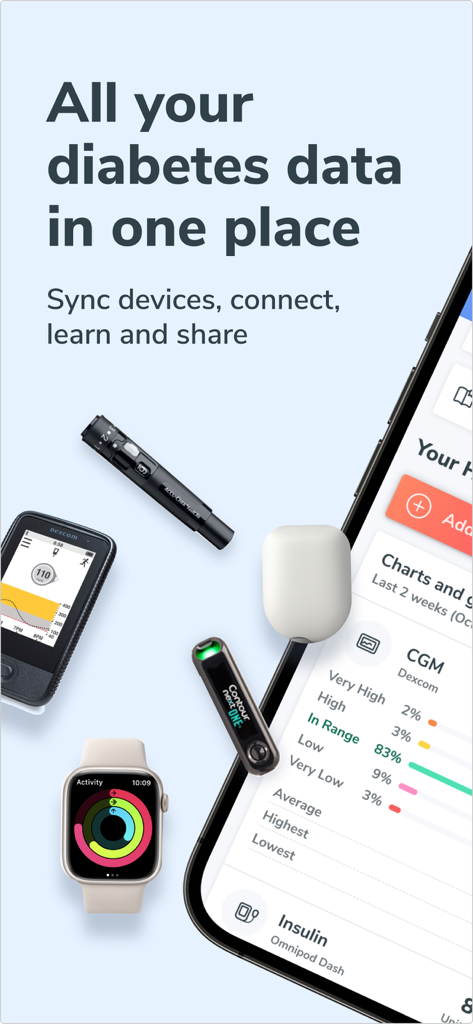
Smartphone showing Glooko app syncing data from various diabetes devices and an Apple Watch
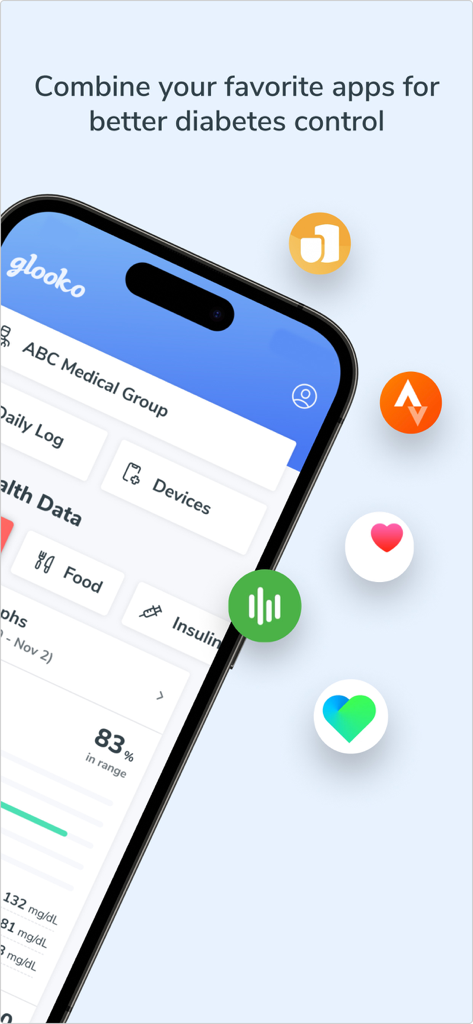
Glooko mobile app dashboard showing diabetes tracking data and integrations with other health apps
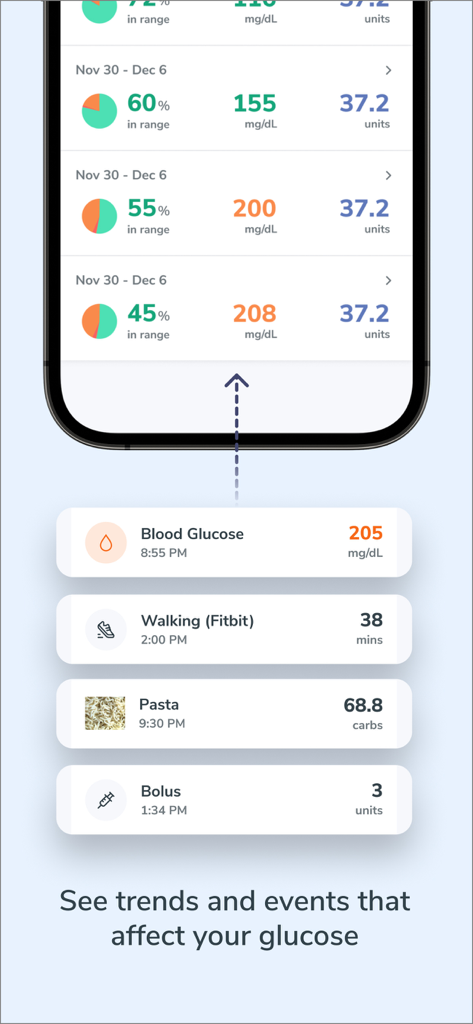
Glooko mobile app dashboard displaying glucose trends and integrated health event tracking
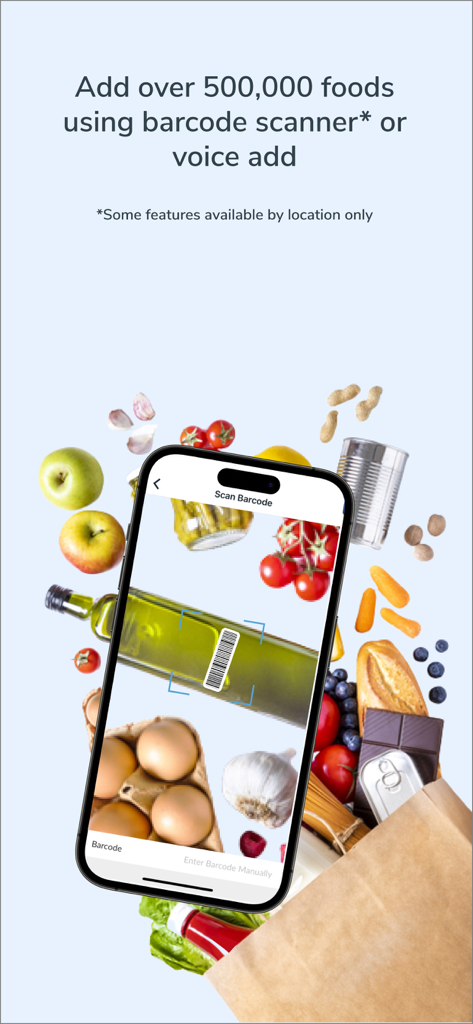
A smartphone using the Glooko app barcode scanner to track nutritional data from fresh groceries.
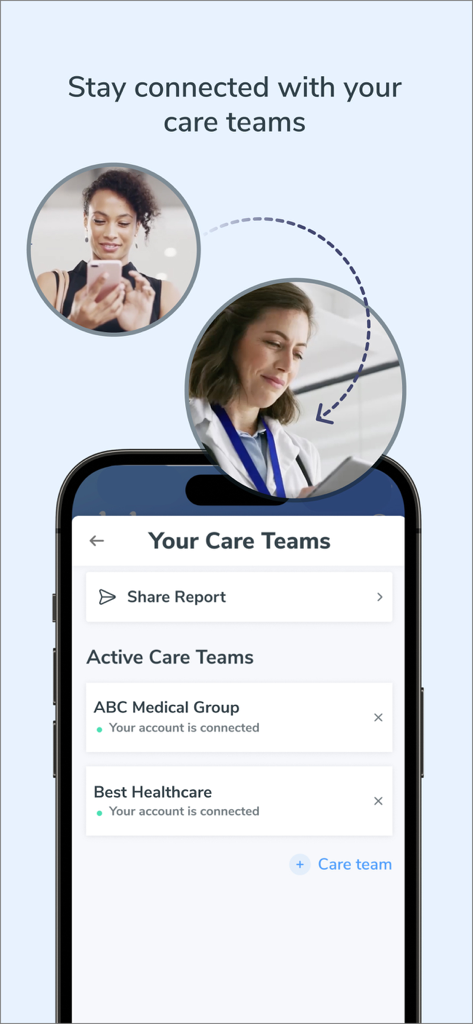
Glooko app screen showing how users can stay connected and share health reports with their medical care teams
Description
Download
More Like This
Apps with similar features and user experience
OneTouch Reveal® app
LifeScan, Inc.

Libre by Abbott
Abbott Diabetes Care Inc
mySugr - Diabetes Tracker Log
mySugr GmbH
GoCoCo - Diabetes Food Tracker
Coco positivo SL
Dexcom Clarity
DexCom, Inc.
Glucose | Blood Sugar Tracker
App Sub 1 LLC
Glucose Buddy Diabetes Tracker
Azumio Inc.
Health2Sync - Diabetes Tracker
H2 Inc.
Glycemic Index Load Net Carbs
WL Online Marketing LLC
This page is not an official page of the app or its developer, but an independent editorial publication created for informational and commentary purposes. Unless expressly stated otherwise, neither the app nor its developer is affiliated with, endorsed by, sponsored by, authorized by, or otherwise officially connected with MWM, Apple, Google Play, the app publisher, or the app's developer, and nothing on this page implies that the app was developed using MWM's services. Any trademarks, logos, screenshots, and other content remain the property of their respective owners.