DICOM Camera
DICOM Camera
Download on App Store

This page is not an official page of the app or its developer, but an independent editorial publication created for informational and commentary purposes. Unless expressly stated otherwise, neither the app nor its developer is affiliated with, endorsed by, sponsored by, authorized by, or otherwise officially connected with MWM, Apple, Google Play, the app publisher, or the app's developer, and nothing on this page implies that the app was developed using MWM's services. Any trademarks, logos, screenshots, and other content remain the property of their respective owners.


Logo of DICOM Camera
Download on App Store

DICOM Camera

Transform your mobile device into a secure medical modality. Capture HIPAA-compliant photos and videos, pull patient data via MWL, and transmit directly to your archive servers—eliminating clinical data in personal camera rolls.

Key Figures

Downloads

900

User Rating

5.0/5

Total Ratings

0

Publisher

Raster Images Pvt. Ltd

Category

Medical

Locales

8

Latest Version

3.0.1

Size

26.6 MB

First Released

Aug 18, 2023
Features

Professional Imaging, Simplified

Streamline your clinical workflow with a secure, DICOM-compliant solution designed to bridge the gap between mobile flexibility and hospital-grade standards.

HIPAA-Ready Secure Storage

Protect patient privacy by isolating clinical media within a secure, in-app 'walled garden' that never mixes with your personal photo library.

Seamless PACS & HL7 Sync

Eliminate manual uploads by transmitting images directly to your hospital’s archive servers and communication systems in real-time.

The following screenshots and description are sourced directly from the app's official store listing and are the property of the app developer.

App Store

Screenshots
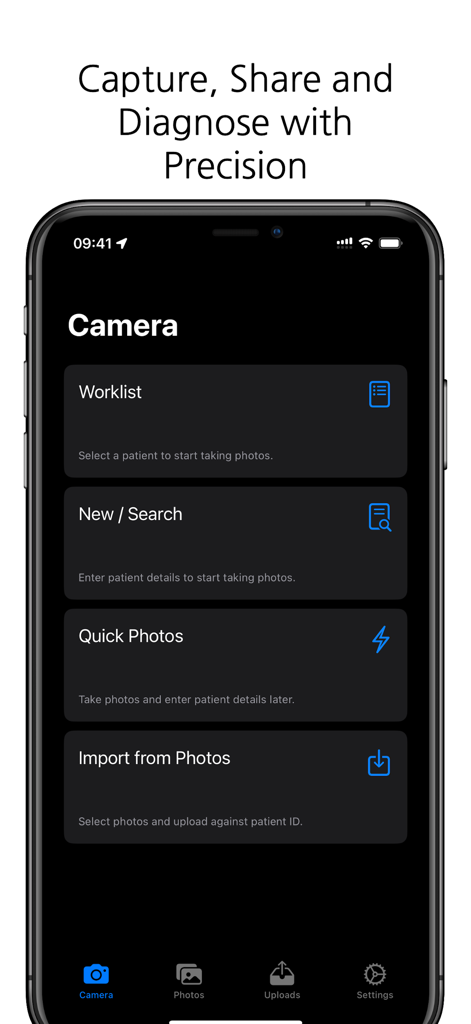
DICOM Camera - Main menu of the DICOM Camera app showing patient worklist and photo capture options for medical professionals
Main menu of the DICOM Camera app showing patient worklist and photo capture options for medical professionals

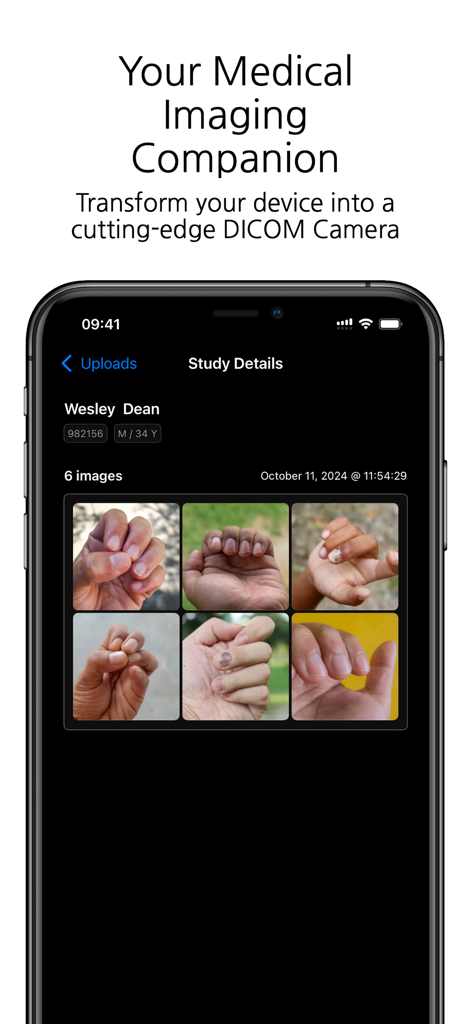
DICOM Camera - Smartphone screen displaying the DICOM Camera app with clinical study details and patient hand images
Smartphone screen displaying the DICOM Camera app with clinical study details and patient hand images

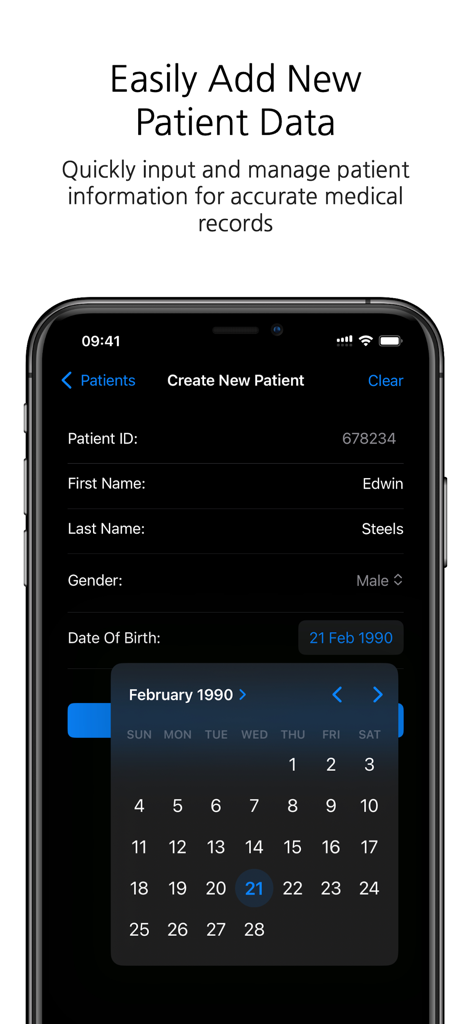
DICOM Camera - Smartphone screenshot showing the DICOM Camera app interface for adding new patient information including ID, name, and date of birth.
Smartphone screenshot showing the DICOM Camera app interface for adding new patient information including ID, name, and date of birth.

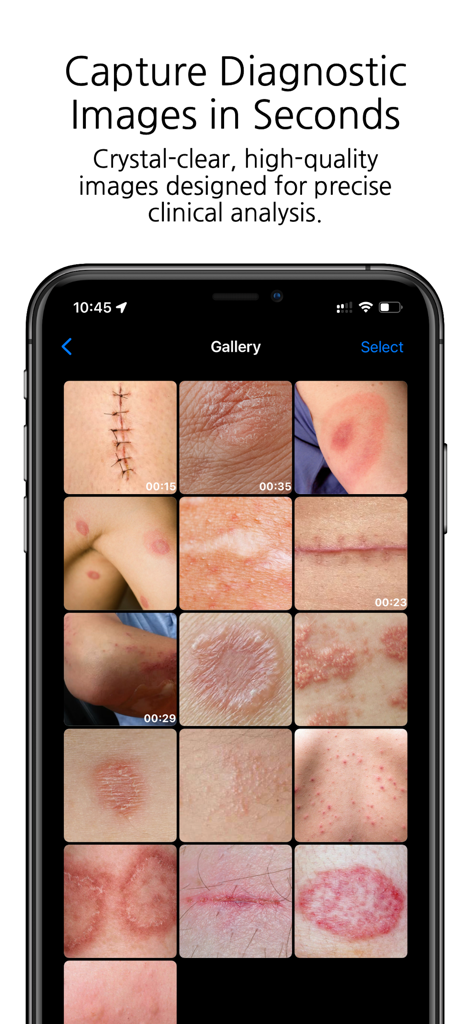
DICOM Camera - A smartphone screen displaying the DICOM Camera app gallery with various clinical images of skin conditions and surgical scars.
A smartphone screen displaying the DICOM Camera app gallery with various clinical images of skin conditions and surgical scars.

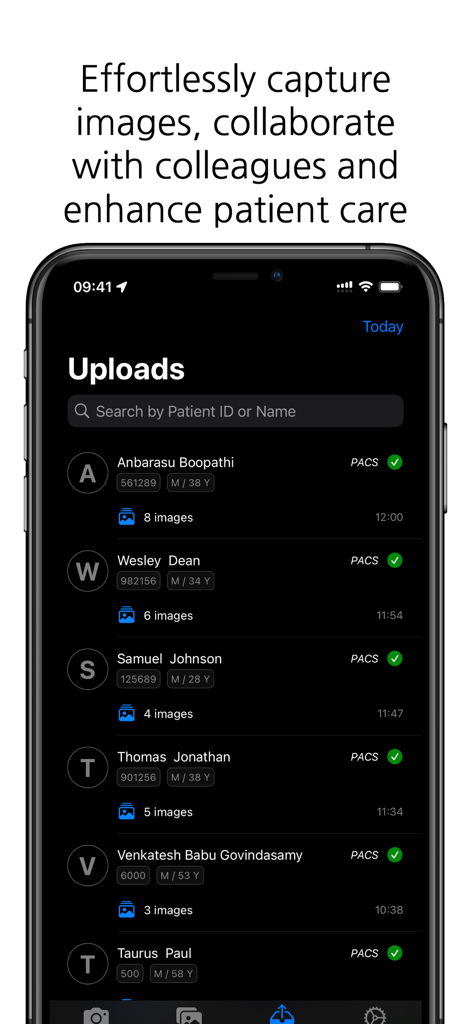
DICOM Camera - DICOM Camera app interface showing a list of patient image uploads with successful PACS synchronization status
DICOM Camera app interface showing a list of patient image uploads with successful PACS synchronization status

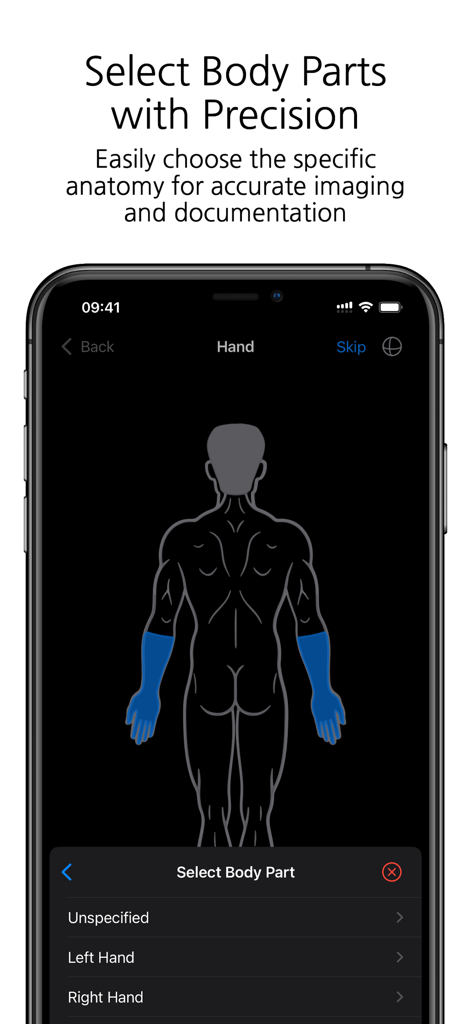
DICOM Camera - Interface of the DICOM Camera app showing a human body diagram for anatomy selection.
Interface of the DICOM Camera app showing a human body diagram for anatomy selection.

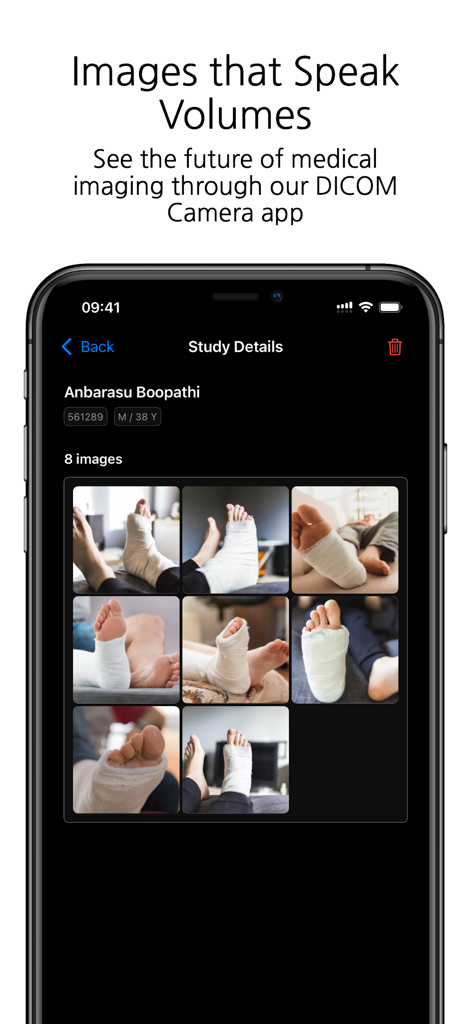
DICOM Camera - DICOM Camera app showing medical study details and patient photo grid
DICOM Camera app showing medical study details and patient photo grid

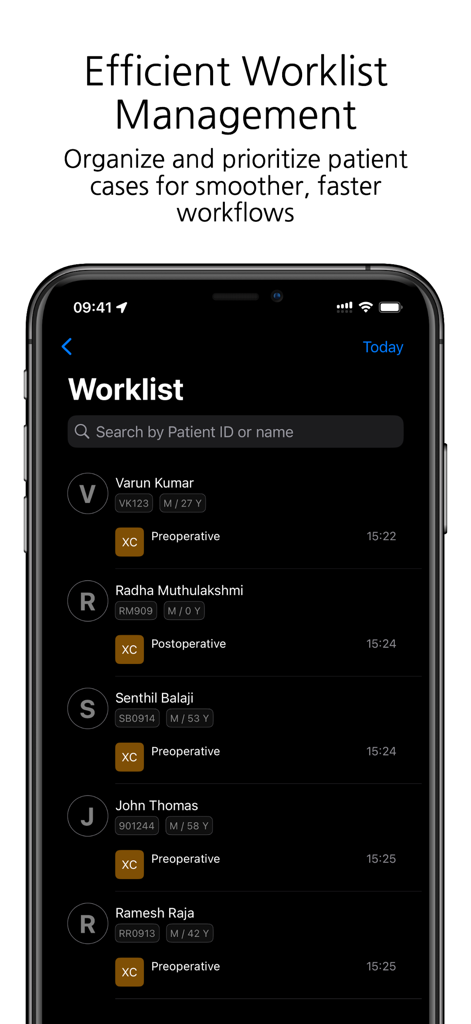
DICOM Camera - DICOM Camera app interface showing a list of patient cases with ID and preoperative or postoperative status.
DICOM Camera app interface showing a list of patient cases with ID and preoperative or postoperative status.

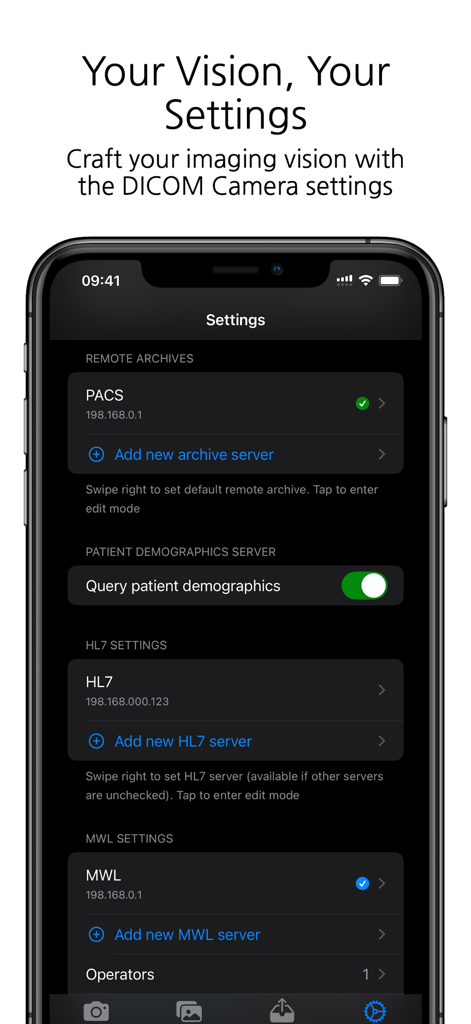
DICOM Camera - Settings screen of the DICOM Camera app showing configuration options for PACS HL7 and MWL servers

Settings screen of the DICOM Camera app showing configuration options for PACS HL7 and MWL servers
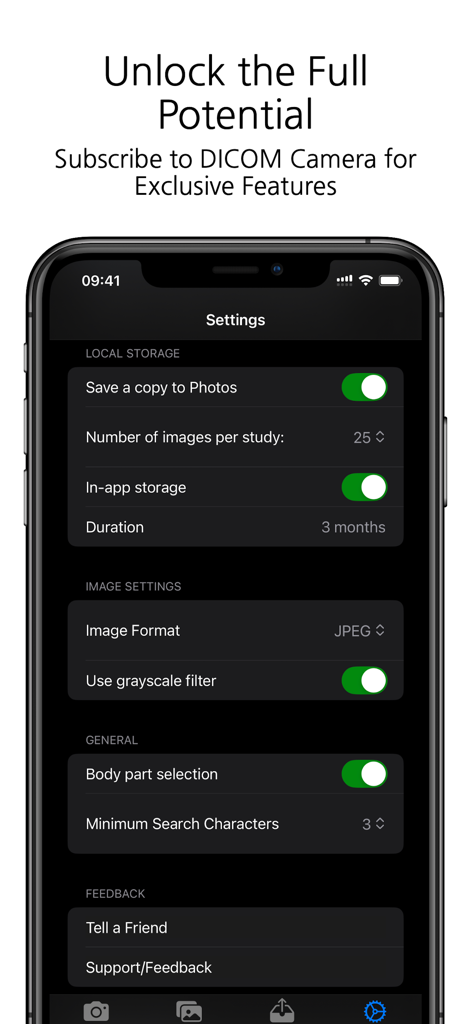
DICOM Camera - Settings menu of the DICOM Camera app showing medical image storage and clinical configuration options

Settings menu of the DICOM Camera app showing medical image storage and clinical configuration options

Description

DICOM Camera: The Ultimate Medical Imaging Companion The DICOM Camera app is a cutting-edge solution for medical professionals who need to capture, store, and manage medical images and videos with ease. Designed to integrate seamlessly into any medical workflow, DICOM Camera offers powerful features to streamline medical imaging while ensuring compliance with DICOM standards. With its advanced features, DICOM Camera enables easy capture, storage, and sharing of high-quality medical images. Key Features: 1. Configure Multiple Remote Archive Servers Effortlessly connect and configure multiple remote DICOM archive servers (PACS). This feature allows users to store and retrieve studies across various servers, ensuring scalability and secure access to imaging data. 2. Capture Up to 25 Photos per Study With DICOM Camera, you can capture up to 25 high-quality medical images per study. This is ideal for documenting comprehensive cases where multiple images are required to fully capture the clinical details. 3. Record Up to 5 Minutes of Video per Study The app supports video recording of up to 5 minutes per study, making it perfect for capturing dynamic or procedural data, endoscopic procedures, or surgical documentation. 4. Configure Multiple HL7 Servers DICOM Camera allows users to integrate multiple HL7 servers for seamless communication with hospital information systems (HIS) and electronic medical record (EMR) systems, ensuring smooth data flow between systems. 5. Configure Multiple MWL Servers Integration with multiple Modality Work list (MWL) servers ensures efficient and accurate workflow management. You can configure several MWL servers to pull patient data, ensuring proper association of captured images and videos with patient records. 6. In-App Storage of Photos The app provides secure, in-app storage of captured photos, allowing users to manage and organise their studies locally before transferring them to the archive or external servers. 7. Body Part Selection for Photos Enhance the clinical accuracy of your imaging documentation by selecting the specific body part being imaged. This feature helps in ensuring that the medical images are properly annotated and categorised. 8. Capture Photos in Multiple Formats Capture and store photos in various formats such as JPEG, JPEG-Lossless, or JPEG2000 to accommodate different clinical needs or institutional requirements. 9. Grayscale Filters for Image Processing Apply grayscale filters to captured images to enhance contrast and visualisation, particularly useful in medical imaging where grayscale is preferred for clinical assessment. 10. Add Multiple Operators for MWL Technicians Easily manage multiple operators or technicians within the app, especially in larger facilities where different users might be handling the imaging process. This ensures that the correct operator is associated with each study. 11. Activity Log Track all actions performed within the app through an integrated activity log. This feature provides an audit trail for every study captured, helping to maintain compliance and accountability. 12. MPPS Log (Modality Performed Procedure Step) Monitor and log all MPPS events, ensuring accurate tracking of completed imaging procedures. This feature is essential for institutions that need to log procedural information in real time. 13. Support for Multiple Languages DICOM Camera is built for a global audience with support for multiple languages. Users can easily switch between languages, making the app accessible to a diverse range of medical professionals worldwide. 14. Custom App Icon Personalise the look of your DICOM Camera app with a custom app icon, allowing users to choose the visual appearance that suits their preferences. DICOM Camera is designed to simplify the process of capturing and managing medical images and videos, ensuring compliance with healthcare standards and delivering a robust solution for medical professionals.

Download

Download on App Store

This page is not an official page of the app or its developer, but an independent editorial publication created for informational and commentary purposes. Unless expressly stated otherwise, neither the app nor its developer is affiliated with, endorsed by, sponsored by, authorized by, or otherwise officially connected with MWM, Apple, Google Play, the app publisher, or the app's developer, and nothing on this page implies that the app was developed using MWM's services. Any trademarks, logos, screenshots, and other content remain the property of their respective owners.








