Directional Drilling
Download on App Store

This page is not an official page of the app or its developer, but an independent editorial publication created for informational and commentary purposes. Unless expressly stated otherwise, neither the app nor its developer is affiliated with, endorsed by, sponsored by, authorized by, or otherwise officially connected with MWM, Apple, Google Play, the app publisher, or the app's developer, and nothing on this page implies that the app was developed using MWM's services. Any trademarks, logos, screenshots, and other content remain the property of their respective owners.

Logo of Directional Drilling
Download on App Store

Directional Drilling

Empowering petroleum engineers and field drillers with professional-grade calculations, 3D wellbore visualization, and seamless CSV data integration—optimized for the rig floor.

Key Figures

Downloads

3K+

User Rating

1.0/5

Total Ratings

0

Publisher

Carlos Moura

Category

Education

Locales

1

Latest Version

4.2

Size

21.1 MB

First Released

Mar 4, 2015
Features

Precision Engineering Tools for the Field

Empowering directional drillers and engineers with professional-grade well planning, industry-standard calculations, and high-fidelity visualization in one portable package.

Advanced Calculation Engine

Utilize five industry-standard methods including Minimum Curvature and Radius of Curvature to verify survey data and ensure wellpath accuracy.

High-Fidelity 3D Plotting

Visualize complex wellbores with Vertical Section, Plan View, and X-Y-Z 3D plotting to stay within the pay zone and manage multilateral layouts.

The following screenshots and description are sourced directly from the app's official store listing and are the property of the app developer.

App Store

Screenshots
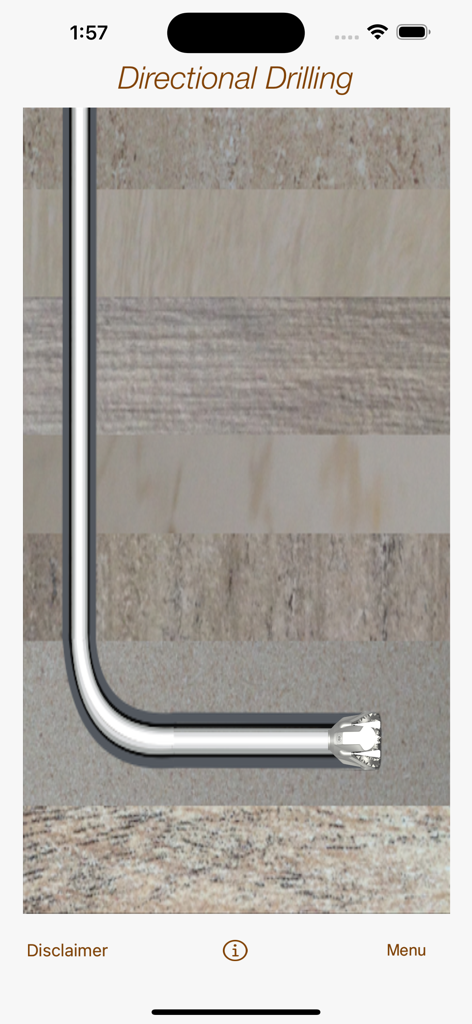
Directional Drilling - Cross section diagram of a horizontal wellbore and drill bit through geological layers
Cross section diagram of a horizontal wellbore and drill bit through geological layers

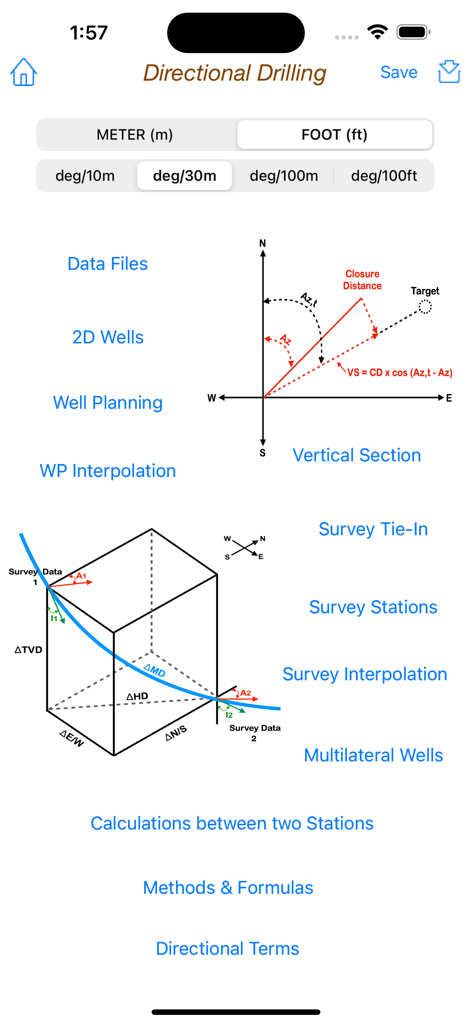
Directional Drilling - Main menu of the Directional Drilling app featuring technical diagrams and petroleum engineering calculation tools.
Main menu of the Directional Drilling app featuring technical diagrams and petroleum engineering calculation tools.

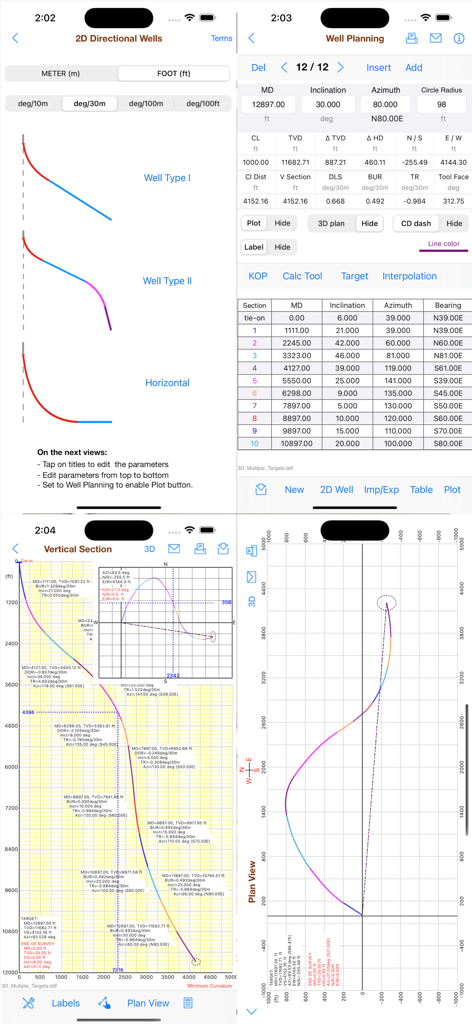
Directional Drilling - Directional Drilling app interface showing well planning data tables and trajectory plots
Directional Drilling app interface showing well planning data tables and trajectory plots

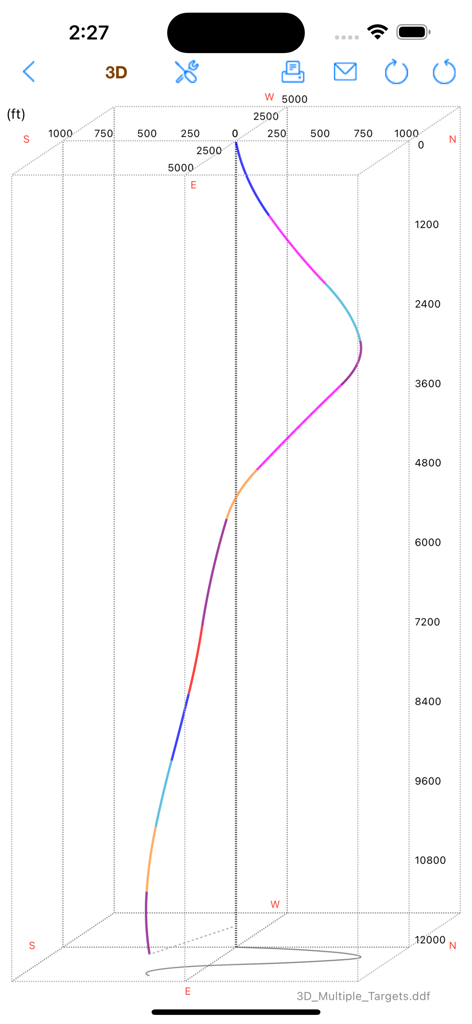
Directional Drilling - A 3D visualization of a directional wellbore trajectory with depth and coordinate axes on a mobile app interface.
A 3D visualization of a directional wellbore trajectory with depth and coordinate axes on a mobile app interface.

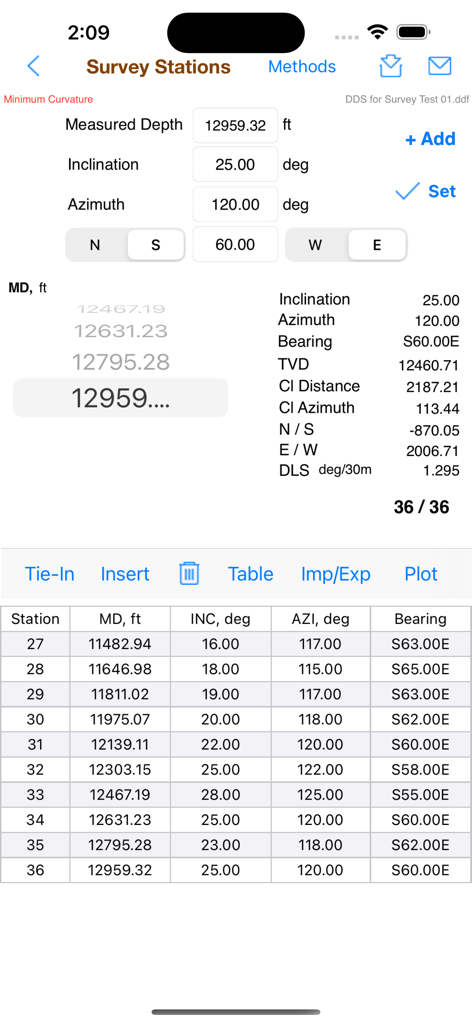
Directional Drilling - Interface of the Directional Drilling app showing survey station data, technical calculations, and a detailed station table.
Interface of the Directional Drilling app showing survey station data, technical calculations, and a detailed station table.

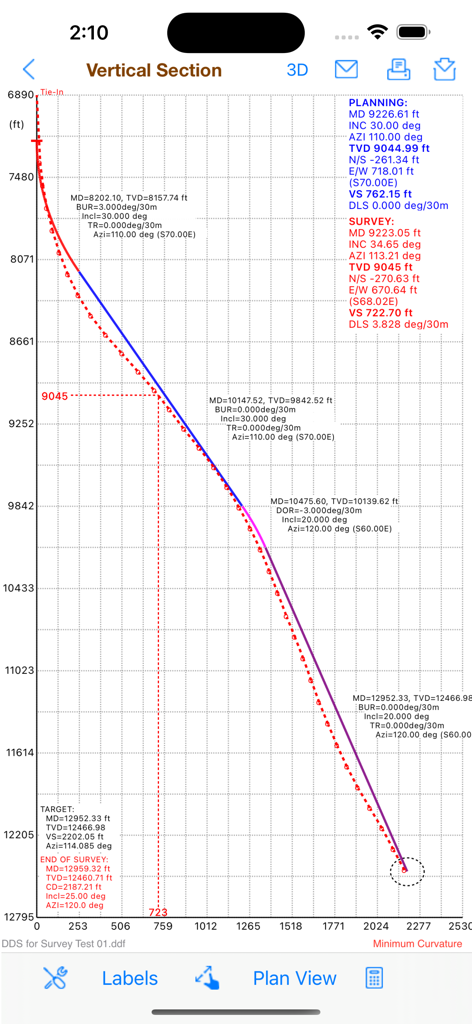
Directional Drilling - Vertical section graph of a directional wellbore path showing planned vs survey data points
Vertical section graph of a directional wellbore path showing planned vs survey data points

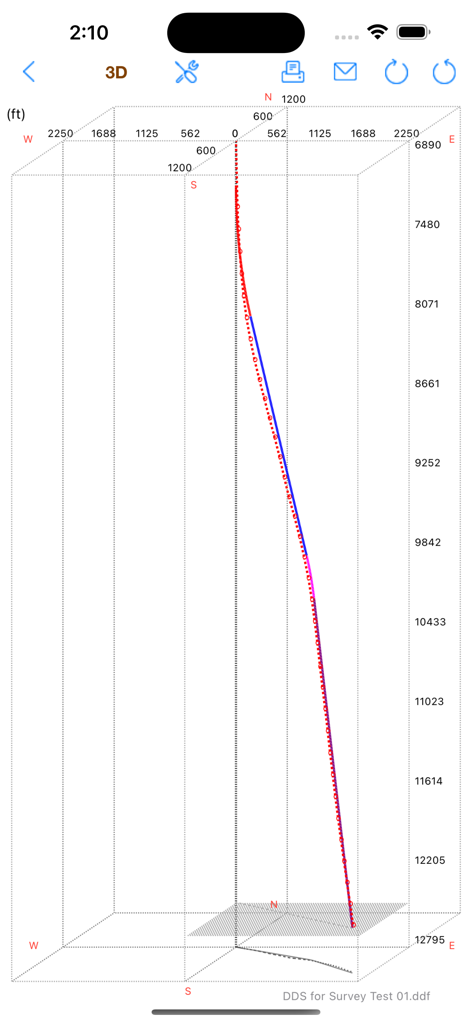
Directional Drilling - 3D plot of a directional drilling wellbore path showing depth and coordinates.
3D plot of a directional drilling wellbore path showing depth and coordinates.

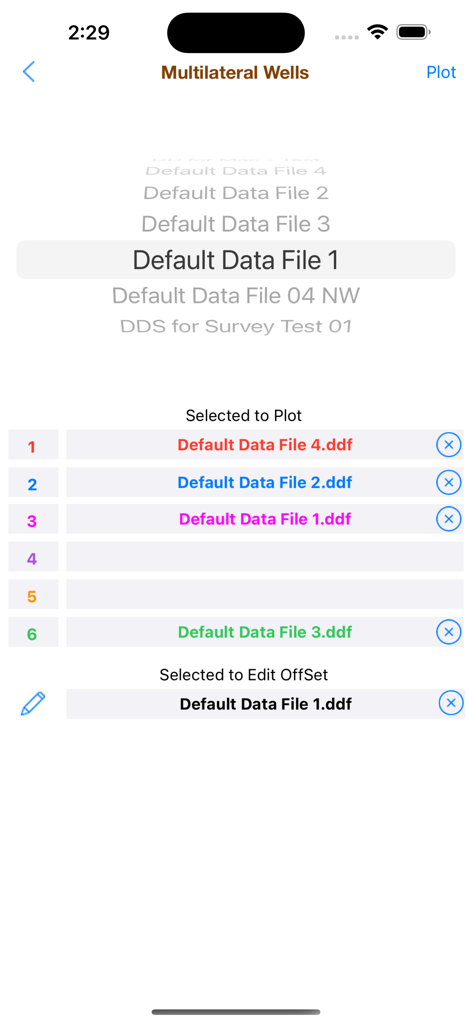
Directional Drilling - Screenshot of the Multilateral Wells selection screen in the Directional Drilling app showing various data files selected for plotting and offset editing.
Screenshot of the Multilateral Wells selection screen in the Directional Drilling app showing various data files selected for plotting and offset editing.

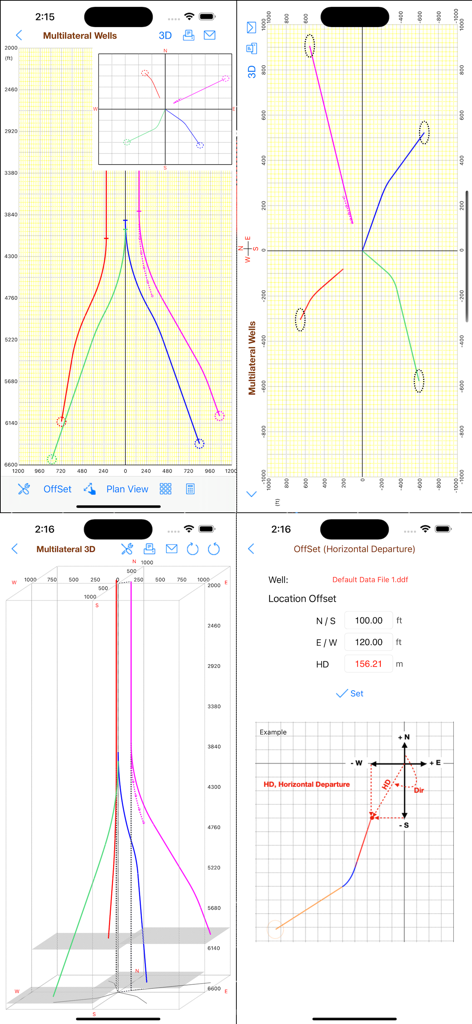
Directional Drilling - Screenshots of the Directional Drilling app displaying 3D wellbore plots multilateral well views and horizontal departure offset calculations
Screenshots of the Directional Drilling app displaying 3D wellbore plots multilateral well views and horizontal departure offset calculations

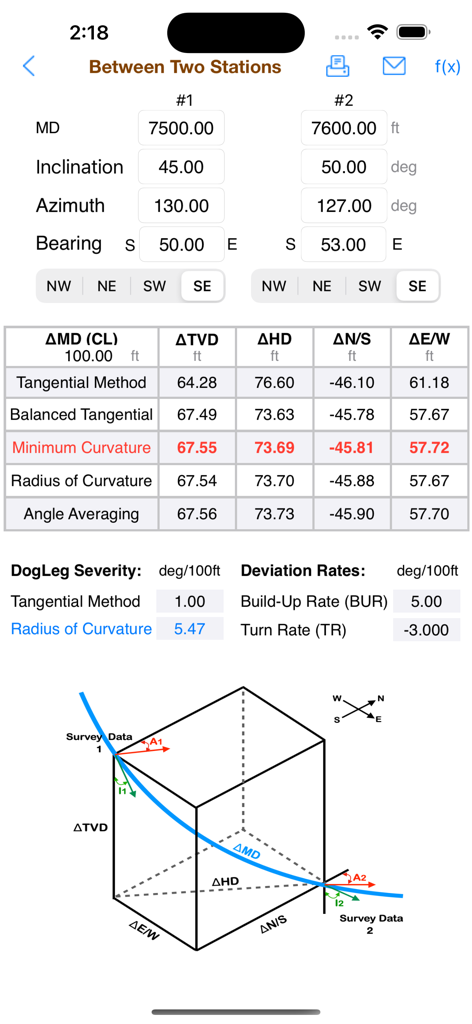
Directional Drilling - Directional Drilling app showing survey data calculations between two points and a 3D wellbore diagram

Directional Drilling app showing survey data calculations between two points and a 3D wellbore diagram

Description

The Directional Drilling provides the useful tools for the drilling of oil wells with well planning, survey data, multilateral wells, plotting in vertical section, plan view and in X-Y-Z (3D), easy tools to create 2D wells and also to calculate 3D sections, calculations between two survey stations and formulas. This app is designed for both iPhone and iPad. You can download it on your iPhone and also on your iPad. The well planning and survey stations can also be imported from CSV text files, for example: "MD","INC","AZI","TVD","N/S","E/W" "1000.0","0.0","0.0","1000.0","0.0","0.0" "1100.0","3.0","10.0" "1200.0","6.0","15.0" ... The values can be "quoted" or unquoted and separated by: - Comma: 1.00,2.00,3.00 - Semicolon: 1.00;2.00;3.00 or 1,00;2,00;3,00 - Tab: 1.00 2.00 3.00 (TSV file) - Space: 1.00 2.00 3.00 Please, before you buy, make sure this app will be useful to you. Visit our website at www.wellcontrol.com.br and check the "User Guide". This app was developed based on existing spreadsheets. There is no comparison with any other software. Our goal was to create a low-cost application with the help of experts to share with drilling engineers, technicians, drillers, students and teachers of drilling engineering. There is no intention to replace the professional softwares. You can contribute with suggestions for improvements, correcting the translation to english, reporting bugs and spreading it to your friends. Features: 1. Well Planning with Multiple Sections (Minimum Curvature); 2. Ability to work with data files; 3. Directional Survey: Edit, Add, Insert and Remove Survey Data; 4. Calculations Methods: - Tangential - Balanced Tangential - Minimum Curvature (default) - Radius of Curvature - Angle Averaging 5. Print Reports; 6. Survey Data Calculations in 5 methods; 7. Formulas of the Methods; 8. Ability to work with length units: foot and meter (metre); 9. Vertical Section View, Plan View and X-Y-Z plotting. 10. Ability to Multilateral wells plotting limited to 6 wells. 11. Easy tool to create 2D Wells (Type I, II and Horizontal). 12. Easy tool to calculate 3D sections on well planning. 13. Sharing data files via email, iCloud and iTunes. 14. Import Well Planning (MD,Inclination,Azimuth) from CSV text format file; 15. Export Well Planning (MD,Inclination,Azimuth,Quadrant,TVD,HD,VSection,N/S,E/W,DLS,BUR,TRN) to CSV text format file; 16. Import Survey Data from CSV text format file; 17. Export Survey Table to CSV text format file; 18. Sharing data files with iPad, iPhone and iPod Touch via iCloud, iCloud Drive, AirDrop or email. 19. Well Planning Interpolations; 20. Ability to get a simulated survey (steps 10m, 30m, 100m or 100ft) from Well Planning interpolations; User Guide: Download at http://www.wellcontrol.com.br DISCLAIMER: These tools & materials are provided 'as is' without warranties of any kind, express or implied. Please verify the tools provided by this application by yourself before you use them. Ensure you understand the impact of using these tools. Any use you choose to make of these tools & materials is undertaken by you entirely at you own risk.

Download

Download on App Store

This page is not an official page of the app or its developer, but an independent editorial publication created for informational and commentary purposes. Unless expressly stated otherwise, neither the app nor its developer is affiliated with, endorsed by, sponsored by, authorized by, or otherwise officially connected with MWM, Apple, Google Play, the app publisher, or the app's developer, and nothing on this page implies that the app was developed using MWM's services. Any trademarks, logos, screenshots, and other content remain the property of their respective owners.








