Document Scanner - PDF & OCR

Document Scanner - PDF & OCR

Download on App Store
Logo of Document Scanner - PDF & OCR

Document Scanner - PDF & OCR: Your All-in-One Mobile Office

Turn your iPhone into a powerful productivity tool. Scan with precision, extract text with OCR, and manage professional PDFs effortlessly—whenever and wherever you work.

Download on App Store

Publisher

Nilesh Kargatiya

Category

Photo & Video

Downloads

0

User Rating

4.7/5

Total Ratings

0

Locales

18

Efficiency Visualized

Discover the interface used by 0 users.
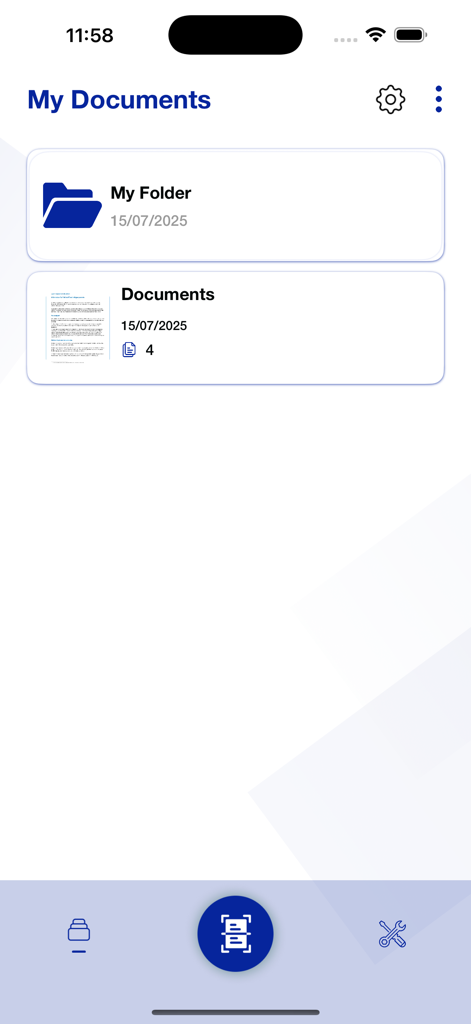
Interface of the Document Scanner app showing organized folders and scanned PDF files in the My Documents section.

Interface of the Document Scanner app showing organized folders and scanned PDF files in the My Documents section.

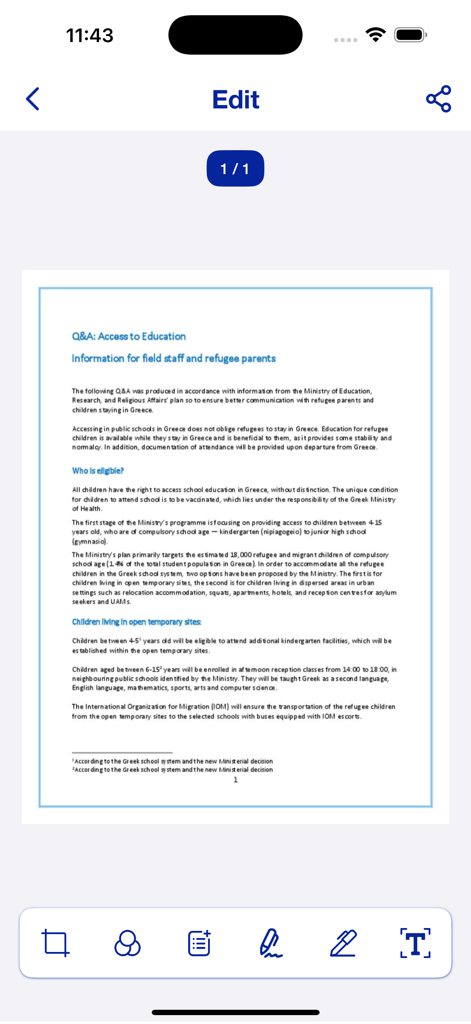
Mobile app interface showing a scanned document in the edit screen with various PDF tools

Mobile app interface showing a scanned document in the edit screen with various PDF tools

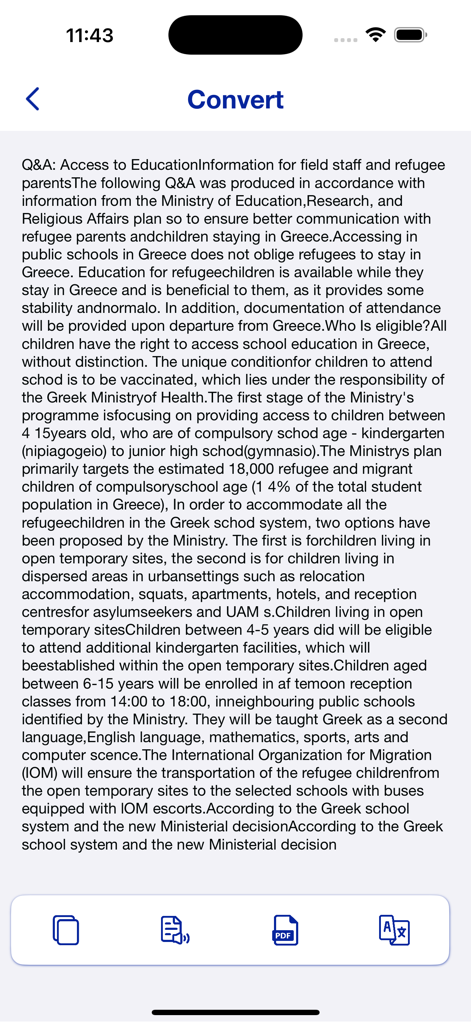
Document Scanner app screen showing text extracted from a document via OCR with conversion options

Document Scanner app screen showing text extracted from a document via OCR with conversion options

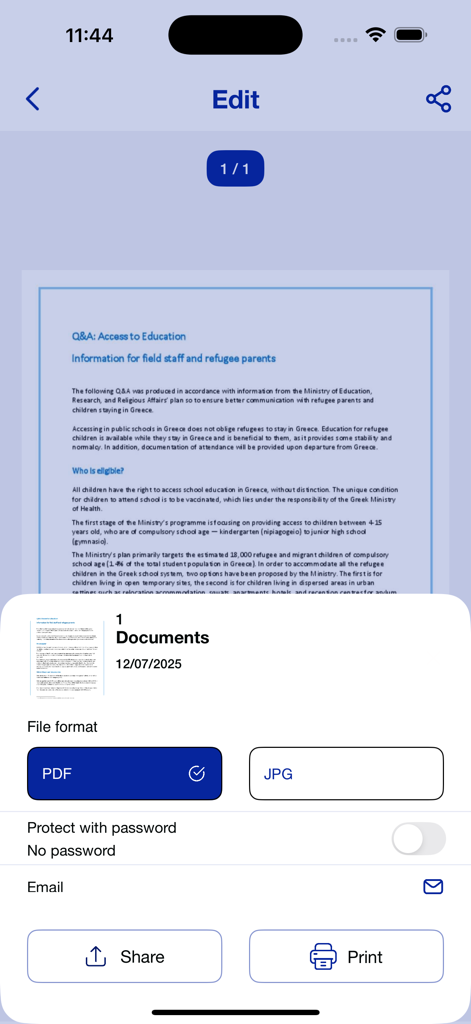
Interface of the document scanner app showing options to export a scanned document as PDF or JPG with sharing and printing buttons

Interface of the document scanner app showing options to export a scanned document as PDF or JPG with sharing and printing buttons

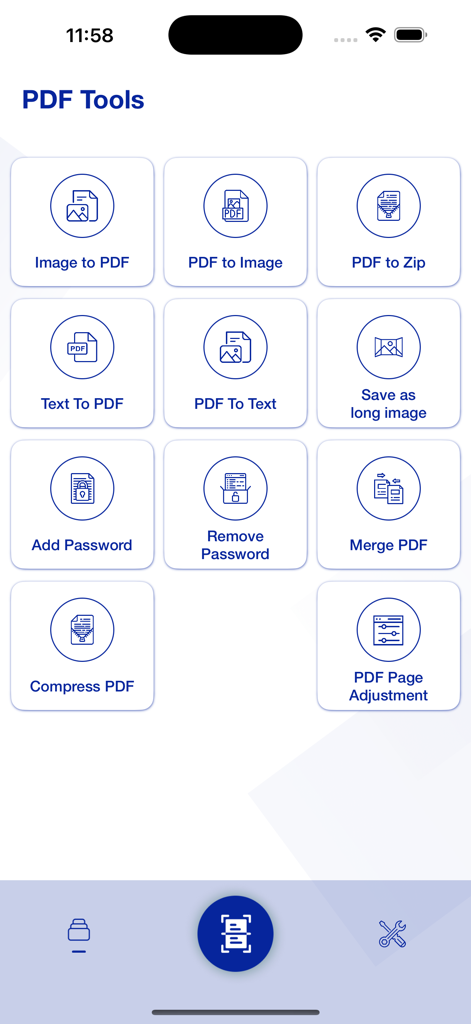
Document scanner app interface showing a grid of PDF tools including image to PDF and compression

Document scanner app interface showing a grid of PDF tools including image to PDF and compression

Master Your Workflow with Pro-Grade Scanning

The tools that make this app stand out, trusted by 0 users.

🔍

Smart OCR Technology

Instantly convert paper into editable text. Search through your documents and extract critical data from receipts or contracts with a single tap.

📦

Professional PDF Suite

Go beyond scanning. Merge multiple documents, split pages, and compress large files to meet email limits without ever sacrificing quality.

🚀

Instant Digital Sharing

Streamline your communication. Seamlessly export and send files to Slack, Gmail, or your preferred cloud storage in just two taps.

About the app

Everything you need to know about Document Scanner - PDF & OCR.

Description

Document Scanner: Scan and Save Your Files Easily turn your paper documents into digital files with our Document Scanner app. Scan one page or multiple pages quickly and save them as clear, high-quality images or PDFs. Main Features: High-Quality Scans: Get sharp and clear scans in seconds. OCR (Text Recognition): Extract text from scanned images to make it editable and searchable. Easy Sharing: Save scans to storage or share them by email, message, or social media. Simple to Use: The app is easy to navigate and makes scanning fast and simple. Perfect for work, school, or personal use, this app helps you keep your documents organized and easy to access. Scan documents with your phone camera, convert images to PDF, and manage your files with ease. This app includes features like OCR text recognition, PDF merging, splitting, compressing, and sharing—everything you need to handle documents on the go. Download now and start scanning! Privacy Policy :

Latest Version

1.6.2

Size

39.6 MB

First Released

Sep 23, 2024

Ready to Ditch the Paperwork?

Join thousands of professionals and students who have simplified their workflow. Download Document Scanner today to transform your iPhone into a high-powered office tool and start your paperless journey.

Download on App Store

App information, icons, screenshots, and descriptions displayed on this page are sourced from the Apple App Store and are the property of their respective developers. Download estimates and rankings are based on MWM's proprietary models and may not reflect actual figures. This page is provided for informational and analytical purposes only.

Believe this page infringes your intellectual property? File a dispute