
This page is not an official page of the app or its developer, but an independent editorial publication created for informational and commentary purposes. Unless expressly stated otherwise, neither the app nor its developer is affiliated with, endorsed by, sponsored by, authorized by, or otherwise officially connected with MWM, Apple, Google Play, the app publisher, or the app's developer, and nothing on this page implies that the app was developed using MWM's services. Any trademarks, logos, screenshots, and other content remain the property of their respective owners.


CapCut: Photo & Video Editor
Social media feeds demand attention. This app offers the surgical precision and creative muscle needed to transform any vision into viral-ready impact, instantly.
Downloads
500M+User Rating
Total Ratings
5.5MPublisher
Category
Photo & VideoLocales
21Latest Version
17.2.1Size
800.2 MBFirst Released
Apr 14, 2020CapCut: A Comprehensive Analysis of Core Features for Social Content Creation
An evaluation highlighting key functionalities that empower digitally native users and content creators to produce high-quality, trendy, and engaging visual media.
AI-Powered Auto Captions & Text-to-Speech
It offers automated speech recognition for captions and text-to-speech functionality in multiple languages, significantly enhancing accessibility and content engagement for diverse audiences.
Advanced Background Removal
This tool features intelligent background removal capabilities, allowing users to effortlessly isolate subjects from their surroundings for creative overlays and effects without manual masking.
Smooth Slow-Motion & Speed Ramps
The app provides advanced tools for creating cinematic smooth slow-motion effects using optical flow and customizable speed curves, enabling dynamic pacing and dramatic emphasis in videos.
Trending Effects & Filters Library
It features a continuously updated library of trending effects (e.g., Glitch, Blur, 3D) and filters, enabling users to effortlessly match their content to current viral styles and aesthetics.
Chroma Key (Green Screen) Functionality
This tool offers chroma key capabilities, allowing users to easily remove specific colors from their videos to create professional-looking composite shots and imaginative backgrounds.
Keyframe Animation for Dynamic Control
The app allows users to implement precise keyframe animation across various settings, providing granular control over object movement, scaling, and rotation for dynamic visual storytelling.
Extensive Music & Sound Effects Library
It provides access to a vast library of music clips and sound effects, alongside the ability to extract audio from videos, offering comprehensive audio options for enhancing content.
High-Quality Export & Social Sharing
The app supports high-resolution exports up to 4K 60fps with smart HDR, and provides tailored sharing options for various social media platforms, ensuring optimal content quality and reach.
Frequently Asked Questions
Everything you need to know about CapCut: Photo & Video Editor
What is CapCut: Photo & Video Editor?
CapCut is an all-in-one video editor and video maker application. It provides easy-to-use editing functions and advanced features for creating high-quality videos. Beginners and advanced users can utilize its tools to snip and enhance moments.
Does CapCut offer advanced video editing features like keyframe animation and chroma key?
Yes, CapCut supports advanced video editing features. It includes keyframe animation for all settings, smooth slow-motion with optical flow, chroma key for color removal, and video stabilization to keep footage steady.
Can CapCut automatically generate captions for videos?
Yes, CapCut automatically generates captions using speech recognition. It also offers text-to-speech functionality in multiple languages and voices, and automatic background removal as intelligent features.
What export resolution options does CapCut provide for videos?
CapCut offers custom video export resolution. The HD video editor supports 4K 60fps exports and smart HDR. Users can also adjust the format and share videos directly to social media platforms.
How can I contact CapCut support for assistance?
You can contact CapCut support by emailing capcut.support@bytedance.com. The app also provides links to its official social media pages on platforms like Facebook, Instagram, YouTube, and TikTok.
Does CapCut include an AI Story Maker feature?
Yes, CapCut includes an AI Story Maker feature. This allows users to generate stories and select various visual styles, including "Realistic Film," "Cartoon 3D," and "Anime," as shown in the app.
Can CapCut translate text or dialogue within videos?
Yes, CapCut features an AI Translator. It enables users to choose target languages such as English, Mandarin, or Japanese, and provides an option to match mouth shapes for translated dialogue.
Does CapCut offer AI tools for creating dialogue scenes?
Yes, CapCut includes an AI Dialogue Scene feature. Users can input text or add audio, then select from various voices and assign acting reactions to create interactive dialogue scenes.
Can users create or utilize AI avatars in CapCut?
Yes, CapCut provides AI Avatars. The feature allows users to choose from a selection of trending avatars or create their own, with options for background removal and usage tracking.
Does CapCut offer pre-designed text templates for video editing?
Yes, CapCut provides a variety of text templates. Users can browse categories such as Trending, Title, Social media, and Vlog to add professionally designed text styles to their videos.
The following screenshots and description are sourced directly from the app's official store listing and are the property of the app developer.
App Store
Screenshots
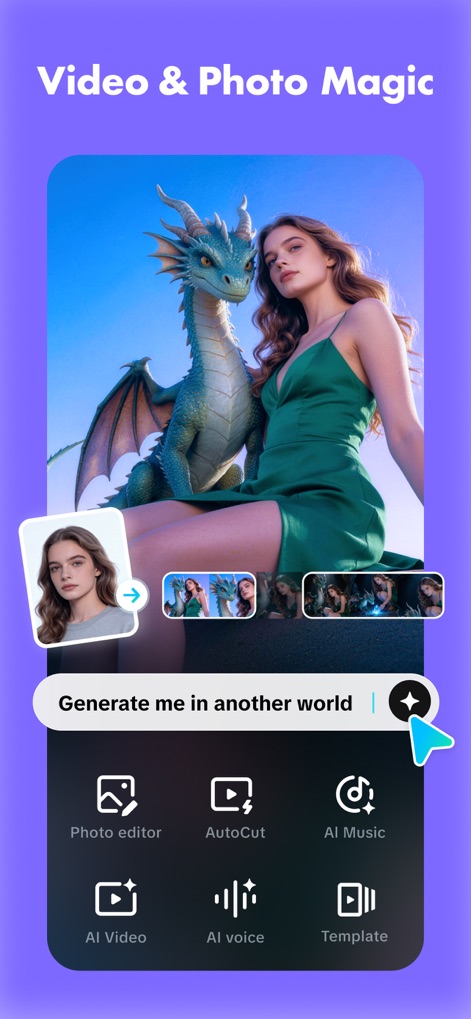
AI Creative Power
Discover the power of AI to transform images with the 'Generate me in another world' prompt and quick access to 'AI Video' and 'Photo editor' tools.

Effortless AutoCut
Witness how this tool intelligently creates 'AI vlog videos' with the 'AutoCut' feature, allowing users to effortlessly assemble multiple clips into a cohesive narrative.

Global Language Bridge
Explore the seamless 'AI Translator' functionality, demonstrated by the 'こんにちは Hello' translation and the innovative 'Match mouth shape' toggle for realistic dubbing.

Interactive AI Narratives
Unleash storytelling with the 'AI Dialogue Scene' feature, enabling users to input custom text like 'This is a wonderful journey for me !' and select diverse 'voice' options.

Dynamic AI Avatars
Experience dynamic visuals with 'AI Avatars', showcasing instant background removal to create transparent images and a rich library of 'Trending' character options.
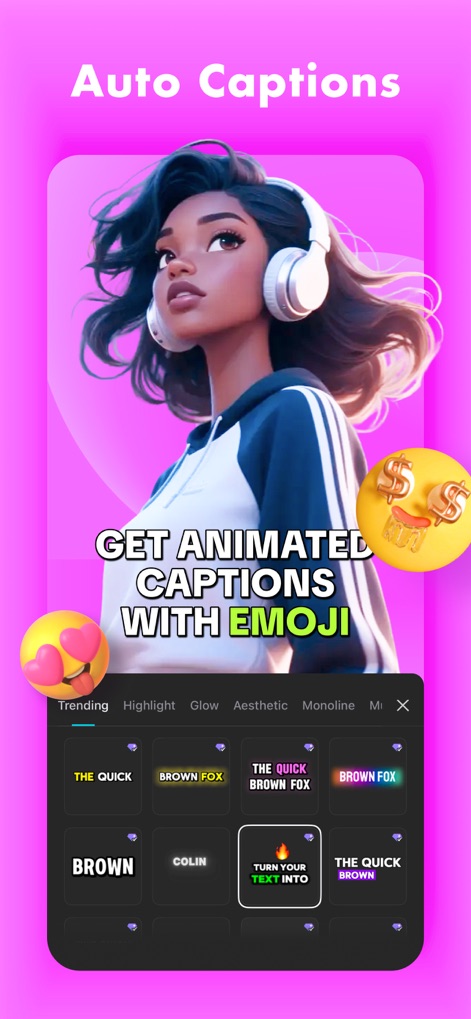
Engaging Auto Captions
Enhance video accessibility and engagement with 'Auto Captions', featuring prominently displayed 'GET ANIMATED CAPTIONS WITH EMOJI' and various 'Highlight' and 'Glow' text styles.

Stylish Text Templates
Elevate your content with the 'Text Template' feature, exemplified by the bold 'MUSIC CONCERT' title and an array of pre-designed 'Templates' and customizable 'Fonts'.
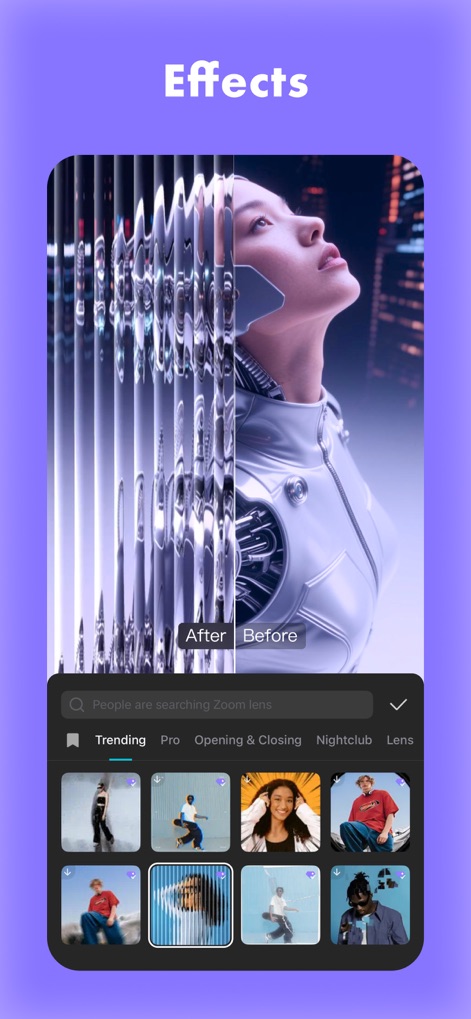
Stunning Visual Effects
Transform ordinary footage into extraordinary visuals using the 'Effects' gallery, which presents a clear 'After' and 'Before' comparison and categorized 'Trending' and 'Pro' options.

Ready-Made Video Templates
Jumpstart video projects with 'Video Templates', offering a visually appealing carousel of ready-to-use designs and a convenient 'Use template' button for quick application.

Intelligent AI Templates
Dive into limitless creativity with 'AI Templates', presenting a featured 'AI' generated image and a diverse grid of additional 'AI templates' for instant inspiration.
Description
Download
More Like This
Apps with similar features and user experience

Wink: Video Enhancer & Editor
Xiamen Meitu Technology Co., Ltd.

Instories: AI Photo & Video
Ylee Studio LTD

秒剪 - 视频创作 & Live 实况制作
Tencent Technology (Shenzhen) Company Limited

Vids AI - Reels Video Editor
Viral Vision Ltd

Reels Maker for Instagram BEAT
Onelight Apps CY Ltd

Mojo: AI Video & Reels Editor
Archery Inc.

Unfold: Reels & Story Maker
Squarespace, Inc.

Reels Editor, AI Video: inMelo
APPBYTE PTE. LTD.

Reelsapp: reel & video editor
Rustam Achilov
This page is not an official page of the app or its developer, but an independent editorial publication created for informational and commentary purposes. Unless expressly stated otherwise, neither the app nor its developer is affiliated with, endorsed by, sponsored by, authorized by, or otherwise officially connected with MWM, Apple, Google Play, the app publisher, or the app's developer, and nothing on this page implies that the app was developed using MWM's services. Any trademarks, logos, screenshots, and other content remain the property of their respective owners.