
This page is not an official page of the app or its developer, but an independent editorial publication created for informational and commentary purposes. Unless expressly stated otherwise, neither the app nor its developer is affiliated with, endorsed by, sponsored by, authorized by, or otherwise officially connected with MWM, Apple, Google Play, the app publisher, or the app's developer, and nothing on this page implies that the app was developed using MWM's services. Any trademarks, logos, screenshots, and other content remain the property of their respective owners.

Done! - Happy Productivity
Stop juggling apps and start achieving. Manage your tasks, habits, and focus in one beautiful workspace designed to end procrastination and prioritize your well-being.
Downloads
289K+User Rating
Total Ratings
500Publisher
Category
ProductivityLocales
23Latest Version
2.10.1Size
200.1 MBFirst Released
Nov 29, 2018Master Your Day with Mindful Productivity
Stop the app-switching fatigue. Our science-backed system integrates your calendar, habits, and tasks into one beautiful interface designed to reduce burnout and boost your happiness.
One Dashboard, Zero Chaos
Unify your iOS/Google calendars, recurring routines, and big goals in a single, color-coded view that eliminates the mental clutter of managing multiple apps.
Enter Your Deep Flow State
Beat procrastination with our Pomodoro-style Flow Timer. Focus on one task at a time and earn 'guilt-free' breaks as rewards for your hard work.
Frequently Asked Questions
Everything you need to know about Done! - Happy Productivity
How does Done! - Happy Productivity protect user data?
Done! - Happy Productivity encrypts all user task data locally using 256-bit encryption before sending it to cloud servers for backup. This ensures the data remains unreadable by anyone except the user.
Can I sync my calendars with Done! - Happy Productivity?
Yes, Done! - Happy Productivity allows users to sync events with both iOS and Google calendars. Users can also choose which calendars are visible within the app.
Does Done! - Happy Productivity offer widgets for quick task management?
Yes, Done! - Happy Productivity provides interactive widgets, allowing users to complete tasks directly from their Home Screen. Lock Screen widgets are also available to view and complete tasks.
What is the Flow Timer feature in Done! - Happy Productivity?
The Flow Timer in Done! - Happy Productivity is a Pomodoro-style timer. It helps users focus on a single task, track their time, and stay productive by moving between tasks without distraction.
Can I track my habits with Done! - Happy Productivity?
Yes, Done! - Happy Productivity includes a dedicated Habits section. Users can set daily, weekly, or monthly targets, add reminders, build streaks, and track their progress and stats.
Does Done! - Happy Productivity provide productivity statistics?
Yes, Done! - Happy Productivity offers powerful statistics and analytics. Users can understand their average day, week, month, and year, and discover their most productive times.
How do I organize my tasks and events in Done! - Happy Productivity?
Done! - Happy Productivity allows users to organize all tasks and events in one place. Users can create routines with recurring tasks, reschedule events, and mark tasks as important.
Can I create and categorize goals in Done! - Happy Productivity?
Yes, Done! - Happy Productivity allows users to create Goals, which can function as projects or categories. Users can assign custom colors to each Goal and track its progress.
Does Done! - Happy Productivity have a dark mode?
Yes, Done! - Happy Productivity features an Ambient Night Mode. This provides a dark theme for the user interface, which can be seen in the app's display.
Does Done! - Happy Productivity include a mood tracker?
Yes, Done! - Happy Productivity integrates a Mood Tracker + Optimizer. This feature helps users record their mood and visualize their emotional trends over time.
The following screenshots and description are sourced directly from the app's official store listing and are the property of the app developer.
App Store
Screenshots
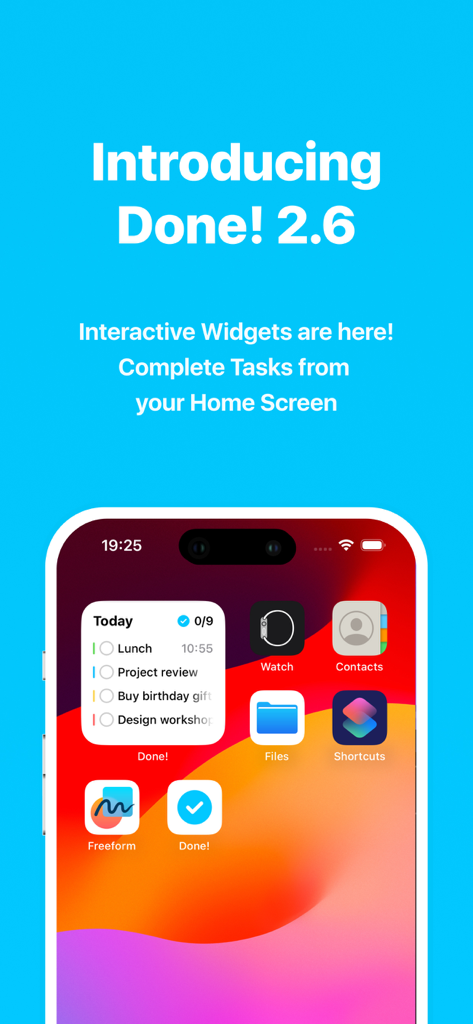
iPhone home screen displaying Done app interactive widget with a list of daily tasks
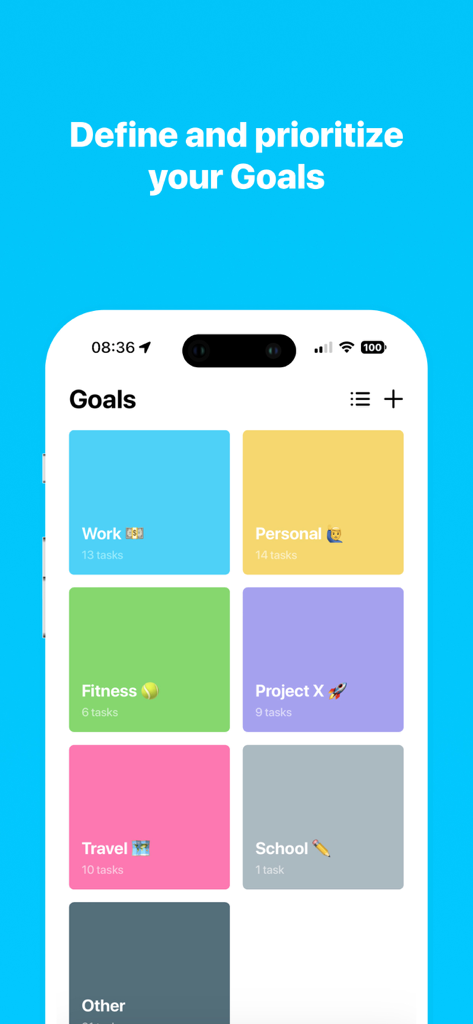
A mobile app screen titled Goals displaying colorful tiles for categories like Work, Personal, Fitness, and Travel.
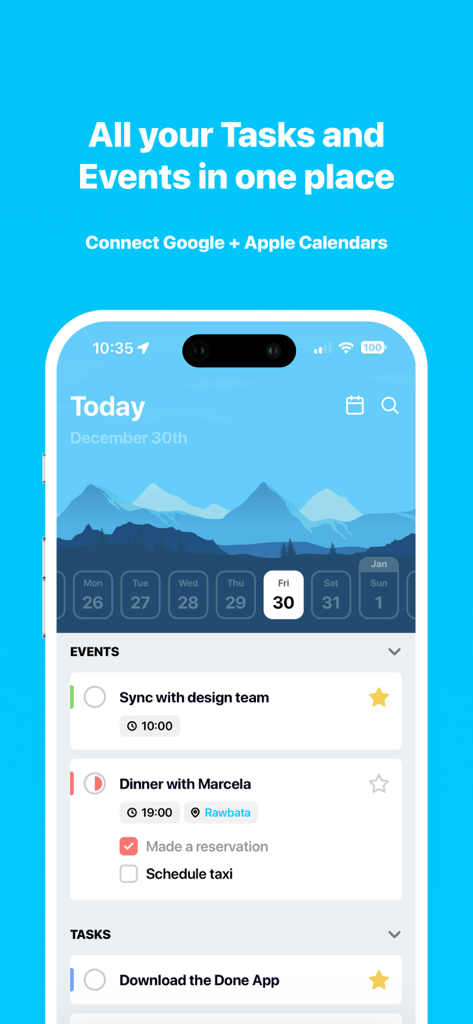
Screenshot of the Done app showing integrated tasks and events with Google and Apple calendar sync
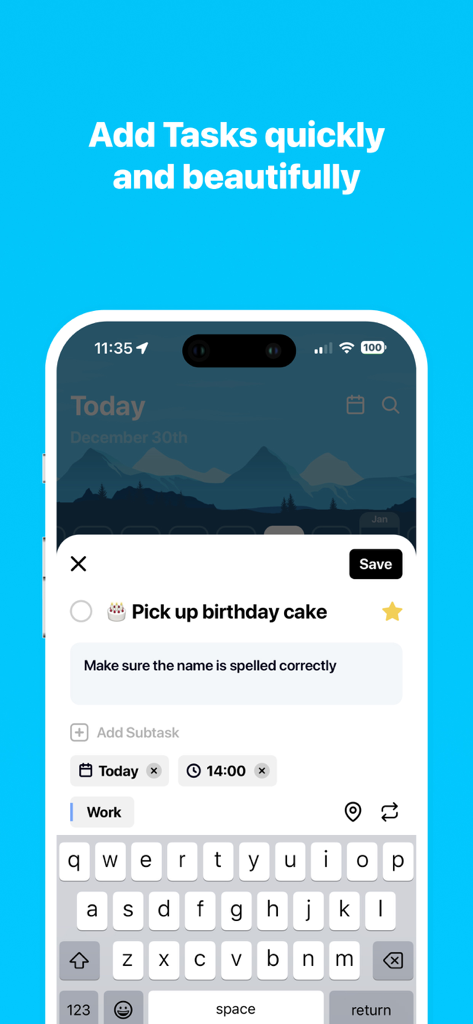
Mobile interface of the Done productivity app showing a user adding a new task with notes and scheduling options.
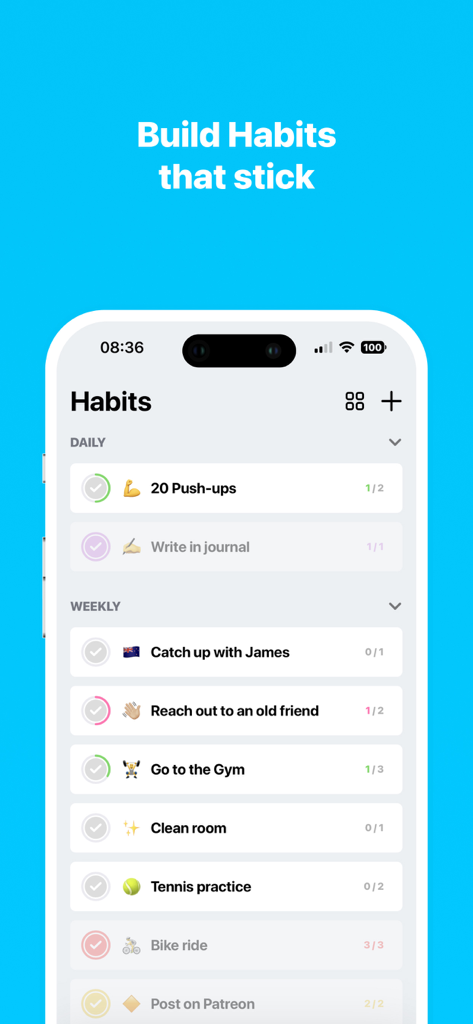
A smartphone screen displaying the Habits section of the Done app with daily and weekly progress lists for routines like exercise and journaling
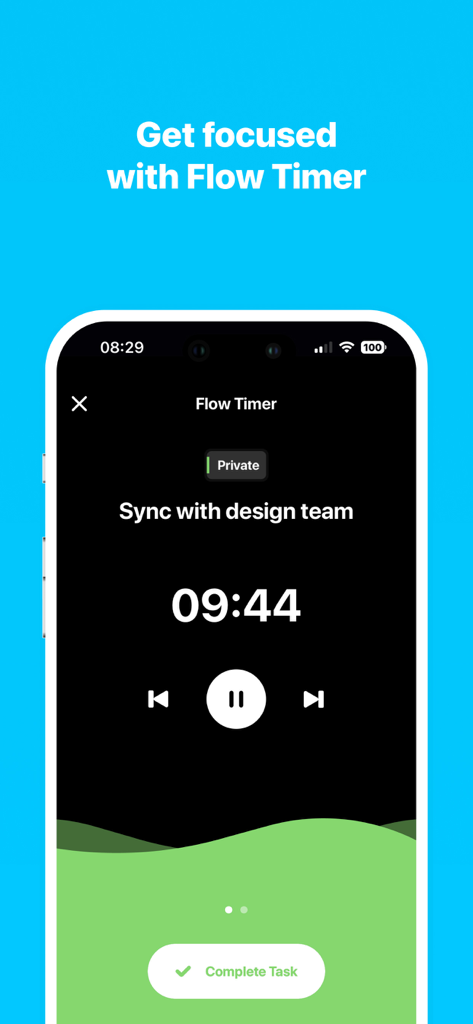
Done productivity app flow timer screen showing a countdown for a design team sync task
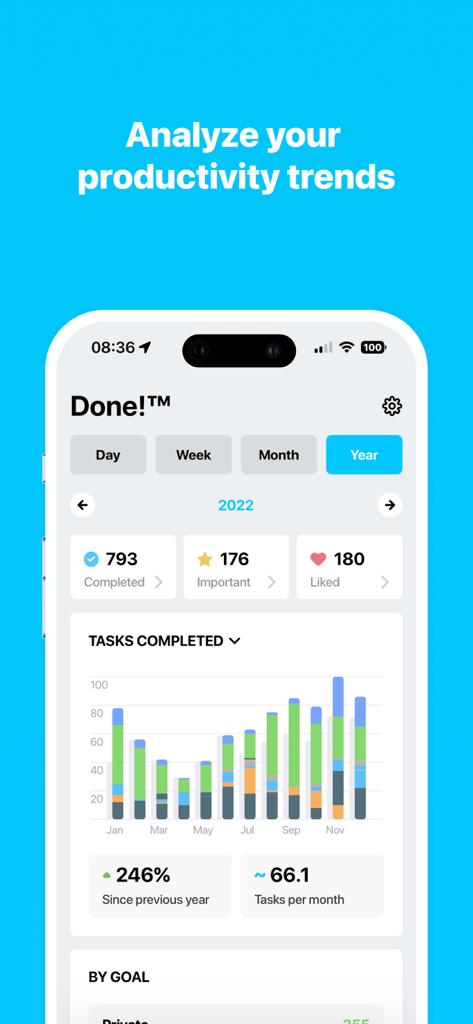
Productivity analytics dashboard showing task completion trends and statistics
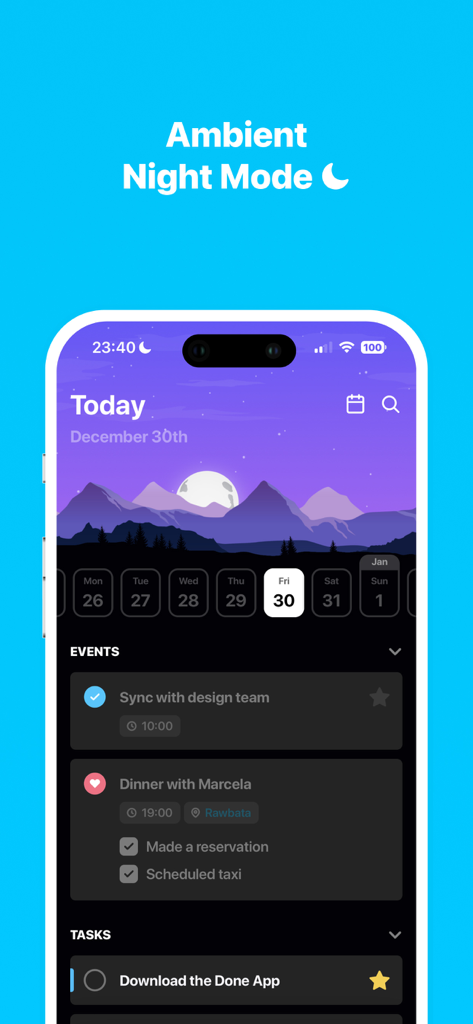
Done productivity app interface displaying the ambient night mode with a dark mountain landscape and daily task list
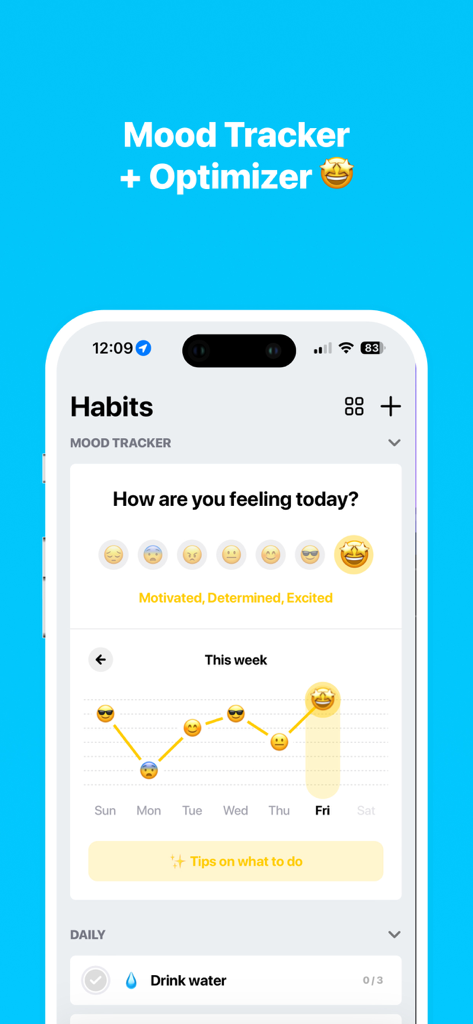
Mobile app interface displaying a mood tracker with emoji selection and a weekly emotional progress graph
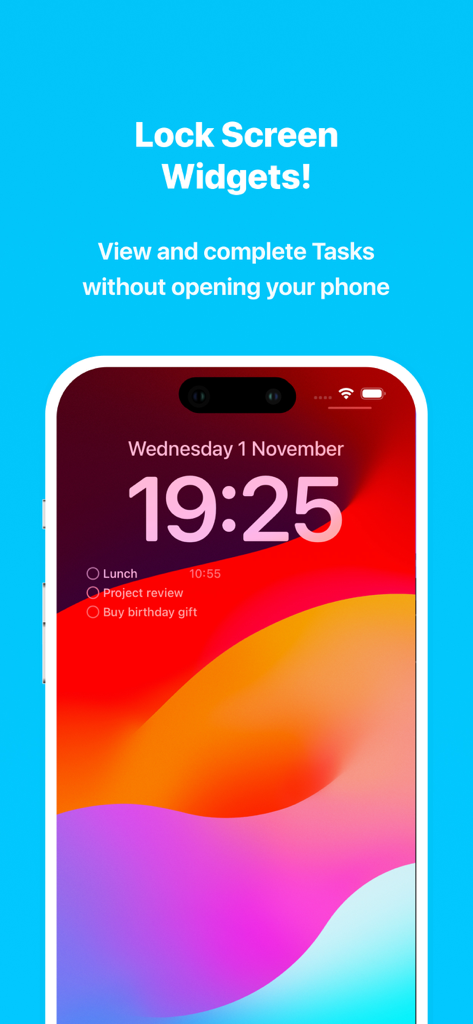
iPhone lock screen displaying task widgets for the Done app including lunch and project review.
Description
Download
More Like This
Apps with similar features and user experience
Calendar Planner - Reminder
政 王
朝暮计划-自律打卡学习计划清单提醒管家
Bstmle Technology Co., Ltd

MarkTimes
Ji Mo
FastLog Counter/ Habit tracker
LexyTech Ltd.

Calflow: Planner & Tracker
Kyovan Ltd.
3x3 minimalist time management
文杰 李
CrabBooks: Expense, Step, Mood
首彦 周

Daily Planner with Calendar
KIYO, K.K.
Singularity To Do List, Tasks
Vladimir Zavertaylov
This page is not an official page of the app or its developer, but an independent editorial publication created for informational and commentary purposes. Unless expressly stated otherwise, neither the app nor its developer is affiliated with, endorsed by, sponsored by, authorized by, or otherwise officially connected with MWM, Apple, Google Play, the app publisher, or the app's developer, and nothing on this page implies that the app was developed using MWM's services. Any trademarks, logos, screenshots, and other content remain the property of their respective owners.