
This page is not an official page of the app or its developer, but an independent editorial publication created for informational and commentary purposes. Unless expressly stated otherwise, neither the app nor its developer is affiliated with, endorsed by, sponsored by, authorized by, or otherwise officially connected with MWM, Apple, Google Play, the app publisher, or the app's developer, and nothing on this page implies that the app was developed using MWM's services. Any trademarks, logos, screenshots, and other content remain the property of their respective owners.

Singularity To Do List, Tasks
The ultimate productivity powerhouse for high-achieving professionals. Effortlessly manage complex projects with unlimited nesting, seamless calendar integration, and our unique print-to-app recognition technology.
Downloads
133K+User Rating
Total Ratings
1K+Publisher
Category
ProductivityLocales
11Latest Version
10.2.1Size
178.6 MBFirst Released
Feb 3, 2020Master the Chaos of Your Modern Life
A powerful, all-in-one productivity engine designed for high-achievers who need to balance complex projects, habits, and deadlines without losing focus.
Unlimited Project Hierarchy
Break down complex initiatives with unlimited nesting levels. Organize multi-stage projects into manageable sub-tasks that mirror your mental workflow.
Sync Your Analog and Digital Worlds
Print your daily plan for distraction-free focus, mark tasks by hand, and scan them back into the app to instantly update your digital workspace.
Frequently Asked Questions
Everything you need to know about Singularity To Do List, Tasks
What is Singularity To Do List, Tasks?
Singularity To Do List, Tasks is an application that combines task management, project organization, calendars, checklists, and reminders using time management, GTD, and chaos management practices to help users achieve their goals.
Is Singularity To Do List, Tasks a free application?
Yes, Singularity To Do List, Tasks is available as a free application. Users have the option to upgrade to SingularityApp Pro for access to more powerful, advanced features and tools.
Can I set up recurring tasks in SingularityApp?
Yes, SingularityApp allows users to set up recurring tasks. This feature helps individuals establish and maintain healthy habits by automating the scheduling of regular activities within the app.
Does Singularity To Do List, Tasks integrate with external calendars?
Yes, Singularity To Do List, Tasks integrates with calendars. It supports one-way integration with various calendars and offers two-way synchronization specifically with Google Calendars, including local and iCal-format web-calendars.
Does Singularity To Do List, Tasks support cloud synchronization across multiple devices?
Yes, Singularity To Do List, Tasks supports cloud synchronization. This ensures that all task updates and data automatically appear across all user devices, allowing seamless work on any platform.
Can I quickly create tasks in SingularityApp without opening the app?
Yes, SingularityApp provides a widget for quick task creation. This feature allows users to add new tasks conveniently without needing to open the full application.
Does Singularity To Do List, Tasks offer voice input for creating tasks?
Yes, Singularity To Do List, Tasks offers voice input functionality. Users can dictate their tasks, and the application's speech recognition technology converts them into entries on their to-do list.
Can I share projects and collaborate with others in Singularity To Do List, Tasks?
Yes, Singularity To Do List, Tasks enables project sharing. Users can collaborate with others on tasks within shared projects, a feature also included with the SingularityApp Pro plan.
What features are included with SingularityApp Pro?
SingularityApp Pro includes advanced features such as task synchronization across all devices, project sharing, infinite projects and sections, adding tasks via Telegram and email, daily plan printing, and built-in calendar integration.
The following screenshots and description are sourced directly from the app's official store listing and are the property of the app developer.
App Store
Screenshots
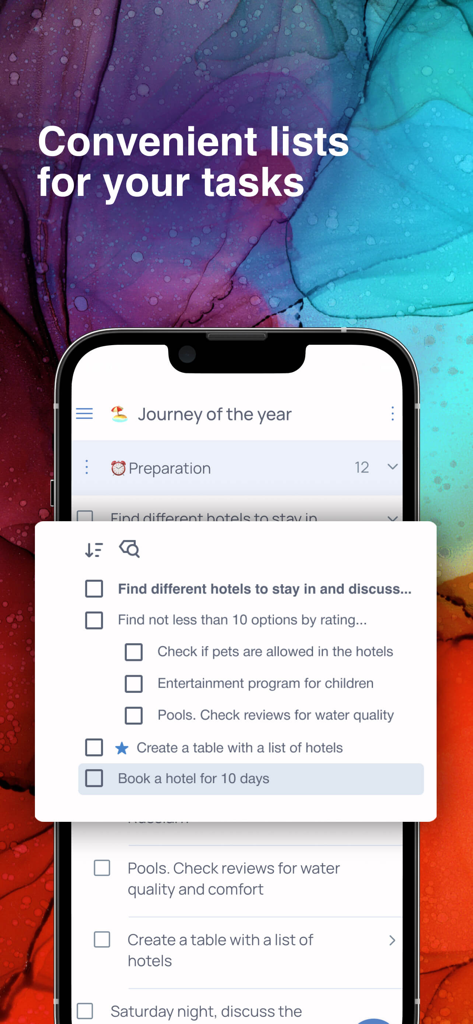
Mobile screen showing nested task lists for travel planning in the Singularity app
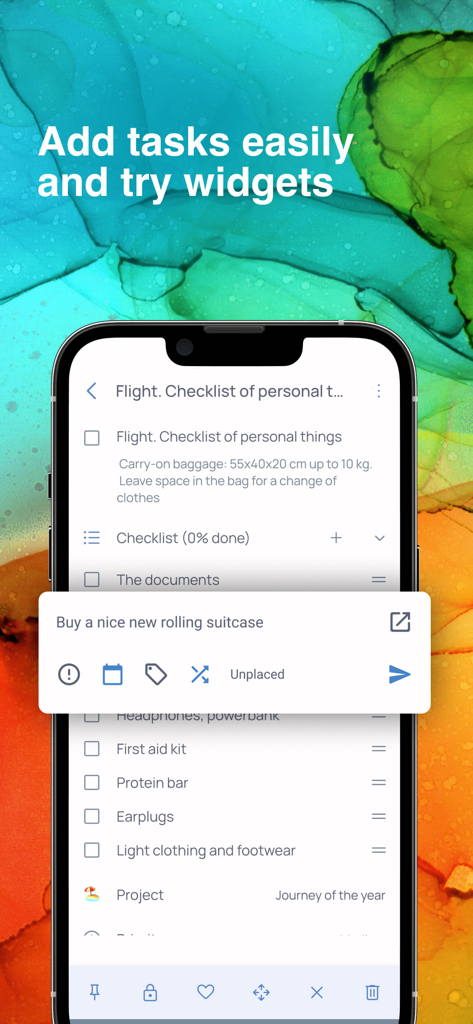
Mobile screen showing a travel checklist and a quick task entry widget in the Singularity app
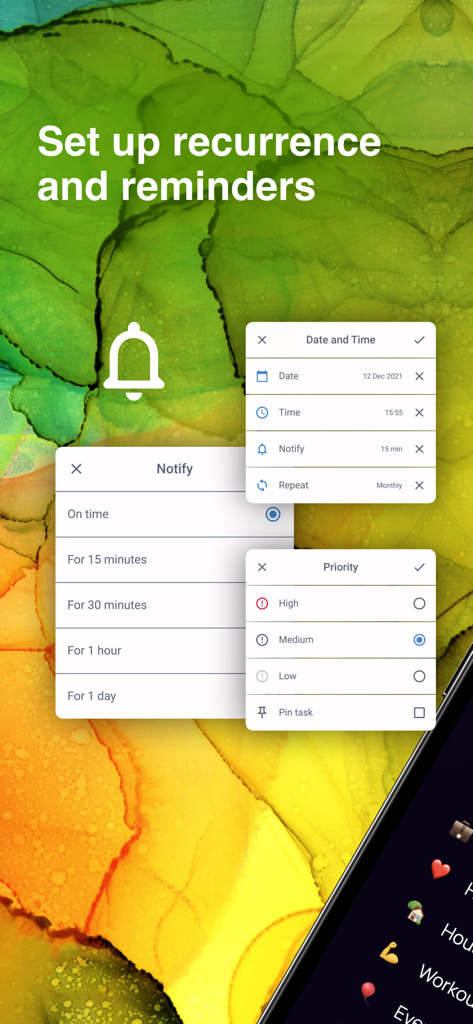
Interface for setting task reminders and priority levels in the Singularity App
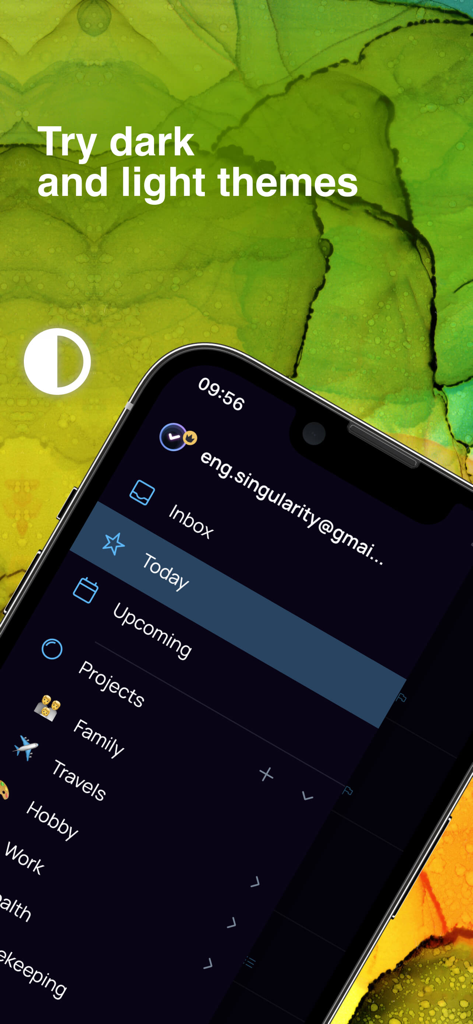
Singularity To Do List app interface on iPhone showing project sidebar and dark theme option
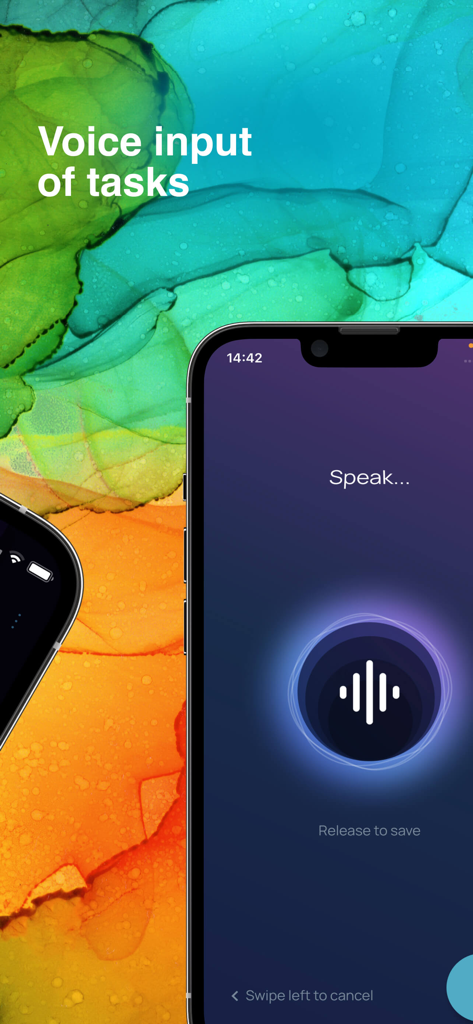
Voice input feature for quick task creation in the Singularity To Do List app
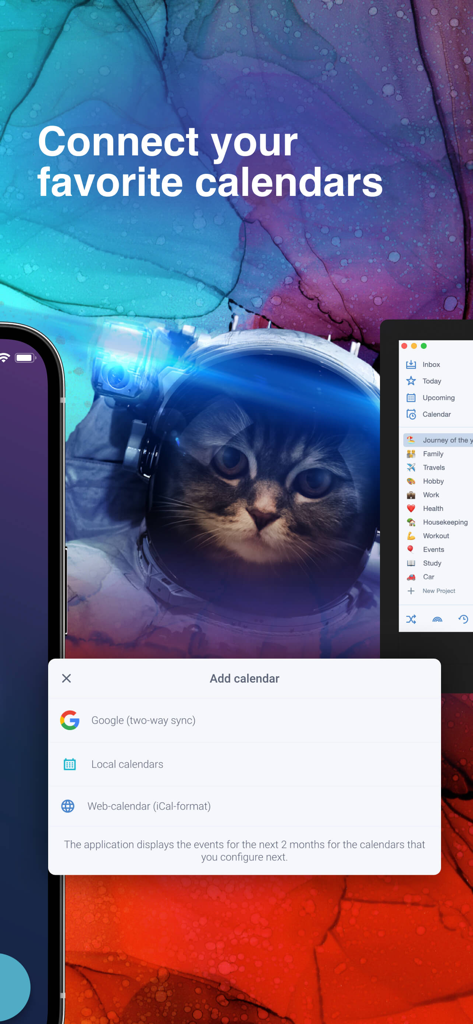
Interface for connecting Google and local calendars in Singularity To Do List app.
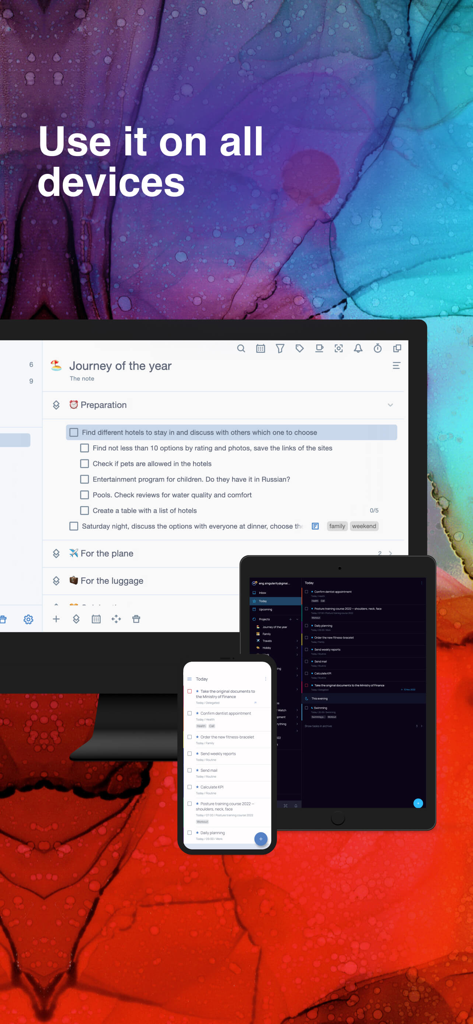
Singularity task manager app showing seamless synchronization across desktop tablet and smartphone devices
Description
Download
More Like This
Apps with similar features and user experience
Calendar Planner - Reminder
政 王

朝暮计划-自律打卡学习计划清单提醒管家
Bstmle Technology Co., Ltd

MarkTimes
Ji Mo

FastLog Counter/ Habit tracker
LexyTech Ltd.

Calflow: Planner & Tracker
Kyovan Ltd.

3x3 minimalist time management
文杰 李

Done! - Happy Productivity
DoneCo, Inc.

CrabBooks: Expense, Step, Mood
首彦 周

Daily Planner with Calendar
KIYO, K.K.
This page is not an official page of the app or its developer, but an independent editorial publication created for informational and commentary purposes. Unless expressly stated otherwise, neither the app nor its developer is affiliated with, endorsed by, sponsored by, authorized by, or otherwise officially connected with MWM, Apple, Google Play, the app publisher, or the app's developer, and nothing on this page implies that the app was developed using MWM's services. Any trademarks, logos, screenshots, and other content remain the property of their respective owners.