
This page is not an official page of the app or its developer, but an independent editorial publication created for informational and commentary purposes. Unless expressly stated otherwise, neither the app nor its developer is affiliated with, endorsed by, sponsored by, authorized by, or otherwise officially connected with MWM, Apple, Google Play, the app publisher, or the app's developer, and nothing on this page implies that the app was developed using MWM's services. Any trademarks, logos, screenshots, and other content remain the property of their respective owners.


Dorico - Compose Music
Bring your compositions to life with the most intelligent notation software ever designed. From award-winning engraving to powerful MIDI editing, experience a desktop-grade workflow that moves with you from the studio to the stage.
Downloads
252K+User Rating
Total Ratings
2K+Publisher
Category
MusicLocales
1Latest Version
6.1.10Size
968.9 MBFirst Released
Jul 27, 2021Desktop-Class Composition on Your iPad
Experience the most intelligent music notation software ever built. From initial sketch to publication-ready scores, Dorico brings professional engraving and powerful MIDI sequencing to your mobile workflow.
Intelligent Automatic Engraving
Save hours of manual formatting. Our world-class engine automatically adjusts notation as you write, ensuring your scores always meet the highest professional standards.
Seamless Pro Workflow
Take your studio on the move. Enjoy full compatibility with Dorico for desktop and an interface optimized for touch, Magic Keyboard, and Apple Pencil annotation.
Frequently Asked Questions
Everything you need to know about Dorico - Compose Music
What is Dorico - Compose Music?
Dorico is an award-winning music notation and composition software from Steinberg available for macOS, Windows, and iPadOS. It allows users to compose, edit, play back, and share musical scores.
Is Dorico - Compose Music free to use?
Yes, Dorico is free to use for compositions with up to four players. Registering a free Steinberg ID increases this limit to eight players.
How do users input music into Dorico?
Dorico allows music input using an on-screen piano keyboard, drum pads, or fretboard. Users can also connect a MIDI keyboard or utilize external keyboard shortcuts for efficient input.
Does Dorico - Compose Music include sounds for playback?
Yes, Dorico includes built-in virtual instruments and effects for playback. It also supports compatible Audio Unit plug-ins and external MIDI devices, often requiring an optional subscription.
How can users share music created with Dorico - Compose Music?
Users can share completed Dorico compositions as PDF, audio, or MusicXML files. The app also supports printing directly to an AirPrint-enabled printer.
Is Dorico for iPad compatible with other versions of Dorico?
Dorico for iPad is fully compatible with Dorico for macOS and Windows. This allows users to seamlessly work on projects across different devices and share with other musicians.
What are the main interface modes in Dorico - Compose Music?
Dorico includes four modes: Setup for instruments and layouts, Write for input and editing, Engrave for graphical tweaks (paid feature), and Play for MIDI editing and playback.
What advanced features does a Dorico subscription unlock?
A paid subscription or Lifetime Unlock in-app purchase for Dorico provides access to Engrave mode and enables writing for ensembles with an unlimited number of players.
Does Dorico - Compose Music offer MIDI editing features?
Yes, Dorico offers powerful MIDI editing tools, including piano roll and velocity editors, available in Play mode to shape musical performances.
The following screenshots and description are sourced directly from the app's official store listing and are the property of the app developer.
App Store
Screenshots
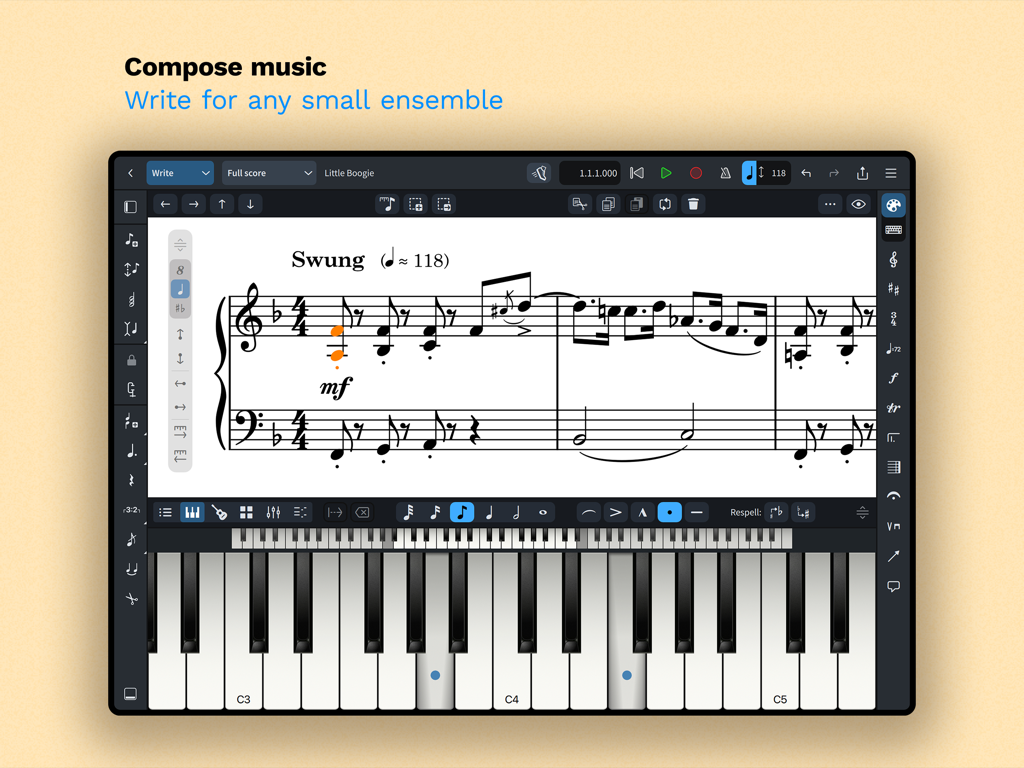
Dorico music notation interface on iPad showing a musical score and an on-screen piano keyboard
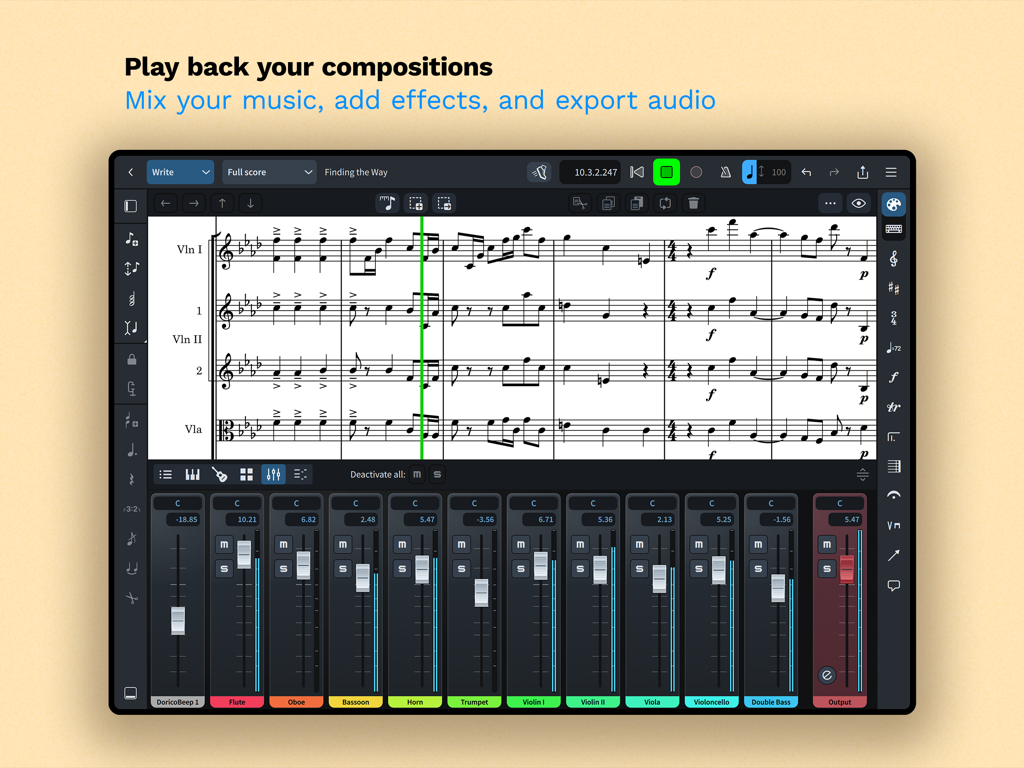
Dorico app interface displaying a musical score with an integrated multi-track audio mixer on an iPad
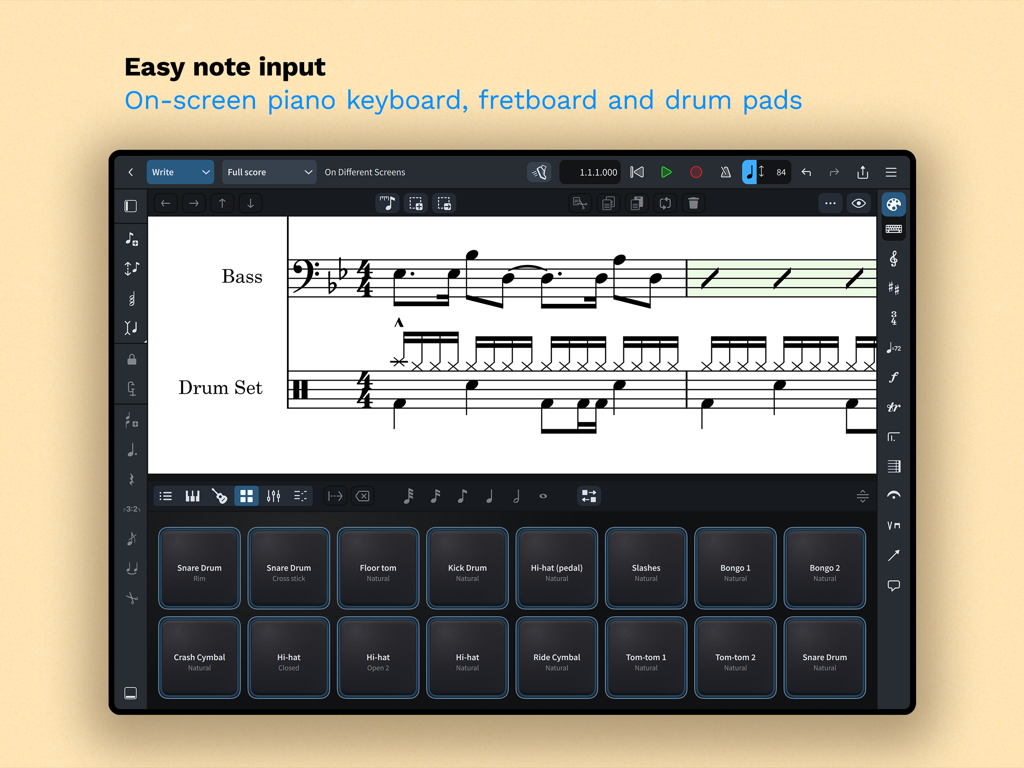
Dorico app interface on iPad showing on-screen drum pads for easy music notation input
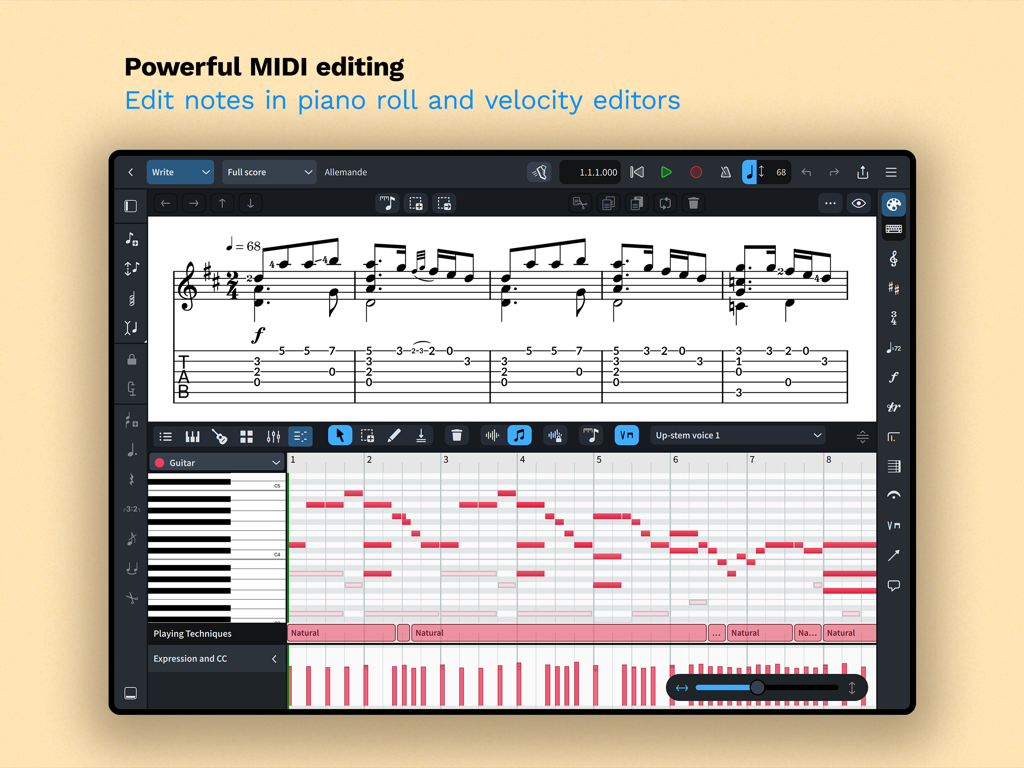
Dorico app interface showing powerful MIDI editing with piano roll and velocity editors for music composition.
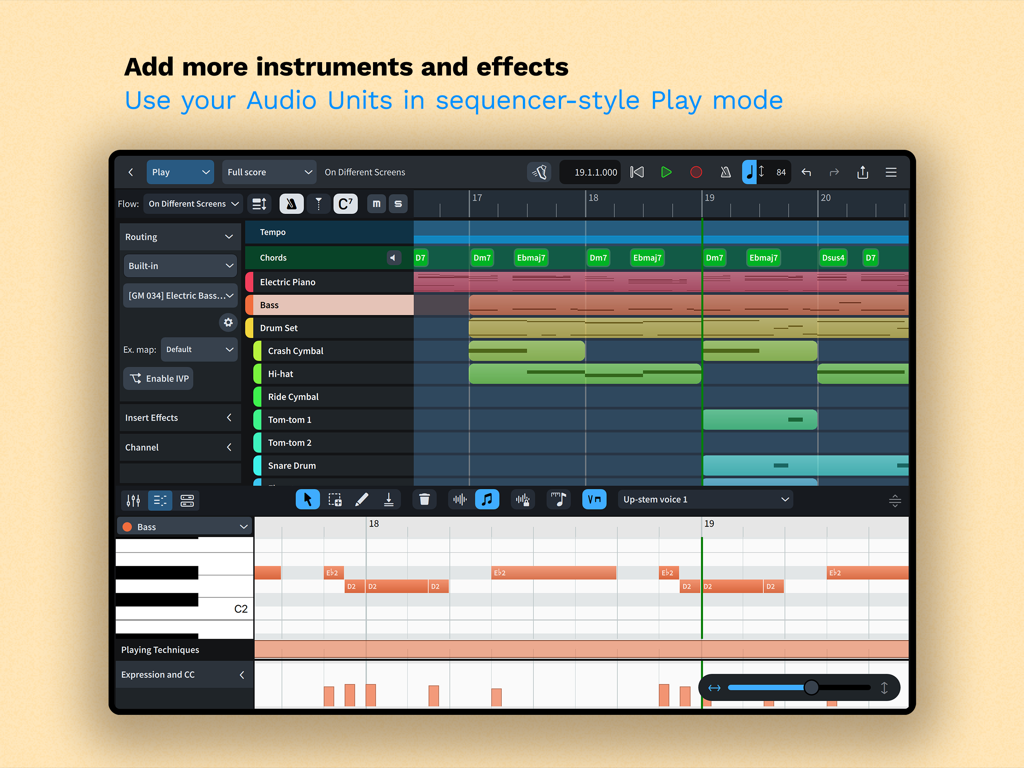
Dorico iPad app Play mode interface featuring a multi-track sequencer and piano roll MIDI editor
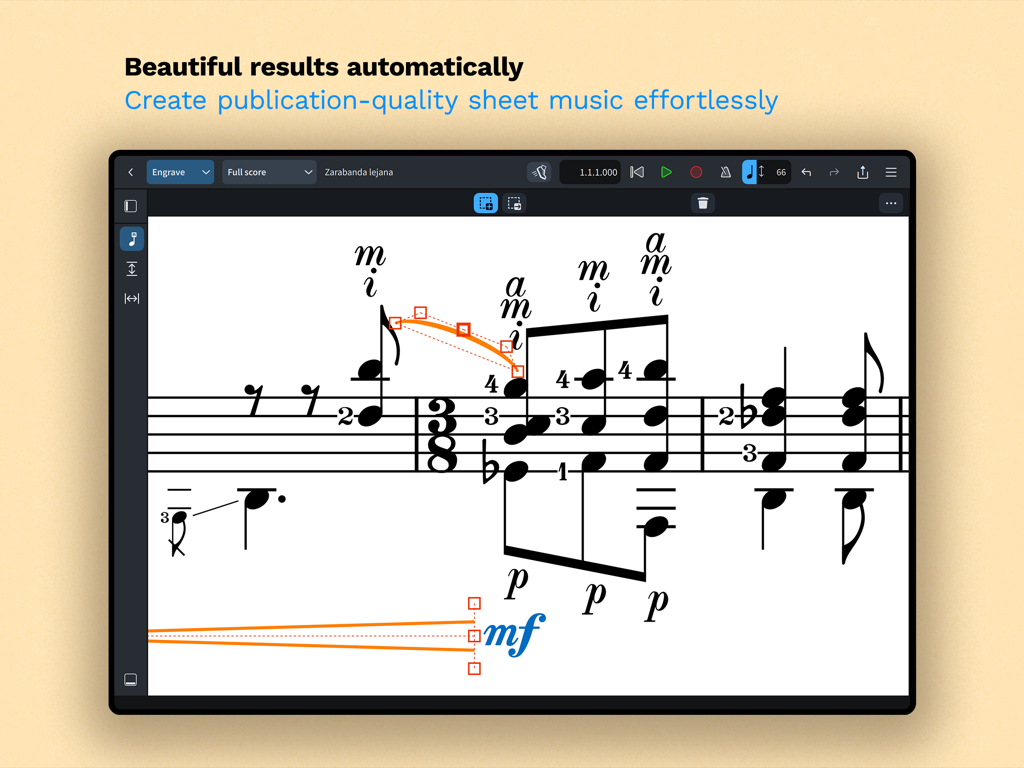
A screenshot of the Dorico app interface showing professional music notation in engrave mode with automatic formatting.
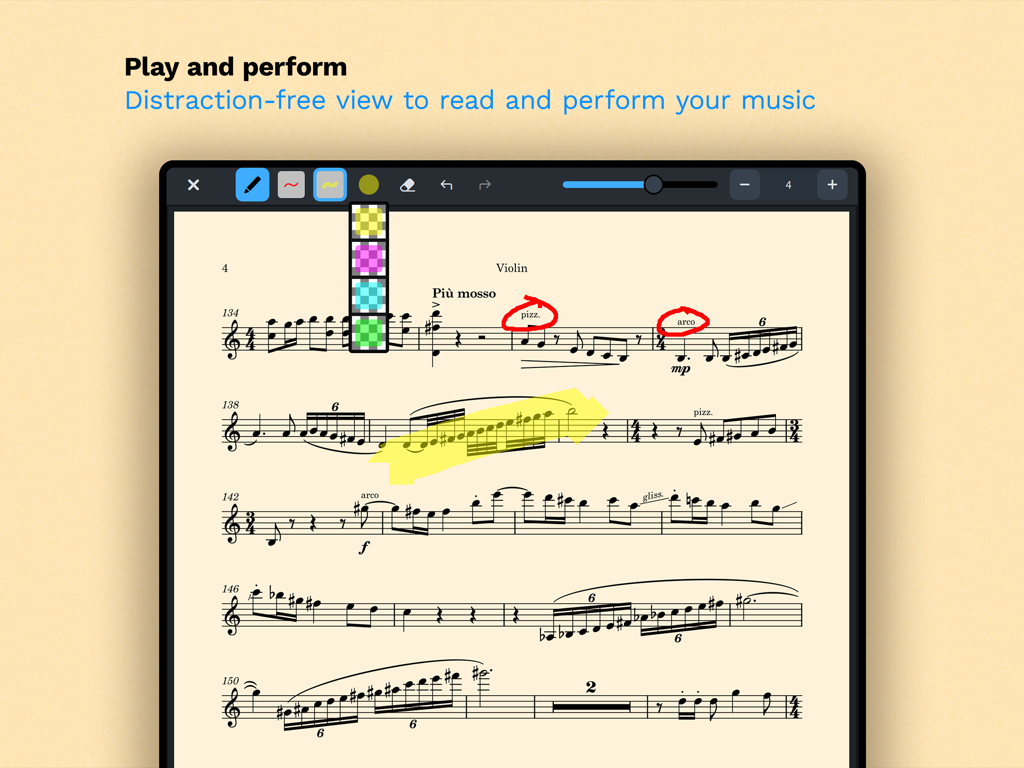
A violin score in Doricos distraction-free read mode featuring digital annotations and highlights
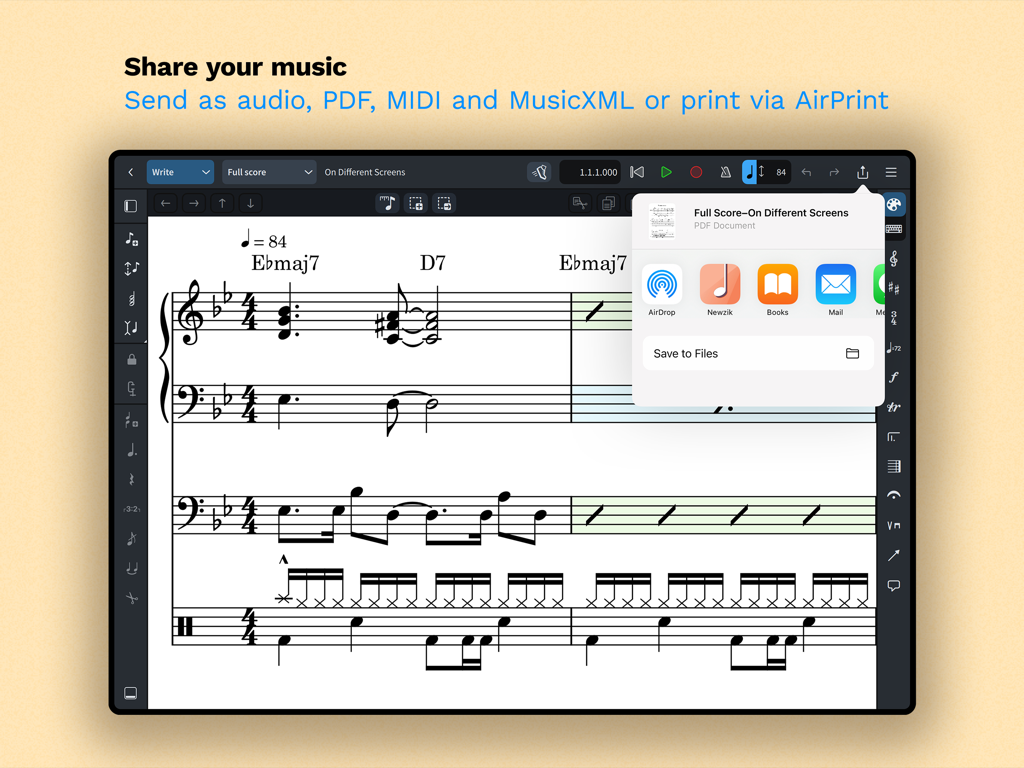
iPad screen showing sharing and export options for music notation in Dorico
Description
Download
More Like This
Apps with similar features and user experience

来音制谱-sheet music editing
Beijing Xihang Technology Co., Ltd.

Composer Pro - Score Creator
嵩 张

Sibelius
Avid Technology Inc

Notation Pad-Sheet Music Score
嵩 张

Piano+ - Sheet Music Composer
嵩 张

Score Creator: compose music
Sharp Notes Company Limited

Maestro - Music Composer
Future Sculptor Pty Ltd

NotateMe
Neuratron Limited

Fender Notion: Music & Tab
Fender Digital, LLC
This page is not an official page of the app or its developer, but an independent editorial publication created for informational and commentary purposes. Unless expressly stated otherwise, neither the app nor its developer is affiliated with, endorsed by, sponsored by, authorized by, or otherwise officially connected with MWM, Apple, Google Play, the app publisher, or the app's developer, and nothing on this page implies that the app was developed using MWM's services. Any trademarks, logos, screenshots, and other content remain the property of their respective owners.