DottedSign - eSign & Fill Docs
Download on App Store

This page is not an official page of the app or its developer, but an independent editorial publication created for informational and commentary purposes. Unless expressly stated otherwise, neither the app nor its developer is affiliated with, endorsed by, sponsored by, authorized by, or otherwise officially connected with MWM, Apple, Google Play, the app publisher, or the app's developer, and nothing on this page implies that the app was developed using MWM's services. Any trademarks, logos, screenshots, and other content remain the property of their respective owners.

Logo of DottedSign - eSign & Fill Docs
Download on App Store

DottedSign - eSign & Fill Docs

Ditch the printer and close deals faster. Securely sign, request signatures, and track documents in real-time with the trusted mobile-first eSign platform for modern professionals.

Key Figures

Downloads

69K+

User Rating

4.7/5

Total Ratings

300

Publisher

Kdan Mobile Software LTD

Category

Business

Locales

9

Latest Version

3.5.10

Size

96.5 MB

First Released

May 8, 2019
Features

Closing Deals Just Got Faster

DottedSign is the premier mobile-first e-signature solution built for modern professionals. Eliminate paper friction and manage your contracts from the palm of your hand with bank-grade security.

Effortless Mobile Signing

Import docs from the cloud and sign on the go. Perfect for real estate agents and freelancers who need to close deals from anywhere.

Bank-Grade Security

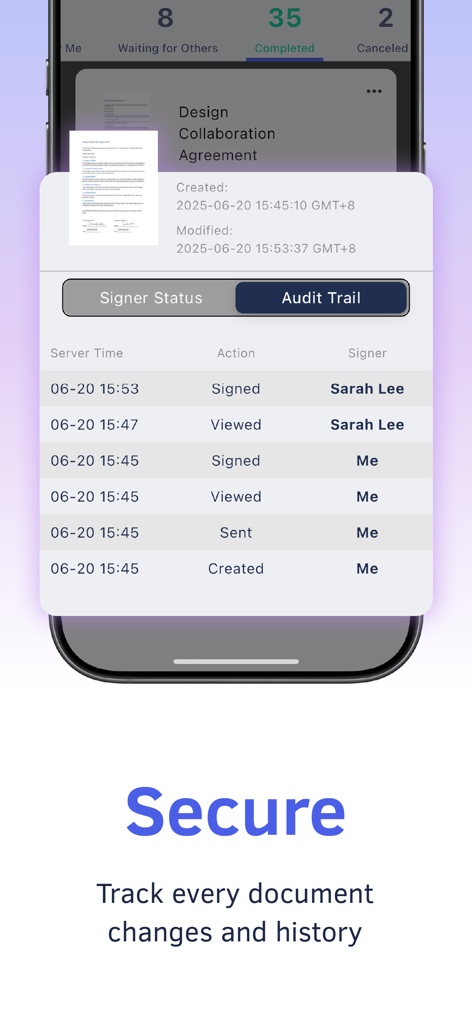
Rest easy with ISO27001 certification and detailed digital audit trails that ensure every signature is legal, secure, and verifiable.

The following screenshots and description are sourced directly from the app's official store listing and are the property of the app developer.

App Store

Screenshots
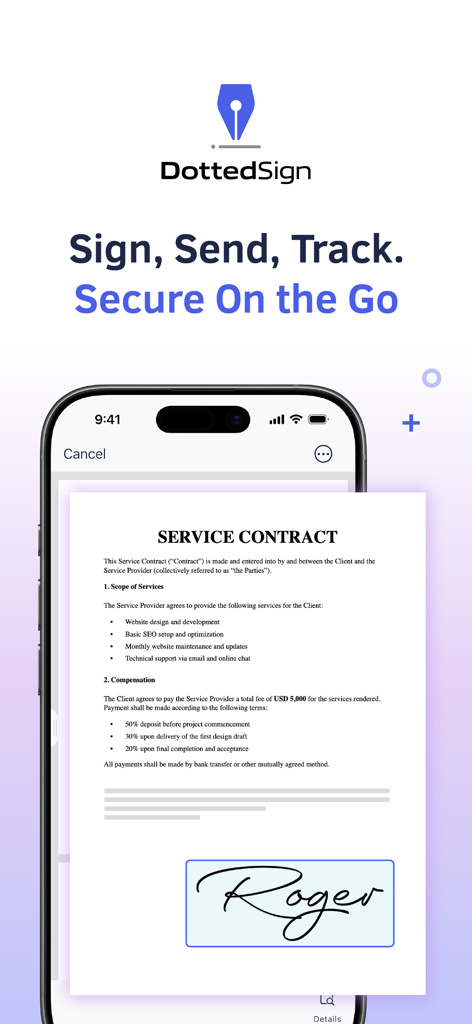
DottedSign - eSign & Fill Docs - DottedSign app interface showing a digital signature on a service contract
DottedSign app interface showing a digital signature on a service contract

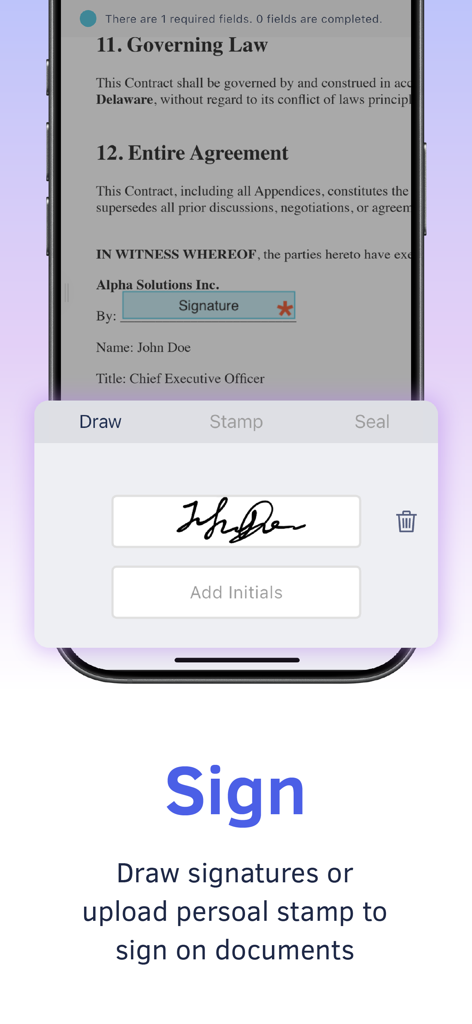
DottedSign - eSign & Fill Docs - DottedSign mobile interface showing the feature to draw a signature and sign digital documents
DottedSign mobile interface showing the feature to draw a signature and sign digital documents

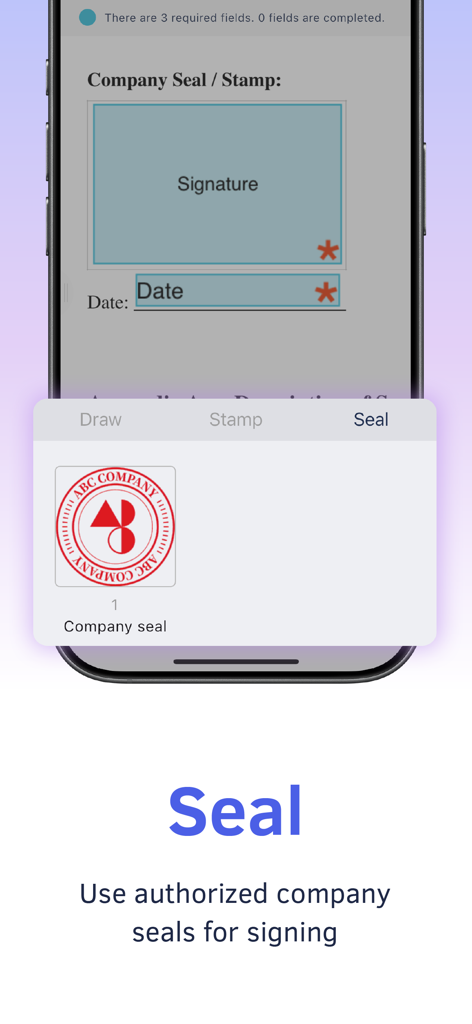
DottedSign - eSign & Fill Docs - DottedSign mobile app screen showing how to use an authorized company seal for digital document signing
DottedSign mobile app screen showing how to use an authorized company seal for digital document signing

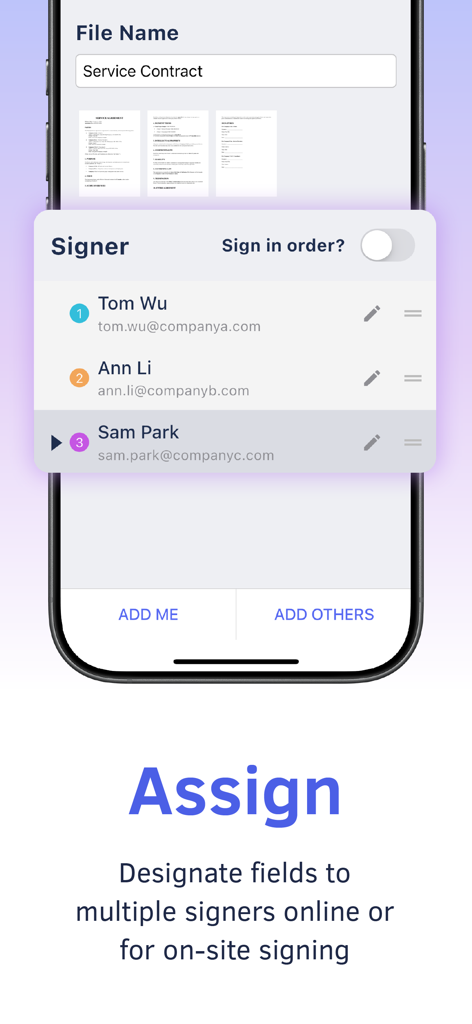
DottedSign - eSign & Fill Docs - DottedSign mobile app interface for assigning multiple signers to a digital service contract
DottedSign mobile app interface for assigning multiple signers to a digital service contract

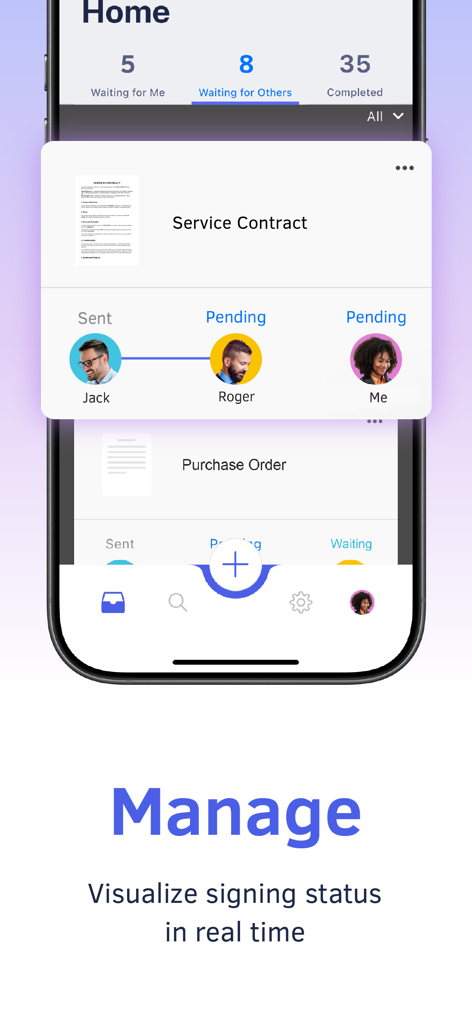
DottedSign - eSign & Fill Docs - DottedSign app interface showing real time document signing status and visual progress tracking for a service contract.
DottedSign app interface showing real time document signing status and visual progress tracking for a service contract.

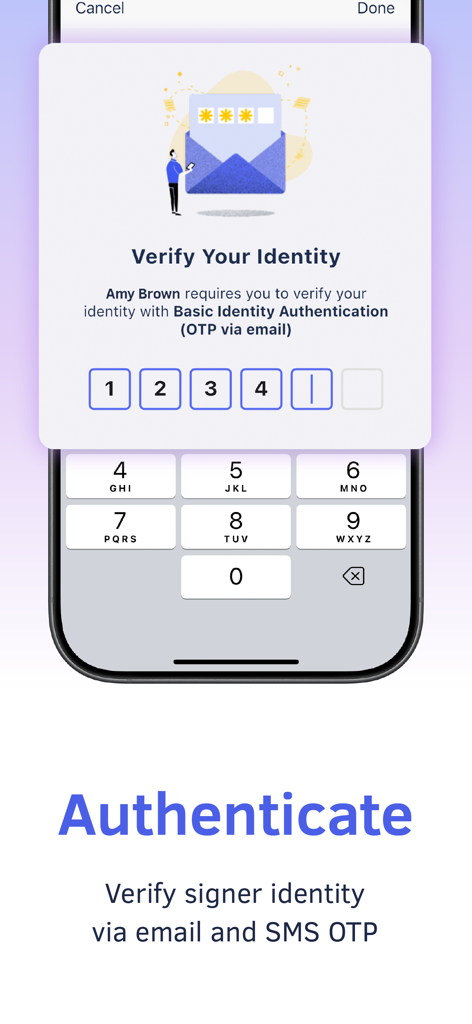
DottedSign - eSign & Fill Docs - Mobile app interface showing identity verification via email and SMS OTP for secure document signing
Mobile app interface showing identity verification via email and SMS OTP for secure document signing

DottedSign - eSign & Fill Docs - DottedSign app audit trail tracking document signatures and history
DottedSign app audit trail tracking document signatures and history

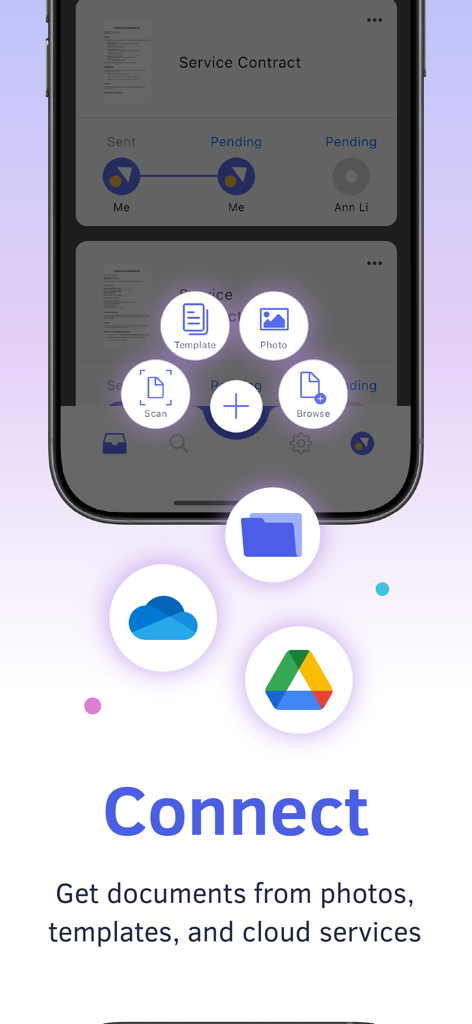
DottedSign - eSign & Fill Docs - DottedSign mobile app interface displaying document import options from cloud storage and templates

DottedSign mobile app interface displaying document import options from cloud storage and templates

Description

Pioneering in eSign on mobile devices, DottedSign lets you effortlessly sign documents and get signatures from others in a legal and secure process. Stop wasting time emailing signers, printing copies, and faxing paper. Use DottedSign to complete your work, including NDAs, sales contracts, lease agreements, permission slips, financial agreements, and more. Simply import your document, sign or request signatures, and send. Ensure your important business cases do not slip through the cracks. KEY FEATURES GET SIGNATURE FROM MULTIPLE SIGNERS .Invite signers by adding them straight from your contact list or entering their emails (Google Contact supported) .Remote signing - Assign fields to signers in a designated order, including signatures, initials, stamps, texts, and dates .Front desk signing - Collect signatures in person, with pre-made templates .Color-coded fields to navigate your signers on where to fill in .Add an Editor to your task to help you assign signers and set up fields in your signing process. SIGN DOCUMENTS YOURSELF & PERSONALIZE YOUR SIGNATURES .Create signatures with freehand drawing .Make stamps by using your camera or photos .Pre-fill your personal information and drag and drop it to the document .Add signatures, initials, texts, images, hyperlinks, and dates to documents .Adjust the font size and text alignment to your liking .Remove or crop backgrounds for signature stamps .Signer can sign with the company seals authorized by the Admin. .Group multiple checkboxes or radio buttons together to create multiple options. MANAGE SIGNATURE TASKS .Visual progress bar - Monitor signature tasks by intuitively checking all signers’ status .Timeline of Personal Activities - Display and record activities of all your personal tasks .Search tool - Find your documents easily by searching with names of people or documents .Custom message - Leave messages to all recipients .Auto reminder & expiry date setting - Automatically send reminders to notify anyone who has not signed documents yet .Change signer or editor: Replace a signer or editor on a sent document, with the option to submit change requests to the sender or reassign the role to someone else. Sender can replace,,, or on a sent document .Decline signing or editing – Sender can manage the recipient's permission to decline the request and provide a reason in case the document requires further amendment .Void the task – Signer can stop the signing process in the middle of the workflow before the document is signed by all parties. .Delete completed and canceled signing tasks that are no longer needed, or move them to archive IMPORT AND SHARE DOCUMENTS WITH EASE .Get documents from camera, photos, the file app, email attachments, and the web .Import documents from cloud services, including OneDrive and Google Drive .Share the document via a file link to open the file directly in the web browser SECURITY AND LEGALITY .Digital audit trails - Record every change made to the document for evidence .Protected signing process - Ensure confidentiality of paperless signing, encrypted by TLS/SSL, AES-256, and RSA-2048. .Email & SMS secure password to identify signer identity .Digital certificates issued by the AATL authorized CA safeguard signers' identity authentication and signature validation. .Certified with ISO27001, DottedSign uses public key infrastructure (PKI) to securely encrypt and protect your signing process. Upgrade to Pro for advanced features, and choose Business to manage your team with ease—assign roles, collaborate seamlessly, and oversee all documents efficiently. Terms of Service: https://www.dottedsign.com/terms_of_service Privacy Policy: https://www.dottedsign.com/privacy_policy NEED HELP? Visit https://support.dottedsign.com/ or contact us at support@info-dottedsign.com.

Download

Download on App Store

This page is not an official page of the app or its developer, but an independent editorial publication created for informational and commentary purposes. Unless expressly stated otherwise, neither the app nor its developer is affiliated with, endorsed by, sponsored by, authorized by, or otherwise officially connected with MWM, Apple, Google Play, the app publisher, or the app's developer, and nothing on this page implies that the app was developed using MWM's services. Any trademarks, logos, screenshots, and other content remain the property of their respective owners.








