Drawing Pad
Drawing Pad
Download on App Store

This page is not an official page of the app or its developer, but an independent editorial publication created for informational and commentary purposes. Unless expressly stated otherwise, neither the app nor its developer is affiliated with, endorsed by, sponsored by, authorized by, or otherwise officially connected with MWM, Apple, Google Play, the app publisher, or the app's developer, and nothing on this page implies that the app was developed using MWM's services. Any trademarks, logos, screenshots, and other content remain the property of their respective owners.

Logo of Drawing Pad
Download on App Store

Drawing Pad

Transform screen time into a mess-free creative adventure. Empower your child with photo-realistic tools and intuitive menus designed for imaginative discovery, trusted by parents and educators nationwide.

Key Figures

Downloads

319K+

User Rating

4.1/5

Total Ratings

5K+

Publisher

Murtha Design LLC

Category

Graphics & Design

Locales

21

Latest Version

2.7.1

Size

222.9 MB

First Released

Apr 1, 2010
Features

Unlock Your Child's Imagination

A comprehensive mobile art studio that blends traditional creativity with digital convenience, designed specifically for the next generation of artists.

Hyper-Realistic Art Tools

Experience the tactile joy of crayons, markers, and paint brushes that look and feel just like physical art supplies—without the mess.

Intuitive Visual Interface

No reading required! Our iconic visual drawer system lets even the youngest children switch tools and colors independently.

The following screenshots and description are sourced directly from the app's official store listing and are the property of the app developer.

App Store

Screenshots
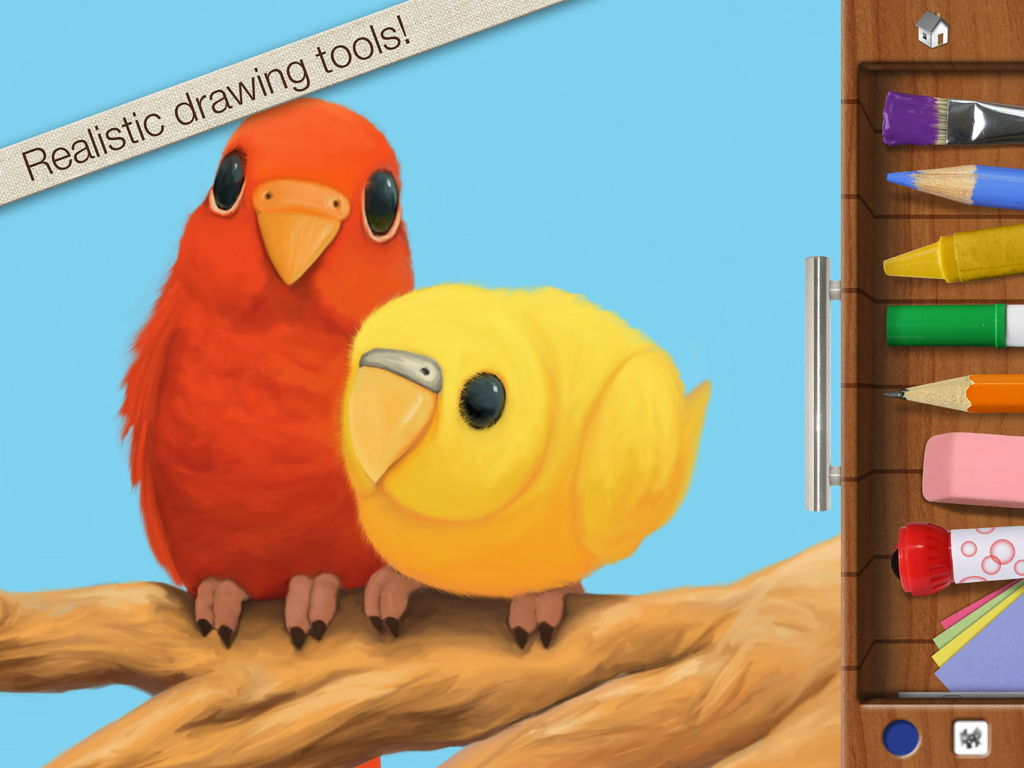
Drawing Pad - Digital painting of red and yellow birds with a sidebar showing realistic art tools like crayons and brushes.
Digital painting of red and yellow birds with a sidebar showing realistic art tools like crayons and brushes.

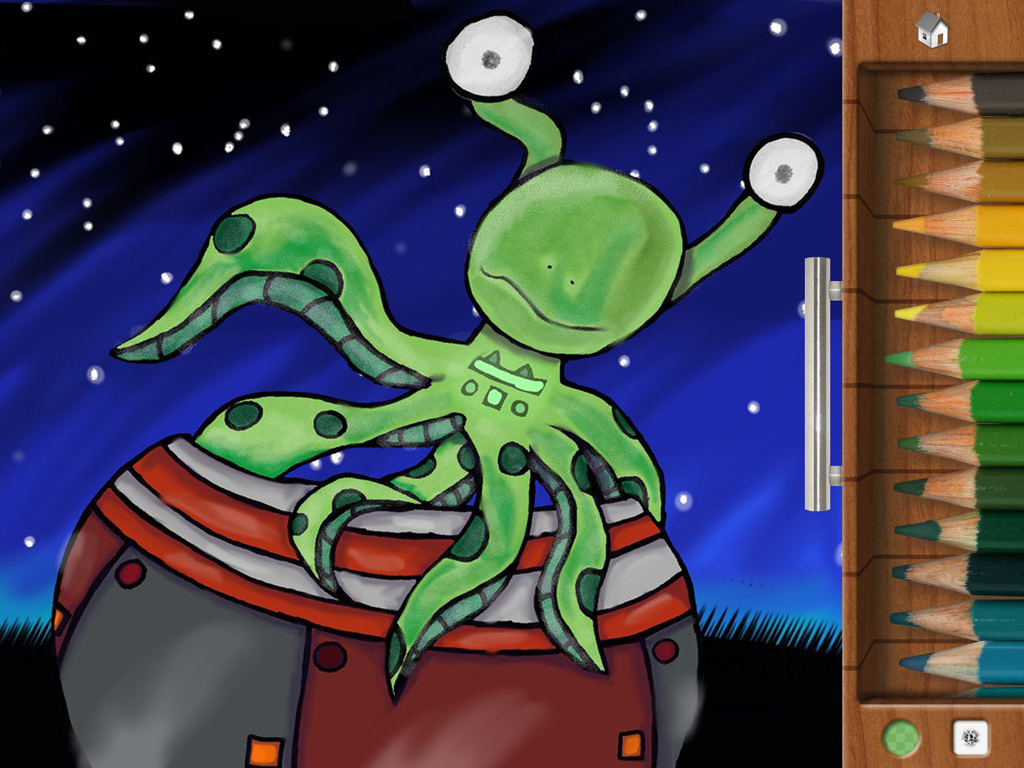
Drawing Pad - A green octopus-like alien character drawn in the Drawing Pad app with a side menu of colored pencils
A green octopus-like alien character drawn in the Drawing Pad app with a side menu of colored pencils

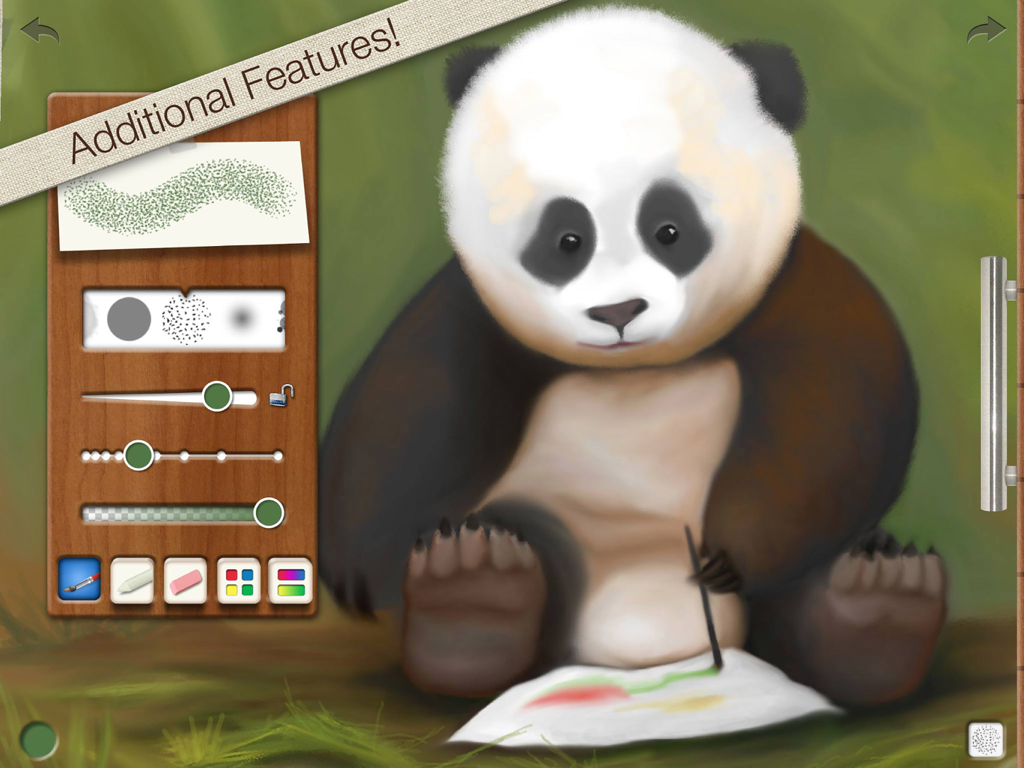
Drawing Pad - A digital painting of a panda bear in the Drawing Pad app showing visual brush and tool control menus
A digital painting of a panda bear in the Drawing Pad app showing visual brush and tool control menus

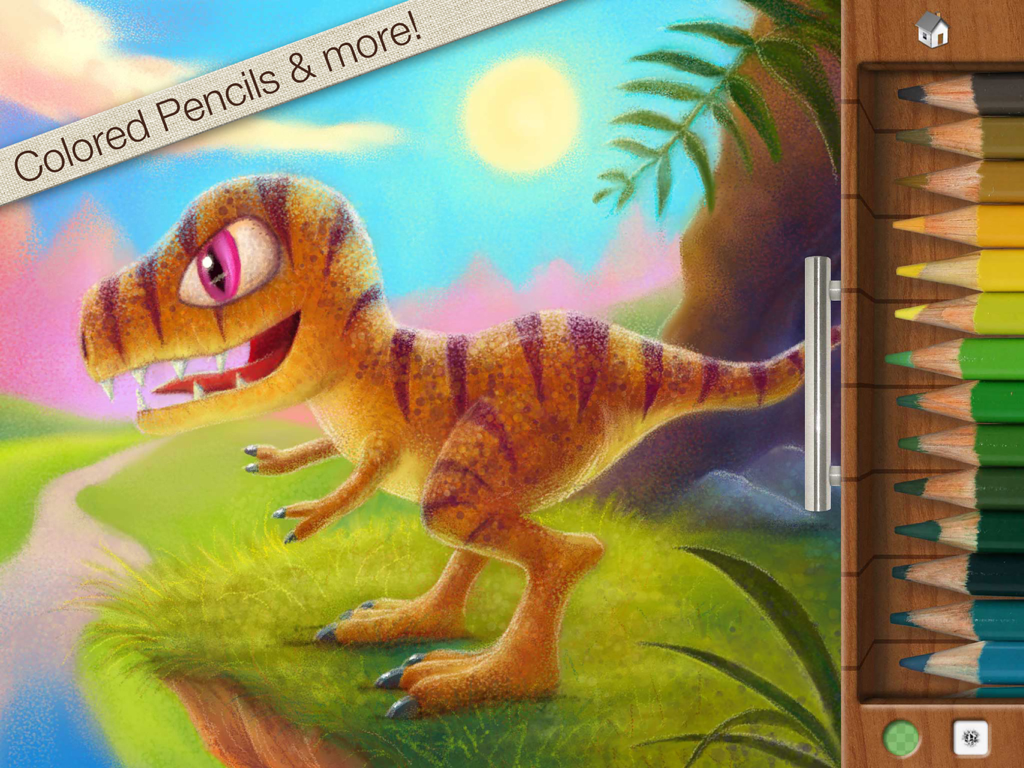
Drawing Pad - A colorful digital drawing of a dinosaur next to a tray of colored pencils in the Drawing Pad app

A colorful digital drawing of a dinosaur next to a tray of colored pencils in the Drawing Pad app
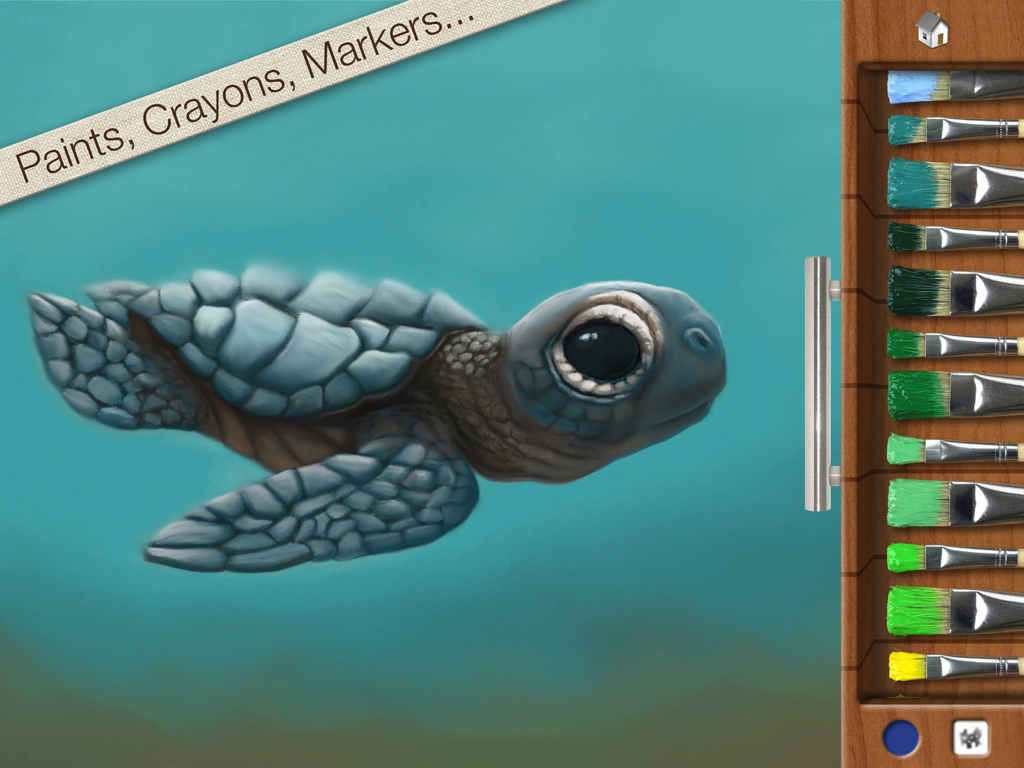
Drawing Pad - A digital painting of a baby sea turtle in the Drawing Pad app featuring a wooden drawer with various colored paintbrushes.
A digital painting of a baby sea turtle in the Drawing Pad app featuring a wooden drawer with various colored paintbrushes.

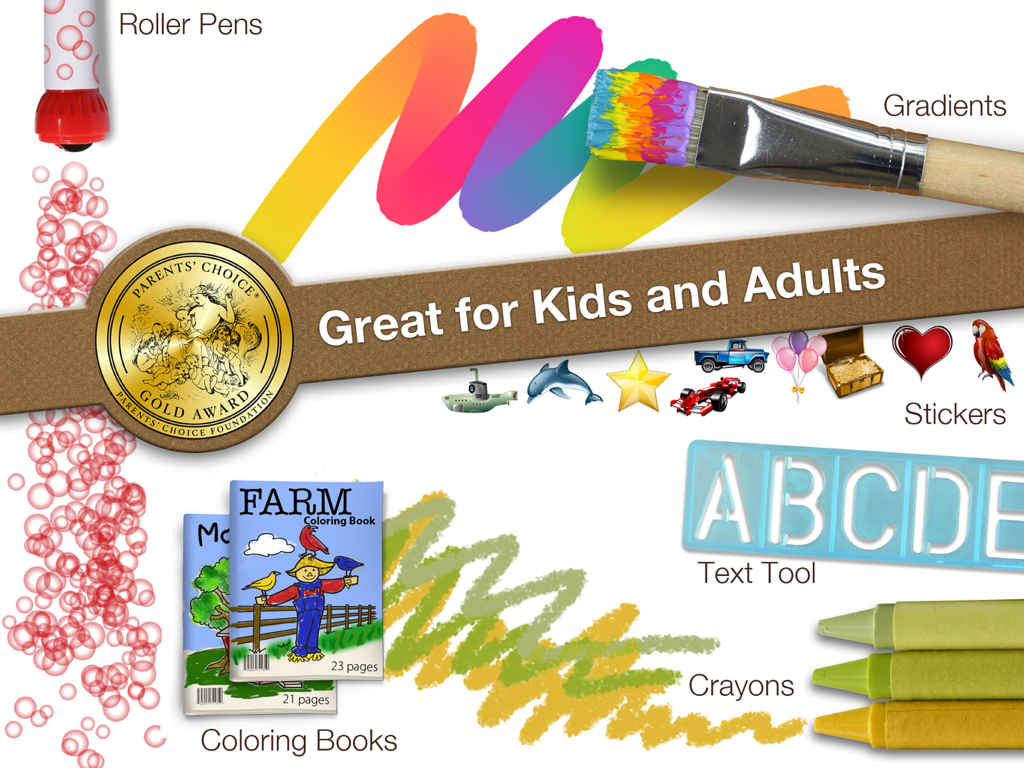
Drawing Pad - Promotional graphic for Drawing Pad app showing art tools like crayons and stickers alongside its Parents Choice Gold Award seal

Promotional graphic for Drawing Pad app showing art tools like crayons and stickers alongside its Parents Choice Gold Award seal

Description

Get the app that was mentioned on TV ABC 7 CHICAGO as a top school app! Watch http://abc7chicago.com/education/back-to-school-tech-shopping-tips/952242/ short link: abc7.ws/1h5RDj9 Previously iPad App of the Week in 12 countries! (http://drawingpadapp.com/apple-features-drawing-pad-as-ipad-app-of-the-week) Drawing Pad is a mobile art studio for all ages! Create your own art using photo-realistic crayons, markers, paint brushes, colored pencils, stickers, roller pens and more! ■ ACCOLADES Winner of a Parents’ Choice Gold Award (bit.ly/parents-choice) Featured on nytimes.com (bit.ly/nytimes-drawingpad) Featured on usatoday.com (usat.ly/2x5xrKx) Featured on the iLounge 2011 Buyer's Guide 100 Essential Apps of 2010! Featured by iLounge as First runner up to kids' iPad App of the Year! Featured on Gizmodo's 2010 Gift Guide (bit.ly/gizmodo-drawingpad) Featured in November 2010 MacWorld Magazine in the UK 4 out of 5 stars Awarded Editor's Choice Award from Children's Technology Review ■ IN BOOKS Featured in the book “iPad Apps for Kids for Dummies” - by Jinny Gudmundsen Featured in the O’Reilly book “Best iPad Apps” - by Peter Meyers ■ IN MUSEUMS As seen in the Star Studio Exhibit at the Indianapolis Museum of Art! (bit.ly/ima-museum) ■ QUOTES "Drawing Pad is a fantastic drawing app!" 9to5mac.com “Wonderful chalk tools! You can almost taste the dust!” Mickey Paraskevas, Illustrator and Creator of the Maggie and the Ferocious Beast TV show. "Drawing Pad is a fun and easy to use iPad art app for kids and adults alike. It has very visual menus giving you instant access to a broad range of useful art tools. There are amazing features for kids including downloadable colouring books and additional advanced features for more ambitious artists." Kyle Lambert - Artist - www.kylelambert.com ■ HOW TO USE DRAWING PAD Watch the video inside the App! (or drawingpadapp.com/tutorial) Tap a tool, choose a color, and start drawing. It’s really that simple. Your artwork is automatically saved in the Drawing Pad album. For brush options like size and spacing, tap the brush thumbnail at the bottom of the drawer. Import photo backgrounds by first tapping the stationary icon in the drawer, then the filmstrip. Import photo stickers by first tapping the sticker icon, then the stack of photos. Use one finger to move your photo and two fingers to rotate and resize. Blender tool allows you to soften and blend colors! ■ SHARING OPTIONS Export to the Device Camera Roll, print via AirPrint, share via Email, and other favorite apps like Instagram & Facebook. Even assign your artwork to a contact in your address book! ■ ALL THESE TOOLS ARE INCLUDED! Crayons Markers Paint Brushes Colored Pencils Sketch Pencils Roller Stamp Pens Erasures Stickers Construction Paper Blenders Text Sticker Tool Photo Background Import Photo Stickers Gradient Brushes & Crayons Advanced Brush Control Color wheel and Gradient Panel Pinch Zoom Autosave Two Coloring Books ■ EXTRA FUN Download extra coloring books via in app purchase! Restore prior "Coloring Book in app purchases" by tapping the "Redeem prior purchase" button on the Coloring Book store details page. See drawingpadapp.com/restore ■ DEMONSTRATION Video at http://drawingpadapp.com ■ CONTACT Email us at "support" -at- "drawingpadapp.com" BUY NOW! Don't have an iPad yet? Don't let it stop you! Great price today! Buy now and tell your friends. CREDITS: "Birds," "Panda Bear," and "Turtle" by Igor Cheban instagram.com/icheban "Dinosaur," and "Kitten" by Kyle Lambert www.kylelambert.com

Download

Download on App Store

This page is not an official page of the app or its developer, but an independent editorial publication created for informational and commentary purposes. Unless expressly stated otherwise, neither the app nor its developer is affiliated with, endorsed by, sponsored by, authorized by, or otherwise officially connected with MWM, Apple, Google Play, the app publisher, or the app's developer, and nothing on this page implies that the app was developed using MWM's services. Any trademarks, logos, screenshots, and other content remain the property of their respective owners.







