
This page is not an official page of the app or its developer, but an independent editorial publication created for informational and commentary purposes. Unless expressly stated otherwise, neither the app nor its developer is affiliated with, endorsed by, sponsored by, authorized by, or otherwise officially connected with MWM, Apple, Google Play, the app publisher, or the app's developer, and nothing on this page implies that the app was developed using MWM's services. Any trademarks, logos, screenshots, and other content remain the property of their respective owners.

DrawUp - Learn To Draw
Unlock your inner artist with fun, interactive tutorials designed for beginners. Whether you are using your finger or an Apple Pencil, transform your iPad into a creative sanctuary with daily exercises that make drawing simple and stress-free.
Downloads
111K+User Rating
Total Ratings
4K+Publisher
Category
EducationLocales
14Latest Version
2.2.8Size
111.4 MBFirst Released
Mar 14, 2024Unleash Your Inner Artist, One Stroke at a Time
From cute characters to calming landscapes, our interactive step-by-step guides make drawing the most rewarding part of your day.
Easy-to-Follow Lessons
Skip the frustration with bite-sized tutorials that break down complex illustrations into simple, winnable steps for any skill level.
A Mindful Daily Routine
Find your digital zen and build a creative habit with daily exercises designed to help you decompress after school or work.
Frequently Asked Questions
Everything you need to know about DrawUp - Learn To Draw
What is DrawUp?
DrawUp is an app designed for beginners to learn drawing through fun, step-by-step lessons. It features interactive tutorials and daily exercises to help users develop their skills.
How does DrawUp teach users to draw?
DrawUp teaches drawing using interactive, step-by-step lessons. Users follow divided steps to complete complex illustrations, enhancing their skills with each stroke.
Can I use an Apple Pencil with DrawUp?
Yes, DrawUp supports both finger and Apple Pencil input for drawing. Users can sketch, outline, and color directly within the app using their preferred method.
How many tutorials does DrawUp offer?
DrawUp offers hundreds of drawing tutorials suitable for all levels. These tutorials cover a wide range of subjects, from playful characters to serene landscapes.
How does DrawUp track user progress?
DrawUp allows users to track their progress. The app displays various badges and milestones, such as 'Aspiring Artist' and 'Junior Painter', based on completed drawings.
Is DrawUp suitable for drawing beginners?
Yes, DrawUp is designed specifically for beginners. Its user-friendly interface and easy-to-follow, step-by-step process make complex illustrations accessible.
The following screenshots and description are sourced directly from the app's official store listing and are the property of the app developer.
App Store
Screenshots
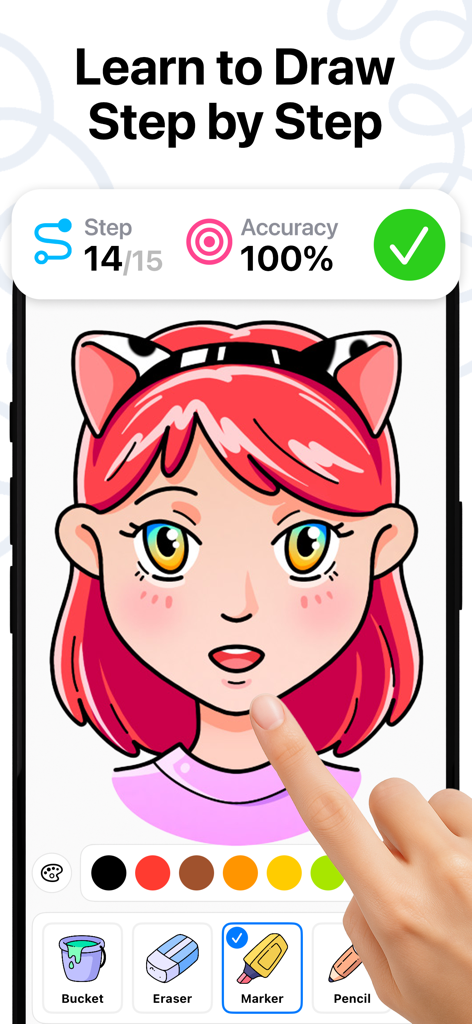
A step-by-step drawing tutorial for an anime girl character on the DrawUp mobile app.
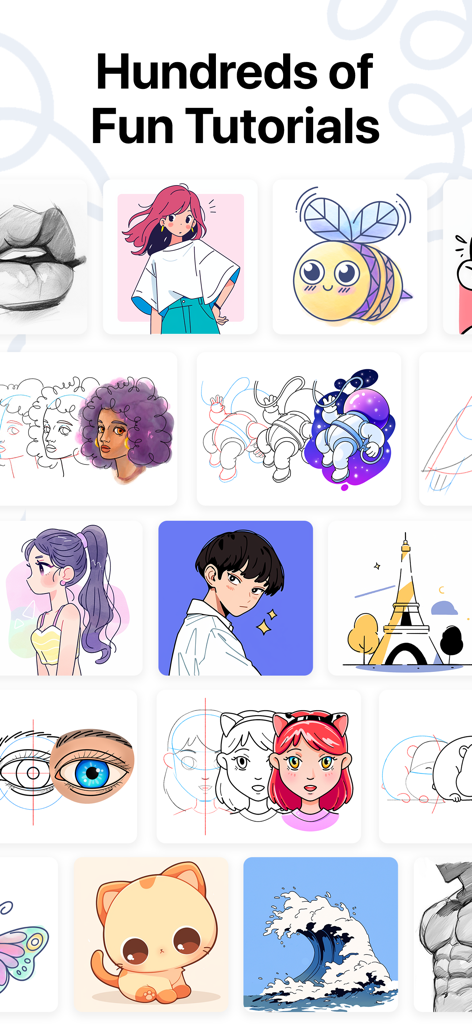
A variety of drawing tutorials including anime characters and cute animals
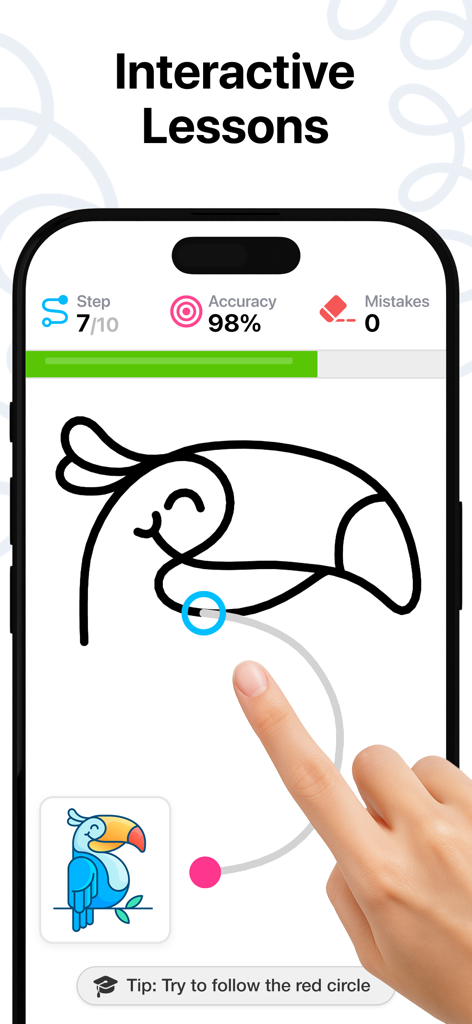
A hand tracing a toucan character during an interactive drawing lesson on the DrawUp app with progress and accuracy stats displayed.
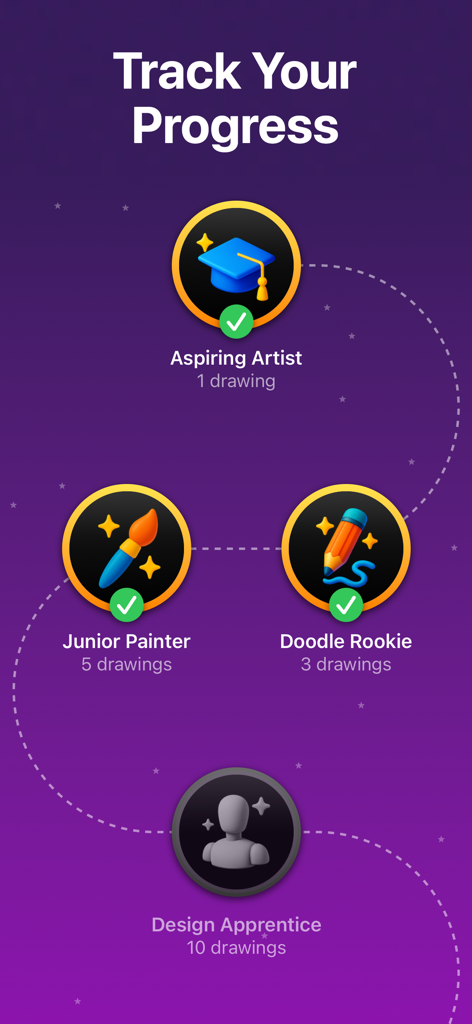
Gamified progress tracking screen in DrawUp showing drawing achievements and milestones
Description
Download
More Like This
Apps with similar features and user experience

Domestika - Online courses
Domestika, Inc.

MICHAEL JAMES SMITH TV
PalettePro Ltd

ArtWorkout: Learn How to Draw
Aleksandr Ulitin
Simply Draw: Learn to Draw
Simply Ltd
Drawly: Learn to Draw Together
Sum of Technologies Ltd
Drawing Vibe:Learn how to draw
ART GAMES KOSTIANTYN SALANDA
Draw Anime: Paint & Sketch App
CEM SOFTWARE COMPANY LIMITED

Labo Doodle:Drawing Games
Labo Lado Co., Ltd.
Dro: Learn How to Draw & Focus
Tools Products FZ-LLC
This page is not an official page of the app or its developer, but an independent editorial publication created for informational and commentary purposes. Unless expressly stated otherwise, neither the app nor its developer is affiliated with, endorsed by, sponsored by, authorized by, or otherwise officially connected with MWM, Apple, Google Play, the app publisher, or the app's developer, and nothing on this page implies that the app was developed using MWM's services. Any trademarks, logos, screenshots, and other content remain the property of their respective owners.