Drilling Simulator 3
Download on App Store

This page is not an official page of the app or its developer, but an independent editorial publication created for informational and commentary purposes. Unless expressly stated otherwise, neither the app nor its developer is affiliated with, endorsed by, sponsored by, authorized by, or otherwise officially connected with MWM, Apple, Google Play, the app publisher, or the app's developer, and nothing on this page implies that the app was developed using MWM's services. Any trademarks, logos, screenshots, and other content remain the property of their respective owners.

Logo of Drilling Simulator 3
Download on App Store

Drilling Simulator 3

Master the Driller’s Method, Wait and Weight, and kick detection in a risk-free environment. Engineered for Engineers, Toolpushers, and Students seeking technical excellence and IADC/IWCF certification readiness.

Key Figures

Downloads

6K+

User Rating

1.0/5

Total Ratings

0

Publisher

Carlos Moura

Category

Education

Locales

1

Latest Version

4.7

Size

36.7 MB

First Released

Nov 22, 2016
Features

Advanced Rig Operations & Control

Master critical well control procedures with a high-fidelity simulator built for engineers, toolpushers, and certification candidates.

Proactive Kick Detection

Identify kicks and manage shut-ins with real-time pressure stabilization and hydraulic choke panel operations.

Industry-Standard Methods

Perfect your Driller's Method and Wait & Weight Method techniques for IADC and IWCF certification prep.

The following screenshots and description are sourced directly from the app's official store listing and are the property of the app developer.

App Store

Screenshots
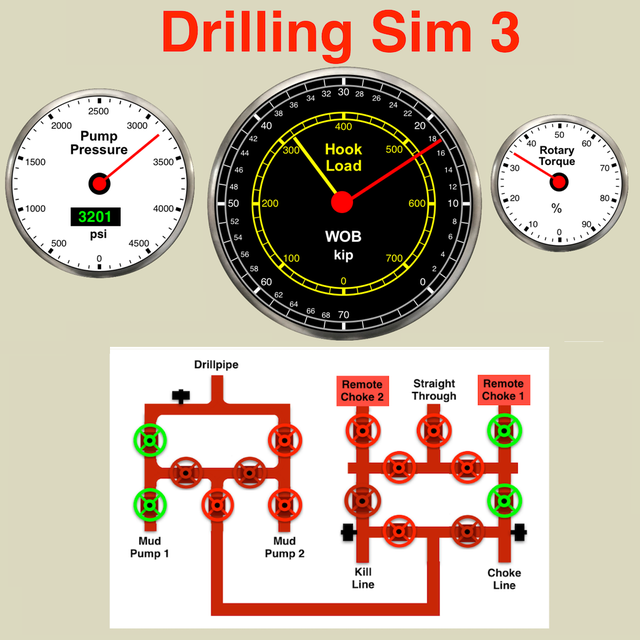
Drilling Simulator 3 - Professional well control simulation dashboard in Drilling Simulator 3 featuring hook load pressure gauges and real time data graphs
Professional well control simulation dashboard in Drilling Simulator 3 featuring hook load pressure gauges and real time data graphs

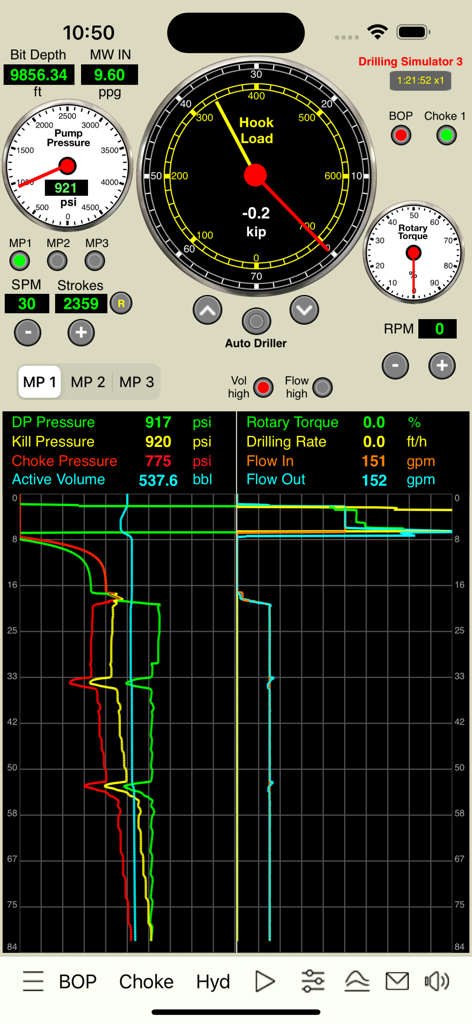
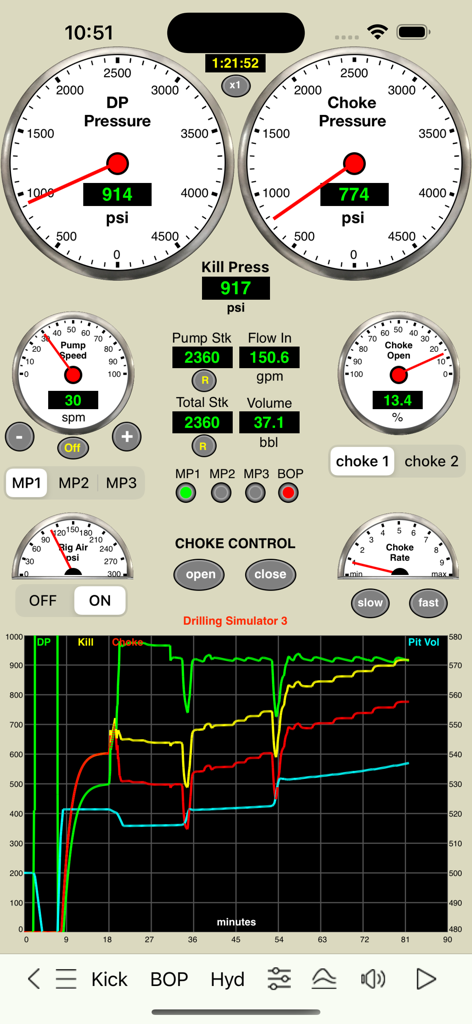
Drilling Simulator 3 - Drilling Simulator 3 interface showing pressure gauges for DP and choke along with a real-time well data graph.
Drilling Simulator 3 interface showing pressure gauges for DP and choke along with a real-time well data graph.

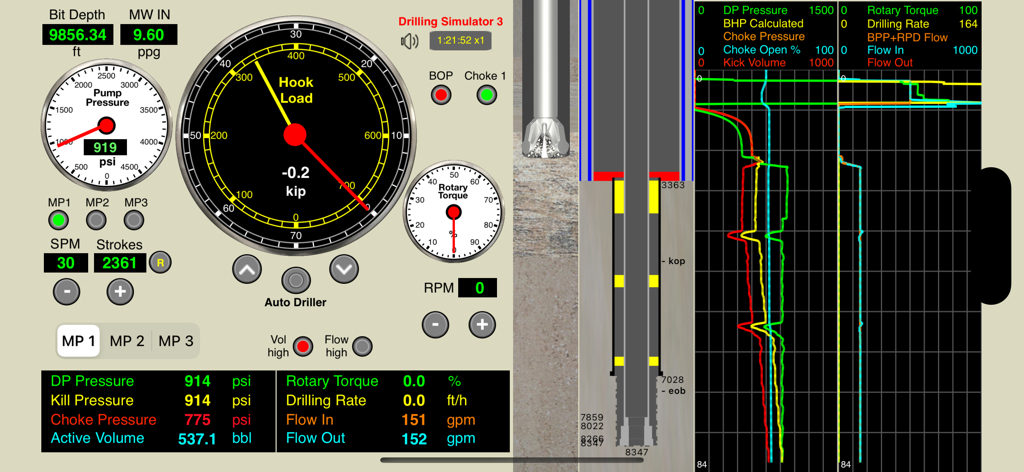
Drilling Simulator 3 - Professional drilling simulator dashboard with hook load gauge, wellbore cross-section, and real-time data graphs
Professional drilling simulator dashboard with hook load gauge, wellbore cross-section, and real-time data graphs

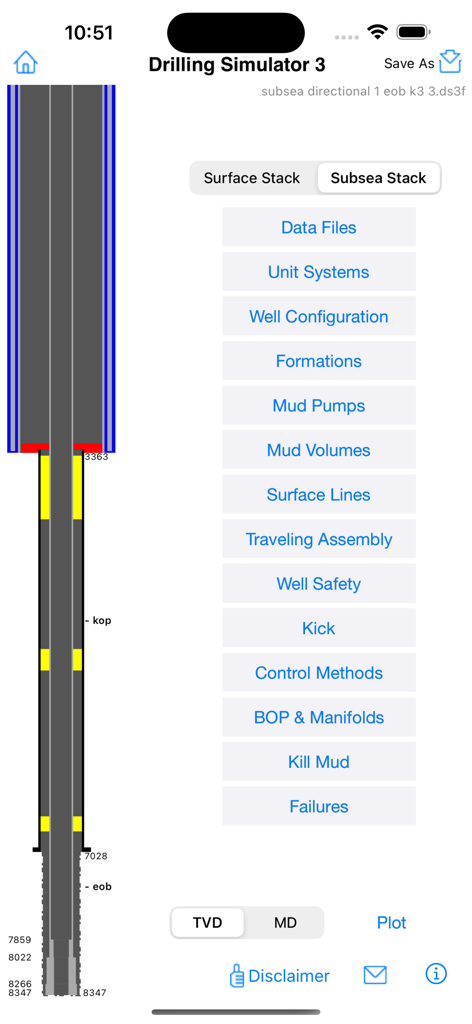
Drilling Simulator 3 - Main configuration screen of Drilling Simulator 3 showing a wellbore cross-section diagram and technical simulation options like Mud Pumps and BOP Manifolds.
Main configuration screen of Drilling Simulator 3 showing a wellbore cross-section diagram and technical simulation options like Mud Pumps and BOP Manifolds.

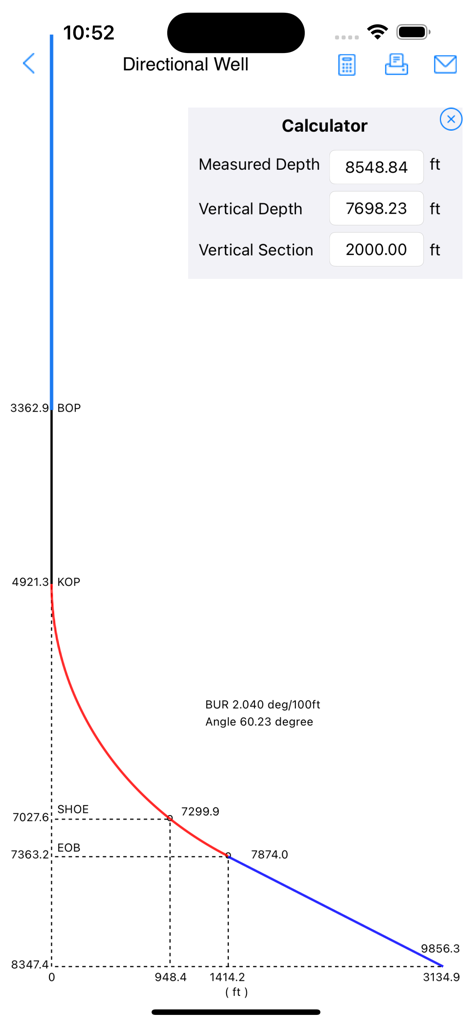
Drilling Simulator 3 - Directional well trajectory plot showing KOP SHOE and EOB depths with a calculator overlay in Drilling Simulator 3.
Directional well trajectory plot showing KOP SHOE and EOB depths with a calculator overlay in Drilling Simulator 3.

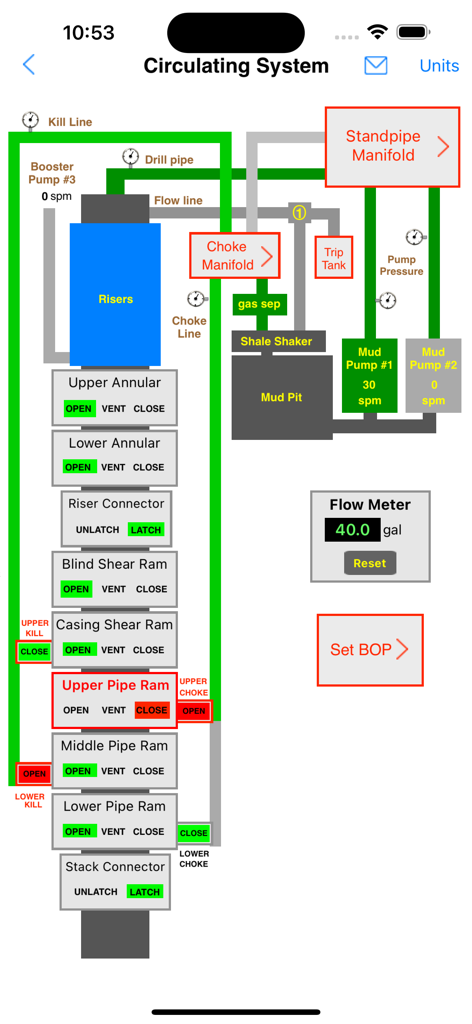
Drilling Simulator 3 - Circulating system schematic showing BOP stack and mud pumps in Drilling Simulator 3
Circulating system schematic showing BOP stack and mud pumps in Drilling Simulator 3

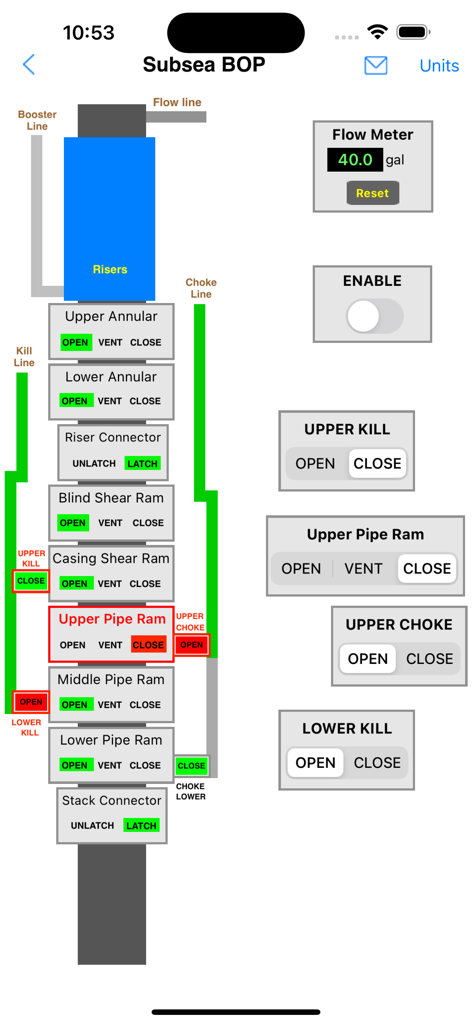
Drilling Simulator 3 - Subsea blowout preventer stack control interface showing rams and kill lines in Drilling Simulator 3
Subsea blowout preventer stack control interface showing rams and kill lines in Drilling Simulator 3

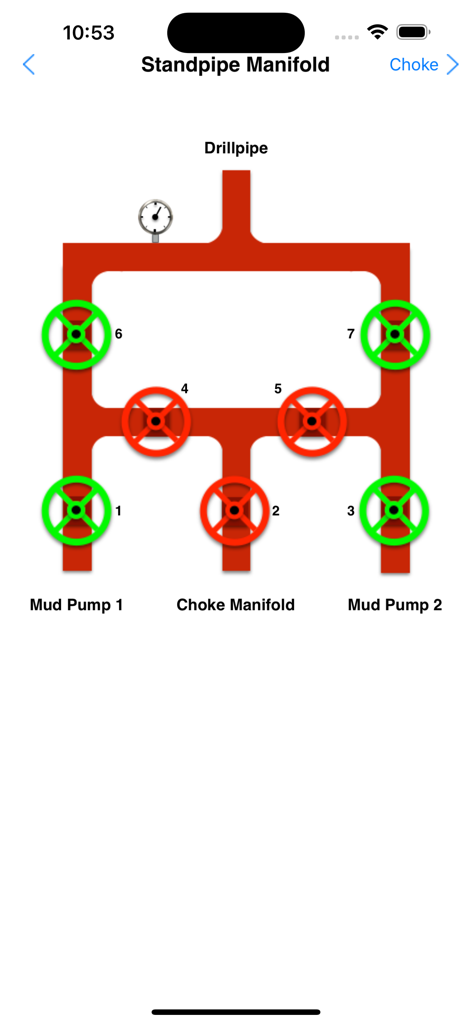
Drilling Simulator 3 - Schematic diagram of a standpipe manifold showing valve controls for mud pumps and drillpipe in a well control simulator
Schematic diagram of a standpipe manifold showing valve controls for mud pumps and drillpipe in a well control simulator

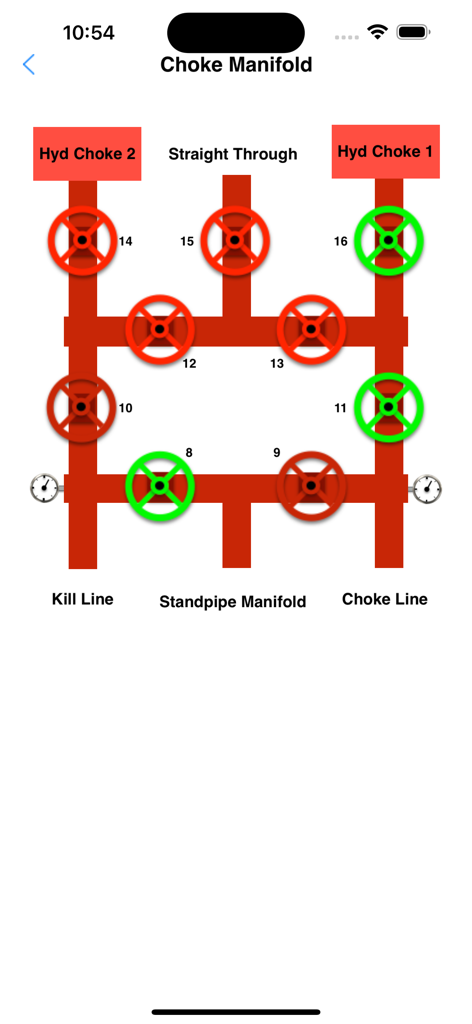
Drilling Simulator 3 - Interactive choke manifold simulation interface for drilling well control training.
Interactive choke manifold simulation interface for drilling well control training.

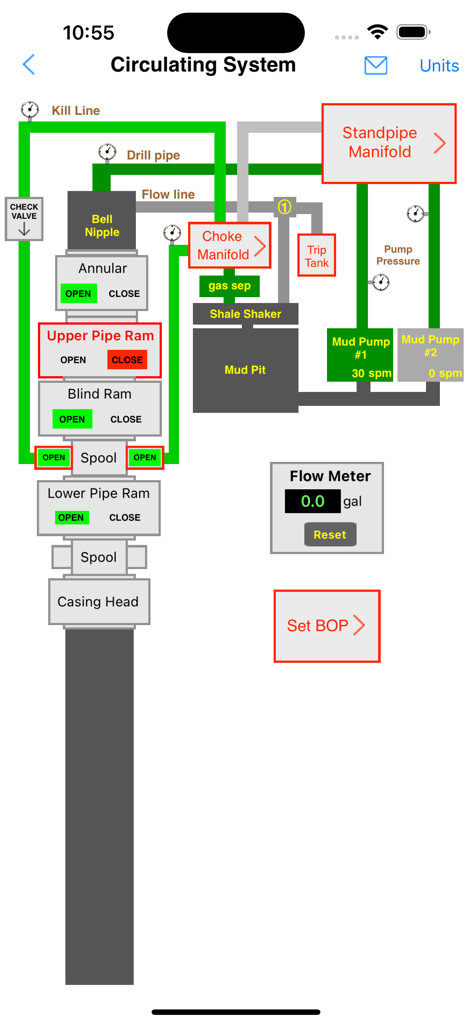
Drilling Simulator 3 - Interactive schematic of a drilling rig circulating system showing manifolds mud pumps and blowout preventer stack

Interactive schematic of a drilling rig circulating system showing manifolds mud pumps and blowout preventer stack

Description

This is a project for Drilling and Well Control optimized for iPhones and iPads. This is a basic drilling simulator that simulates drilling operations based in panels for kick detection, shut-in the well, stabilization of pressures and the choke operations during the well control operations using a hydraulic choke panel simulator. Features: 1. Drilling, kick detection, shut-in, pressures stabilization and control 2. MULTIPLE KICKS (3 SINGLE BUBBLES)  3. DIRECTIONAL/HORIZONTAL WELL  4. WELL CONTROL ON CHOKE PANEL WITH 2 REMOTE CHOKES 5. Standpipe Manifold and Choke Manifold 6. FLOAT VALVE,  7. GESTURE SWAIPE UP/DOWN TO MOVE DRILLSTRING  8. FAILURES SCHEDULE WITH RANDOM OPTION (Mud Pumps 1 and 2 “power end failure” or “fluid end failure”, Chokes 1 and 2 “plugged” or “washed”, One Drill Bit Nozzle “plugged” or “washed”) 9. Set a KICK without drilling required. 10. Subsea Stack BOP and Surface Stack BOP Additional features:   1. Optionally it is possible to use others apps as Remote Choke like "Driller's Method Simulator" and "Wait and Weight Simulator". Both are available for sale in our Portfolio. 2. Swabbing effect simulation This effect occur when the drill string is pulled out of the wellbore to reduce the bottom hole pressure enough to create an underbalance condition and to cause a flow from formation into the wellbore. This effect is performed on this Simulator by moving the finger up in the well layout on the screen. iPad version: 1. Pre-recorded data view 2. Screen layout optimized for 12.9-inch iPad Pro (High Resolution) 3. Three codes (default "0000" for all: admin, instructor, student) to view the gas into the borehole, the pressure at bottom, at shoe and at bop and to enable / disable the Lag Time (by adjusting the choke to change the kill pressure and drill pipe pressure, etc). 4. Use the arrow keys on keyboard for iPad Pro to operate the choke. iPhone version: 1. Pre-recorded data available in the well configuration views. 2. Screen layout optimized for iPhone and iPad Pro (High Resolution) 3. All features available without codes. A graphical very useful tool for training, drillers, toolpusher, drilling engineers, mud engineers and students in the well control procedures. - Well configuration, drilling, kick detection, shut-in and control. - Interactive system: no pre-set methods; - Ability to apply control methods: Driller's method, Wait and Weight method (or Engineer's method), dynamic volumetric and static volumetric (lubricate and bleed); - Hydraulics and Hydrostatics; - Behavior of the kick (until 3 single kick bubbles simultaneously in borehole); - Applied with subsea stack or surface stack; - Set well with until 4 sections: riser, casing, liner, open hole ; - Set Drill String with drill pipe1, drill pipe2, heavy weight, drill collar1, drill collar2 - Support for horizontal and directional wells (builder and plotter) - Bop flow meter (volume to close and to open bop) - Gas compressibility factor (Z) calculations using formulas more accurately by Hall and Yarborough (1973) - Option to select a more didactic choke control mode instead of a more realistic simulation (default) Others apps available on our portfolio that may be useful for you: - Drilling Hydraulics - Kick Tolerance - Leak-Off Test Simulator - Leak-Off Test Analyzer - MPD Simulator - Well Control Methods - Well Control Worksheets - Well Control Simulators specific for each method (Driller's Method, Wait and Weight and Volumetric) These tools can complement (work with) this simulator by creating files which can be used in this application; and more Oil & Gas in our website. DISCLAIMER: These tools & materials are provided 'as is' without warranties of any kind, express or implied. Please verify the tools provided by this application by yourself before you use them. Ensure you understand the impact of using these tools. Any use you choose to make of these tools & materials is undertaken by you entirely at you own risk.

Download

Download on App Store

This page is not an official page of the app or its developer, but an independent editorial publication created for informational and commentary purposes. Unless expressly stated otherwise, neither the app nor its developer is affiliated with, endorsed by, sponsored by, authorized by, or otherwise officially connected with MWM, Apple, Google Play, the app publisher, or the app's developer, and nothing on this page implies that the app was developed using MWM's services. Any trademarks, logos, screenshots, and other content remain the property of their respective owners.








