
This page is not an official page of the app or its developer, but an independent editorial publication created for informational and commentary purposes. Unless expressly stated otherwise, neither the app nor its developer is affiliated with, endorsed by, sponsored by, authorized by, or otherwise officially connected with MWM, Apple, Google Play, the app publisher, or the app's developer, and nothing on this page implies that the app was developed using MWM's services. Any trademarks, logos, screenshots, and other content remain the property of their respective owners.


Dumb Phone (dp)
Your iPhone is a casino of distraction. dp gives users the reins, turning a digital jungle into a tool.
Downloads
500k+User Rating
Total Ratings
4.8KPublisher
Category
ProductivityLocales
21Latest Version
1.11.9Size
356.0 MBFirst Released
Jul 23, 2024An analysis of key functionalities designed to foster digital minimalism and reduce screen-time distractions for iPhone users.
Dumb Phone (dp) App Evaluation: Core Features and Digital Well-being Impact
Advanced Detox Mode (Screen Time Integration)
The app offers an immersive Detox Mode that leverages Screen Time capabilities to block or hide non-essential applications, thereby enforcing a stricter digital diet and reducing temptation.
Minimalist Home Screen Launcher
The app provides a minimalist launcher that replaces colorful app icons and notification badges with simple buttons, effectively reducing visual distractions and preventing impulsive app engagement.
Contextual Multi-Launchers
It provides the ability to create multiple app launchers tailored for different contexts, such as work, leisure, or night time, ensuring that only relevant essential apps are visible during specific periods.
Essential App Selection
It allows users to select and display only their most frequently used and essential applications, ensuring they are a single tap away and reducing access to non-critical apps.
Control Center Quick Switching
This tool incorporates Control Center widgets, allowing users to quickly switch between different app launchers, instantly transforming their Home Screen to match their current needs or focus.
Customizable Minimalist Themes
This tool features themes that enable users to style their Home Screen with dark or light minimalist aesthetics, including adjustable wallpaper, background, and text, to personalize their digital environment.
Frequently Asked Questions
Everything you need to know about Dumb Phone (dp)
What is the Dumb Phone app?
Dumb Phone is an iOS app that transforms your iPhone into a minimalist-style phone. It replaces colorful app icons and notifications with simple buttons for essential apps, helping to reduce distractions and promote digital well-being.
How does Dumb Phone help reduce phone addiction?
Dumb Phone reduces phone addiction by replacing distracting colorful app icons and notification badges with simple buttons for only essential apps. It also offers a "Detox Mode" to block or hide non-essential applications using Screen Time capabilities.
Can I customize the appearance of my Home Screen with Dumb Phone?
Yes, Dumb Phone allows users to customize their Home Screen style. You can choose from Dark or Light minimalist themes, and adjust elements such as wallpaper, background, and text.
What are app launchers in Dumb Phone?
App launchers in Dumb Phone are customizable groups of essential applications. Users can create multiple launchers, such as for leisure, work, or night time, to display relevant apps based on context or activity.
Does Dumb Phone support Control Center widgets?
Yes, Dumb Phone supports Control Center widgets. These widgets allow users to quickly switch between their created app launchers directly from the Control Center, instantly changing their Home Screen configuration.
How do I choose which apps appear on my Dumb Phone Home Screen?
Dumb Phone allows you to select your essential apps. These chosen applications will be displayed as simple buttons on your minimalist Home Screen, ensuring they are just a single tap away.
Is Dumb Phone compatible with the latest iOS versions?
Yes, Dumb Phone is designed for compatibility with recent iOS versions. The app description and screenshots indicate it is best for iOS 18 and iOS 26.
How does Dumb Phone's "Detox Mode" work?
Dumb Phone's "Detox Mode" creates an immersive dumb phone experience by utilizing the powerful capabilities of Screen Time. It allows users to choose which non-essential apps to block and/or hide on their device.
Does Dumb Phone replace the iOS Home Screen entirely?
Dumb Phone creates a minimalist launcher and uses widgets to integrate with your Home Screen. It adapts to the iOS Liquid Glass changes to reduce addictive elements without entirely replacing the core iOS experience.
Where can I find the privacy policy for the Dumb Phone app?
The privacy policy for the Dumb Phone app is available on its dedicated website. You can find it at https://dumbphone.so/privacy.
The following screenshots and description are sourced directly from the app's official store listing and are the property of the app developer.
App Store
Screenshots
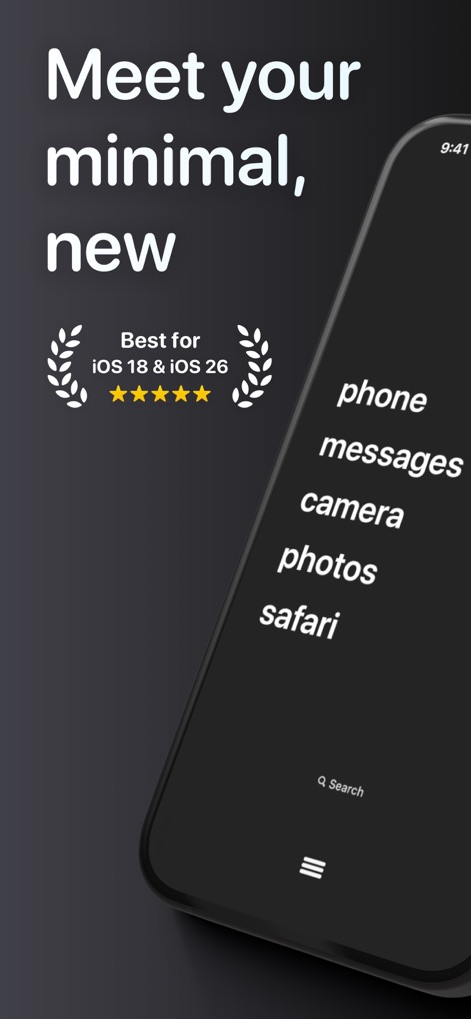
The app transforms the iPhone interface, replacing colorful icons with a streamlined list of essential apps and a clean search bar.
Minimalist Home Screen
Discover Dumb Phone's sleek branding and minimalist aesthetic, designed to declutter users' digital experience.
Introducing Dumb Phone

This screenshot highlights the app's dark mode interface, seamlessly integrating a clean time display with a simplified app list.
Modern Minimal Design
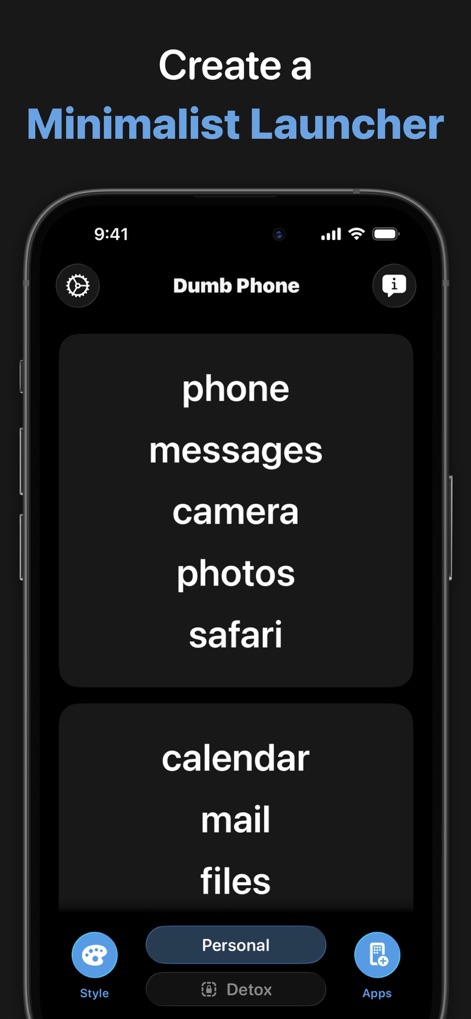
Users can customize their minimalist launcher, displaying selected essential apps in organized blocks with clear navigation options for styling and detox mode.
Custom Launcher Creation
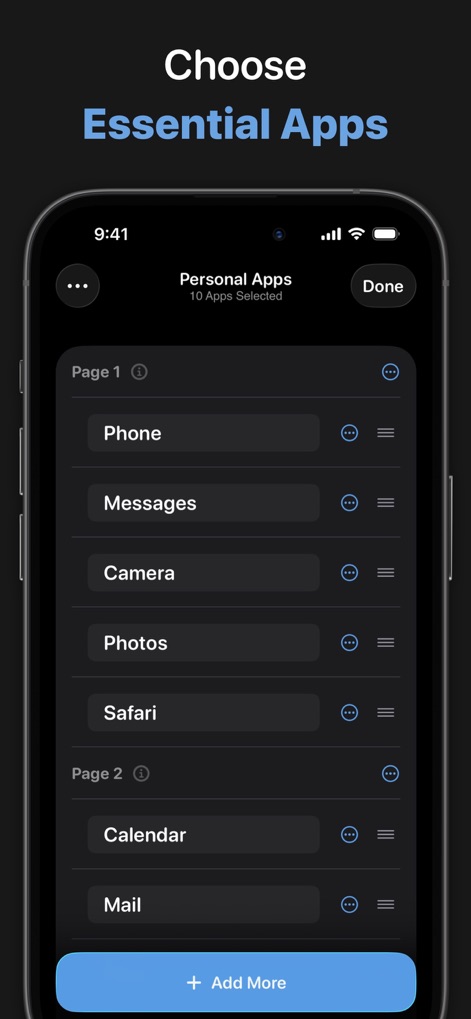
This interface demonstrates how users easily select and arrange their essential apps, ensuring only necessary tools are a tap away.
Select Core Apps
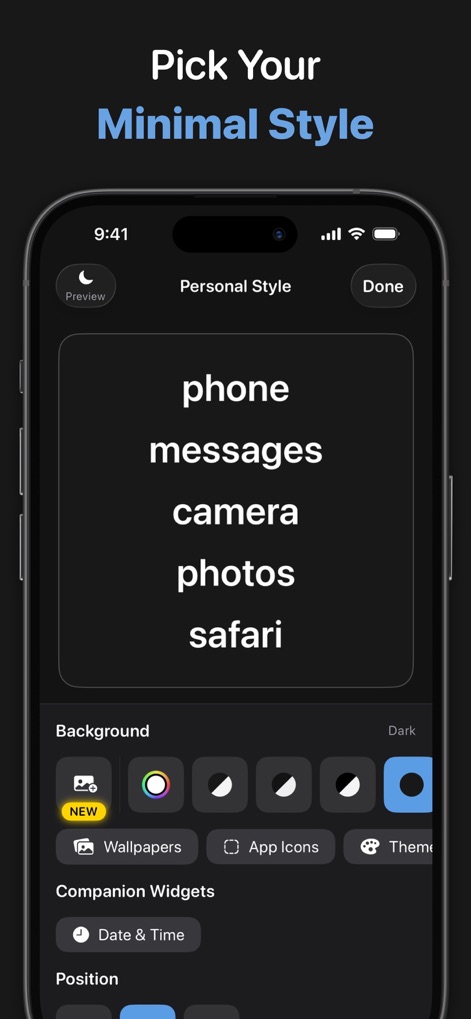
Explore styling options where users choose dark or light backgrounds and preview their customized minimalist app layout in real-time.
Personalize Your Layout
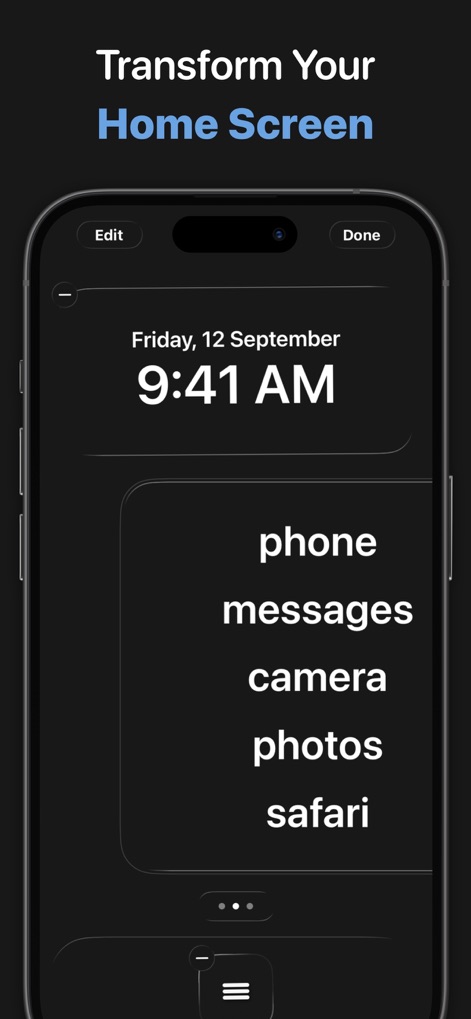
The app allows for direct editing of the Home Screen, letting users integrate essential app listings with a prominent date and time display.
Home Screen Transformation
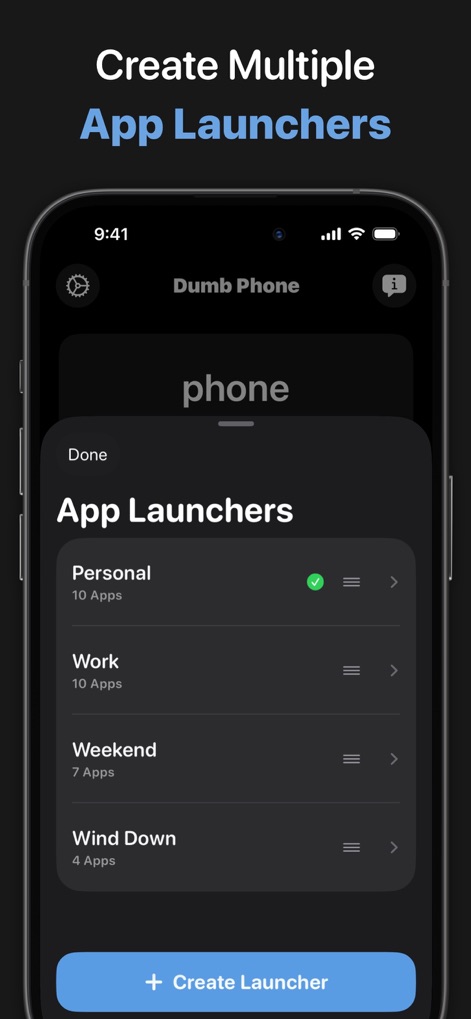
Users manage multiple app launchers for different contexts, easily switching between configurations like "Personal" and "Work" directly from this interface.
Dynamic Launcher Management
Description
Download
More Like This
Apps with similar features and user experience

This page is not an official page of the app or its developer, but an independent editorial publication created for informational and commentary purposes. Unless expressly stated otherwise, neither the app nor its developer is affiliated with, endorsed by, sponsored by, authorized by, or otherwise officially connected with MWM, Apple, Google Play, the app publisher, or the app's developer, and nothing on this page implies that the app was developed using MWM's services. Any trademarks, logos, screenshots, and other content remain the property of their respective owners.