
This page is not an official page of the app or its developer, but an independent editorial publication created for informational and commentary purposes. Unless expressly stated otherwise, neither the app nor its developer is affiliated with, endorsed by, sponsored by, authorized by, or otherwise officially connected with MWM, Apple, Google Play, the app publisher, or the app's developer, and nothing on this page implies that the app was developed using MWM's services. Any trademarks, logos, screenshots, and other content remain the property of their respective owners.


E-PASS Toll App
Tolls used to be a headache. Now, E-PASS Toll App puts drivers in total control of their routes and expenses.
Downloads
1M+User Rating
Total Ratings
14.7KPublisher
Category
TravelLocales
-Latest Version
5.76Size
103.4 MBFirst Released
Jul 22, 2019An analysis of key features providing convenience and financial control for Florida drivers.
E-PASS Toll App: Core Functionality Review
Instant Account Funding
This tool features a quick and easy way to add funds to the E-PASS account from anywhere.
Pay By Plate Invoice Management
It allows users to conveniently pay Pay By Plate toll invoices issued by the Central Florida Expressway Authority.
Low Balance Alerts
It sends timely notifications to users when their account balance is low, preventing missed tolls.
Biometric Authentication
This tool features secure and convenient login via fingerprint or Face ID.
Detailed Transaction History
The app provides a comprehensive view of past toll activities and transaction records.
Account Balance Monitoring
The app provides immediate access to current E-PASS account balances.
Personal & Payment Information Update
It allows users to easily update their contact details and payment methods.
Vehicle Information Management
It allows users to update or modify their vehicle details directly within the app.
Frequently Asked Questions
Everything you need to know about E-PASS Toll App
What is the primary function of the E-PASS Toll app?
The E-PASS Toll app allows E-PASS customers to manage their prepaid toll account. It also enables Florida drivers to pay Pay By Plate toll invoices from the Central Florida Expressway Authority.
Can I pay a Central Florida Expressway Authority toll invoice using the E-PASS Toll app?
Yes, Florida drivers can use the E-PASS Toll app to pay a Pay By Plate toll invoice from the Central Florida Expressway Authority. The app provides a dedicated option for this.
How do I check my account balance in the E-PASS Toll app?
Yes, users can check their E-PASS account balance directly within the app. The home screen clearly displays the current account balance for easy monitoring.
Does the E-PASS Toll app notify users of a low account balance?
Yes, the E-PASS Toll app provides alerts when the user's account reaches a low balance. This feature helps users manage their prepaid toll funds effectively.
What payment options are available to add funds to my E-PASS account via the app?
The E-PASS Toll app allows users to quickly add funds using various payment methods. These include Apple Pay, PayPal, and credit card, as shown during the reload process.
Can I update vehicle details within the E-PASS Toll app?
Yes, the E-PASS Toll app allows users to update vehicle information. This feature is accessible through the "Vehicles" section, where users can manage their registered vehicles.
How can I view my toll activity and transactions using the E-PASS Toll app?
The E-PASS Toll app allows users to monitor their toll activity and view account transactions. The "Activity" tab provides a detailed list of recent toll charges and payments.
Does the E-PASS Toll app support fingerprint or Face ID for authentication?
Yes, the E-PASS Toll app supports fingerprint and Face ID authentication. Users can sync the app with these biometric methods for secure and convenient access.
What types of E-PASS transponders can I purchase through the app?
Users can obtain Uni and Uni-Black transponders for $14.95 plus tax. Free Sticker and Sticker-Black transponders are also available, which permanently affix to the windshield.
What information is needed to activate a transponder in the E-PASS Toll app?
To activate a transponder, users must enter or scan the 13-digit transponder number. This number is located on the E-PASS sticker or the back of a Uni transponder.
Can I manage multiple vehicles and their transponders in the E-PASS Toll app?
Yes, the E-PASS Toll app allows users to manage multiple vehicles. The "Vehicles" section displays active vehicles, their license plates, and associated transponders.
The following screenshots and description are sourced directly from the app's official store listing and are the property of the app developer.
App Store
Screenshots
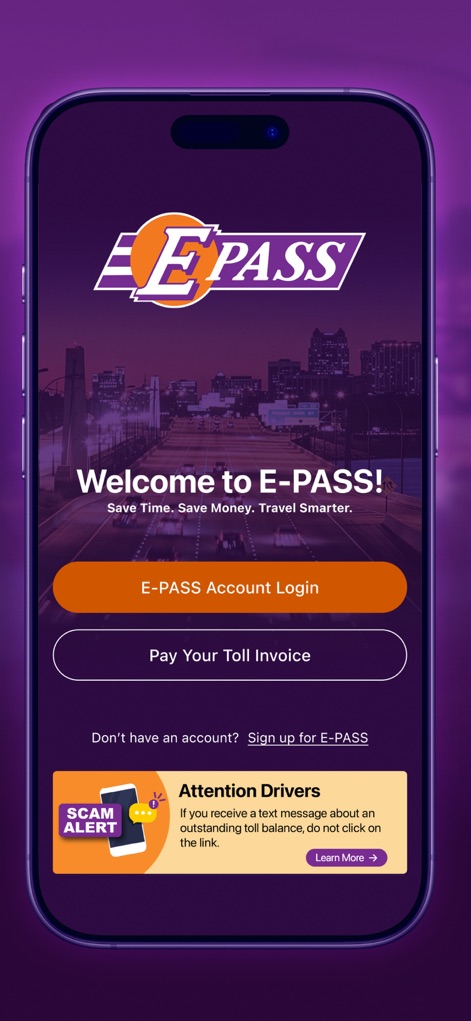
Users are greeted by a clear login interface and an immediate option to pay toll invoices, alongside an important scam alert banner.
Effortless Entry
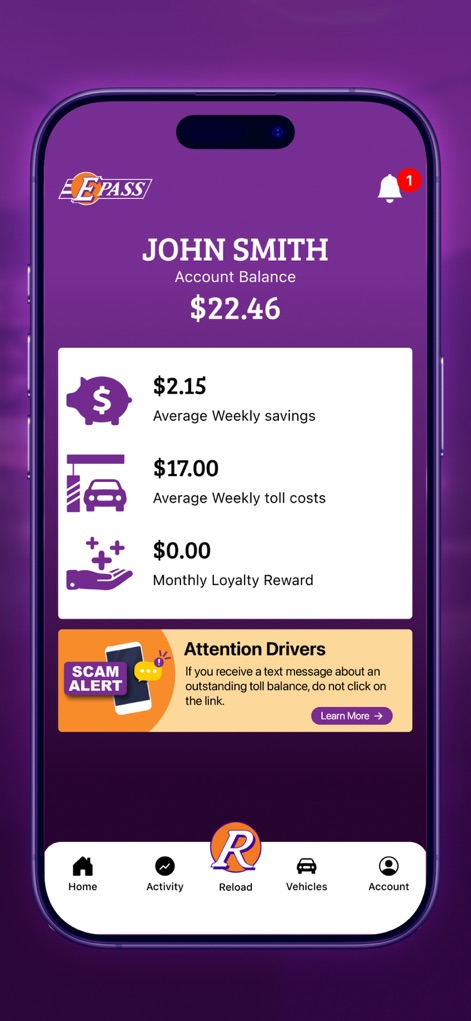
The app presents an intuitive dashboard displaying the current account balance and detailed breakdowns like average weekly savings and toll costs.
Account Overview
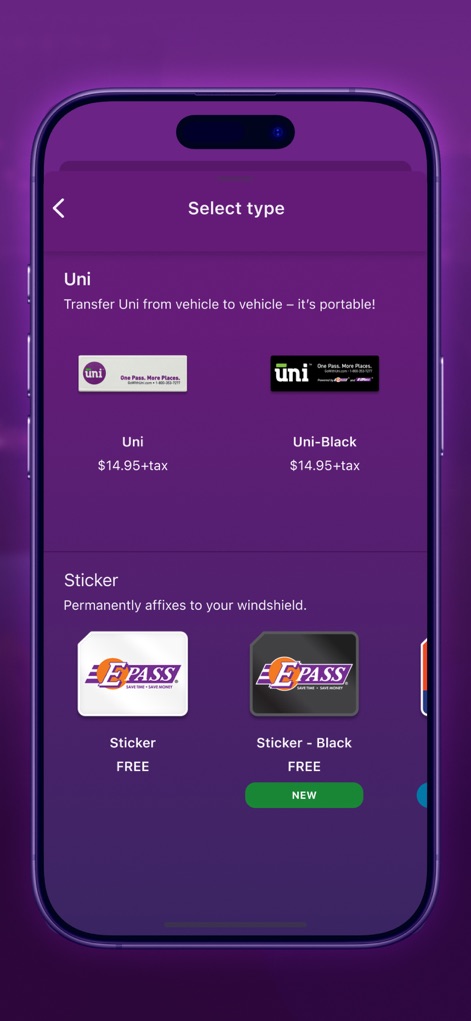
This screen clearly outlines available transponder types, distinguishing between portable Uni devices and permanently affixed stickers for user selection.
Transponder Choices
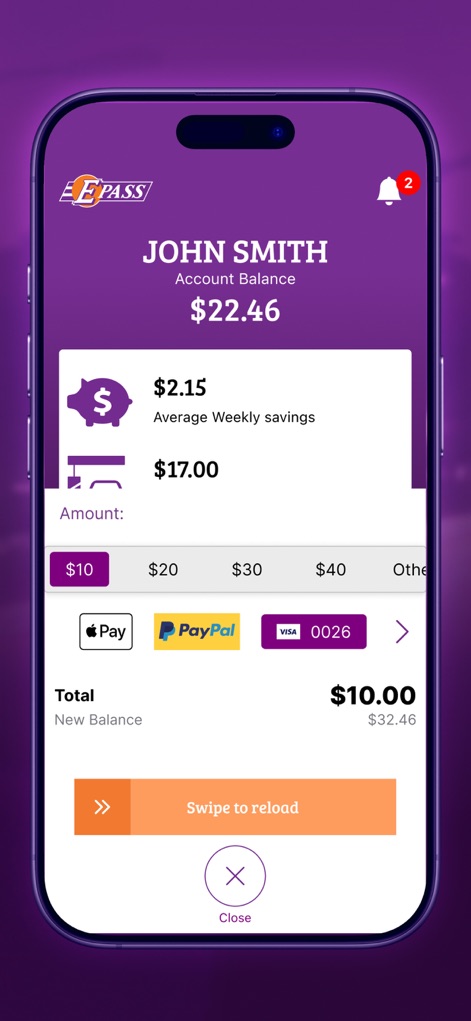
Users can easily add funds to their account, selecting desired amounts and payment methods, then completing the transaction with a 'Swipe to reload' gesture.
Quick Reload
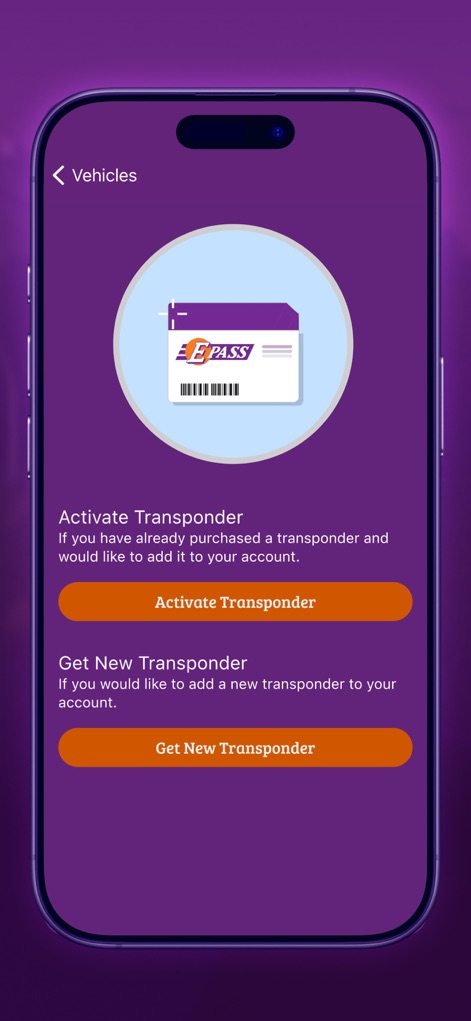
The app offers clear options to either activate an existing transponder or conveniently acquire a new one for seamless vehicle setup.
Vehicle Integration
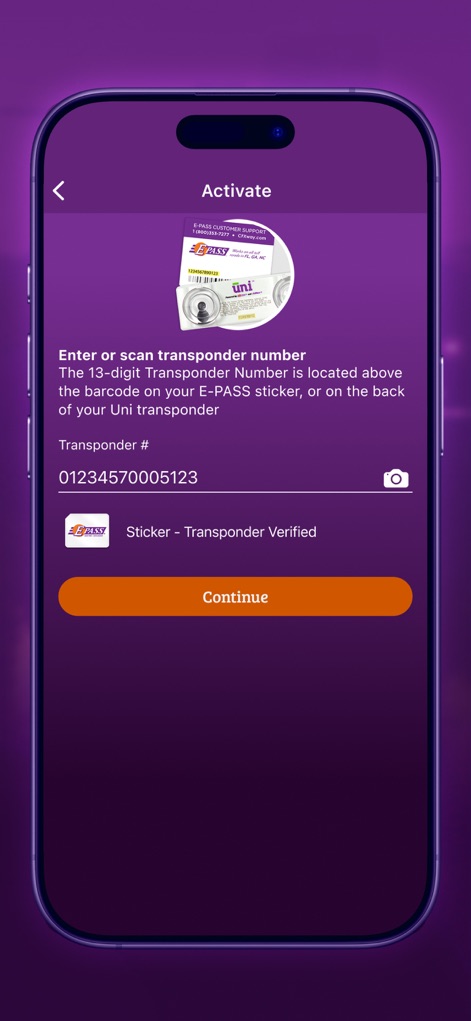
This screen facilitates transponder activation, prompting users to enter or scan the transponder number and providing a clear visual guide.
Transponder Activation
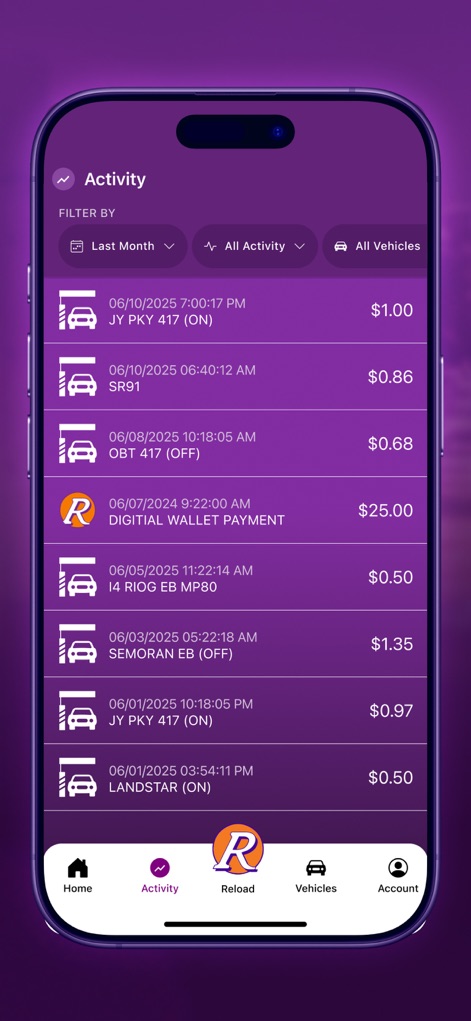
The app provides a comprehensive activity log, allowing users to filter by date and view individual toll transactions with their respective amounts.
Activity Tracking
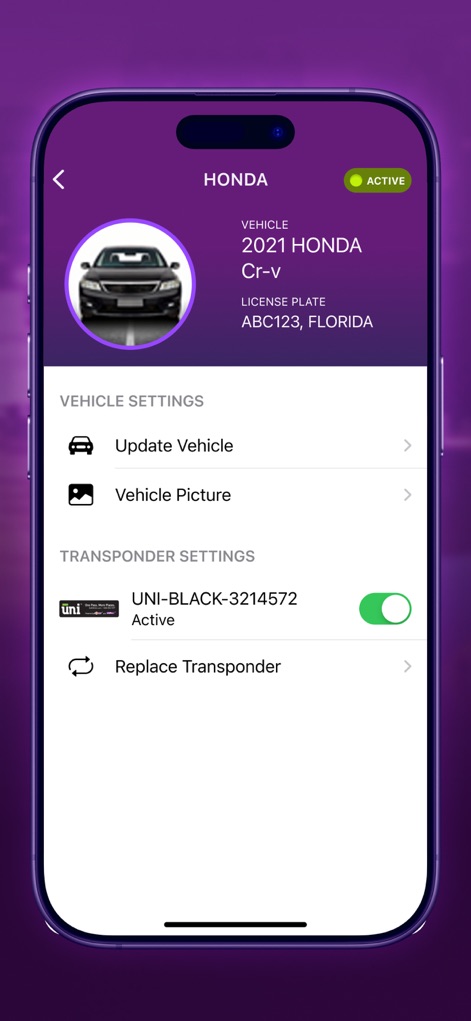
Users can manage vehicle details, including license plate information, and control transponder activation status through a simple toggle.
Vehicle Management

The app effectively displays multiple registered vehicles, each with its associated transponder and active status, and offers an easy option to add new vehicles.
Multi-Vehicle Support
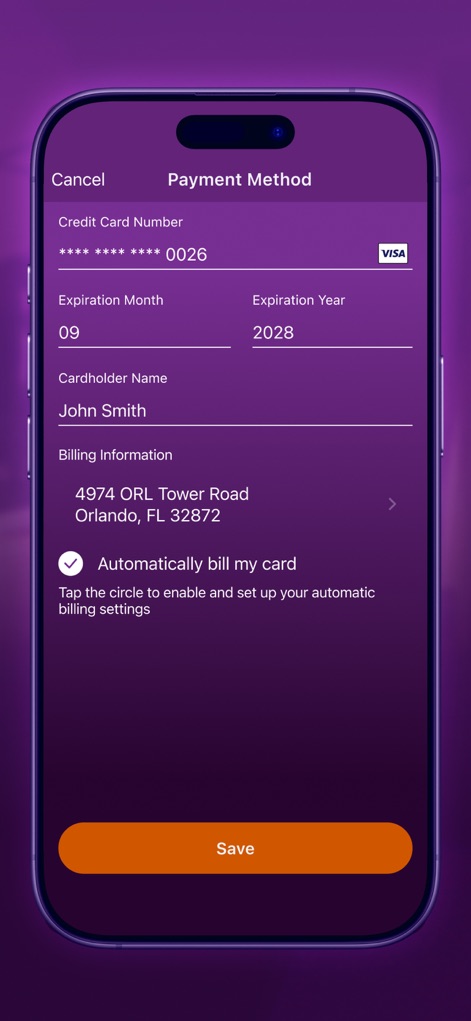
Users can securely update payment methods by entering card details and setting up automatic billing through a clear checkbox option.
Secure Payments
Description
Download
More Like This
Apps with similar features and user experience

Tolls NY
Conduent Inc.

ConectCar: Tag, benefícios e +
Conectcar Solucoes de Mobilidade Eletronica S.A.

M11 Transponder
SZKK, OOO (Moscow)

粤通卡
GUANGDONG UNITOLL COLLECTION INC

Linkt
TRANSURBAN LIMITED

DARB
Q Mobility LLC

Ulys by VINCI Autoroutes
VINCI AUTOROUTES
407 ETR
Canadian Tolling Company International Inc.

M-TAG One Network
One Network (Private) Limited
This page is not an official page of the app or its developer, but an independent editorial publication created for informational and commentary purposes. Unless expressly stated otherwise, neither the app nor its developer is affiliated with, endorsed by, sponsored by, authorized by, or otherwise officially connected with MWM, Apple, Google Play, the app publisher, or the app's developer, and nothing on this page implies that the app was developed using MWM's services. Any trademarks, logos, screenshots, and other content remain the property of their respective owners.